- NewsmagHeader styles
- NewsmagHeader ads
- NewsmagtagDiv Composer Tutorial
- NewsmagCategory templates
- NewsmagSmart list ads
- NewsmagWeather Widget
- NewsmagInstagram widget
- NewsmagPage Menu
- NewsmagMain menu
- NewsmagTop bar templates
- NewsmagLogin – how to enable the user registration
- NewsmagLogo & Favicon
- NewsmagFooter templates
- NewsmagCategory grid styles
- NewsmagCategory top post styles
- NewsmagHow category settings work
- NewsmagTheme colors introduction
 PadeldelosAndes
I had some ads hidden on my website https://padeldelosandes.com.ar because I didn’t want to show the empty placeholder until i sold it, so I I hid them in the CSS tab. Now I want it to be visible again but when I select Display/Show and save the changes, nothing happens, it’s still hidden even though I see it in the preview panel. I was able to unhide them in the home page but it’s not working in the Single Post Template. Help please!
If you enter in any post you won’t see the ad below the header like in the homepage.
 stanekc
I have a different logo for the mobile version of our site. In the Manager, I’ve selected the “mobile menu” option, selected the “header logo” element, and changed it to the proper mobile logo. It shows correctly in the editor view. It also shows correctly in a desktop web browser when I shrink the window size down to mobile size.
However, when looking at the site on an actual mobile phone, both Android and IOS, it only shows the logo from the “main menu”, not the mobile logo. I can see that it briefly loads the mobile logo but then swaps it with the desktop logo. Is there a setting that I am missing?
The site is EUValorMedia.com
 Coyotl
After the last update Newspaper 12.7.2, I lost the header and footer, and I can’t access the editing of my posts.
I don’t have a recent copy, only one from several months ago.
 Calin
Calin Hi,
It appers taht the last chnages on your homepage made this situation. most of the time the problem is from a shortcode that is not compatible with our theme or a plugin conflict, therefore after you set it with tagDiv Composer and save the page/cloud template, the next time when you try to edit it, you’ll get that error.
If is only for one page or a cloud template (it can be on the header or footer, you can change them for tests and see if the problem persists), this is from some settings/shortcodes set on it and it can be fixed using the page revision https://wordpress.com/support/page-post-revisions/
if the situation persists, make a full backup and contact us via email at contact@tagdiv.com and provide wp-admin access. We’ll check it as soon as we can.
Thank you!
Calin Hi,
If you are using a cloud header, you can use tagDiv Composer to edit the live search. In the General tab, if you scroll down, you will see the search form settings – https://i.imgur.com/bi4nphM.png
I hope this helps, if not, please provide a link to your website and some screenshots, I will try to recreate it and provide a better solution.
Thanks!
 bcnresistance
website URL: https://bcnresistance.com/
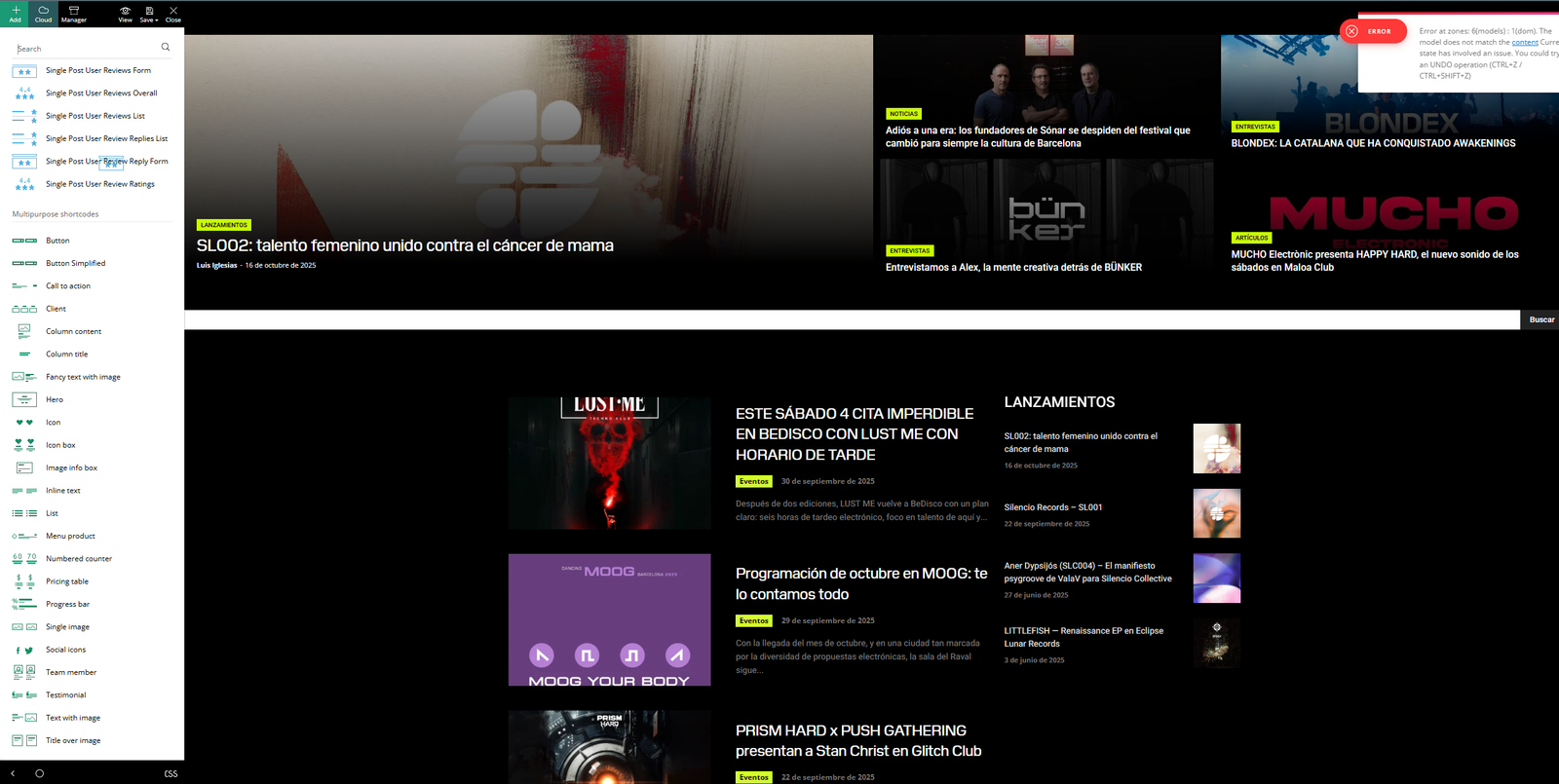
1.On my homepage, I can’t see the header or the footer (this only happens on the homepage).
2. I can’t use TagDiv Composer on my homepage (again, only on the homepage). Screenshot attached here.<br>
The editing sidebar appears, but I can’t edit anything in the body of the page — I can’t drag or select elements to modify them. It looks like it’s “broken.”
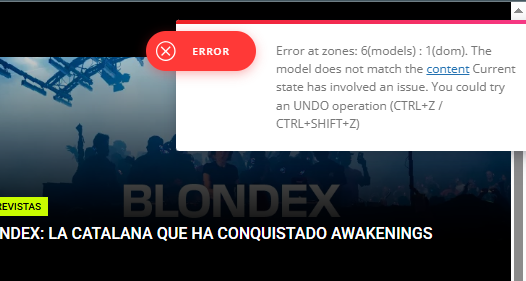
3. There are errors showing up in the TagDiv Composer editing menus. Screenshot attached here.
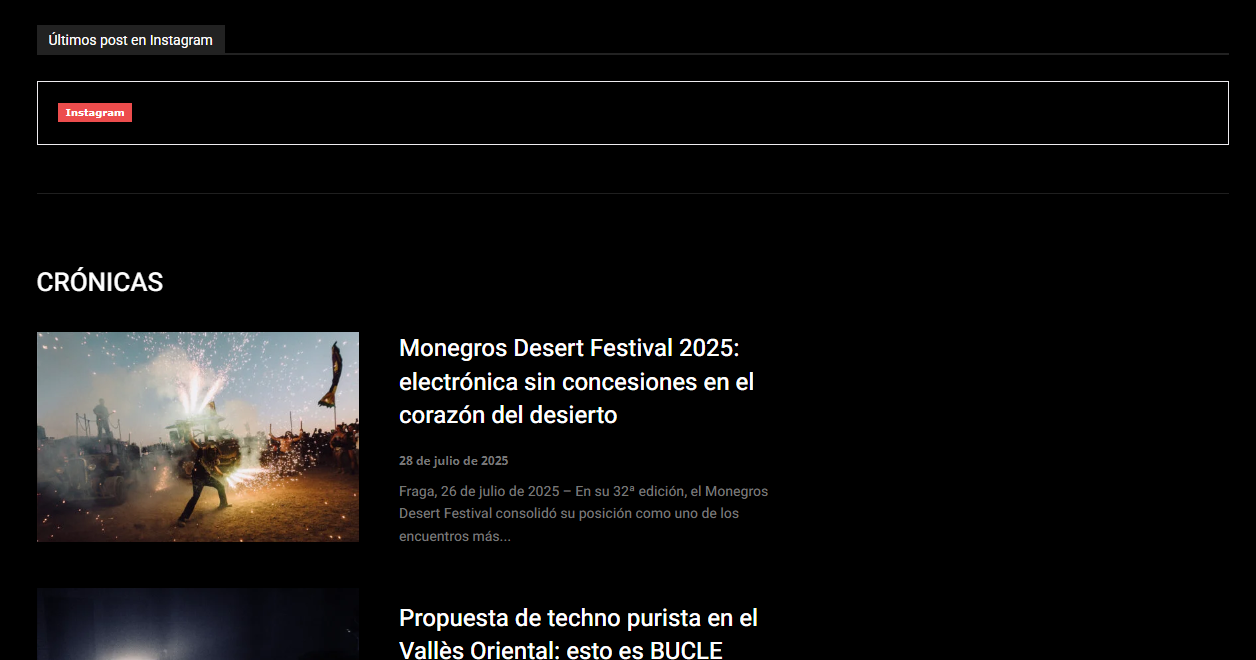
Some widgets have stopped working (for example, the Instagram link). Screenshot attached here
 bounama17
When I go to the search page gives me this error
Fatal error: Uncaught TypeError: Cannot access offset of type array on string in /usr/www/users/hurawa/wp-content/plugins/td-composer/legacy/common/wp_booster/td_util.php:1196 Stack trace: #0 /usr/www/users/hurawa/wp-content/plugins/td-composer/legacy/common/wp_booster/td_util.php(340): td_util::get_template_id() #1 /usr/www/users/hurawa/wp-content/plugins/td-composer/legacy/common/wp_booster/td_wp_booster_functions.php(513): td_util::check_header() #2 /usr/www/users/hurawa/wp-includes/class-wp-hook.php(324): td_load_css_fonts() #3 /usr/www/users/hurawa/wp-includes/class-wp-hook.php(348): WP_Hook->apply_filters() #4 /usr/www/users/hurawa/wp-includes/plugin.php(517): WP_Hook->do_action() #5 /usr/www/users/hurawa/wp-includes/script-loader.php(2299): do_action() #6 /usr/www/users/hurawa/wp-includes/class-wp-hook.php(324): wp_enqueue_scripts() #7 /usr/www/users/hurawa/wp-includes/class-wp-hook.php(348): WP_Hook->apply_filters() #8 /usr/www/users/hurawa/wp-includes/plugin.php(517): WP_Hook->do_action() #9 /usr/www/users/hurawa/wp-includes/general-template.php(3192): do_action() #10 /usr/www/users/hurawa/wp-content/plugins/td-composer/legacy/Newspaper/header.php(8): wp_head() #11 /usr/www/users/hurawa/wp-content/plugins/td-composer/td-composer.php(254): require_once(‘/usr/www/users/…’) #12 /usr/www/users/hurawa/wp-includes/class-wp-hook.php(324): {closure}() #13 /usr/www/users/hurawa/wp-includes/class-wp-hook.php(348): WP_Hook->apply_filters() #14 /usr/www/users/hurawa/wp-includes/plugin.php(517): WP_Hook->do_action() #15 /usr/www/users/hurawa/wp-content/themes/Newspaper/header.php(2): do_action() #16 /usr/www/users/hurawa/wp-includes/template.php(810): require_once(‘/usr/www/users/…’) #17 /usr/www/users/hurawa/wp-includes/template.php(745): load_template() #18 /usr/www/users/hurawa/wp-includes/general-template.php(48): locate_template() #19 /usr/www/users/hurawa/wp-content/plugins/td-cloud-library/wp_templates/tdb_view_search.php(8): get_header() #20 /usr/www/users/hurawa/wp-includes/template-loader.php(106): include(‘/usr/www/users/…’) #21 /usr/www/users/hurawa/wp-blog-header.php(19): require_once(‘/usr/www/users/…’) #22 /usr/www/users/hurawa/index.php(17): require(‘/usr/www/users/…’) #23 {main} thrown in /usr/www/users/hurawa/wp-content/plugins/td-composer/legacy/common/wp_booster/td_util.php on line 1196
 imkimc
 I tried the header live search again and this time it worked. But the standard search form cuts off the search text on the results page.
Also, I have chosen the live header but I can’t get the live results to show up… I know I’m doing something wrong but I can’t figure it out. Any suggestions?
 aline@nordsip.com
Hello! When I enter a search term, the live ajax is working but if I press enter it returns a fatal error.
How can I reset this function on the theme?
The site is nordsip.com and here is the error returned by Query Monitor:
Uncaught Error: Illegal offset type
in /home/nordsipc/public_html/wp-content/plugins/td-composer/legacy/common/wp_booster/td_util.php on line 1196
Call stack:
td_util::get_template_id(WP_Post)
wp-content/plugins/td-composer/legacy/common/wp_booster/td_util.php:340
td_util::check_header()
wp-content/plugins/td-composer/legacy/common/wp_booster/td_wp_booster_functions.php:513
td_load_css_fonts(”)
wp-includes/class-wp-hook.php:324
WP_Hook::apply_filters(NULL, array)
wp-includes/class-wp-hook.php:348
WP_Hook::do_action(array)
wp-includes/plugin.php:517
do_action(‘wp_enqueue_scripts’)
wp-includes/script-loader.php:2299
wp_enqueue_scripts(”)
wp-includes/class-wp-hook.php:324
WP_Hook::apply_filters(NULL, array)
wp-includes/class-wp-hook.php:348
WP_Hook::do_action(array)
wp-includes/plugin.php:517
do_action(‘wp_head’)
wp-includes/general-template.php:3192
wp_head()
wp-content/plugins/td-composer/legacy/Newspaper/header.php:8
require_once(‘/home/nordsipc/publi…Newspaper/header.php’)
wp-content/plugins/td-composer/td-composer.php:254
{closure}(”)
wp-includes/class-wp-hook.php:324
WP_Hook::apply_filters(”, array)
wp-includes/class-wp-hook.php:348
WP_Hook::do_action(array)
wp-includes/plugin.php:517
do_action(‘tdc_header’)
wp-content/themes/Newspaper/header.php:2
require_once(‘/home/nordsipc/publi…Newspaper/header.php’)
wp-includes/template.php:810
load_template(‘/home/nordsipc/publi…Newspaper/header.php’, true, array)
wp-includes/template.php:745
locate_template(array, true, true, array)
wp-includes/general-template.php:48
get_header()
wp-content/plugins/td-cloud-library/wp_templates/tdb_view_search.php:8
include(‘/home/nordsipc/publi…/tdb_view_search.php’)
wp-includes/template-loader.php:106
require_once(‘/home/nordsipc/publi…/template-loader.php’)
wp-blog-header.php:19
require(‘/home/nordsipc/public_html/wp-blog-header.php’)
index.php:17
Calin Hi,
Our theme provides for the logo the option to set an image, text, icon, and SVG.
Use tagDiv Composer to change the logo https://i.imgur.com/HgCpJ5P.png select the element and check the text and svg logo – https://i.imgur.com/aC8gVlR.png https://i.imgur.com/8NILLxD.png check it on mobile header too – https://i.imgur.com/2xn9Bba.png
Thank you!
Calin Hello,
If you want to revert to a header version, then go to the Cloud template and hover over the “Header Template – Trucking” header and click on edit – https://i.imgur.com/eHODxuB.png, then use a revision from here – https://i.imgur.com/ELdLSEG.png
This should help you get back the header as it was before editing it.
Thank you!
 gunnarerth
 Hi Calin!
Thanks for your fast reply! We are using Newspaper 12.7.1 and 12.6.8.
I asked our Admin to make the update. He always insists on doing it himself.
I will let you know when it’s done.
It’s for the following websites:
https://magazin.s-vorteilspartner.de/
https://s-quin-magazin.de/
https://www.starmag.online/
https://flin-magazin.de/
I am not sure about your question about the elements. We are using pages that are built with the standard tagDiv Composer, also standard header and footer templates. There is currently no <main> and other landmarks generated by the theme. Can you check it with the webbrowser or do you need screenshots or other info?
Thanks a lot!
Gunnar
 target
 Yes, sure we did. It’s looking fine now because previously, the theme couldn’t load any header or footer templates. My colleague built some new ones now but I’d really want to know why this happened. We had to do something because the client gets really angry when things arent working. Any idea what’s causing this? It’s a very old site that we paid your team to do a migration from version 8.7.2 to 12.7 on in May.
 europeantimes
 Dear TagDiv Support,
I am writing to report several critical issues affecting the Newspaper theme and its bundled plugin td-cloud-library, which are causing instability and performance problems on my website (europeantimes.news).
After thorough debugging, I’ve identified key areas that require immediate attention from your development team.
🔧 1. Translation Loading Triggered Too Early
Error Message:
“Function _load_textdomain_just_in_time was called incorrectly. Translation loading for the ‘td-cloud-library’ domain was triggered too early.”
Location:
tdb_config::on_tdc_loaded() in /wp-content/plugins/td-cloud-library/includes/tdb_config.php
Issue:
The theme loads translation strings before WordPress is fully initialized. According to WordPress Codex , translations should be loaded at the init action or later.
Currently, this causes repeated “doing it wrong” notices and impacts system stability under high load.
Request:
Please ensure all text domains are loaded properly via the init hook:
php
1
2
3
add_action(‘init’, function() {
load_plugin_textdomain(‘td-cloud-library’, false, dirname(plugin_basename(__FILE__)) . ‘/languages’);
});
🔧 2. Deprecated Constructor in Mobile_Detect Class
File:
/wp-content/plugins/td-cloud-library/includes/Mobile_Detect.php
Issue:
The constructor uses outdated syntax that triggers deprecation warnings in modern PHP environments.
This affects compatibility and indicates code maintenance is needed.
Request:
Update the constructor to follow current PHP standards:
php
1
function __construct(?string $userAgent = null, ?array $httpHeaders = null)
🔧 3. Excessive Database Queries Due to Empty Email Lookups
Observed Behavior:
Repeated queries like:
sql
1
SELECT * FROM wp_users WHERE user_email = ‘d41d8cd98f00b204e9800998ecf8427e’
(This is the MD5 hash of an empty string.)
Cause:
Avatar functions call get_user_by(’email’) without validating that the email exists.
Impact:
Unnecessary database load, especially under automation or bot traffic.
Request:
Add validation before querying:
php
1
2
3
if ( ! empty($email) && is_email($email) ) {
$user = get_user_by(’email’, $email);
}
🔧 4. Aggressive Hook Execution Before Initialization
In tdb_config.php, translatable strings are used inside on_tdc_loaded(), which fires before init. This forces premature loading of language files and violates WordPress best practices.
Example Line:
tdb_config::on_tdc_loaded() → calls __() too early
Recommended Fix:
Defer any logic involving translation functions until after the init action.
✅ Environment Summary
Theme: Newspaper (latest version)
Plugin: td-cloud-library (bundled)
WordPress: 6.8.2
Caching: Redis Object Cache + Hummingbird
Traffic Type: High-volume, automated content publishing
🛠 Requested Actions
Please:
Acknowledge these issues
Confirm if fixes are planned in an upcoming release
Provide guidance on running the theme reliably at scale
These are not minor notices — they directly impact performance, scalability, and long-term compatibility with WordPress core.
Thank you for your time and support. I look forward to your response.
Best regards,
Calin Hi,
I’m not sure I understand correctly. Were you using a standard cloud header before, and now a cloud header, or vice versa?
If you had a cloud header before and now you don’t, please go to Newsapper > plugins and install tagDiv Composer, tagDiv Cloud Library and if it was a standard header, install tagDiv Standard pack https://forum.tagdiv.com/tagdiv-cloud-library-plugin/
Thank you!
Calin Hi,
The demo you are using has 2 types of headers: one is an overlay over the content, and the other is a normal header. The situation appears to be with the one with an overlay over the content.
If this was edited, you can use a backup for it https://i.imgur.com/GyhjL6k.png, or you can import that header from the cloud https://i.imgur.com/pGhgAbX.png. The situation can appear if it is manually assigned on those templates that is no longer displayed
Thank you!
Calin Hi,
A cloud header will use the file from this path: wp-content/plugins/td-cloud-library/parts/tdb-login-modal.php. Unfortunately, there are no options to overwrite the files from the cloud in the child theme, sorry!
 Om Baldan
 The problem is, on some pages, the header appears. But the homepage and several other pages don’t, even though they did before. I haven’t made any changes to the header settings other than changing the text and logo.
 fstone
Somehow the header went from tagdiv to cloud template mode. How do I get it back?
fstoneSomehow the header went from tagdiv to cloud template mode. How do I get it back?
 ctucker
 Yes, we are using a cloud header template, but using the standar header login from the tagdiv editor menu.
 Davidpinto
 I had the same problem and I contact my hosting provide to restore a backup of my website. After tried to install last update my header and footer have lost my edits. Now with the restore i resolved but for now i don’t update the theme. Any suggestions? thank you
 SHE RIDES
Hi TagDiv Support Team,
after installing the latest TagDiv update, all of my theme settings have been completely wiped out.
My header, footer, and every single design setting stored in the theme are gone. Even the registration and TagDiv-related plugins were reset to zero. It looks like everything connected to TagDiv has been erased.
I’ve managed to manually recreate a basic header and footer for now, but it’s impossible to rebuild all the individual details from scratch.
Can you please explain what happened and, more importantly, how I can restore my previous theme configuration?
Are there backups or recovery options available from the TagDiv Cloud, Theme Panel, or database that would help me recover my lost settings?
This issue is extremely frustrating and has caused a major disruption. I urgently need your assistance to get the site back to its previous state.
Thank you in advance for your quick support.
Best regards,
Calin Hi,
Please note that our support is only Monday – Friday: 8:00 AM – 17:00 PM
The zones refer to the header/content/footer zone.
Most of the time, the problem is from a shortcode that is not compatible with our theme; therefore, after you set it with tagDiv Composer and save the page, the next time you try to edit it, you’ll get that error. The simplest and fastest way to resolve it is to use a page/template revision – https://wordpress.com/support/page-post-revisions/
Calin Hi,
Unfortunately, the site cannot be checked right now – https://i.imgur.com/CsumvIQ.png
What you can check on those pages is to edit them using tagDiv Composer, select the manager, and check in the header zone if the option for no header is not set. https://i.imgur.com/Kkc6xTA.png