
- NewspaperHeader Builder
- NewsmagHeader styles
- NewsmagHeader ads
- NewspaperHeader ads
- NewspaperHeader styles
- Apitd_api_header_style::delete
- Apitd_api_header_style::update_key
- Apitd_api_header_style::update
- Apitd_api_header_style::add
- ApiAPI – Header style – Introduction
- NewspaperSearch setup for custom post type
- NewspapertagDiv Composer – Website Manager
- NewspaperBookmark – Save For Later
- NewspaperWooCommerce: Happy “Add to Favorites!”
- NewspaperModal Popup
- NewspaperFlex Block Settings Guide
- NewspaperPosts Loop Element
- NewspaperHow to Add a Logo in Newspaper
- NewspaperDefault Category Settings
- NewspaperWhen tagDiv Composer is Not Working
 firebrandmedia
I am trying to correct a banner responsive issue on my site: https://www.lagunabeachindy.com. I am using Google DFP to ad serve. I set the header ad unit to serve both 728×90 and 300×250 ads. In the theme panel, I set the requested ad sizes in each device type, desktop, tablet, and mobile. For some reason, on desktop, I still get 300×250 banners appearing and 728×90 on mobile. My goal is to have 728×90 on desktop and 300×250 on mobile for the header ad. Can you help me rectify this issue?
 AasifGanaie
 2. The homepage header background image is also resolved.
 Anamaria
 Hello,
If you have instaled a Prebuilt Website Pro then you can edit with tagDiv Composer => https://www.screencast.com/t/jNDptsgvhgOW and select which element you want to edit, for example, select the Header main menu => https://www.screencast.com/t/oo6zPCDWd6 -> https://www.screencast.com/t/1EGstlbu.
You can change the width using the row stretch https://www.screencast.com/t/mh8MybKZa1z or you can import the template you like.
Thank you!
Anamaria Hello,
If you use the responsive version you need to go in Theme Panel -> Theme Colors -> Header -> Mobile menu/mobile search => https://www.screencast.com/t/OuK8YYwPe where you can set the opacity, or if you use the mobile theme plugin, also, in Theme Panel -> Mobile theme -> Theme colors => https://www.screencast.com/t/0YSh3nRvi
Hope this helps you!
Thank you!
 e_tietze
I’m using Block 9 on my site, which uses module 8, and I would like to have the first 15-20 words of the post included in the block instead of just the title, author, date and category. Is there an easy way to add this? Or is there an easy way to remove the image from another block? I’m just wanting the title, author, date, category and first 15-20 words of the post without an image on my home page for my site.
This would be at the bottom of the home page under “Farm Help” category header. https://test.ozarksfn.com/
AasifGanaie 2. I have added a header background image. How can we extend it to highlighted areas: https://snipboard.io/Y5h6TE.jpg
 commandeleven
Hello,
I’ve been working on trying to update my website, but am having a few problems that I can’t seem to figure out.
-
Import
The first problem is when I try to import a cloud template for a page from the Cloud Library, I get an immediate error that “one of the images failed to upload” and the template never installs from there. It just sticks there.
-
Template
When I’m working with the template, for example Influencer, I am unable to understand how to make all the changes to the header, footer and sidebar automatic. I have a sidebar on my home page, but can’t get that to come across on the pages (non-blog pages). Is it possible or am I just fighting a losing cause?
Post Pagination
How do you turn off the automatic pagination on single article pages? When you scroll down to the bottom of an article it automatically loads the next article below. How do I turn this off?
Thanks!
KM
Anamaria Hello,
1. You can assign a footer template to be Global =>https://www.screencast.com/t/OsT9ga0ta for posts/pages you want to be normal, and you can assign a particularly footer where you want to be different. You can import a footer from Cloud Library with tagDiv Composer -> Manager (Website Manager) => https://i.imgur.com/vlvXloM.png
2. Make sure you use the logo full width and for change the header background image, you need to go on the header, select the row from header, go in CSS and you have a background image => https://www.screencast.com/t/IIbhYhtaln
3.If is still a problem we would like to investigate the issue, if you agree please make a full backup and contact us at contact@tagdiv.com, provide wp-admin and credentials, also a link to this topic in order to identify you.
4.Those are some extra parameters for schema, also these parameters are optional, is no need for them, therefore you can ignore the warnings, this will not affect your website.
Please try not to reply multiple times in your own topic, this will only delay the response from us because it will move the topic to the back of the line. We always answer from oldest to newest.
Thank you!
 mrinaldev
Hello there,
I pasted the Google tag manager code in the header.php file. This is not working. When I see the home source code with Ctrl+U, I can’t find any tag manager code there. Anyone can help me fix this?
 Louis
LouisHello,
I got a problem with my website : arbreaucoeur.com, the mobile menu header is much wider when you go on horizontal mode, I tried many things but nothing worked, do you have any suggestion to solve this ?
Thank you in advance,
Louis
Anamaria Hi,
There are multiple headers in our theme, for example, if you are using tagDiv Standard pack the file that you want to edit is this one -> wp-content/plugins/td-standard-pack/Newspaper/header.php if you do not use standard pack, only tagDiv Cloud Library with tagDiv Composer, then the file is this one -> wp-content/plugins/td-composer/legacy/Newspaper/header.php
Thank you!
 marcorroma
 Thanks, that can be an alternative.
But I would rather have something like this:
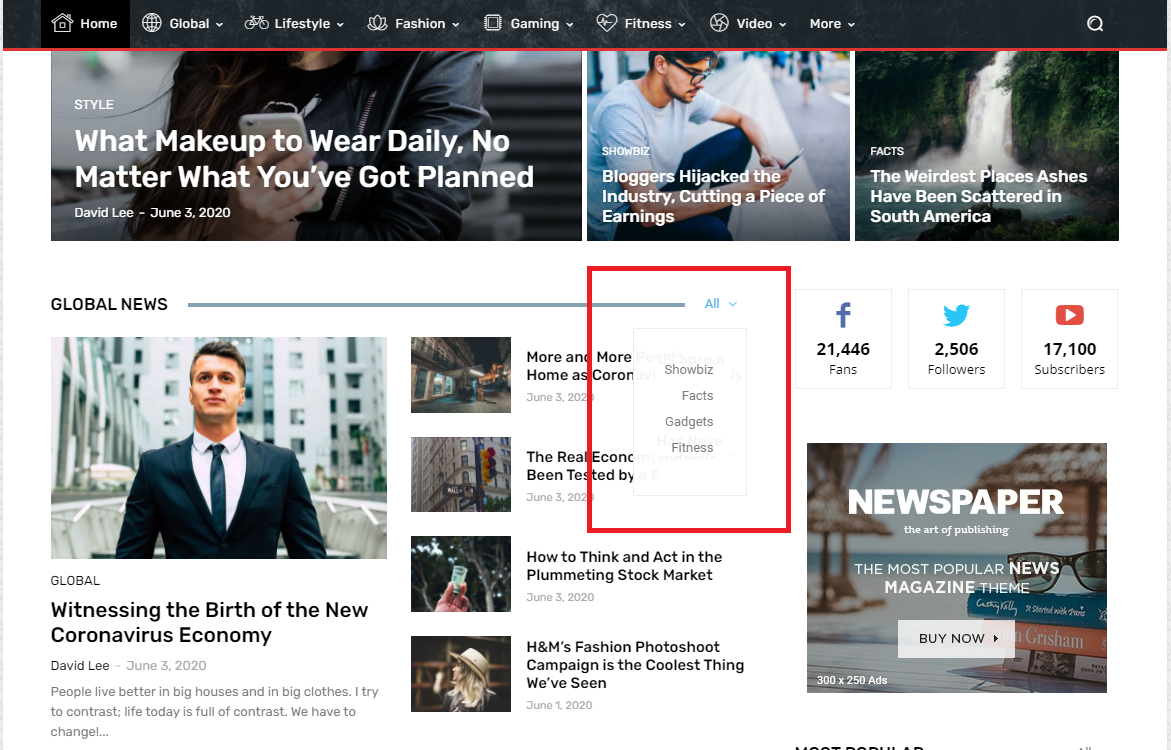
I hope you consider this header settings. Thank you
 Simion C.
 Hi,
The “Global template” is the default setting. A mobile page requires a mobile header and footer template. At the moment there are only the blank mobile header and footer templates available for import https://prnt.sc/y4hchy -> https://prnt.sc/y4hhl1
Same for the footer.
So you can either import the blank header and footer templates and build them in the composer. Or convert a desktop header/footer template in a mobile template like this for example -> https://prnt.sc/y4i680 and customize it further. Same for the footer.
Please give it a try.
Thank you!
Anamaria Hello,
You can change the header template => https://www.screencast.com/t/UyrgF5mb67X and it will look different or use a custom CSS.
Thank you!
 Bettina
 Hello!
I checked your website page and it seems you have sticky header.
If you want to deactivate the sticky header, then for all pages your sticky header will disappear include homepage also.
If you want to change the header from some pages then you need to do a similar procedure how I explained in this topic: https://forum.tagdiv.com/topic/different-logo-in-categorypage/.
Thank you!
 hard8hopping
I imported “Header Template 62 – Gadgets Pro” and enabled it as the active header. In tagDiv Composer, I can replace the header logo image with an uploaded one, but it doesn’t show. I see the site title and tagline but not the inserted logo image. Doesn’t show in the Composer as I edit, when clicking View or after saving and viewing the live site. Perhaps this template is busted or incompatible with the Newspaper Pro theme? I imported the Nomad Pro header and it works. You can delete this post. There’s no option for me to delete.
chiyurealestate.com
 alexguemez
Hi guys,
tagDiv composer doesn’t load, I’m getting these type of errors: https://prnt.sc/y2yr1n
I’ve added this:
<IfModule mod_substitute.c>
SubstituteMaxLineLength 10M
</IfModule>
<IfModule mod_headers.c>
Header always append X-Frame-Options SAMEORIGIN
</IfModule>
from https://forum.tagdiv.com/tagdiv-composer-not-working/ but still not working.
 domingoz
How would you go about customizing the weather widget frontend on the top bar: ie, customizing the render_top_bar_template() inside the td-composer plugin?
Anamaria Hi,
I checked your website and the header looks fine => https://www.screencast.com/t/YnM6qi0B
Did you manage to solve your problem?
You can make the menu vertically if you add the list menu => https://www.screencast.com/t/r0onsSx8XM
Thank you!
AasifGanaie 2. Thanks for pointing to SHOW option. I have changed the logo but it doesn’t look great. Do I need svg format in order for the logo to look nice? Also, how can I change the header background image, like in demo?
Anamaria Hi,
You can achieve that using a cloud header from tagDiv Cloud Library, this can be edited with tagDiv Composer on all viewports (or better import a blank one).=> https://i.imgur.com/hcXEveR.png
Thank you!
 quim
quimHi there,
I’m writing to you because I need to add a code one to header.php. You already provided me with an answer here (https://forum.tagdiv.com/topic/insert-code-frontpage-header-php/) but it is not working for me now. Are there any changes I need to consider ??
Thanks and regards,
Anamaria Hello,
1.All the elements on the page you can edit with tagDiv Composer. Is this part about? => https://www.screencast.com/t/QlsSWabfzr or this => https://www.screencast.com/t/dIDV4iNuvc
2.What problem do you encounter when trying to change the logo?
To change the logo you have to edit with tagDiv Composer, select the header logo and in General, you have logo image and logo retina image, you can choose an image logo from the gallery and make share the option “Show image” is set to Show => https://www.screencast.com/t/s4VUClhPFzj
3.About theme Panel, what do you mean it doesn’t save, it gets stuck on loading icon? If yes, please verify the console for error while saving the settings on the Theme Panel, usually, it displays a 403 or 404 error. Those errors block the admin-ajax request. To fix this you need to check the security to have and also, ask your host about security modules/plugins, firewall, , Wordfence.
4.Please let me know about your error, you can send me some screenshots.
Thank you!
 aaronaw90
Apologies if this has been brought up recently, but I’ve just gone to update 10.3.9.1 on WordPress and it says theme update failed – has anyone had this issue?
Full error thread below:
Unpacking the package…
Updating the theme…
Removing the old version of the theme…
The update cannot be installed because we will be unable to copy some files. This is usually due to inconsistent file permissions. tagdiv-deploy-mode.php, font-newspaper.css, woocommerce, woocommerce/single-product.php, woocommerce/archive-product.php, search.php, sidebar.php, comments.php, editor-style.css, style.css, archive.php, functions.php, translation, translation/ru_RU.po, translation/de_DE.po, translation/de_DE.mo, translation/hi_IN.po, translation/es_ES.po, translation/pt_PT.po, translation/ta_LK.po, translation/mr_IN.mo, translation/ja.po, translation/ta_LK.mo, translation/pl_PL.mo, translation/pl_PL.po, translation/ro_RO.mo, translation/ur_IN.po, translation/ja.mo, translation/el.po, translation/nl_NL.po, translation/th.po, translation/id_ID.mo, translation/th.mo, translation/fi.po, translation/id_ID.po, translation/ru_RU.mo, translation/fi.mo, translation/tr_TR.mo, translation/nl_NL.mo, translation/default.po, translation/es_ES.mo, translation/pt_PT.mo, translation/el.mo, translation/mr_IN.po, translation/ro_RO.po, translation/ur_IN.mo, translation/tr_TR.po, translation/default.mo, translation/hi_IN.mo, loop-single.php, style-buddypress.css, includes, includes/tagdiv-page-generator.php, includes/wp-booster, includes/wp-booster/tagdiv-options.php, includes/wp-booster/wp-admin, includes/wp-booster/wp-admin/tagdiv-view-support.php, includes/wp-booster/wp-admin/tagdiv-view-welcome.php, includes/wp-booster/wp-admin/css, includes/wp-booster/wp-admin/css/plugins.less, includes/wp-booster/wp-admin/css/welcome.less, includes/wp-booster/wp-admin/css/general.less, includes/wp-booster/wp-admin/css/wp-admin.less, includes/wp-booster/wp-admin/css/wp-admin.css, includes/wp-booster/wp-admin/plugins, includes/wp-booster/wp-admin/plugins/class-tagdiv-old-plugins-deactivation.php, includes/wp-booster/wp-admin/plugins/class-tagdiv-theme-plugins-setup.php, includes/wp-booster/wp-admin/plugins/class-tgm-plugin-activation.php, includes/wp-booster/wp-admin/js, includes/wp-booster/wp-admin/js/tagdiv-theme-plugins-setup.js, includes/wp-booster/wp-admin/tagdiv-view-theme-plugins.php, includes/wp-booster/wp-admin/images, includes/wp-booster/wp-admin/images/font, includes/wp-booster/wp-admin/images/font/tagDiv.svg, includes/wp-booster/wp-admin/images/font/tagDiv.eot, includes/wp-booster/wp-admin/images/font/tagDiv.ttf, includes/wp-booster/wp-admin/images/font/tagDiv.woff, includes/wp-booster/wp-admin/images/plugins, includes/wp-booster/wp-admin/images/plugins/plugins-installed-success.gif, includes/wp-booster/wp-admin/images/plugins/rev-slider.png, includes/wp-booster/wp-admin/images/plugins/cloud-templates.jpg, includes/wp-booster/wp-admin/images/plugins/tagdiv-newsletter.png, includes/wp-booster/wp-admin/images/plugins/visual-composer.png, includes/wp-booster/wp-admin/images/plugins/label.png, includes/wp-booster/wp-admin/images/plugins/standard-pack.jpg, includes/wp-booster/wp-admin/images/plugins/mobile.png, includes/wp-booster/wp-admin/images/plugins/td-composer.png, includes/wp-booster/wp-admin/images/plugins/success.jpg, includes/wp-booster/wp-admin/images/plugins/social.png, includes/wp-booster/wp-admin/images/plugins/invoice.png, includes/wp-booster/wp-admin/images/plugins/tagdiv-amp.png, includes/wp-booster/wp-admin/tagdiv-view-header.php, includes/wp-booster/tagdiv-util.php, includes/wp-booster/tagdiv-global.php, includes/wp-booster/tagdiv-admin-notices.php, includes/wp-booster/tagdiv-wp-booster-functions.php, includes/tagdiv-panel-docs.php, includes/js, includes/js/tagdiv-theme.min.js, includes/js/tagdiv-theme.js, includes/tagdiv-config.php, single.php, style-bbpress.css, loop.php, index.php, error_log, loop-archive.php, style-woocommerce.css, header.php, page.php, tag.php, footer.php, attachment.php, bbpress.php, 404.php, screenshot.png, searchform.php, author.php, images, images/admin-panel, images/admin-panel/logo-panel.png, images/editor-style, images/editor-style/grid-sidebar-desktop.gif, images/editor-style/grid-no-sidebar-desktop.gif, images/no-thumb, images/no-thumb/medium_large.png, images/icons, images/icons/newspaper.svg, images/icons/newspaper.woff, images/icons/newspaper.eot, images/icons/newspaper.ttf, gutenberg-editor.css, category.php
Theme update failed.
 artnoise
My website url https://www.xalkidikipolitiki.gr/new
My problem is that the header template is appearing in all posts and articles and pages. Everytime i create a new one of these the header template appears on the top. How can i deactivate the header template from the posts only and from some pages that i need except the homepage?



