
- NewsmagHeader styles
- NewsmagHeader ads
- NewsmagtagDiv Composer Tutorial
- NewsmagCategory templates
- NewsmagSmart list ads
- NewsmagWeather Widget
- NewsmagInstagram widget
- NewsmagPage Menu
- NewsmagMain menu
- NewsmagTop bar templates
- NewsmagLogin – how to enable the user registration
- NewsmagLogo & Favicon
- NewsmagFooter templates
- NewsmagCategory grid styles
- NewsmagCategory top post styles
- NewsmagHow category settings work
- NewsmagTheme colors introduction
 Jabed
JabedMy site’s menu bar is working well at home page in both desktop view and mobile view. But when I try to see all the menus from a post page on mobile view in incognito mode, it’s not showing.
I need help to be honest. It’s been 4 days, and I’m working on just fixing my my header again and again.
I’m learning from my mistakes.
Whenever I need help, I post here. But it takes too much time to get a reply from tagdiv team that’s why I reset my site with wp reset plugin and started working with it from the beginning.
This is what I’ve been doing in circle : Trying > Making Mistakes > Fixing > If it doesn’t get fixed, I try to reach tagdiv team here, but it does not work all the time, even after getting indications > Then I reset my site to start working on it from the beginning 😅
I’m sharing two images.. Check them out please. and tell me how to fix this problem. 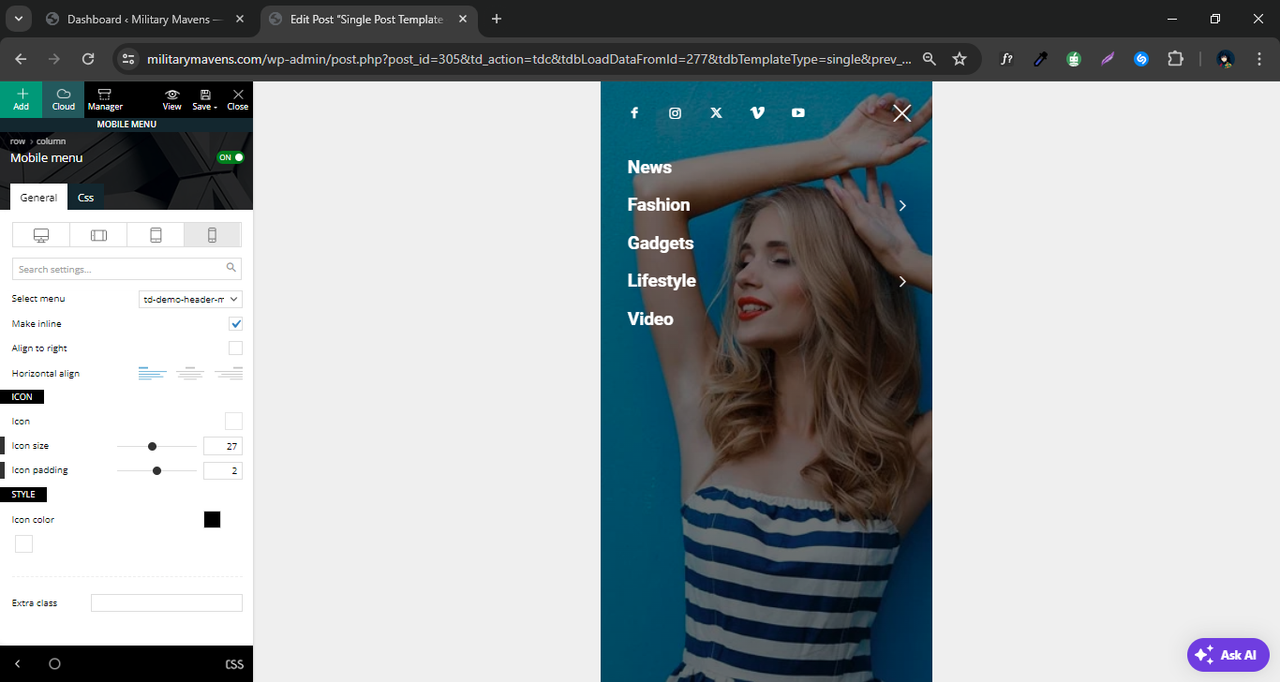
 seanie2k
Hi,
I am updating our site using a staging site and after importing posts from our existing site, the site templates are acting up, they seem to be switching to the default wordpress templates and are adding in page titles, author info, etc. above and below the ‘newspaper template’ (See Screenshot). The header and footer are not being affected. When I edit the page in the backend the code in the text editor is the correct ‘newspaper theme’ code and doesn’t include this additional code. When I edit with TagDiv Composer it will allow me to change elements that I created but not the Title, etc that’s been added (See screenshot). Is there a setting that got switched back on when I imported the posts that is adding the page titles etc..
Regards,
John


 Anamaria
 Hi,
From what I see, you don’t have the same header for both, please check here on the homepage and single post template if the global template https://i.imgur.com/jHdV1qX.jpeg
Thank you!
 andres1492
 https://gyazo.com/408dd8aed5cbde0dcf3b86d3ff056ec5
The H3 headers for related articles and the mega menu are appearing in incorrect places, and I do not want these headers to appear at all. Please find attached a screenshot showing this problem.
-
This reply was modified 2 years by
andres1492.
-
This reply was modified 2 years by
JabedIt’s visible only in main page perfectly but not showing in single post page. It’s visible in tagdiv composer but not in browser incognito mode. I have added two images here. Please check them and let me know how to fix it. I’ve got another problem to be fixed. I’ll let you know after fixing this one first. Please help..
 findbitter
 meks
meksHello,
We can’t wrap our mind around the multiple H1 tag of the logo in the frontpage : peaufinage.com
we did everything we should by disabling the H1 logo on the header and also on the theme panel but still appearing.
Can you please advise?
andres1492Dear Support Team,
I am experiencing an issue with the header structure on our website. The headers for related articles and menu items are being displayed as part of the main article headers, which is not desired. This is causing confusion and potentially affecting our SEO.
 Amer Staubmann
 since the EDIT is not there I could not change anything so I changed the Theme and now it is working. only the Video as Background in the Header is not working, I followed the all instructions and solution but Video still not working, the problem persist.
 UralaDice24
 why are there adverts to your theme on my header? this is awful, customisation options are very limited, this product is trash, I want a refund. Clearly all your sales and reviews are fake
Anamaria Hello,
You can import this header template https://cloud.tagdiv.com/#/single/header/Headers/700 and after delete with right click the elements that you don’t want from it https://forum.tagdiv.com/header-manager/
You need to change the logo for each viewport. Please check this video -> https://www.youtube.com/watch?v=HXQQygkCCJo and guide -> https://forum.tagdiv.com/add-logo-newspaper/
Thank you!
JabedHello.. I’m facing some problems with my header. I would like to set up that header as same as another website using the same newspaper theme. I’m unable to setup that without getting help from someone.I want private assistance for this…
Here’s my site url: My Site
I want to make my sites header as same as : This site’s header..
 sysdog
Hello development team!
Thank you for the new update Newsmag 5.4.3. Perhaps the following points could be included in the next update:
1. In addition to ‘Related Articles’, the post also includes ‘More From Author’. This display (‘More From Author’) should be able to be hidden or deselected. The option ‘Show Author Box’ in post settings is deactivated – but if it is responsible for it, it doesn’t seem to work. 2. Why is the ‘tagDiv Cloud Library’ plugin missing from Newsmag, which is included with Newspaper? 3. I use ‘Style 5’ as the post template. However, the header image is not shown across the board – there is always a wide gray border on the right, which looks unsightly (e.g. my page/post https://www.hundenachrichten.de/fellwechsel-bei-hunden-20249164.html). 4. Slider post template ‘Style 5’ with header image is not displayed on mobile phones – error: Slider could not be loaded. 5. Image Lightbox: Here the image description is not displayed under the image in the lightbox (see same page as above), which is partly important because I enter the copyright for the image there, for example. It would be good if this worked like other lightboxes. 6. Newsmag for PHP 8.x
Many greetings from Germany
Stefan Richter
 Bettina
 Hello @Takara !
I’ve already replied to you here: https://forum.tagdiv.com/topic/everything-broken-after-update/
Please try to use a cloud header template and not a default one.
Thank you!
Anamaria Hello Patrick,
Please make sure that the header for the homepage and posts is the same and that it is set globally.
Thank you!
Anamaria Hello,
Please make sure that you used a cloud template for the header, and also for posts.
Also, please provide a video with your steps to set up a background video.
Thank you!
Amer StaubmannI wrote already about adding Video Intro as Background in the Header but still I can not manage that even I got several solutions. Also, I can not change Header on different posts sites since EDIT is not appearing.
 pwisker
 naushad
Homepage: https://businessbenchmark.news/
In the homepage, the header and footer templates are also not able to edit.
Anamaria Hello,
Please import a header blank template and add the code https://we.tl/t-zDgIR7vWxJ from this file in the text area -> https://i.imgur.com/FuSM2cy.png
Thank you!
 Saeed
SaeedHi OFFICE NEXUS is not in the cloud and I can’t import the header
 omroepspakenburg
 Hi,
Both the header and the footer are based on cloud templates and contain the following blocks.
Header:
Header weather
Header date
Social icons
Header logo
Header main menu
Header live search
Footer:
Text with title
Header logo
Title
List
Empty space
So none of the old blocks are in the header or footer.
Only when I save the new page and re-open it in the composer everything is gone besides the headlines part, the social counter and the advertisement,
However when I create a new page again, I again start over with the template like in the screenshot.
 gcof
gcofAlso am using the Newsweek template but when i click on the category menu item in the header menu, the articles don’t show on the category page? Please advice
Anamaria Hello,
Please let me know how you have created the pages. If you have added the content text and image with tagdiv Composer, then the option to change the color is set on each element https://i.imgur.com/c9DoQqV.jpeg; if you made in the Gutenberg editor, then only with custom code CSS can be changed.
Also, since I see that you are just starting with your website, I recommend not using standard templates (header, footer, single, category, tag, author, search, 404) and also avoiding blocks 1 to 25 or big grid blocks, as these can be replaced. I recommend using cloud templates and flex blocks, which have more options and are more flexible.
Thank you!
Anamaria Hi,
This is why maybe you added the block in the header section; I recommend first checking the header/footer section and see what blocks you have there, and after the change.
Thank you!



