
- NewspaperHeader Builder
- NewsmagHeader styles
- NewsmagHeader ads
- NewspaperHeader ads
- NewspaperHeader styles
- Apitd_api_header_style::delete
- Apitd_api_header_style::update_key
- Apitd_api_header_style::update
- Apitd_api_header_style::add
- ApiAPI – Header style – Introduction
- NewspaperSearch setup for custom post type
- NewspapertagDiv Composer – Website Manager
- NewspaperBookmark – Save For Later
- NewspaperWooCommerce: Happy “Add to Favorites!”
- NewspaperModal Popup
- NewspaperFlex Block Settings Guide
- NewspaperPosts Loop Element
- NewspaperHow to Add a Logo in Newspaper
- NewspaperDefault Category Settings
- NewspaperWhen tagDiv Composer is Not Working
 nolandolce
The header logo is set to 100 pixels on mobile, both for the logo that appears on load, as well as for the logo that re-appears in it’s place on scroll. When inside designer, and looking at the mobile view, everything looks fine. However, on my mobile device, the landing page logo is 3x the size it should be. The second logo that replaces it on scroll is fine. Any ideas? This is not occurring on the homepage, just all other pages.
https://rareparenting.com/early-signs-of-a-neurological-disorder/
Thanks!
 Anamaria
 Hi,
You do not need to assign the header template on the website; you can design it and then assign it.
Thank you!
 Thomas
 In fact, it didn’t work.
I imported the Free header and clicked on Edit with Composer and the system show me this problem:

-
This reply was modified 2 years by
Thomas.
ThomasHello
I really like the header of this new demo https://demo.tagdiv.com/newspaper_free_news_pro
I don’t understand how to achieve to have 2 rows.
So I want to import it and modify it with my infos and colors.
But when I go in the Pre-designed Templates – Cloud Library, I only find all the homepage Homepage – Free News template.
If I import it, I am afraid that it will rease all my template site.
It is correct?
If so how I can achieve to importe ONLY the header of this demo without destroy mine?
Regards
Anamaria Hi,
Please let me know if you added the logo in theme panel-> header -> logo; if yes, please delete and check after
Thank you!
Anamaria Hello,
The easiest way is to reimport the cloud header template and compare the options there. Have you tried to import the template again, but the issue still happened?
Thank you!
Anamaria Hello,
Please let me know what browser you use; if you use Safari, then you need to install a plugin like this one https://wordpress.org/plugins/headers-security-advanced-hsts-wp/ to work well with the composer because the new versions of Safari have some restricted rules. Or you can use other browsers.
Thank you!
 steve-johnson
 [19-May-2024 11:04:37 UTC] WordPress database error Duplicate entry '0' for key 'wp_postmeta.PRIMARY' for query INSERT INTO wp_postmeta (post_id, meta_key, meta_value) VALUES (5411, '_oembed_038bd0fc5d14aa5cc1550aa5c38953bc', '{{unknown}}') made by require('wp-blog-header.php'), require_once('wp-includes/template-loader.php'), include('/plugins/td-composer/legacy/Newspaper/index.php'), require_once('/plugins/td-standard-pack/Newspaper/loop.php'), td_module_15->render, td_module_single_base->get_content, apply_filters('the_content'), WP_Hook->apply_filters, WP_Embed->autoembed, preg_replace_callback, WP_Embed->autoembed_callback, WP_Embed->shortcode, update_post_meta, update_metadata, add_metadata
take two.
steve-johnsonSince the upgrade i get the following;
[19-May-2024 11:04:37 UTC] WordPress database error Duplicate entry ‘0’ for key ‘wp_postmeta.PRIMARY’ for query INSERT INTO wp_postmeta (post_id, meta_key, meta_value) VALUES (5411, ‘_oembed_038bd0fc5d14aa5cc1550aa5c38953bc’, ‘{{unknown}}’) made by require(‘wp-blog-header.php’), require_once(‘wp-includes/template-loader.php’), include(‘/plugins/td-composer/legacy/Newspaper/index.php’), require_once(‘/plugins/td-standard-pack/Newspaper/loop.php’), td_module_15->render, td_module_single_base->get_content, apply_filters(‘the_content’), WP_Hook->apply_filters, WP_Embed->autoembed, preg_replace_callback, WP_Embed->autoembed_callback, WP_Embed->shortcode, update_post_meta, update_metadata, add_metadata
Suggestions?
 diriras
Hello,
We do not understand why you release pre-build Websites with no multiple pages footer singe post Templates etc.
In newspaper_free_news_pro Demo which I am interested in, there is only a SINGLE option in each section template (Header, Page, Post, Footer)etc to select.
We definitely need multi template options to have a good starting point and some imagination from you, the majority of pre-build websites are like cloning each other and change the colors a little bit and just release to the public…
 Ericky
 Thank you Anamaria, as I see settings are right but still I can’t get the pre-designed header. It seems because of our custom header.
Can you give me the full settings of Town Talk Demo’s Header? Is it possible?
Kind regards,
 Sythax
 Hello,
Sorry, in english is complicated for me.
I will explain the problem differently.
My website is a cultural site with 7 categories : Cinema, Music, Theater, Books, etc. and each category has a color. Cinema is red, Music is purple, Theater is green, Books is orange, etc.
With the different templates, I managed to assign a color for each category. Templates for the Header, template for category pages, etc. All is OK and I’m satisfied with the rendering of the website. But I have a last problem about the posts. I would like cinema posts to have a red color, theater posts to have a green color, posts about books to have an orange color, etc. Is it possible ? I don’t find an automation for that.
In the theme panel, I configure a backround for each categories and this backround works for the posts too but the header and the others row and column are the colors global. If I use an other template than “single Post template – global” (a template for cinema, theater, books, etc.), I have a header and row/columns with the good color but the backround is blue (the primary color for the backround) and I must add my new template pour each post.
 random123
 I use Today News PRO theme and header

Anamaria Hi,
Please let me know the header template that you use.
Thank you!
random123 Indeed it works, can you also help me with the look of my header please? About the color gradient, please.
 changlee
Hello,
According to https://forum.tagdiv.com/add-logo-newspaper/ I edit the header Header Template – Downtown PRO (Global) and the image logo I add, do not work.
Only text. Also I can not remove the image https://pasteboard.co/5Q4pvcs0S3Dw.png I modify Logo $ Favicon setting in Theme Panel, and nothing happens.
Please advise
ErickyHi,
I want to apply the header part in the Town Talk demo to my site as it is, but when I install it as a template, it can be broken. How can I set it up with all the elements in the most perfect way? I especially want the black bar at the top.
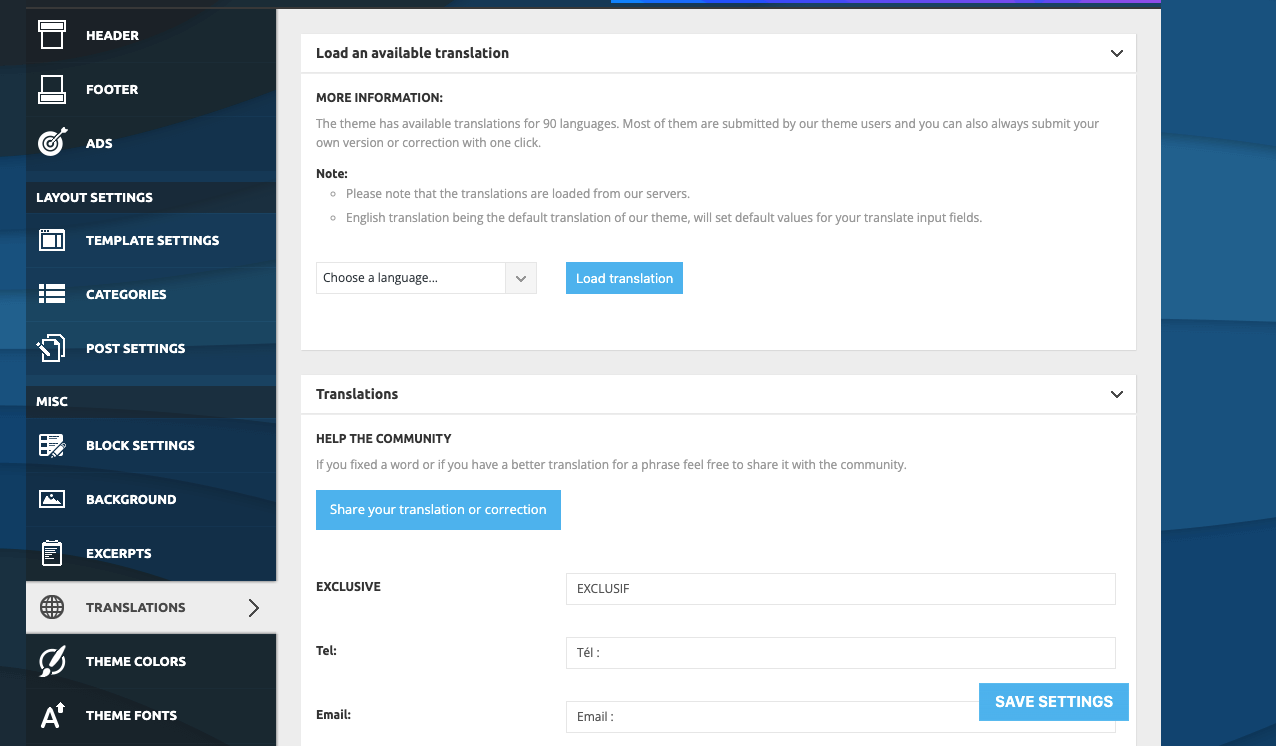
random123 I made the change from “theme panel”, but some basic elements like “published on” or “by” don’t seem to be translated (see screen). Do you know why? How do I go about it? I don’t think I can go back over every article I publish.

As for the gradient that runs through both the header and the menu, do you know how to do it please? I only see separate color configurations. I’d like to do a gradient across the entire header.
Thank you for your help.
Anamaria Hello,
You need to do the translation also, from Theme Panel -> Translation -> Translation and some words didn’t get the translation, then its possible to change if you edit with tagDiv Composer => https://www.screencast.com/t/dlfnb0fnX5,
Also, please make sure that you have the same header set global -> https://i.imgur.com/CUd93kJ.png
Depends on how you have set the elements. Please provide some screenshots when you edit with the composer.
Thank you!
random123 Thank you very much for your reply. I’ve managed to put my menu across the whole width and in French, although many elements are not translated.
However, I’ve noticed that the header I have on the home page is not the same as the one when I consult the articles. Do you know how to put the same header throughout the site, please?
Regarding the appearance of the header/menu, is it possible to use a gradient that runs through both the header and the menu? Not two separate gradients, the same for both.
Thank you very much!
 Sgommo
 Hi Calin,
I removed the script. I didn’t want to see the white square online. 😀
I have now put the script back in the section Header ad, Article inline ad, Article bottom ad.
It’s about the AdSense Auto Ads code.
I’m creating the copy of the site (staging site).
If I have to buy a token to solve the problem…tell me!
Thanks,
Giovanni
Anamaria Hello,
Please make sure that you have added the menu in header menu; please provide some screenshots if you added the menu here https://i.imgur.com/PUOiK3K.png
Thank you!
random123Hello everyone,
I bought this theme thinking it would be simple but I really have trouble configuring very simple things. I’m trying to set my menu to take up the whole width of the page and apply a different color to it than the header. Nothing complex in itself, but I can’t do it.
What’s more, I’ve looked in the documentation but can’t find anything. How do I change the language? Is there a way? It’s all in English. I’m talking about the language of my site, not the settings.
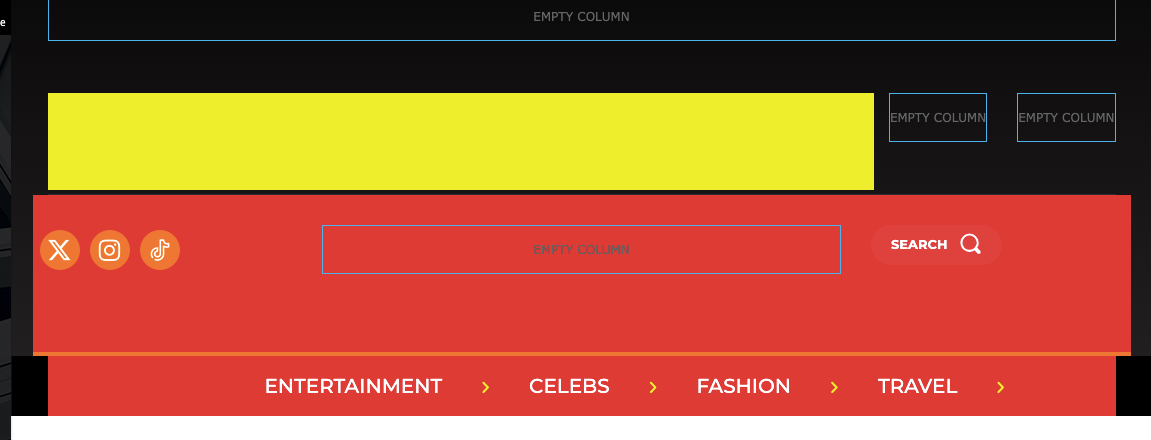
In the photo you can see that I’m trying to change the color, but the one on the sides remains unchanged, in black. I can’t figure out how to do it.
Thank you.
SgommoHello!
As I already wrote in the title, my ads (Adsense circuit) aren’t displaying after WordPress update 6.5.3..
Placing any code inside “Header Ad” (or any other section in the Theme Panel), is not inserted into the page.
I don’t understand why.
for example:
<!– TEST –> or <div id=”test”></div>
Error: adsbygoogle.js:55 Error: PublisherCodeNotFoundForAma
My blog: https://www.sgommo.it
Thank you and best regards,
Giovanni
 FFUser01
Hi I am currently running into an issue where I my menu tabs are showing in the menu naivigation bar in the header. Desktop view isn’t showing any items despite the fact that there is a fully built out menu structure and each of these pages are populated. They menu items are, however visible on the mobile view. Here is a link to the website: https://wisdominstitutedetroit.org/
I’m not quite sure how to rectify this issue. I have done some preliminary research on it and most my results are suggesting that I may be using a custom menu link. Not sure if that is the case because the menu items are visbile in mobile view. Open to any suggestions you all may have. Thanks!



