- NewsmagHomepage – How to build and set it
- NewsmagtagDiv Composer Tutorial
- NewsmagNewsmag documentation
- NewsmagMain menu
- NewsmagLogo & Favicon
- NewsmagPage templates
 Calin
Calin Hi,
The background image is not apply on homepage because of the “Homepage post” element, this element has some options to set the posts images on full screen and this option is overwriting the background image option, the only way to use background on homepage is to remove with tagDiv Composer this element -> https://i.imgur.com/bvNmRds.jpg
Thank you!
 purart
Hi,
I really have to place the image caption (or any other image textual information – preferably the caption) on top of the image and not any other place.
I need it for both the Homepage and Posts and Amy other places where the features image is being displayed.
I saw that you did send information on how if the past, but you are no longer here.
Locations 1: https://www.screencast.com/t/VZfUxwq0lHv
Locations 2: https://www.screencast.com/t/GsH2lIus7MVB
 marclaude
Dear TagDiv Staff,
I wonder if there is a way to add the <link rel=”preload”> to the first featured image of my homepage that Google PageSpeed Insights identifies as the LCP Largest Contentful Paint.
I use the Big Grid Flex 10 with seven images, and the first one (the latest featured content by date) is identified as LCP.
Maybe there is a trick to let the first image be loaded with a preload? Maybe we can meet Google requirements in some way…
I remain available for any testing.
Best Regards,
Marco
 SeaBlueHK
 Hello, I do not understand how I can get the cloud header settings panel. When I click on it, it just acts like normal site link that goes back to homepage.
Site: https://shop.seablue.hk/
I want the top logo to have different url.
Thanks!
 ixtrendia
 Hi, I dont want a video as a popup but a highlighted article in homepage into a block that only appears if there is any video to show. I send you 2 images one with highlighted video and other without. Please keep in mind that this images were made with photoshop, they are not real, this is what I want to set up in my website.
With highlighted video:

Without video

Calin Hi,
If you are using a pro demo, the footer is a cloud template, then you’ll need to edit it from a page, for example, you can edit the homepage, click on edit with tagDiv Composer -> https://i.imgur.com/uweNRrc.jpg after that go down to the footer end edit it how you want (now you can customize the the whole web-page from fronted).
Thank you!
Calin Hi,
You can edit the homepage using tagDiv Composer, also the flex blocks/ grids can be edited and sort using this builder, in this way you can chose what to display and the order that will be display.
Also the elements can be move using drag and drop.
Hope this will help you!
Thank you!
 blimo86
Hello.
I have a website https://www.comunidadxbox.com with Newspaper installed (last version) but I have a problem. In the homepage don´t appear the last article publish. Only appear the last article publish if the user is logged.
Also, if the user clean the cache (CTRL + F5) appear the last articles also appear the problem if I use a private browser.
The plugin that I use to the cache is WP ROCKET, but the problem persist if desactivate the plugin.
Could you help me to solve the problem?
Thank you very much
 BizzyB
 For clarity, I mm referring to the homepage background for the left and right margins, not the content background. I thought this was done by setting background image in the theme panel but that’s not working for me. Just white space. However category backgrounds work perfectly.
Could there be a homepage setting that is preventing background from showing up? Or does this require css?
-
This reply was modified 6 years by
BizzyB.
 Simion C.
 Hi,
Please provide a link to the website so we can take a look. From what I understand the logo and the ads do not appear in the homepage header, but they appear in the rest of the website. Are you using the same header?
Thank you!
Calin Hi Rfabbio89,
Make sure that you do not have a plugin conflict, please deactivate ALL plugins except tagDiv plugins, also if you are using child theme or cache plugin, deactivate them, clear all cache and try again.
Also pleas e note that these keyword and meta keywords will not be display in homepage, you can view theme only in source page of homepage.
If there are still some problem, please provide some more details and a link where I can check this problem.
Let me know the results!
Thank you!
Calin Hi,
If you want to have the mobile theme enable on homepage, then it should be like this -> https://i.imgur.com/phmFq6l.png
Thank you!
 David
DavidHi,
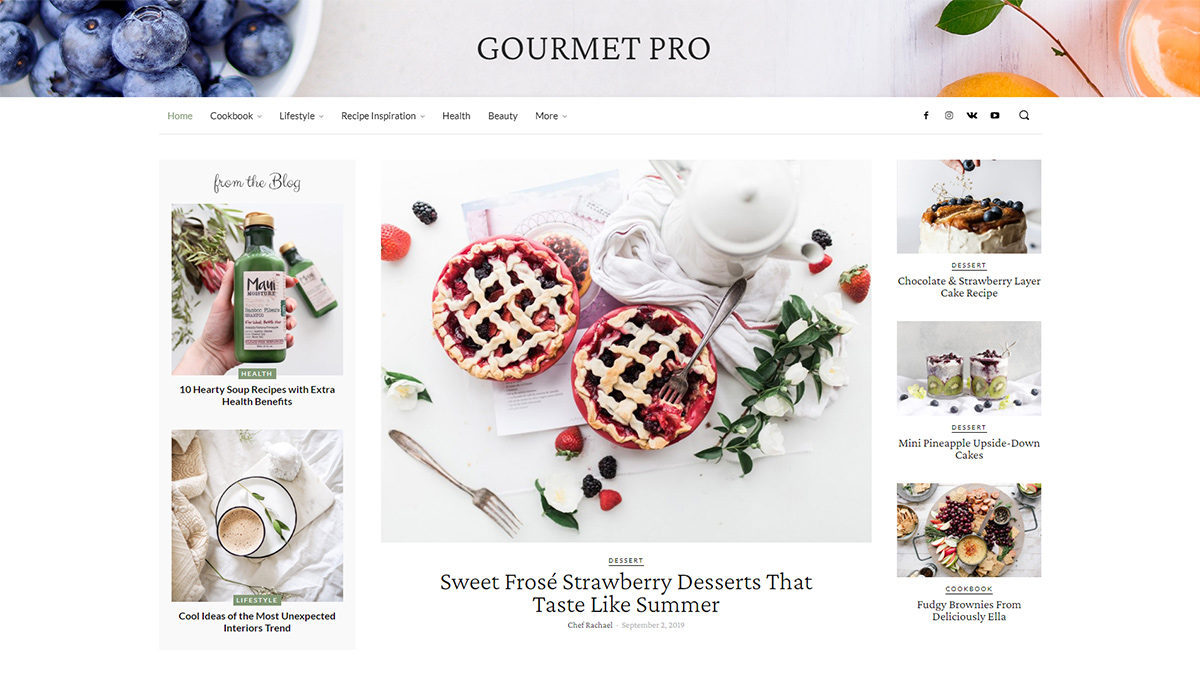
How can I change the header background image of Gourment PRO (https://tagdiv.com/wp-content/uploads/2020/03/Homepage-of-Gourmet-PRO.jpg)
I imported the demo layout but somehow I find no setting in Tagdiv Composer to change the image.
Thanks in advance for any help!
 Nagarig
 But the page is showing is differernt> https://globaltechgadgets.com/page/2/
This is the page that gets added to Google automatically. Its like a homepage or something.
 mikeprasad
Using the gaming theme, the homepage slideshow and the featured image on other pages is being overlapped with the main menu/nav bar. What I’m trying to do is have the first row be the main menu/nav bar on a solid background, then beneath it, have the slideshow/featured image.
Currently, the homepage nav bar I can’t get as a solid background, and no matter what the slider image starts at the top of the page behind the nav bar. On the post pages, the nav bar is solid as desired, but the featured image is cut up beneath it.
Here’s the site http://freefirehq.com/
Calin Hi sproutnepal,
1. Our documentation is online, it can be found in these these links:
-> https://forum.tagdiv.com/newspaper-theme-documentation/
-> https://tagdiv.com/category/documentation/
2. If you are using a cloud header or a PRO Demo, you can edit with tagDiv Composer the homepage and remove the login element using the right click https://i.imgur.com/acOqrXR.png -> https://i.imgur.com/678Y1Wk.png and make sure that the option from theme panel is disable -> https://i.imgur.com/fRIb2xO.png this will remove the code for login, but if you are using a standard/default header style, this will be only hide.
3. The ajax view count is needed only if you are using some cache plugins, in order that the counter to work, this need to be enable -> https://i.imgur.com/nzf6qZy.png also if you are using a single post template from tagDiv Cloud Library, you can add the element using tagDiv Composer -> https://i.imgur.com/Vpv3uIe.png -> https://i.imgur.com/AQ5lloh.png
Thank you!
Calin Hi redheaddigital,
You are using a cloud header from tagDiv Cloud library, this is allow you to edit the mega menu using tagDiv Composer, edit the homepage https://i.imgur.com/3FreELo.png -> https://i.imgur.com/KGhAcGv.png -> select style tab and set the colors you want https://i.imgur.com/vFZjPcR.jpg
Hope this will help you!
Thank you!
Calin Hi swapnilphadke02,
Let’s try one more time together, from homepage -> https://i.imgur.com/8pwP2S4.png go on footer -> and click on that flex block and check the style tab -> https://i.imgur.com/mE5WOiI.png -> https://i.imgur.com/N4S8Ixg.png if there is no color for the block you are using in style tab, then you should change it with a flex block to have the possibility to edit the colors.
Or you can use a custom css like this one -> https://i.imgur.com/0QJDL4L.jpg
.td-footer-template-wrap h3>a{
    color: #cbcbcb;
}
The css need to be set in theme panel> custom code> custom css.
Thank you!
 anarcons
I installed the theme without replacing content. My posts were all retained and placed across the homepage, but all the featured images disappeared. I tried the regenerate thumbnails plugin and completed the regeneration process but still no featured images. In the posts I also cannot see featured images on the document sidebar.
Is there a fix? I have hundreds of post and would very much prefer not to manually replace these images.
 mb9463x
Author blocks are not linking to an author page, instead they link to the site’s homepage.
The cloud template has been selected in the theme settings.
Example post: https://westisbestwales.co.uk/activities-to-enjoy-during-lockdown/
 meeshymee
 then is there an option to create a button on the homepage that links to/opens the gallery page i created? or does the button just link to URLs of other sites?
 Rfabbio89
 Hi there,
many thanks for your kind feedback.
The changes made in homepage (keyword and meta keywords) are not saved.
Following the steps: Pages-> all pages->homepage->yoast panel->Upgrade
Pushing on upgrade on the right side, the system desn’t saves the changes and I’m landing on Home page of my website (user mode).
IMAGES here https://we.tl/t-k4mwOPdOah
Many thanks Riccardo
 TomChen25
 Hi Calin,
Please help me with this issue!!! I need to fix it.
I use the Classic Editor so I don’t have the Mobile editor on post pages.
Regardless, you said: ‘you need to use only the mobile editor ( you need to set the content for pages in mobile editor and this content will be display on mobile theme)’. What about all the pages that I have on the site? I can’t create new pages for all the pages we have on the site.
How do I fix it? where?
About the homepage – I simply copied the code into the Mobile Editor but it didn’t work as you can see. https://ibb.co/pRMpPj5
I just want to export the previous setting of the mobile or find the setting to the mobile homepage template. Right now, the mobile homepage looks like that – https://ibb.co/frw9nLL
Where do I change it? How?
Calin, please help me! No more guides, just tell me how to fix it. Shouldn’t be that complicated.
Thanks a lot,
Calin Hi,
I do not quite understand, the changes made in homepage are not saved or the homepage settings that you’ve made are not displaying on Google ?
Please provide some more details and some screenshots.
Thank you for your understanding!
Calin Hi,
Normal, when you click on author name, you should be redirect to author page.
For the problem with the author links, maybe the author archives are disabled in the Yoast plugin, if they are author links will be redirected to the homepage. Check if that is the case – http://prntscr.com/mbwwuk after that clear all cache, purge CDN(if you are using) and check the results.
Let me know the results!
Thank you!