
No search results were found in Documentation!
 adwenchure
Can’t access TD Composer to edit my homepage. Am using Newspaper 8.8
 Sawai Singh
how to setup homepage with latest article and pagination.
like – https://www.hindimehelp.com/
 Catalin
 Hi,
Please check our Cloud Template Library because from there you can import some homepage examples which has that overlay. Also, check the TD Composer settings because there you will find these elements. Also, as a hint, you should use that page template -> Overlay menu -> https://www.screencast.com/t/4AbDo9bmzzkn
Hope this helps!
Thanks for your understanding!
 TPRouhana
Does anybody else get this notification from SEO Yoast? Your homepage cannot be indexed by search engines. Trying to figure out if SEO Yoast is having a hard time reading TDComposer or if something is wrong with my site.
 diegotrodrigues10@gmail.com
 Calin
Calin Hi,
Please read our guide for page templates.
-> https://forum.tagdiv.com/page-templates-2/
You need to change the page template, or to set a custom css in Newspaper>Theme panel>Custom code>Custom css
.home .td-pb-article-list{

  display: none;

}
This css will hide the latest articles only from homepage.
Thank you for your understanding.
 webucast
I see the option to limit the number of posts there, but not an option to remove that loop section entirely. Please help.
 roberto.srelz
Hello, we have updated Newspaper to Version 9.1 on our site triesteallnews.it, however TD Composer is no longer working. When we try to edit the page created with it, i.e. the homepage, TD Composer says it was not created with it and in general it continues running without opening the page to edit. We tried to create a new page, but it has the same behavior, continues running without opening the editor.
We also noticed that we’re no longer able to change the formatting of an article, i.e. from one template to another. Could you please support?
Calin Hi,
In order to hide the category from the homepage please add this css in Newspaper>Theme panel>Custom code>Custom css
.home .td-post-category{

display: none;

}
Thank you.
Calin Hi,
1. In order to hide the category from the homepage please add this css in Newspaper>Theme panel>Custom code>Custom css
.home .td-post-category{

  display: none;

}
2. The theme get the date set on WordPress format, please go in Settings> General and set the date format you want or custom
Customizing the Time and Date -> https://codex.wordpress.org/Formatting_Date_and_Time
https://www.screencast.com/t/DXuQOVD0
Thanks.
Calin Hi,
Please read our documentation for Page templates -> https://forum.tagdiv.com/page-templates-2/
Or you can get only that page from tagDiv Cloud library and edit it( https://www.screencast.com/t/d7osV27oFu ).
Here is on affiliate link if you want to make some tests
-> https://affiliate.tagdiv.com/#/single/page/Homepages/203
Thank you for your understanding.
 goudafm
Hi There.
Just setting up wordpress theme. When we use the TAGDIV element for setting up our news/blog, the (default) sidebar automatically disappears 🙁
When we check the general settings > sidebar. It shows us a good example. However when we refresh the homepage, our sidebar is still hiding.
When we click on a ‘post’, the sidebar is in good condition. How come?
 Simion C.
 Hi,
@designer From what I can see while testing your website homepage the first problem in the test is with a couple of images
– https://www.screencast.com/t/usgJDtxIqI
That image you use in the revolution slider is almost 5Mb which would be a big image to download on an average mobile with an average internet speed for example. I believe that is how Google simulates on mobile.
Maybe also consider using AMP and the mobile theme, to serve faster content for mobile
– https://forum.tagdiv.com/tagdiv-amp-plugin-tutorial/
– https://forum.tagdiv.com/the-mobile-theme/
Simion C. Hi,
Where is this slider located exactly? At the moment I see a big grid in the homepage, followed by blocks 3.
The theme grids, blocks, sliders etc will show content according to the filtering and sorting chosen. If you use a latest sorting, then they will display the latest posts from the categories used in the filter.
The situation you are describing could be caused by caching. The theme by itself doesn’t have any caching. Usually it is a caching plugin or server cache that delay the data from being refreshed. So if you are not seeing the latest published posts where they should appear, that would explain it.
I currently see posts from as late as 23.11 in the grid at top
– http://prntscr.com/lngys4
Those should be the latest posts from what I can see.
Thanks
 hillswestroundup
 Hi Catalin!
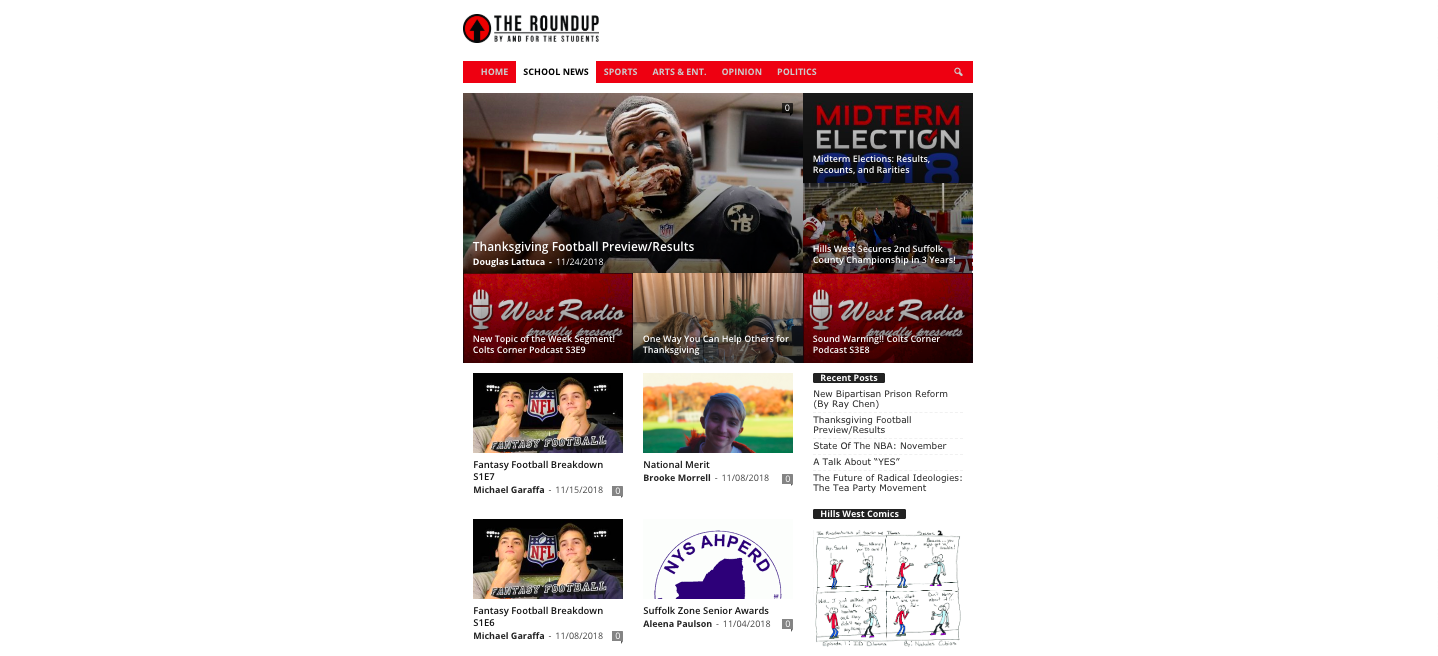
I’d actually like my homepage to look like the layout of a category page— the big grid on the top and the split row with the sidebar for the rest of the page. Please see the attached screenshot. How can I do this with the homepage? The homepage is not a category page; it was made from scratch with TD composer.
-
This reply was modified 7 years by
hillswestroundup.
 OFFROAD
 Sorry for the wrong word. My question was what I am doing wrong with the custom fonts.
Do you have also an idea of how I embed youtube videos easily in the theme without infringe the GDPR? I use a plugin for this put it is a lot of work for alle embed youtube videos to do this. Do you know a plugin which can do this also with embed videos which are already on the homepage?
Thanks!
 kimjuliehansen
Hi!
I’m using the coffee demo from the newspaper theme and love it. My only issue is that whenever I open the homepage on Chrome instead of Safari, the featured image (the latest post) has a zoom in effect whenever I hover over it that I really don’t like. It doesn’t do it on Safari and i’m not sure if I’m able to remove that effect somehow? Appreciative of any advice! Thank you:) (the website is https://kimjuliehansen.com)
 tihomir
Hi,
i have issue with tagdiv composer.
I have information from hosting about this issue:
Charles JHmm — this looks like it might be a theme issue:
[Mon Nov 26 07:31:55 2018] [warn] [client 87.101.95.38] mod_fcgid: stderr: PHP Fatal error: Class ‘td_page_generator_mob’ not found in /home/dh_sd9vin/nasisrbija.org/wp-content/themes/cikpogodi/mobile/page-pagebuilder-latest.php on line 71, referer: https://nasisrbija.org/wp-admin/post.php?post_id=16461&td_action=tdc&tdbTemplateType=page&prev_url=%2F%2Fnasisrbija.org%2Fwp-admin%2Fedit.php%3Fpost_type%3Dpage
[Mon Nov 26 07:34:02 2018] [warn] [client 87.101.95.38] mod_fcgid: stderr: PHP Fatal error: Cannot redeclare class td_set_homepage_loop_filter in /home/dh_sd9vin/nasisrbija.org/wp-content/themes/cikpogodi/includes/wp_booster/wp-admin/content-metaboxes/td_set_page_with_loop.php on line 157, referer: https://nasisrbija.org/wp-admin/post.php?post=16467&action=edit
You might want to reach out to the theme support and see what they can tell you about that error, or if you have a developer you are working with, have them see if they can assist with that issue.
Looks like its trying to call Class ‘td_page_generator_mob’ but it doesn’t appear to exist, from what I can see.
 Nevetsul
Hi,
After selecting Homepage – Infinite Scroll in the Homepage Settings, I noticed two issues.
1. The title of my homepage is now “Homepage – Infinite Scroll – Name of my Website”
2. On the homepage, how can I change the wording “Infinite Loading Articles” to for example, “More Articles”?
Thank you in advance!
hillswestroundupOn my homepage, I’d like to use Big Grid 7 to show my most recent posts, and under it, I’d like to use multiple Block 2s to show recent posts in five different categories. However, I’d like the Block 2s to only use 2/3 of the page width while the other 1/3 is dedicated to a widget sidebar. How can I change the row layout so that it is full width for the Big Grid 7 and split into two for the Block 2s/sidebar?
 reddisl
Hello tagdiv !
1. How to remove latest articles in homepage? I’m using default demo, but I just want to delete latest article from front page but keep the same DEMO content!
2. As my website is in Arabic, and I didnt know that Newspaper doesnt support RTL, unfortunately among other errors there is this mistake in the theme.
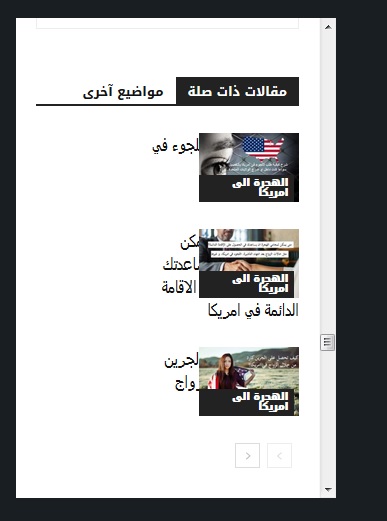
== Below every post , there is “find related articles” , How can I fix this so that picture displays in left instead of appearing on right ( because they are hiding related articles titles ) this problem only appears when I navigate website with mobile.
—- ————————————————————————–
I want to help NewsPaper in turning their theme into RTL support !
you might find this helpful! in the next update !
When website language turned to any RTL language , the menu is broken ! I used this CSS to fix it ! and PS Custom CSS in theme panel doesnt work at all!!!
#td-mobile-nav {
position:fixed;
}
.header-search-wrap {
display: none;
}
—– I hided search button because of an error in dispaly – it is mixed with menu button in the right! –
I will try my best to help TAGDIV !
 DamonMorgan
When trying to include sample content with the demo theme layouts, it will not give me the option to continue. Pop up screen says “Install the full demo –
Are you sure you want to install the full demo? This will import homepages, sample content with images, backgrounds, template layouts, fonts, colors…” but there is nothing to click!
There appears to be a space where a “yes or no” dialog should be but there is nothing there, no way to click and proceed.
When I attempt to load a demo without the content, the popup box works fine and has a Yes or No selection that works.
Have ensured all of my php settings for max upload, max time, etc are correct. Have tried multiple browsers including IE.
Surely I’m not the first one to experience this!
 Kimyavebilim
Hello,
sitem: https://kimyavebilim.com
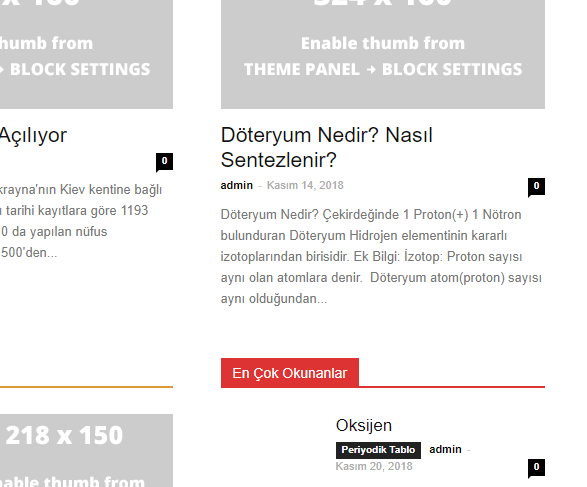
homepage kimyavebilim.com contains 60 h3 tags!
my request
homepage kimyavebilim.com, only title h1.
homepage kimyavebilim.com, header menu category title, h2 and h3 will be.
homepage kimyavebilim.com, other module (image) titles, h tag will not contain.
sub-pages who will stay in the title h1
where do I get these settings
my english and html information is bad
Please, I would appreciate if you can help in detail.
thank you
 spu
spu Thanks,
Infinite load for homepage and category pages we are already using. I meant infinte load for articles, which is like one after the other with the URL changing with each scroll.
For infinite scrolling/loading for smartlists here is a great example which you can incorporate in your next update, with each scroll down the URL also changes.
https://tinyurl.com/ya7vdh94 (with each list item, the url also changes, giving the website another pageview)
For comparison based modules/themes here are two links –
1) https://themeforest.net/item/rehub-directory-multi-vendor-shop-coupon-affiliate-theme/7646339?s_rank=3
2) https://gadgets.techlomedia.in/
Some other tech themes do have these compare modules/widgets/pages in built.
Thanks for replying so early!
Cheers
Calin Hi,
Please read our documentation about smart list -> https://forum.tagdiv.com/smart-lists/
For infinite load in categories please check this https://www.screencast.com/t/xFFi99WWOUW
Also please read this topic -> https://forum.tagdiv.com/topic/how-to-make-infinite-loading-in-homepage/
Unfortunately I do not have access to the link you give to me https://www.screencast.com/t/nwnB45Ax
Thank you for your understanding.
