
- NewsmagHomepage – How to build and set it
- NewsmagtagDiv Composer Tutorial
- NewsmagNewsmag documentation
- NewsmagMain menu
- NewsmagLogo & Favicon
- NewsmagPage templates
 Anonymous
 I want my homepage to look like this http://prnt.sc/atpm9u
Tried different settings…no luck LOL
 Lewis
Lewis thank you,
i want disable it on Specific section, and in the same time still Shown the Thumbnails on homepage
 Andrei L.
 Hi
I’ve cheeked your site and couldn’t find any vimeo playlist on homepage. Try to recreate the page which contains the vimeo playlist, clear all caches then test again.
If you still can’t manage to solve this please provide a link where I can inspect this closer so I can get back to you with a more accurate answer.
Thanks!
 Bogdan B.
 @blogwire
Please provide more details as how you want the homepage designated to a category. A page is a page and a category page is a totally different page. There is no way to link 2 different pages to each other via the breadcrumbs. except for the fact that the homepage is the base for every other part of the website the breadcrumb ‘home’ option will always be present in the breadcrumbs as the first option.
Thank you!
Bogdan B. Hello,
You do not need any other plugins except the ones that come bundled with the theme. visual composer is already in the package itself and can be installed from here: http://screencast.com/t/FyIBKdtd9ee
The best thing to do when starting out is read the documentation (top right of this page) There is a lot of useful information in there that will help you a great deal.
In order to edit the demo content you can simply access the dashboard and edit posts, categories and pages like you normally would in wordpress.
As for the homepage, there is no text to edit as there are only visual composer elements present: http://screencast.com/t/t746iJfrI
Please read this guide: https://forum.tagdiv.com/how-to-use-visual-composer/
You can also check our youtube page for video tutorials: https://www.youtube.com/user/tagdiv
Hope this helps.
Thank you!
Bogdan B. Hi,
Unfortunately this will not be an easy task because the homepage post uses the same method to grab the title link that is common for all other posts: http://screencast.com/t/wcFwqoMCZx
The get_title function is used for every post on the site: http://screencast.com/t/n7ePd0C4R00i
You can try to replace the calling of this function and copy over the function itself and then remove the link, but for this you will require coding skills.
Thank you!
 horseturd
 No this is happening to me too. I just purchased and you can install the theme, but if you try to install the theme templates or manually make a homepage with visual editor nothing is working.
horseturdHi,
I just purchased this theme and am unable to edit my homepage. The visual composer seems to just lag out, I’ve activated my theme so I’m not too sure what the problem is?
Thanks for your help
 adityacb4u
Hi
Greetings for the day.
I am using Newspaper theme since long time. now after the update I am unable to edit my home page. Please help me in doing so. In detail Visual Composer is not loading to edit my homepage.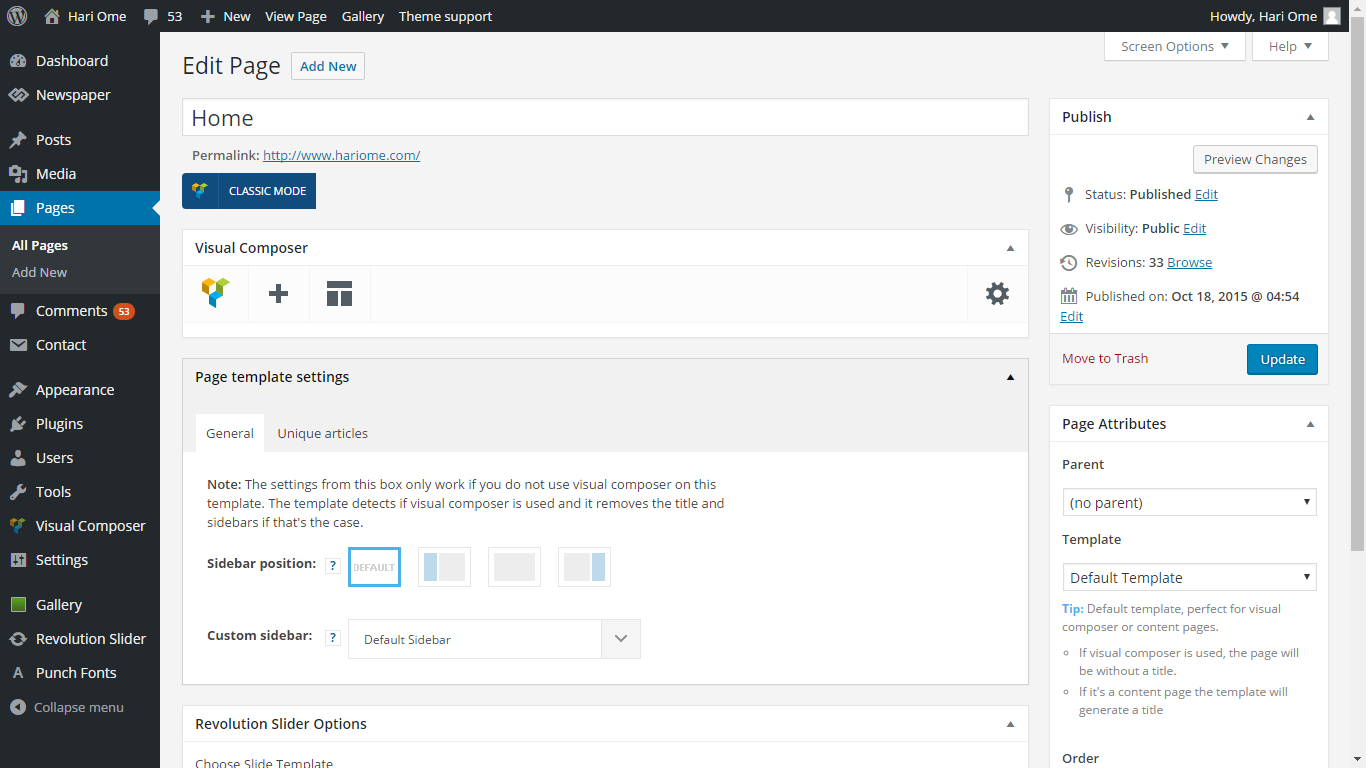
LewisHello,
I have only 2 post format http://www.screencast.com/t/jPFkCSYn
whene i use video format, featured image Disappear in the article, and stay only on homepage.
How to add new format, allow me to add featured image only on homepage? and remove it from post???
i hope you get the point.
i want add some artilces without featured image inside post, and images still appers on homepage only.
thanks
 Kortris
Hello, i would like to add a full width slider to the top of my homepage through visual composer. Is there any way i can decrease a little bit the height of the slider?
Thank you in advance
 centennia
 I had the same problem. I tried to edit the homepage and all I could see was the circle turning, nothing else. I upgraded the theme to the last version and so VC. That has done the trick. But I am afraid there is a problem with at least one block: block 18. The block contracts and the same happens with the photo.
 Toni
ToniHi, I am new to this forum, I´ve just purchased your theme but I am not an expert in WP…
My question is, please, is there a way to edit the texts, photos and contents of one of the demos? I try to build a new site for my magazine, but it looks quite difficult to me to start from scrath.
I aassume to edit the content I should go into my WP panel – All pages – Homepage – but then I only see the layout and the Page builder content, but cannot get into the text itself…
I have also purchased WPBakery Visual Content, do I need any other plugins?
Thank you very much!
 res
res1. I try search words “test”
http://www.wppocket.com/?s=test
but I don’t want result. not “test” result.
how can i fix this?
2. text is entangled,
how can i fix this?
3. I don’t want to be included in the search results.
Homepage – Newspaper
Homepage – Magazine
Homepage – Loop
Homepage – Big Slide
Homepage – Big Slide
Contact
how can i fix this?
 vmanuelp
Im Trying to add news categories to my homepage and Visual Composer is not loading.. keep loading for some time and never load complete.
 teamfi
So i’ve been working with visual composer normally and built out our homepage with it. Now the homepage still exists and everything is displaying correctly. All of a sudden visual composer started taking a bit longer to load and it no longer shows what i’ve built out with the editor. It still gives me the option to add to my pages but all of my content that exists isn’t available through the visual composer.
I’ve disabled my plugins. I’ve cleared cache. Please advise on any next steps.
Thank you!
 wwth
wwthHi,
I’ve created a child theme since I wanted to tweak just a couple of elements.
However, I am scratching my head because I can not understand how to remove the link created in the H1 Title of the “Homepage Post” element used on a PAGE
This element is very similar to the Style 8 Template used on POSTS where the H1 title is not a link.
Thanks!
 fireworld
 I have the same issue with THUYS. After updating the theme and plugins, I cannot do any editing for my homepage. When I looked at my previous pages, the classic mode didn’t show complete page components as it did before. I saw nothing changed after trying to add a row, and thus cannot edit the row either. I had followed all the procedures as described in the page.
Bogdan B. Hi,
As I understand this, you want to hide the ad on the homepage but have it display on any other pages. You can do this with a bit of css like so:
.home .InMargin_Top{

display:none!important

}
Hope this helps.
Thanks.
 ivanpurnawan Bogdan B.
 Hi,
I’m not sure exactly how you want the breadcrumbs to display as they already navigate to every level of the categories and sub-categories: http://screencast.com/t/I8StlMTZt
The home is set to the homepage but there is no setting to change it. Any change you want to make to the breadcrumbs need to be hard-coded.
Thank you!
Bogdan B. Hi,
Unfortunately there is no exact solution for this. There is a workaround though but it will grab other category tags as well so you will not have only 1 category tag anymore. This was a design choice made by the developers in order to prevent too many colors displayed on the homepage. This feature is already on our list of updates but it’s the developers decision if this will make it into the theme. Until such time, the only solution is presented here: https://forum.tagdiv.com/topic/conditional-post-title-coloring-dependant-on-category/page/2/
Hope this helps.
Thanks.
 lmolengraaf
Hi I am having a problem with my featured images. None of them are showing and I can’t reload a new image to any of my posts. I phoned my domain support and they informed me that wordpress has gone through some updates and that this theme has not been updated to accompany these change. My site is looking awful without images as it showcases multiple posts on the homepage. I need a solution on this ASAP!. Thanks very much.
teamfi1. We want to update our website so the user can navigate back to the “home” breadcrumb category not the homepage example.com . Ie: Home -> Cola -> Pepsi. How would we do that?
 ravester
 http://www.relocatetoandorra.com/ Same here, but only homepage?? HELP!
UpdATE ITS ON ALL PAGES NOW!
-
This reply was modified 10 years by
ravester. Reason: UPDATE
