
- NewsmagHomepage – How to build and set it
- NewsmagtagDiv Composer Tutorial
- NewsmagNewsmag documentation
- NewsmagMain menu
- NewsmagLogo & Favicon
- NewsmagPage templates
 MudassarSaeed
Hi, i bought Newsmag some time ago because i was extremely impressed with the work designers have put in this theme, and the major reason was that i wanted to create a semi-news website so it was a perfect choice for me.
Now i have created a website, it’s still very new and getting developed, but i can’t seem to the right HOME page.
in NewsMag Demo, the home page looks fantastic , i am talking about this one: The defualt style.
http://themeforest.net/item/newsmag-news-magazine-newspaper/full_screen_preview/9512331
I can see that this demo is using the category as home page, i have searched the entire Theme panel but i can’t see how i can do that to my site, i have checked and tested all the modules but none of them can satisfy and come close to this demo one.
This is my site: http://Www.Reportedtimes.com .
I will be pleased if someone can guide me as to how i can get a homepage like this. As you can see my site only has two category as of yet, so i’d like the category “featured” to be the homepage with fresh articles from other categories below too just like the demo. but the site homepage address should be reportedtimes.com and not reportedtimes.com/category/featured/ when someone visit my site.
Thanks for all the help in advance 🙂
 Andrei L.
 Hi
I’ve checked your site and noticed that the sidebar from homepage is built in Visual Composer page builder. To have the same sidebar in posts or on different pages you need to create it as a widget under Appearance > Widgets: http://screencast.com/t/eOfk9MY9 then you will be able to chose the respective sidebar for posts: http://screencast.com/t/VjrRFS4S and also for pages, either using a widgetized sidebar block: http://screencast.com/t/KIBUjQLMLWbM or using the sidebar options from page settings: http://screencast.com/t/g458O6rHl9V
Let me know how it goes and if you need further instructions please provide more details.
Thanks!
 Bogdan B.
 Hello,
The option is available in the newspaper theme just styled differently. It is a visual composer element you can pick when you edit a page called “Homepage post”: http://screencast.com/t/WWNfkUhVmz
But the styling is a bit different: http://screencast.com/t/ot8Uymkk
It will grab the featured image and make it a background.
If you only want an full width image not a post, you can follow this topic: https://forum.tagdiv.com/topic/adding-top-area-like-travel-example/
You can have that styling in a post by choosing post style 7: http://demo.tagdiv.com/newspaper/td-post-lenovo-details-new-computers-that-could-be-heading-our-way-in-2015/
I hope this helps.
Thank you.
 beikeni
Hi all,
I’m experiencing a problem on my website. Images don’t show when opening posts. Everything seems to run fine on the homepage but clicking on any 2nd level page the images (9 times out of 10) won’t show.
I have the plugin “regenerate thumbnails”, i thought that might be the one causing the problem but even after deactivating it the situation didn’t improve.
The website is http://www.dronesjuice.com
Please helpl me sort this out.
Thanks
Alessandro
 MM-Berlin
Hi, just bought Newspaper theme and miss one feature > that i saw in Newsmag. Is it possible to get this: Here´s the link http://demo.tagdiv.com/newsmag/homepage-with-a-post-featured/
* Sorry, saw as well in the forum this article but it does not answer my question: https://forum.tagdiv.com/search/homepage-with-a-post-featured/
Many thanks in advance, Manfred
 benitouk
Hello, I am trying to place ads between latest articles in my homepage like this:
http://www.mirumors.com/wp-content/uploads/2015/10/add_advertisement.png

What do I need to edit?
Thank you for your time! 🙂
 paul_1991
Hello, this is my site: http://www.pcexpert-blog.com/
Every works well except when I open my site with an ipad (only with an ipad with other devices everything is ok… I have tried with the ipad air and the mini 2 retina) the page leads the browser to crash.
I also tried to disable all plugins and also all the mod that I did at the css file and so on…
But the result is always the same… the browser of my ipad (both safari and also chrome) crashes before the end of the scrolling to the end of the homepage.
 Yannik97
 Thanks for your reply.
When I add the .block-title class in custom css every title on my homepage have this icon. I have to add a class name on the blocks in visual composer. But then all titles in the visual composer block have this icon.
-> 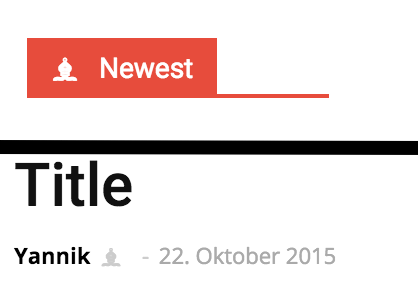
I have to reach only the main title of an area.
.newest span::before {
content: '\265D';
margin-right: 10px;
}-
This reply was modified 10 years by
Yannik97.
paul_1991 Have you tried to scroll the homepage until the end? My browser (only on iPad) stops to work when I scroll at the middle of the page!
Please let me know… I will aLeo try to disable all plugins
 adi_mitran
Hello,
i have 2 questions:
My website is http://www.good-life.ro (password: goodlife!23) it’s password protected until i get it online.
1) In the footer i have a module that has the titles same color as the background. I don’t know where to change that color.
2) In the homepage i have the module called GURMAND. I have the main article CELE MAI BUNE RESTAURANTE… and on the right i have 4 other restaurants: The artis, yuki, casa di david, kunnai. Is there a way to bold only the name of the restaurant?
thank you
 Alin [tagDiv]
 Hi,
1. Please check the documentation about how to make a category megamenu – https://forum.tagdiv.com/mega-menu/
If you done this properly and you still have issues, please disable all your plugins except Visual Composer, clear cache and check again.
2. Some plugins may conflict with the theme lazy load effect, so you could try to disable this feature – http://screencast.com/t/x2yxTw1cbj or check this without plugins.
3. Not exactly sure what you mean the url for category page must be mydomain.com/category/health
4 .Please check the documentation regarding the block settings, how to filter by specific category – https://forum.tagdiv.com/block-settings-tutorial/ and provide a link so I can inspect this and provide a solution.
Also this guide how to create and set a homepage – https://forum.tagdiv.com/homepage-how-to-build-and-set-it/ and you can check our youtube channel for some video tutorials – https://www.youtube.com/watch?v=rgWqozuqmJk
Thanks!
Thanks!
paul_1991 Another thing… When I load my homepage on my ipad both my brwoser (chrome and safari) always crash!
Please help me!
 jcarr99
Exactly as the title says, only on chrome… the visual composer homepage post, and login modal are not showing up.
To be more specific. the homepage post is showing but the image does not. Both items work in safari and firefox so I’m assuming it’s a chrome issues. Any suggestions?
Example: Gruntstuff.com
 fermin
Hello. As I can insert a banner on pages or category.
Above the header, under the header.
Above and below the posts of the pages in the category.
The same thing we insert a banner in the homepage but in categories.
Thank you
 doucare1971
 Hey, you are welcome! Can you do me a favor now give me instructions on how you did that tabbed section on you homepage where it is culture/tech & science/society with scrolling. I can’t figure how you did that and I tried the tabbed content element on visual composer but it had nothing for categories in the element to select. Are you using a plugin for that?
 sejpost
 Our site is live at eCoronado.com. We are able to display featured content on the homepage. Here is my question. The default always shows the most recently published featured post as the main large image. I was hoping that I could just adjust the time/date of an older post in order to make that the featured story. However, by changing the date, it changes the permalink URL.
What is the best way to make a featured post the main large image if it is not the most recently posted?
I need the ability to easily change the order of featured posts that have been published.
Thanks.
 Gwen
GwenHi,
is it possible to add hover effects on all linked images on posts and pages?
I tried to add sth like this:
img
{
opacity:1.0;
filter:alpha(opacity=100);
}
img:hover
{
opacity:0.8;
filter:alpha(opacity=80);
}
this code doesnt work properly. Some images get highlighted but not all (and only on the homepage for some reason).
You can see an example page here: http://www.interviewmagazine.com/fashion/
Thank you in advance! 🙂
Gwen
my site: gwenos.com
GwenHi,
is it possible to add hover effects on all linked images on posts and pages?
I tried to add sth like this:
img
{
opacity:1.0;
filter:alpha(opacity=100);
}
img:hover
{
opacity:0.8;
filter:alpha(opacity=80);
}
this code doesnt work properly. Some images get highlighted but not all (and only on the homepage for some reason).
You can see an example page here: http://www.interviewmagazine.com/fashion/
Thank you in advance! 🙂
 radhalokesh
 Its working now. Thanks!
I have one more problem.
On my homepage, I am using one “big grid” module. When I hover on the image, it doesn’t zoom in.
How to activate image zoom on hovering?
Bogdan B. Hello,
1) For the text widget size there is an option in the theme panel: http://screencast.com/t/BtQTEbcz0I
For colors you have to use CSS:
.td-main-sidebar .widget_text{

color:red

}
2) It can only be targeted with CSS
#commentform input[type=text],

#commentform input[type=url],

#commentform input[type=tel],

#commentform input[type=email],

#commentform textarea{

font-size:20px

}
3) You have to identify the module used by the block. For example a module 6 title can be changed from here: http://screencast.com/t/eQ5thbs9e. You can inspect the block with your browser inspector and you can see the class used by it or you can use the Excerpts setting to see what modules are used for each block.
As for the color, you have to use css again. there is no option for it in the theme panel
.td_module_6 .td-module-title a{

color:red;

}
(the module in your image might not be a module 6 so you have to change the settings to the module used by your block. i just set module 6 as an example)
4) Unfortunately there is no option in the theme panel for it. You have to use CSS:
.td_module_related_posts .td-module-title a{

font-size:20px;

color:red;

}
5)The module on your homepage is an mx 2 and can be adjusted in the theme panel: http://screencast.com/t/f38U5Q3Cl6m
6)The default page template has no sidebar. You have to use on of the 2 other page templates for it to display: http://screencast.com/t/z244vqFWMo
Thank you!
 vladimirtrajkovic
Dears,
Once I have started changing the colors of the blocks on a homepage I have noticed that no matter what I do, I cannot show the Header on the Social Counter http://cl.ly/image/3h3m410r082J
If I reinstall the theme, than it is ok, but again if I start changing the colors and texts on the blocks, heading of the Social Counter disappear.
Could you help me with this issue?
Thanks,
Vladimir
Alin [tagDiv] Hi,
I have tested your site again and seems that you don’t get this error anymore – http://screencast.com/t/vGQ8iwXb0m
Maybe it was something on your page that affected this.
Not sure why you have this issue only for your homepage, please disable all your plugins except of Visual Composer and Events plugin, clear cache and check if you still have this issue.
Do you use Visual Composer also for your second page?
Thanks!
 croboy
Hello,
I con’t figure out how to add a block to the end of post (main template).
I figured out to how to set up a homepage using visual composer. I watched tutorial.
I just don’t understand is it possible to add block to every post that is using regular template.
I know in Theme panel there is Post setting -> Default site post template.
Is it possible to create template that at the end of post has blocks?
Thank you in advance.
Yannik97Hi,
I’ve bought a single license for one homepage.
Am I allowed to install the theme on my webserver and on localhost to test it there?
I need this because I’m new in this theme and I have to try all things to do it right on my webserver.
And will it work to activate the theme on the webserver and on localhost?
Thanks
Andrei L. Hi
The theme uses blocks, which can be manipulated in Visual Composer page builder, to build the pages. You can find more details in this regard here: https://forum.tagdiv.com/newsmag-how-to-use-visual-composer/ – https://forum.tagdiv.com/newsmag-block-settings-tutorial/ – https://forum.tagdiv.com/newsmag-homepage-how-to-build-and-set-it/
Every block it’s built from one or more modules, depending by block’s layout. Here you can check the layout for modules: https://forum.tagdiv.com/modules/ and also you can check it live on our demo: http://screencast.com/t/V1q24L1JbPf – http://demo.tagdiv.com/newsmag/category/module-1-category/
Hope this help.
Thanks!
