
- TutorialsHow to install Revolution Slider
- TutorialsHow to Install bbPress forum
- TutorialsFrom WPBakery to tagDiv Composer
- TutorialsDefault Block Settings Guide
- TutorialsImport Revolution Sliders
- TutorialsSystem status parameters guide
- TutorialsHow to Update the WPBakery Page Builder plugin
- TutorialsExisting content
 mstuban
 It is now OK, thanks a lot! I was delete and again install that plugin.
But now I have new problem in wordpress:
“Hola! Would you like to receive automatic updates and unlock premium support? Please activate your copy of Visual Composer.”
Can you help me with that?
Thanks in advance!
Mladen Štuban
http://www.mraclin.hr
 kazihaha
I installed Travel Blog, it worked great. But when I install Polylang, the layout change in both “vi” and “en”.
Please help me
http://songvadi.com
 ozarksvt
I have a section on a clients website that is tabbed. Each tab has vimeo videos.
I tried using tabs…accordian….vimeo playlists, vimeo embeds from the visual editor and no matter which I try, only the original tab will display the videos correctly. Any other clicked tabs will result in tiny videos usually about the size of the blue play button from vimeo.
I tried disabling all plugins except the visual editor to no avail. The only thing that will work is to select any other theme. The tabbed sections displays all content correctly on the themes I had installed.
It is a bug on the theme end it seems. I also disabled the visual Editor and installed a different tab plugin and the results were the same to confirm that it was not the fault of the visual editor that comes bundled with the theme.
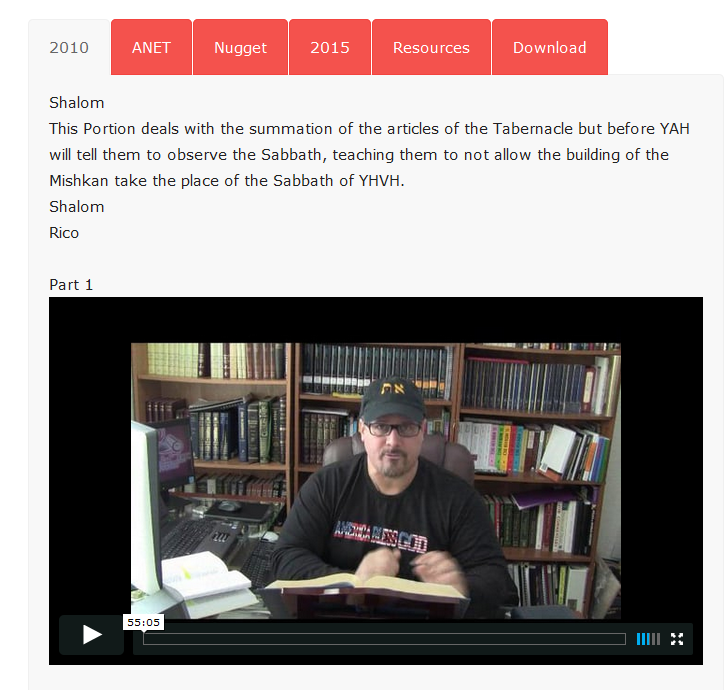
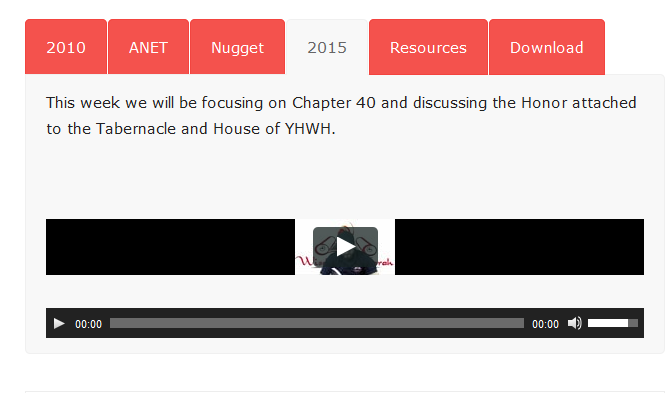
Update….I had screenshot the 4th tab and after several minutes the video finally went to normal proportions??? I tried it several times and it takes 4 or 5 minutes to display that tab where the first or “selected” tab always displays instantly. Here is the video embed code for the 4th tab….straight from vimeo. It also failed when using shortcodes.
<iframe src=”https://player.vimeo.com/video/122094669″ width=”640″ height=”360″ frameborder=”0″ allowfullscreen=”allowfullscreen”></iframe>
My client sees the same thing on their PC and Apple laptop by the way.
 lukkachuppi
Hello Tagdiv Team,
Right now I’m using Newspaper theme on http://www.bigscreenhouse.com .But after the launch of mobile theme I realized that its better to create an Android app with WebView feature to release an app on Play Store. As on the current website my main revenue is via Adsense and policy of Play Store mentions that usage of Adsense on WebView will violate the policy of Adsense & PlayStore and may affect in the ban/removal of accounts. So can I use the Newspaper theme within the same domain (like http://www.bigscreenhouse.com/android or like android.bigscreenhouse.com) by another installation? Or whether I need to purchase the theme once more to use like this?
Thanks!
 kompic
Hi, I am wondering is there any way to protect frontend login/registration popup widget?
I do not know is it necessary to do that, as I am unsure is it possible to make a bruteforce attack on it.
Is it enough to install any wp plugin that limits login attempts? Will that work with that login widget?
Thanks
 Andrei L.
 Hi
Please make sure that you updated the theme according with our documentation, clear all caches, purge cdn files if you’re using then test again. Make sure you do a clean update. By this I mean that you have to delete current theme’s install and upload new themes files via WordPress or via ftp: https://forum.tagdiv.com/newsmag-install-via-ftp/
Thanks!
 madiaw
 I install in an other computer and its ok with just plugin visual composer and its ok.
Thanks
 Catalin
 Hello chapeaurouge,
I suspect your problem come from your untested plugins. Please disable all the active plugins, leave just Visual Composer to active, clear all your caches, purge CDN files if you are using CDN system and install only the plugins that come bundled with our theme and rule out the conflicting plugins.
Hope this helps and let us know how it goes!
Thanks for the message!
Andrei L. Hi
This can be achieved only by editing the code which generate the author box. Replace the code from td_block_authors.php with this one: http://screencast.com/t/smtjtqQKGJ – http://pastebin.com/XaLKJKvN – http://screencast.com/t/iZ6y4bwNF
Also you have to set the authors by to display authors by post count in Visual Composer or in widgets area: http://screencast.com/t/zonMc9T2Zb Note that by editing the indicated file author box will display only three authors on entire site.
Before making any changes make sure you do a full backup to your current wp-install.
Hope this helps.
Thanks!
 TheDarkBlues
Been working for the last few days working on changing the theme and then I started getting this error. Reinstalled WordPress and still get this error on a fresh install.
Cleared cache, turned off Cloudflare, reset DNS and nothing seems to work.
Anyone help out please?
wp booster error:
td_api_base::mark_used_on_page : a component with the ID: td_block_1 is not set.
/home/changed/public_html/wp-content/themes/Newsmag/includes/wp_booster/td_api.phpwp booster error:
td_api_base::mark_used_on_page : a component with the ID: td_block_2 is not set.
/home/changed/public_html/wp-content/themes/Newsmag/includes/wp_booster/td_api.phpwp booster error:
td_api_base::mark_used_on_page : a component with the ID: td_block_3 is not set.
/home/changed/public_html/wp-content/themes/Newsmag/includes/wp_booster/td_api.phpwp booster error:
td_api_base::mark_used_on_page : a component with the ID: td_block_4 is not set.
/home/changed/public_html/wp-content/themes/Newsmag/includes/wp_booster/td_api.phpwp booster error:
td_api_base::mark_used_on_page : a component with the ID: td_block_5 is not set.
/home/changed/public_html/wp-content/themes/Newsmag/includes/wp_booster/td_api.phpwp booster error:
td_api_base::mark_used_on_page : a component with the ID: td_block_6 is not set.
/home/changed/public_html/wp-content/themes/Newsmag/includes/wp_booster/td_api.phpwp booster error:
td_api_base::mark_used_on_page : a component with the ID: td_block_7 is not set.
/home/changed/public_html/wp-content/themes/Newsmag/includes/wp_booster/td_api.phpwp booster error:
td_api_base::mark_used_on_page : a component with the ID: td_block_8 is not set.
/home/changed/public_html/wp-content/themes/Newsmag/includes/wp_booster/td_api.phpwp booster error:
td_api_base::mark_used_on_page : a component with the ID: td_block_9 is not set.
/home/changed/public_html/wp-content/themes/Newsmag/includes/wp_booster/td_api.phpwp booster error:
td_api_base::mark_used_on_page : a component with the ID: td_block_10 is not set.
/home/changed/public_html/wp-content/themes/Newsmag/includes/wp_booster/td_api.phpwp booster error:
td_api_base::mark_used_on_page : a component with the ID: td_block_11 is not set.
/home/changed/public_html/wp-content/themes/Newsmag/includes/wp_booster/td_api.phpwp booster error:
td_api_base::mark_used_on_page : a component with the ID: td_block_12 is not set.
/home/changed/public_html/wp-content/themes/Newsmag/includes/wp_booster/td_api.phpwp booster error:
td_api_base::mark_used_on_page : a component with the ID: td_block_13 is not set.
/home/changed/public_html/wp-content/themes/Newsmag/includes/wp_booster/td_api.phpwp booster error:
td_api_base::mark_used_on_page : a component with the ID: td_block_14 is not set.
/home/changed/public_html/wp-content/themes/Newsmag/includes/wp_booster/td_api.phpwp booster error:
td_api_base::mark_used_on_page : a component with the ID: td_block_15 is not set.
/home/changed/public_html/wp-content/themes/Newsmag/includes/wp_booster/td_api.phpwp booster error:
td_api_base::mark_used_on_page : a component with the ID: td_block_16 is not set.
/home/changed/public_html/wp-content/themes/Newsmag/includes/wp_booster/td_api.phpwp booster error:
td_api_base::mark_used_on_page : a component with the ID: td_block_popular_categories is not set.
/home/changed/public_html/wp-content/themes/Newsmag/includes/wp_booster/td_api.phpwp booster error:
td_api_base::mark_used_on_page : a component with the ID: td_block_slide is not set.
/home/changed/public_html/wp-content/themes/Newsmag/includes/wp_booster/td_api.phpwp booster error:
td_api_base::mark_used_on_page : a component with the ID: td_block_ad_box is not set.
/home/changed/public_html/wp-content/themes/Newsmag/includes/wp_booster/td_api.phpwp booster error:
td_api_base::mark_used_on_page : a component with the ID: td_block_text_with_title is not set.
/home/changed/public_html/wp-content/themes/Newsmag/includes/wp_booster/td_api.phpwp booster error:
td_api_base::mark_used_on_page : a component with the ID: td_block_authors is not set.
/home/changed/public_html/wp-content/themes/Newsmag/includes/wp_booster/td_api.phpwp booster error:
td_api_base::mark_used_on_page : a component with the ID: td_block_weather is not set.
/home/changed/public_html/wp-content/themes/Newsmag/includes/wp_booster/td_api.phpwp booster error:
td_api_base::mark_used_on_page : a component with the ID: td_block_exchange is not set.
/home/changed/public_html/wp-content/themes/Newsmag/includes/wp_booster/td_api.phpwp booster error:
td_api_base::mark_used_on_page : a component with the ID: td_block_instagram is not set.
/home/changed/public_html/wp-content/themes/Newsmag/includes/wp_booster/td_api.phpYou do not have sufficient permissions to access this page.
 saltoaldia
Good afternoon, I received a message that I should update Visual Composer. Because I do if I bought the theme with this plugin installed.
Please answer !.
 argosmedia
 I noticed I put 3 lines twice in the code block above. Sorry about that. I cannot edit the post anymore.
Anyway, I managed to create a workaround. I installed a plugin called “Lightbox Responsive Images”, and added this code to the page.php file, right before “the_content();”
if ( has_post_thumbnail() ) {
         $thumb_id = get_post_thumbnail_id();
         $thumb_url_array = wp_get_attachment_image_src($thumb_id, 'thumbnail-size', true);
         $thumb_url = $thumb_url_array[0];
         ?>
         <div class="lightbox_featured-image">
               <a href="<?php echo $thumb_url ?>">
                   <img src="<?php echo $thumb_url ?>" alt="<?php the_title() ?>" title="<?php the_title() ?>" />
               </a>
          </div>
<?php }
The class “lightbox_featured-image” must be set in the plugin settings. Works like charm. The plugin lightbox looks and behaves a bit differently than the modal window from the theme, but it’s good enough for now. And it doesn’t interfere with the theme’s modal function.
Still, I hope you guys add the modal window feature to page images as well, in a future update.
-
This reply was modified 10 years by
argosmedia.
-
This reply was modified 10 years by
madiawI have the bellooxw error after installing demo New magazine.
SCREAM: Error suppression ignored for
Fatal error: Call to undefined function curl_init() in C:\wamp\www\wordpress\wp-content\themes\Newspaper\includes\wp_booster\td_remote_http.php on line 242
Someone help me please ?
 g10ktk
Hi there,
On Posts Page, Sidebar is now NOT appearing.
Earlier SideBar had – Related Posts and Ads.
Now it is coming blank. I tried what best I could do. In fact, I have done fresh installation of theme and plugins.
Examples:
https://10keythings.com/10-best-chinese-restaurants-melbourne-cbd/
https://10keythings.com/10-best-restaurants-melbourne-cbd/
Now Resolved. Widget Added again. I wonder How widget got removed.
 jaysmg
 i know its generated by wordpress but where can that be changed? If I were to use a CDN, the CDNs URL would replace the wordpress URL so theres gotta be somewhere where http://www.domain.com can be changed. right now its using the domain where the wordpress install is, but the current domain and the wordpress install domain are different so i want to change the domain in the image URL to the current domain
 siktirella
 i cleared all caches, purged CDN and did clean install from scratch for your theme. but problem still occurs. got this problem before last update and still have it :/
Catalin Hello Oana1973,
I suspect your problem comes from your untested plugins which you are using on your side. Please try to disable all the active plugins, leave just Visual Composer to active, clear all your caches, purge CDN if you are using the CDN system and install only the plugins that come bundled with our theme and rule out the conflicting plugins. Also, please ensure that you are using the latest version of the theme with the required plugins and these processes were made only via FTP because this is the surest method in this regard.
Hope this helps and let us know how it goes!
Thaks for your understanding!
Catalin Hello siktirella,
If you have ensured that you are using the latest version of the theme with the latest version of the required plugins, please try to clear all your caches, purge CDN files if you are suing the CDN system and also, please check your system status to see if the parameters have a high increased, according to our documentation here -> https://forum.tagdiv.com/system-status-parameters-guide/
Also, if your problem is still there after these changes, please try to make a new clean install from scratch with the latest version of the theme and check the theme results with the default settings.
Thanks for your understanding!
Catalin Hello failmuch,
Please try to disable all the active plugins, clear all your caches and leave just Visual Composer to active and check the results. I have checked you source page and I saw that you are using some untested plugins which could interfere with the theme and might create this type of unknown issues. So, if you problem is still there after these changes, please try to make a new clean install from scratch with the latest version of the theme and test the theme with the default settings and see how it will go.
Please notice that all the plugins are in constant development. Each plugin will have to be checked with our theme for a good working and this process it may take a while. For example, the latest version of Visual Composer is 4.12 and the latest version of the plugin which has been tested with our theme is 4.11.2. In the future, after our developers will check this latest version of Visual Composer with the theme and they will find that the theme does not need to do some adjustments for, we will release an update with the latest version of Visual Composer (4.12) and also, with Revolution Slider. Until we will release the update with these latest versions you will have to ignore these messages.
So, please notice that if you want to have the latest version of the Visual Composer, you will need to have the additional license of this plugin and also, we cannot say for sure if this version of Visual Composer will work 100% with the theme because this version it is in testing.
Thanks for your understanding!
Catalin Hello siktirella,
Please try to disable and delete your Visual Composer plugin from your panel and try to re-install it from the Premium Plugins Area that comes bundled with our theme and check the results. Also, if you are using some untested plugins, please try to disable them and leave just Visual Composer to active, clear all your caches and install only the plugins that come bundled with our theme and check the results.
Hope this helps and let us know how it goes!
Thanks for your understanding!
 appurohi
 After installing the Visual Composer the following paths are showing files having eval and bas64_decode
wp-content/plugins/js_composer/assets/js/dist/frontend-editor.min.js:3
wp-content/plugins/js_composer/assets/js/dist/backend.min.js:5
wp-content/plugins/js_composer/assets/lib/php.default/php.default.min.js:310
wp-content/plugins/js_composer/assets/lib/php.default/php.default.min.js:314
wp-content/plugins/js_composer/include/classes/shortcodes/vc-raw-js.php:22
wp-content/plugins/js_composer/assets/lib/php.default/php.default.min.js:625
Catalin Hello claus,
Until now, we do not have any bad reports in this regard and the mobile theme is fully tested and is working as properly. Please notice that the font style for the mobile version it come by default and you do not have any option to change it.
So, please try to disable all the active plugins, leave just Visual composer to active, clear all your caches and install only the plugins that come bundled with our theme and rule out the conflicting plugins. Also, if your problem is still there, please provide more details about your issue, provide some useful screenshots with this issue and also, you can provide your website URL so I can inspect it closer the theme behaviour.
Thanks for your understanding!
appurohi These are the following path which are consisting of eval and base64_decode.Let me also inform you that it is a fresh install with wordpress.After i install the visual composer , again many path will have files under it containing eval and base64_decode.
wp-content/themes/Newspaper/includes/wp_booster/wp-admin/panel/td_view_import_export_settings.php:33
wp-content/themes/Newspaper/includes/wp_booster/wp-admin/panel/td_view_update_newspaper_6.php:347
wp-content/themes/Newspaper/includes/wp_booster/wp-admin/external/ace/worker-css.js:1
wp-content/themes/Newspaper/includes/wp_booster/wp-admin/external/ace/worker-javascript.js:1
wp-content/themes/Newspaper/includes/wp_booster/td_block.php:556
Please help
 fameymedia
Hi there,
I purchased this theme with the impression and false advertising that it comes with the all mighty visual composer. As a newbie this was really awesome. Now as far as I’m aware Tag Div have deactivated this front end feature?
I even went ahead and purchased the full version again and reinstalled it as all the advertisements and forums said I have to purchase the licence to have its full function. Still nothing. In fact it does not recognise my licence either. It seems that the themes integrated VC over rides my download and installation?
Please advise, as I find it a little finicky to edit from a list of fields…Very frustrated at this stage and would greatly appreciate the use of the front end version of VC.
Thank you
David
Catalin Hello failmuch,
I have checked your website and I saw that your images are working fine, as you can see here -> http://screencast.com/t/BsqVvw5T Please notice that the latest version of Visual Composer which is tested with the theme is 4.11.2. Also, if your problem will reappear, please try to disable all the active plugins, leave just Visual Composer to active and install only the plugins that come bundled with our theme and rule out the conflicting plugins.
Hope this helps!
Thanks for your understanding!
