
- TutorialsSystem status parameters guide
 Bogdan B.
 Hello,
Please make sure you use the latest theme version. Use this guide to update if needed: https://forum.tagdiv.com/how-to-update-the-theme-2/
The make sure your memory allocation is done properly: https://forum.tagdiv.com/system-status-parameters-guide/ and also check without plugins. Please disable all plugins except visual composer, clear cache and reset cdn files if you use it. Please also check any custom code you might have added to the theme panel or the theme files. If you use a child theme, please switch to the main theme to make sure it does not affect the proper functionality of the theme.
Thank you!
 utzgurx
 First I’m trying to edit wp-config.php. Is this the correct place where I added the new memory limit line? Or must be in a different place? I’m not a programmer, so I’m trying to do my best. Sorry about being so newbie.
Thanks
/**
* WordPress Database Table prefix.
*
* You can have multiple installations in one database if you give each
* a unique prefix. Only numbers, letters, and underscores please!
*/
$table_prefix = ‘wp_’;
/**
* For developers: WordPress debugging mode.
*
* Change this to true to enable the display of notices during development.
* It is strongly recommended that plugin and theme developers use WP_DEBUG
* in their development environments.
*
* For information on other constants that can be used for debugging,
* visit the Codex.
*
* @link https://codex.wordpress.org/Debugging_in_WordPress
*/
define(‘WP_DEBUG’, false);
define( ‘WP_MEMORY_LIMIT’, ‘64M’ );
/* That’s all, stop editing! Happy blogging. */
/** Absolute path to the WordPress directory. */
if ( !defined(‘ABSPATH’) )
define(‘ABSPATH’, dirname(__FILE__) . ‘/’);
/** Sets up WordPress vars and included files. */
require_once(ABSPATH . ‘wp-settings.php’);
define( ‘WP_ALLOW_MULTISITE’, true );
define (‘FS_METHOD’, ‘direct’);
 Simion C.
 Hi,
You should find the lines of code responsible in the php.ini file or htaccess file
– https://www.screencast.com/t/awGBJlUiX
The memory has to be set like this in the wp-config file – https://www.screencast.com/t/cNBvk7XEz
These options should be found in these respective files, try and check again.
Thanks
Bogdan B. Hello,
There are 2 files that need to be edited. One is wp-config.php and the other is php.ini.
In the wp-config.php you have to add this line to the bottom of the page: define( ‘WP_MEMORY_LIMIT’, ’64M’ );
In the php.ini:
The location of the php.ini may also differ from one server to the other, usually it’s located in the wordpress root, but on some servers it may be found in another location, you have to check the host documentation for more precise details.
1) max_input_vars – This sets how many input variables may be accepted (limit is applied to $_GET, $_POST and $_COOKIE superglobal separately). By default this parameter is set to 1000 and this may cause issues when saving the menu, we recommend that you increase it to 2000 or more.
2) max_execution_time – This sets the maximum time in seconds a script is allowed to run before it is terminated by the parser. The theme demos download images from our servers and depending on the connection speed this process may require a longer time to execute. We recommend that you should increase it 60 or more.
3) post_max_size – Sets max size of post data allowed. This setting also affects file upload. To upload large files you have to increase this value and in some cases you also have to increase the upload_max_filesize value.
Depending on the host they can be set from php.ini or .htaccess:
If these parameters exist, you can edit their values if not you have to add them to the file.
max_input_vars = 5000
max_execution_time = 300
post_max_size = 50M
I hope this helps
utzgurx When I open wp-config.php and php.ini I can’t find this lines to change. Any of them and I’m using edit>search to do it of course if you mind.
How can I fix this warnings then?
1) max_input_vars 1000 – the max_input_vars should be bigger than 2000, otherwise it can cause incomplete saves in the menu panel in WordPress. To see how you can change this please check our guide here.
2) 40 MB/request – We recommend setting memory to at least 64MB. The theme is well tested with a 40MB/request limit, but if you are using multiple plugins that may not be enough. See: Increasing memory allocated to PHP. You can also check our guide here.
utzgurx Ok, no problem. Thanks. I created a new site starting from zero and have the same initial problem.
I am trying to follow this steps because I have some warnings in “Newspaper System Status”
https://forum.tagdiv.com/system-status-parameters-guide/
But when I open wp-config.php and php.ini I can’t find this lines to change. Any of them and I’m using edit>search to do it of course if you mind.
How can I fix this warnings then?
1) max_input_vars 1000 – the max_input_vars should be bigger than 2000, otherwise it can cause incomplete saves in the menu panel in WordPress. To see how you can change this please check our guide here.
2) 40 MB/request – We recommend setting memory to at least 64MB. The theme is well tested with a 40MB/request limit, but if you are using multiple plugins that may not be enough. See: Increasing memory allocated to PHP. You can also check our guide here.
Where must I change this then? Thanks
utzgurx I found another way to change Memory Limit from 40 to 64 at the begining of wp-includes>default-constants.php and set it to 64. Suddenly I only see this error navigating through de website or the admin panel:
( ! ) Parse error: syntax error, unexpected ” );’ (T_CONSTANT_ENCAPSED_STRING), expecting ‘,’ or ‘)’ in /app/public/wp-includes/default-constants.php on line 45
Then I came to default-constants.php and set it to 40 as before to be able to see the site and the error hasn’t disappeared, now I can’t do nothing and I don’t know what to do.
Thanks
utzgurxI am trying to follow this steps because I have some warnings in “Newspaper System Status”
https://forum.tagdiv.com/system-status-parameters-guide/
But when I open wp-config.php and php.ini I can’t find this lines to change. Any of them and I’m using edit>search to do it of course if you mind.
How can I fix this warnings then?
1) max_input_vars 1000 – the max_input_vars should be bigger than 2000, otherwise it can cause incomplete saves in the menu panel in WordPress. To see how you can change this please check our guide here.
2) 40 MB/request – We recommend setting memory to at least 64MB. The theme is well tested with a 40MB/request limit, but if you are using multiple plugins that may not be enough. See: Increasing memory allocated to PHP. You can also check our guide here.
utzgurx I found this warning in yellow in System Status:
WP Memory Limit 40 MB/request – We recommend setting memory to at least 64MB. The theme is well tested with a 40MB/request limit, but if you are using multiple plugins that may not be enough. See: Increasing memory allocated to PHP. You can also check our guide here.
Could be related? I am not a programmer and don’t know how to use code as indicated in the guide.
How can I set the memory at 64? Any other way?
Or maybe its ok 40 and it’s not even related with the main problem.
🙂
 truth
truthHello,
the theme panel is not saving settings anymore. When I click on SAVE SETTINGS the OK symbol appears, as it should, but after I refresh the page everything remains as it was before.
I’ve already tried:
1) disabling cache on my browser
2) disabling all plugins
3) switching from the child-theme to the main theme (all my widgets sidebar settings are lost :'( )
4) updating the theme to the latest version
5) increasing my WP_MEMORY_LIMIT to 96MB
6) updated my .htaccess file following the guide here: https://forum.tagdiv.com/system-status-parameters-guide/
Plus, I’ve noticed when I use HTTPS connection on my website the theme settings goes on loop: when I click on SAVE SETTINGS the theme keeps loading infinitely: http://i66.tinypic.com/11ad4q0.png
 fenomeno0chris
 Thank you very much for your fast and extensive response!
1) The line appears after you visit some articles and scrolling up and down. I don’t know if its just my mac, but that would be weird, since all macs are using same safari browser.
Another weird thing I noticed: If im using Google Chrome browser, the big grid at the top of the site has this great animation (image gets zoomed in), if I move the mouse cursor over one article. On safari there is no animation at all. 🙁
2) I know that your theme has a custom login build in and Im already using it, as you can see (by the way it looks awesome). My problem is, that a user gets an email notification from WordPress after he registered on my site. In this email, he gets a link to set a new password. By clicking the link he gets redirected to this unpleasant site:
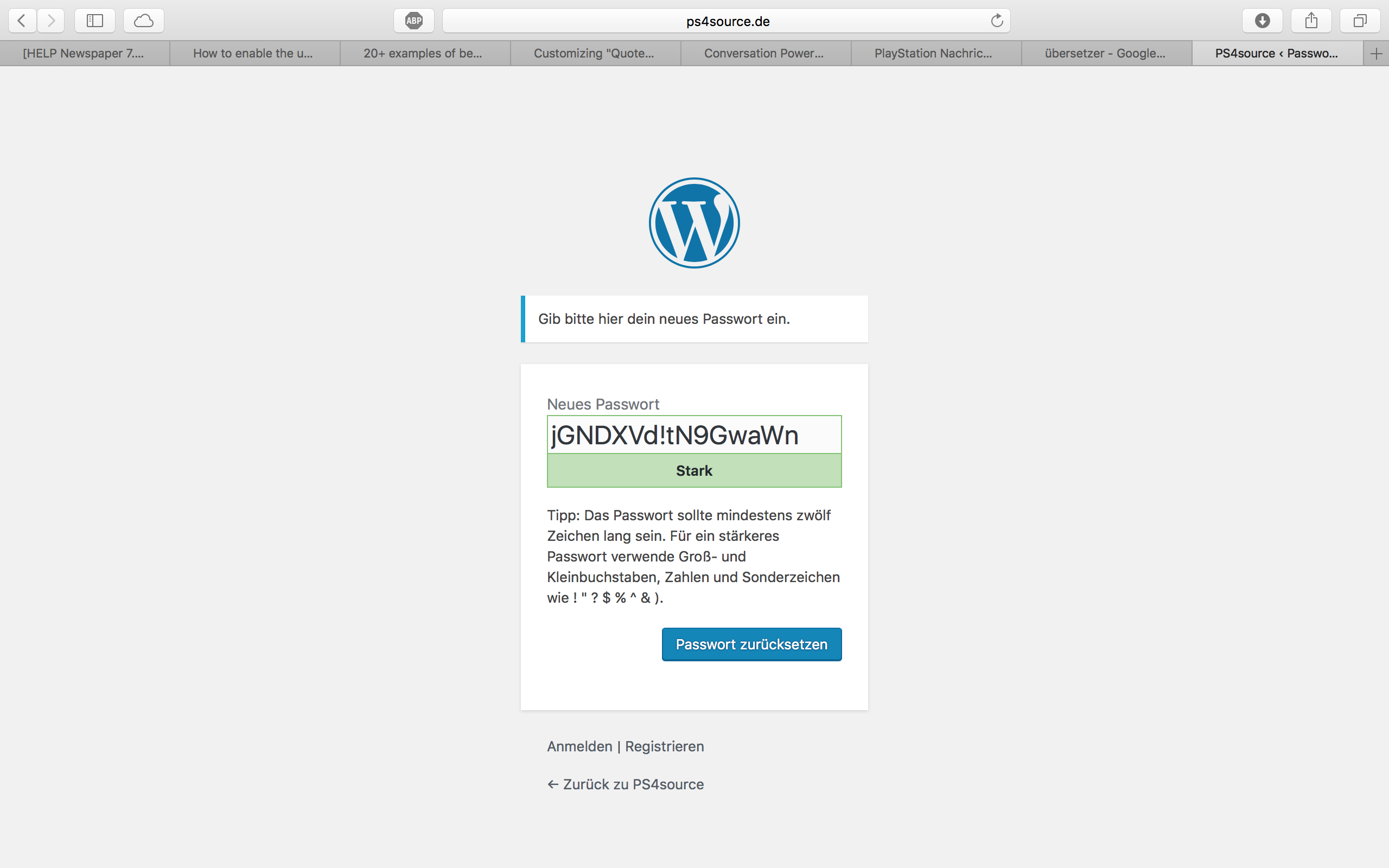
How can I change this registration process? Which plugin do you recommend?
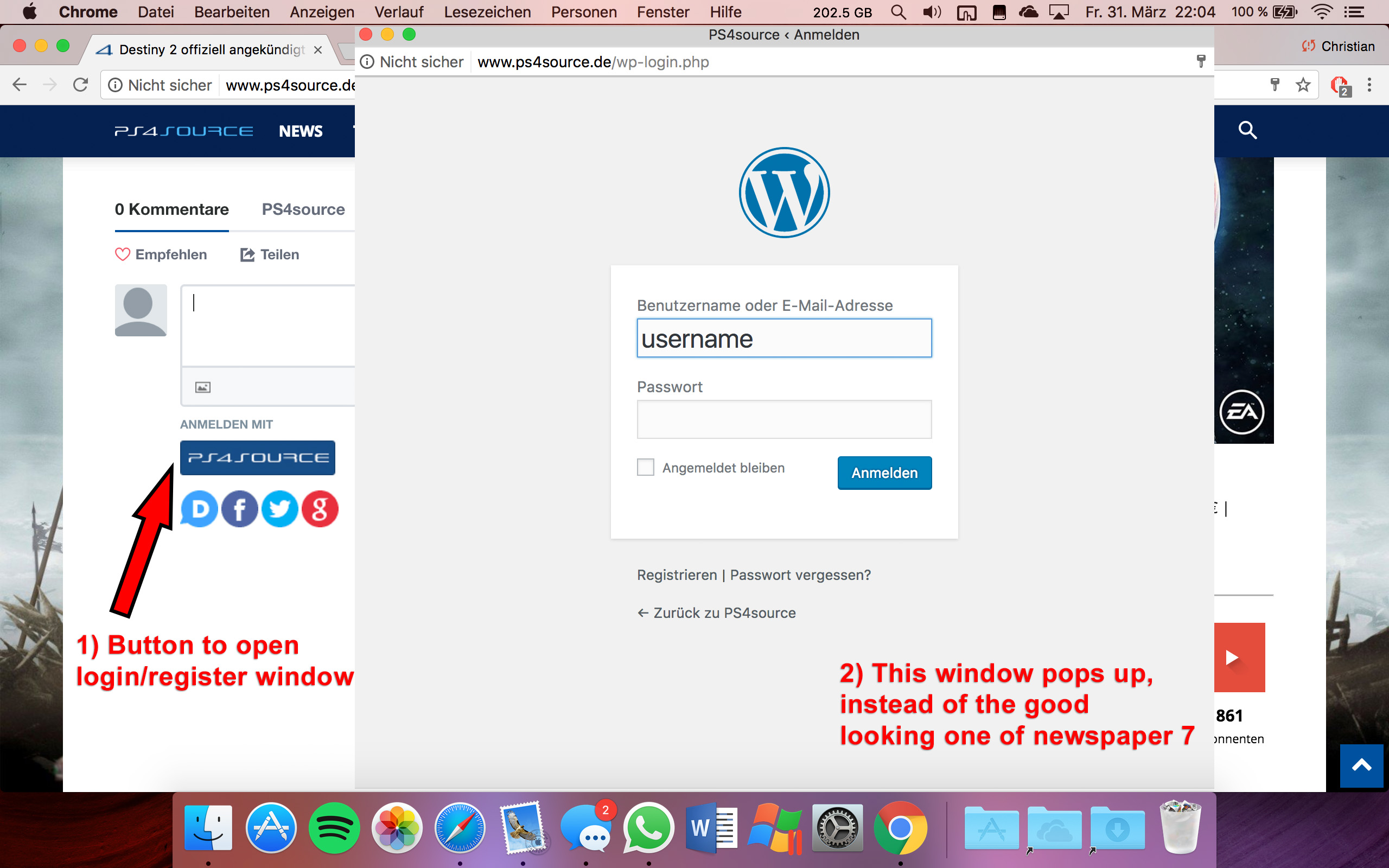
2.1) Also Im using Disqus Comment System, as I mentioned before. Ive used my own button to let the users register without having to use a social media account. Unfortunately I don’t know the link address to open the beautiful login/registration window of newspaper7.
Right now it looks like this, which is not very beautiful:
Disqus Button Code:
// Single Sign-on Integration

function dsq_sso_login() {
    global $current_site;
    $sitename = get_bloginfo('name');
    $siteurl = site_url();
    $button = get_option('disqus_sso_button');
    $sso_login_str = 'this.sso = {
          name: "' . esc_js( $sitename ) . '",
          button: "' . $button . '",
          url: "' . $siteurl . '/wp-login.php",
          logout: "' . $siteurl . '/wp-login.php?action=logout",
          width: "800",
          height: "700"
    };';
What should I enter at the url line, which is obviously responsible for the window?
3) CHECK
4) CHECK
5) Which Font do I have to use to get this vertical line on my quotes?
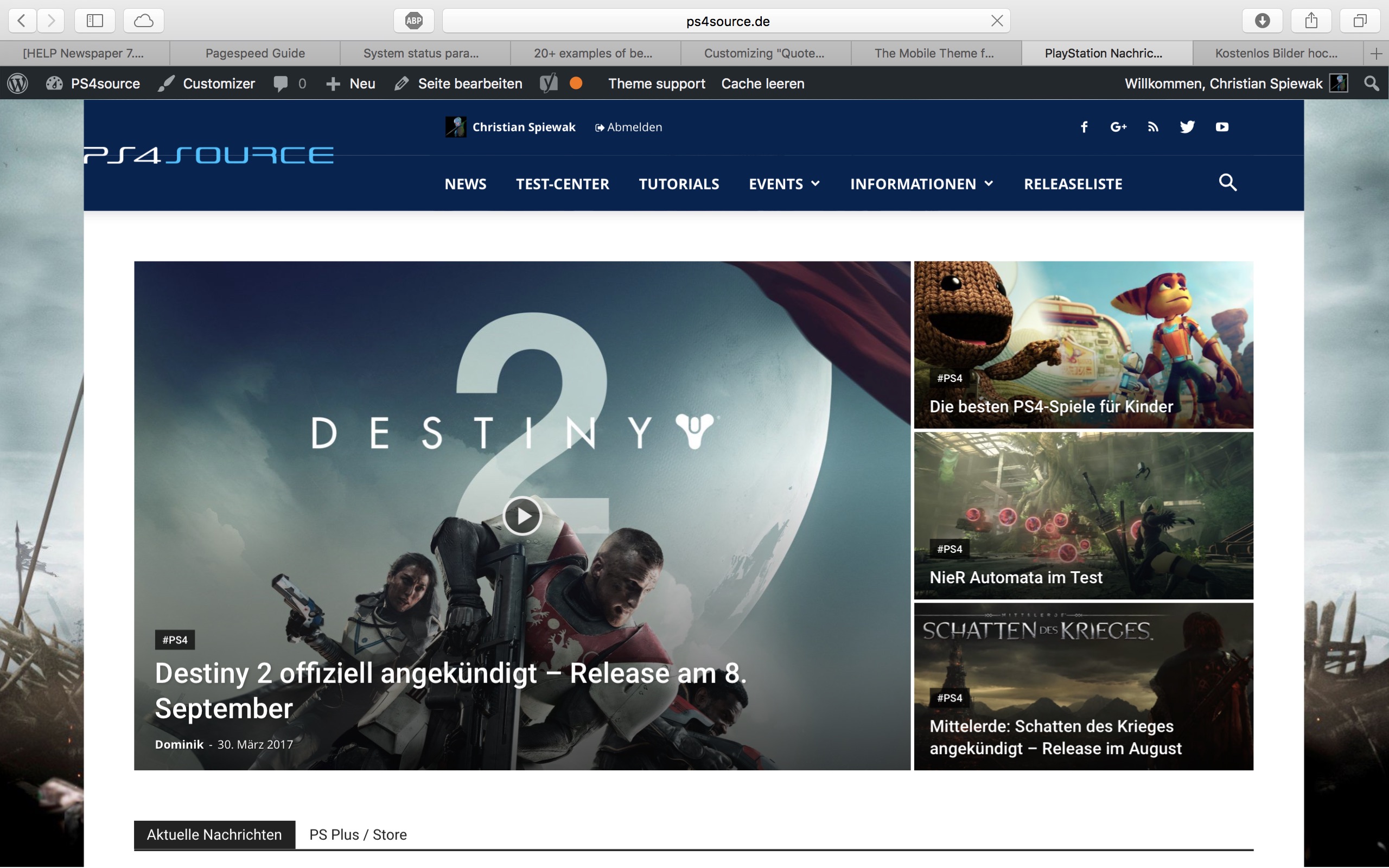
6,7,8) I do not know if I lost so many readers because the pagepeed has dropped or something else, but obviously I really want to get the numbers back to the state before I transferred to Newspaper7. Ive managed to increase the google pagespeed by reducing nearly all uploaded images. And I also read the Newspaper7 documentation to set the status parameters, the cache plugin and booster plugin as instructed. Unfortunately there are still some warnings, which should be solved as you can see here. Could you please help me, to get the best page speed as possible?
Should I change something on my .htaccess file?
# BEGIN WordPress
<IfModule mod_rewrite.c>
RewriteEngine On
RewriteBase /
RewriteRule ^index\.php$ - [L]
RewriteCond %{REQUEST_FILENAME} !-f
RewriteCond %{REQUEST_FILENAME} !-d
RewriteRule . /index.php [L]
</IfModule>

# END WordPress

# Deflate Compression by FileType
<IfModule mod_deflate.c>
 AddOutputFilterByType DEFLATE text/plain
 AddOutputFilterByType DEFLATE text/html
 AddOutputFilterByType DEFLATE text/xml
 AddOutputFilterByType DEFLATE text/css
 AddOutputFilterByType DEFLATE text/javascript
 AddOutputFilterByType DEFLATE application/xml
 AddOutputFilterByType DEFLATE application/xhtml+xml
 AddOutputFilterByType DEFLATE application/rss+xml
 AddOutputFilterByType DEFLATE application/atom_xml
 AddOutputFilterByType DEFLATE application/javascript
 AddOutputFilterByType DEFLATE application/x-javascript
 AddOutputFilterByType DEFLATE application/x-shockwave-flash
</IfModule>

# turns cache on for 1 month
<IfModule mod_expires.c>
ExpiresActive On
ExpiresDefault "access plus 1 week"
ExpiresByType image/jpg "access plus 1 week"
ExpiresByType image/jpeg "access plus 1 week"
ExpiresByType image/png "access plus 1 week"
ExpiresByType application/x-shockwave-flash "access plus 1 week"
</IfModule>

# gzip Compression if availiable
<IfModule mod_gzip.c>
 mod_gzip_on       Yes
 mod_gzip_dechunk  Yes
 mod_gzip_item_include file      \.(html?|txt|css|js|php|pl)$
 mod_gzip_item_include handler   ^cgi-script$
 mod_gzip_item_include mime      ^text/.*
 mod_gzip_item_include mime      ^application/x-javascript.*
 mod_gzip_item_exclude mime      ^image/.*
 mod_gzip_item_exclude rspheader ^Content-Encoding:.*gzip.*
</IfModule>

php_value memory_limit 256M
php_value max_input_vars 5000
php_value max_execution_time 300
php_value post_max_size 50M
php_value upload_max_filesize 50M
8) CHECK
9) 
(link)
10) CHECK
11) [Newspaper->System status->php.ini configuration] I have this PHP Version 5.6.29-nmm1 (5.6 CGI). Is this ok?
-
This reply was modified 9 years by
fenomeno0chris.
 Frenzy29
I use Newspaper 7.8
I try to create a custom sidebar but it does not appear on widget section.
When I go back to Theme Panel the name of the sidebar is there but if I click on it, there is only default sidebar name. Not new sidebar.
I have read posts on the forum and until now and I make all this with no result: use simple names not characters, disable plugins, clear cache, increase memory.
How can I fix this?
Thanks
 triowebdev
 Hello,
I understand that you receive a lot of support requests and you probably skim read most postings, however, I have tried very hard to do my due diligence in troubleshooting this problem. I am sending the login credentials for the website.
1) As per my post on March 23 “However, if I create a new post and embed the same Instagram post, the Instagram post and not the URL may appear.” I would expect that your test would display the social media posts. Because if I use the same social media post in a new WordPress post, it displays.
2) You wrote on March 27 “The suggestion to disable the plugins was to double check that that plugins are not causing this, since the links seem to work and display properly on my end.“.
I had already wrote on March 23 “I have disabled all plugins.“. I had also disabled Visual Composer to test for a conflict there.
As you stated on March 27, Visual Composer has no effect on the post page, so your statement on March 24 “ Also please install the Visual composer plugin as it is an essential and required in the proper functionality of the theme” implies the problem might be related to Visual Composer. If that was not your intent, then your statement is completely irrelevant to the problem because as you stated, it has no effect on the post page.
Again, this is a dev version of the website for testing. We are using Visual Composer on the live website but we cannot easily isolate the problem with plugins activated.
3) You state on March 27 “After a search on the internet it seems that other people are having this issue with some of the embeds – https://wordpress.org/support/topic/youtube-embed-not-working-anymore-after-451-update/ and it could be a hosting issue.”
However, I stated on March 23 “Switching to 2016 theme solves the problem instantly.”
How is this a WordPress update issue or a hosting issue if the problem is solved by changing from the Newspaper theme to the 2016 theme? And then the problem re-occurs when switching back to the Newspaper theme? Also, did you read the thread YOU linked? It is for a near isolated incident with WordPress 4.5.1 that was resolved with WordPress 4.5.2. How was that supposed to be beneficial to my scenario considering embed work perfectly fine with the default theme activated?
So, let me restate.
Server software Apache/2.4.25 (Unix) OpenSSL/1.0.2g
PHP Version 7.0.17
post_max_size 50M
max_execution_time 600
max_input_vars 5000
WP version 4.7.3
WP multisite enabled No
WP Language es_ES
WP Memory Limit 512 MB/request
Theme Newspaper
Theme version 7.7.1
Theme database version 7.7.1
Visual Composer 5.1
All required plugins (Visual Composer) are currently active. NO other plugins are active. Three themes are installed. Newspaper, Newspaper Child, and 2016. Newspaper (not Newspaper Child) is the current active theme.
With this setup, some social media embed are not embedding.
Switching to 2016 theme and reloading the same page, all social media embed work properly.
Switching back to Newspaper theme, same social media embeds are not working again. Those same social media embeds will work properly if reposted in a new post.
This information combined with all of the other information provided above should clearly explain the problem. I have completely isolated the problem down to the Newspaper theme. It is possible that the Newspaper theme could have a conflict with the hosting environment, however, I have posted my environment information above and I believe that it meets or exceeds all recommendations. Like I also stated above, I am not receiving any errors or noticies alerting me to any problems.
If you have any questions or suggestions that have not already be answered or attempted, please let me know. I would like to get this resolved as soon as possible as it does impact our readership.
Thank you,
triowebdev Here is the system status from the theme page:
Server software Apache/2.4.25 (Unix) OpenSSL/1.0.2g
PHP Version 7.0.17
post_max_size 50M
max_execution_time 600
max_input_vars 5000
WP version 4.7.3
WP multisite enabled No
WP Language es_ES
WP Memory Limit 512 MB/request
Theme version 7.7.1
Theme database version 7.7.1
Visual Composer 5.1
From what I can tell, my system meets all of the required specs and I am running the most recent versions of WordPress, Newspaper Theme, and Visual Composer.
All required plugins are installed and activated (Visual Composer). No other optional plugins are active.
Again, problem is instantly solved by changing to the 2016 theme and instantly resumes if I change back to the Newspaper theme.
It doesn’t appear to matter how I embed the social media post. If I use the embed shortcode or if I just drop in the URL as per the WordPress Embed codex.
This is kind of a big problem for us as the site relies heavily on social media posts.
If I had to guess, the Newspaper theme is running a filter or action on the embeds. I believe this is true based on what I have read in other posts in the forum. My guess is, something in that filter or action is timing out on some social media posts or is failing to recognize the formatting of some URLs and not others (less likely.)
So my questions are.
1) Does the Newspaper theme run a filter or action on embeds or in any way interact with embedded media?
2) If so, where is that code located in the theme?
3) Do you recognize that this is a theme issue and not a plugin / social media issue (since the problem only occurs with the theme activated)?
Thank you for your help.
 Catalin
 Hello Dmitry_Lupich,
First of all, please check your system status parameters to be according to our documentation here -> https://forum.tagdiv.com/system-status-parameters-guide/ Increase all parameters from here. Most likely, your PHP memory is exhausted, and that’s why you cannot load anything. It might be a reason in this situation.
Hope this helps and let us know how it goes!
Thanks for your understanding!
 loukosporandroid
Good evening ,
After updating, our site started to crash, it follows the response from our hosting support:
The processors and memory are 100% in use, so it is slow. The changes made seem to have been unsuccessful.
Call a lot here:
“POST /wp-admin/admin-ajax.php?td_theme_name=Newspaper&v=7.8”
Catalin Hello maismeh,
First of all, please check your system status parameters to be according to our documentation here -> https://forum.tagdiv.com/system-status-parameters-guide/ Increase all parameters from here. Most likely, your PHP memory is exhausted, and that’s why you cannot load anything. It might be a reason in this situation.
Hope this helps and let us know how it goes!
Thanks for your understanding!
Catalin Hello lisvilla,
First of all, please check your system status parameters to be according to our documentation here -> https://forum.tagdiv.com/system-status-parameters-guide/ Increase all parameters from here. Most likely, your PHP memory is exhausted, and that’s why you cannot load anything. It might be a reason in this situation.
Hope this helps and let us know how it goes!
Thanks for your understanding!
Catalin Hello wash,
I have inspected your website and I did not saw any problems with your mobile menu on the desktop version. This type of errors happens due to your memory cache or server cache. Try to clear all of this and also, if you are using some untested plugins, disable all of them, leave just Visual Composer to active, clear all your caches and install only the plugins that come bundled with the theme packet and rule out any conflicting plugins.
Hope this helps!
Thanks for the message!
Catalin Hello Iain,
Also, you should check your system status parameters and try to increase it according to our documentation here
-> https://forum.tagdiv.com/system-status-parameters-guide/ Probably, your PHP memory is exhausted and that’s why the mega menu does not work as expected.
Thanks for your understanding!
Catalin Hello boss1234,
I suppose that you PHP memory is exhausted and that’s why you cannot make any changes. Please check your system status to be according to our documentation here -> https://forum.tagdiv.com/system-status-parameters-guide/ Clear all your caches and check the results.
Thanks for the message!
 JJ0000
The first time I use Search for something in site, I get this error. If I reload it, it works. I believe my PHP memory limit is already high. Any wonder why this error only occurs on searches? Thanks.
Bogdan B. Hello,
You seem to have memory allocation issues. Please use this guide to increase your parameters: https://forum.tagdiv.com/system-status-parameters-guide/
Also please make sure you only use php 7.0 or below.
Thank you!
 Matthew
I received these errors this morning.
2017/03/13 09:03:55 [error] 338195#0: *5249899 limiting requests, excess: 6.603 by zone “wplogin”, client: 91.200.12.15, server: monkeysfightingrobots.com, request: “POST /wp-login.php HTTP/1.0”, host: “www.monkeysfightingrobots.com”, referrer: “http://www.monkeysfightingrobots.com/wp-login.php”
2017/03/13 15:18:15 [error] 338195#0: *5290891 FastCGI sent in stderr: “PHP message: PHP Fatal error: Allowed memory size of 268435456 bytes exhausted (tried to allocate 20480 bytes) in /www/monkeysfightingrobots_195/public/wp-includes/wp-db.php on line 1841” while reading response header from upstream, client: 65.35.108.110, server: monkeysfightingrobots.com, request: “GET /wp-admin/ HTTP/1.0”, upstream: “fastcgi://unix:/var/run/php7-fpm-monkeysfightingrobots
2017/03/13 15:17:03 [error] 338194#0: *5290741 FastCGI sent in stderr: “PHP message: PHP Fatal error: Allowed memory size of 268435456 bytes exhausted (tried to allocate 4194312 bytes) in /www/monkeysfightingrobots_195/public/wp-includes/wp-db.php on line 1842” while reading upstream, client: 65.35.108.110, server: monkeysfightingrobots.com, request: “GET / HTTP/1.0”, upstream: “fastcgi://unix:/var/run/php7-fpm-monkeysfightingrobots.sock:”, host: “www.monkeysfightingrobots.com”
PHP message: PHP Fatal error: Allowed memory size of 268435456 bytes exhausted (tried to allocate 1052672 bytes) in /www/monkeysfightingrobots_195/public/wp-includes/class-wp-query.php on line 2853″ while reading response header from upstream, client: 65.35.108.110, server: monkeysfightingrobots.com, request: “GET /wp-admin/user-edit.php?user_id=13921&wp_http_referer=%2Fwp-admin%2Fusers.php%3Frole%3Dcontributor HTTP/1.0”, upstream: “fastcgi://unix:/var/run/php7-fpm-monkeysfightingrobots.sock:”, host: “www.monkeysfightingrobots.com”, referrer: “http://www.monkeysfightingrobots.com/wp-admin/users.php?role=contributor”
Please advise on how to fix.
Thank you for your time and help.
Bogdan B. Hello,
This could be a plugin conflict so please disable all plugins except visual composer, clear cache and reset cdn files if you use it. Please also check any custom code you might have added to the theme panel or the theme files. If you use a child theme, please switch to the main theme to make sure it does not affect the proper functionality of the theme.
Also check your memory allocation: https://forum.tagdiv.com/system-status-parameters-guide/
Thank you!

