- TutorialsWhat is Ajax preloading?
 tzimis0tigris
 Hello Anamaria,
the issue is that although I have disabled the mobile page & the mobile template, on the responsive site I get two different views depending on the device specifically on mobile I can’t see the submenu and the logout button https://imgur.com/9r4jEfG and I get a different footer https://imgur.com/l5coHH9.
Thank you
 Tom C
Tom C Hello Bettina,
Thank you. Just please share this thread with the devs so they can see the specific issues for my use case.
Basically,
1. Apple Pay button didn’t show up on my checkout page (in Safari on desktop) due to td-woo-front css.
2. Check boxes were missing on my checkout page (for all Apple devices), also related to css in td-woo-front file.
3. Log in prompt for saved passwords on iOS devices/safari continued to pop up even after being logged in. I changed the mobile-menu.php in the legacy Newspaper folder of the td-composer plugin.
Thank you and have a great day.
 tsc_site
I put an ad spot with adsense code right below the main menu: https://prnt.sc/1y2jgov
When I click to view it on mobile, nothing is shown: https://prnt.sc/1y2jixu
This is the page: http://tudosob.re/wrNA5b
Thank you
 menneskedyr
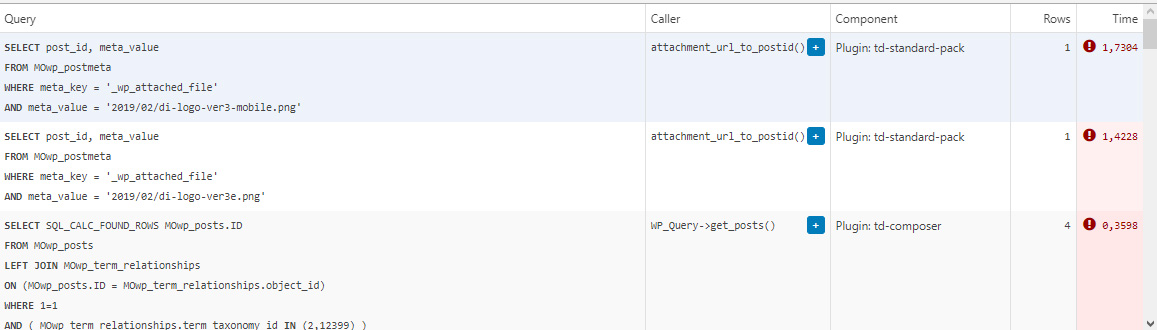
 Thank you for the quick response, but that’s not quite it. Yes, TD Composer has a lot of queries and we live with it, but this was caused by a single (double, actually) repeating query from TD Standard Pack apparently fetching the site logo, using what seems to be a highly inefficient function:
attachment_url_to_postid()
And it was doing it twice, once for the desktop and once for the mobile logo, on every single page load. This caused mysqld to spike to 200% and above.
I see now that I have posted the wrong screenshot above, sorry. Here’s the correct one:
This morning I managed to patch up the problem, it’s a crude solution but may help someone. In header template I found that it was loading the logos from
plugins/td-standard-pack/Newspaper/parts/header/header-menu-h1.php
(yours may be different of course)
There I simply removed the PHP block fetching the logos and hardcoded the HTML for the logos in. As soon as I did that, the SQL spike went away. So I’d say it’s a bug, or inefficient code at least.
To be clear, we’re running the latest versions of WP, PHP, MySQL, the theme & plugins, all on a solid VPS. Yes there is quite a bit of SQL load, we’re working to optimize it with new blocks and Cloud Templates, but this was something else. Could be related to the latest Standard Pack update, don’t know, team didn’t report it before.
-
This reply was modified 4 years by
menneskedyr.
 Anamaria
 Hello,
I checked your menu on mobile and work => https://i.imgur.com/8lWU2vZ.png
Also, I saw you have the mobile theme plugin activated, and on the main page is disabled that’s why the menu is ok, but for posts/categories template, etc you need to set the menu in Theme Panel -> Mobile Theme -> Header -> Main menu => https://i.imgur.com/AjjhTfB.png
Thank you!
 bidhi
bidhihttps://www.connectbroadbandservices.com/dekkomag/
Menu Not showing in mobile can you please check this
Tom C I fixed my issue by changing menu-mobile.php, under the ‘login/register,’ also making it ‘if else’ like the ‘login’ section of code a few paragraphs up. I wish this thread could be looked at by dev team before future updates to these plugins.
 netclick
 Hi Anamaria
Its not working, unfortunately.
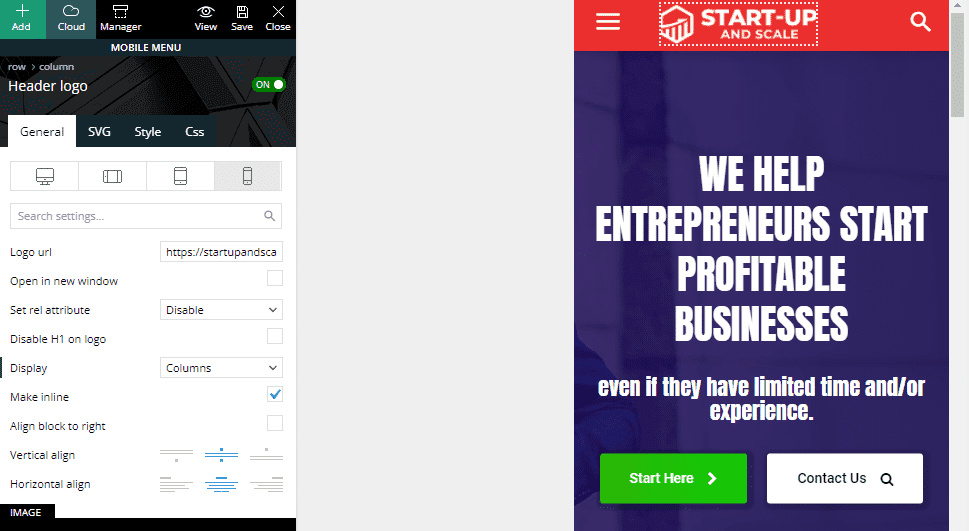
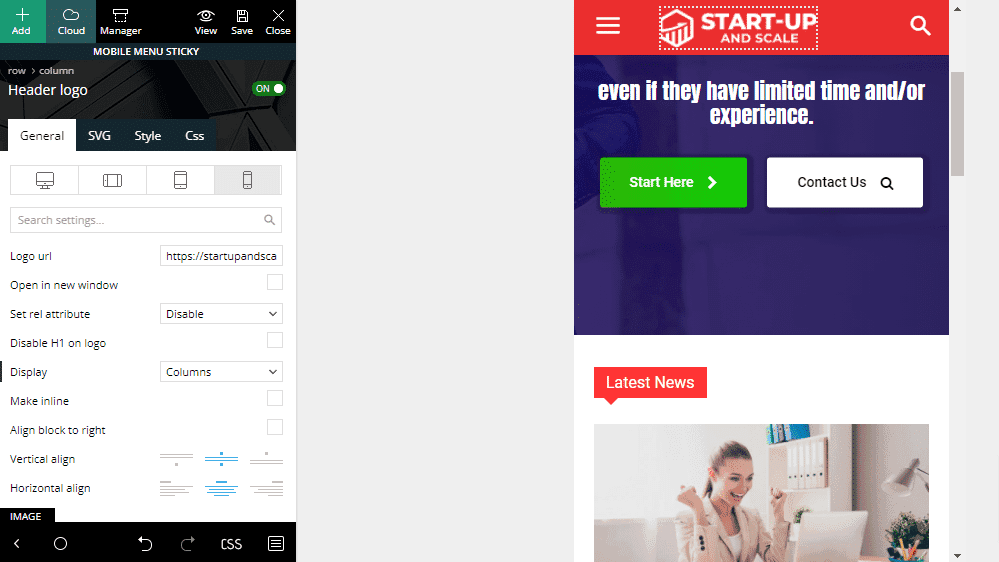
The logo is added to both sticky menu and mobile menu. it shows in ‘mobile view’ when editing. However, I can only see sticky menu on my phone browser, Android Chrome.
https://startupandscale.com/wp-content/uploads/2021/10/suas-mob.png
https://startupandscale.com/wp-content/uploads/2021/10/suas-mob-sticky.png
 Calin
Calin Hi mkmedien,
I just tested your website and now for me the mobile menu and search seems to work, indeed at each page reload, I need to double touch the icon, after that is working with one touch. -> https://i.imgur.com/ExRvtqe.png -> https://i.imgur.com/h0EwmoT.png
Maybe the problem it is related to those errors -> https://i.imgur.com/1z9g3E2.png what you can try for theme, is to use Enable jQuery Migrate Helper, or better, make a full backup for your website and update the theme to the last version https://forum.tagdiv.com/newsmag-how-to-update-the-theme/ (because you have an very old theme, it will be recommended to update the theme manually).
Thank you!
Tom C the directory is something like: td-composer/legacy/Newspaper/parts/menu-mobile.php
Anamaria Hello,
First of all, it is always advisable to say what prebuilt website you have installed, to be able to help you and give you the necessary information.
Also, we have documentation where you can find more information.
Almost all of the settings that you want to do need to use tagDiv Composer.
1. If you set the font from Theme Panel, will not apply because those settings are for standard elements, so you need to change the fonts using tagDiv Composer on each element (Single Post Content, flex block, etc) please check this article -> https://forum.tagdiv.com/font-customization/ and video -> https://www.youtube.com/watch?v=jQvA64uTLkI
2. Newspaper Theme only works with default WordPress comments and unfortunately, we don’t have a plugin tested for comments, and we can’t recommend a plugin to achieve this.
3. If you set once the code for ads in the Single Post Content, you do not have to set for each post, if you use a global Single Post Template, but if you have a different Single Post Template then, yes, you need to add the code, because is a new template. The ads will show on all posts that use that template.
4. You can customize the mobile menu from Theme Panel -> Theme Colors -> Mobile menu/mobile search => https://www.screencast.com/t/0CvSgXp9H to set a background image go in Theme Panel -> Background -> Mobile menu/mobile search => https://www.screencast.com/t/uvDejzbX to change the font from Theme Fonts => https://www.screencast.com/t/ANBQe7hQhJd Also, for mobile header color you need to select the viewport on phone, select the zone of mobile menu and from the tab “CSS” you can change the background color => https://www.screencast.com/t/uO47flEmmeP also, please check this article https://forum.tagdiv.com/add-logo-newspaper/
5. Please make sure you have disabled the auto-loading option https://forum.tagdiv.com/infinite-loading-single-posts/
Also, please check if the settings are saved, if the settings are not saved, then you will have to first start looking for a plugin conflict. please deactivate ALL plugins except tagDiv ones, also if you are using a child theme or cache plugin, deactivate them, clear all cache and try again.
Also, on our channel https://www.youtube.com/channel/UCOT1RiNysIPCTPSnVZskwtQ, you can find more videos that can help you and documentation https://forum.tagdiv.com/newspaper-theme-documentation/
Thank you!
Anamaria Hello,
I verified your website and indeed the menu doesn’t work on mobile, but on browser works=> https://i.imgur.com/sgdRv0v.png
Please check if you don’t have a plugin conflict, usually, this problem is caused by a plugin that interferes with the theme or with something settings.
Thank you!
 tamsin_lechner
 Good morning,
I have encountered a few issues with Newspaper mobile view (both responsive version and theme plugin), and would really appreciate your help.
———-
WP 5.8.1
PHP 7.4.24
Newspaper 11.2
tagDiv Plug-ins – Composer, Cloud Library, Social Counter, Standard Pack (have also activated/deactivated Mobile theme + Official AMP for WP)
——–
My website is “coming soon” until I resolve my mobile settings, so I am sharing screenshots using your recommendation above.
FYI I have already utilised the Let’s Go Mobile tutorial (very helpful) and Theme documentation and spent a lot of time troubleshooting.
My preferred option is to use mobile templates and tagDiv composer, mostly as I have content on my homepage that I want to retain in mobile view. I have created mobile templates for the home page, header and footer only (at this stage).
When testing the responsive version live on mobile I have the following issues:
1. My posts are displayed in a default format (feature image, text then sidebar, plus wrong header and footer). In my cloud templates list I do not have any Single Post Template listed to customise as a mobile template.
Have I mistakenly deleted “Single Post Template – Default PRO” and if so how do I get it back? When searching in New Cloud Templates it is not listed and other templates would be inconsistent with my site.
2. My pages (via menu) are displayed in a similar default format. When I try to create mobile templates for these pages using Composer (checking copy content option) most of my pages are not picking up all the content. Specifically, pages that have shortcodes (eg. Contact Form 7). For example –
In the mobile template page I get an empty column (where the page title, text and/or image should display) and stretched out shortcode content. If I save it anyway and try to open it again it appears as blank.
3. One critical page on my site appears blank (header and footer only) when live on mobile. It is a Business Directory which is otherwise responsive to the theme.
Like Issue 2 above, when I create a mobile template for this page the content is copied and partially displays but after saving it disappears.
The alternative option – trying tagDiv Mobile Theme + Official AMP for WP, and testing it live, has not resolved the critical issues. NB: I switched my “homepage – mobile” to draft while using Mobile Theme.
When testing the mobile theme version live on mobile I still have these issues:
1. Posts are now ok but the “Post Settings” options (as shown in your Theme Documentation) do not appear in my Mobile Theme Plugin settings.
2. All of the pages (including Business Directory) are now completely blank (mobile theme header and footer only). FYI I have opened each page in WP Editor and ensured they are enabled for mobile theme in the tool bar and updated. This did not resolve the issue.
Please let me know your suggestions for resolution asap 🙂
Thank you, Tamsin
 chabotjeff
Hi. I am having trouble getting the mobile “hamburger” or “triple bar” menu working. Nothing happens when you click on it (either touch screen on mobile devices or PC browsers. All that happens is the webpage shrinks. Can you please help? Check website hd-report.com. Thank you.
 mkmedien
Hi there,
My site: http://www.verbraucher-tipps.com (Newsmag4)
Today I discovered that mobile menu and search only work on desktop when I minimize browser. On smartphone I could click on both icons and nothing happens. A few days ago everything was working properly. I didn’t add new plugins or worked on themecode. I only made new blogposts. WP, theme and all plugins uptodate.
Please help. Thank you very much 🙂
Kind regards,
Matthias
Anamaria Hello,
To remove the ad box, please edit with tagDiv Composer, select the view port on phone and select element and delete it with right-click.
Please check this topic where I explained each mobile version -> https://forum.tagdiv.com/topic/mobile-version-not-working-properly-2/ and choose what mobile version you want.
Thank you!
 YamhillAdvocate
 As an update, I managed to find the option for the menu background image under backgrounds / mobile menu. Still unsure how to change the colors for the vertical mode menu so my logo doesn’t stick out like a sore thumb.
YamhillAdvocate I have another question with the default News theme I loaded the dummy data with.
Where is the option to change adjust the header colors for mobile vertical mode? It changes from a white background header for all other versions to a black one. This looks bad given the logo has a white background for all others, so how do I fix this? I need to adjust the header to be white, not black, and make the magnifying class and the header menu (the three lines button) to be black instead of white.
Also where is the option to change the background image (a girl in a blue striped shirt against a blue background) which appears when you press the header button to bring up the menu on vertical mode? I want to change that background image but have no idea where that option is.
Tom C Hello Bettina,
I did not solve the issue. It only stops when I disable the signup form from the theme panel, but I would like to use that (it is connected to the side/mobile menu as pictured here: https://jailbirdsmedia.s3.us-east-2.amazonaws.com/wp-content/uploads/2021/10/27012031/IMG_9376.jpg). And when it is disabled, it appears like this: https://jailbirdsmedia.s3.us-east-2.amazonaws.com/wp-content/uploads/2021/10/27012045/IMG_9375.jpg
So unfortunately, if I don’t want the repeated login prompts popping up, it can stop with that sign in piece disabled.. and since I want to keep that, I have this log in prompt for iOS Safari browsers that save their password on iCloud Keychain. I am thinking this is also somewhere in the CSS, but I am not sure what to do for this one.
Thank you.
Anamaria Hello,
You have the mobile theme plugin activated, and on the main page is disabled that’s why the menu is ok, but for posts/categories template, etc you need to set the menu in Theme Panel -> Mobile Theme -> Header -> Main menu => https://i.imgur.com/AjjhTfB.png
Thank you!
 Umut
UmutMy menu works well on main page.
however I just noticed that my menu in mobile does not seen on posts.
Anamaria Hello,
Please make sure you have added the logo also, in the mobile menu, because seems you set it only in the mobile sticky header => https://i.imgur.com/fqHxYRy.png please check this article https://forum.tagdiv.com/add-logo-newspaper/
Thank you!
 mverminski
I just purchased and installed a prebuilt website for this theme. It appears the mobile menu is showing above the desktop site, and when you scroll the home page it does not look correct. Can you please tell me what is going on? Is it because my client is using cheap Managed WordPress hosting with GoDaddy?
https://b8h.c8e.myftpupload.com/ is the demo site.
 denya
denyaI use.
http://i.piccy.info/i9/89d1725769d1778d8e288bf47c548904/1634739081/119201/1445526/Bezymiannyi.png
The settings of the mobile version indicate
http://i.piccy.info/i9/53bd48d3f31b3114f566ebb75a6fc5c5/1634740127/120939/1445526/Bezymiannyi.png
But in reality, the menu is clipped.
and it looks like this
http://i.piccy.info/i9/93e8b9f71899012dd833bde41e0afe57/1634739477/154435/1445526/Bezymiannyi.png
how to fix?
Anamaria Hello,
To change/remove the background image for the menu on mobile, please access Newspaper -> Theme panel -> Background -> Mobile menu/search background and change/remove the image from here https://www.screencast.com/t/ATV1Jr7s
Thank you!