- NewsmagTheme colors introduction
- NewsmagSmart list ads
- NewsmagIntroduction
- NewsmagMain menu
- NewsmagLogo & Favicon
- NewsmagHeader ads
- NewsmagSmart sidebar
- NewsmagSharing buttons
- NewsmagCategory tag on modules/blocks
- NewsmagBackground introduction
 Tudor Balaceanu
the site is compact, like the mobile version, although it is on the desktop. some errors appeared in the footer.
errors :
Warning: require(/home/francez/bacau.net/wp-content/plugins/td-standard-pack/Newspaper): failed to open stream: No such file or directory in /home/francez/bacau.net/wp-includes/comment-template.php on line 1618
Warning: require(/home/francez/bacau.net/wp-content/plugins/td-standard-pack/Newspaper): failed to open stream: No such device in /home/francez/bacau.net/wp-includes/comment-template.php on line 1618
Fatal error: require(): Failed opening required ‘/home/francez/bacau.net/wp-content/plugins/td-standard-pack/Newspaper/’ (include_path=’.:/opt/cpanel/ea-php74/root/usr/share/pear’) in /home/francez/bacau.net/wp-includes/comment-template.php on line 1618
 Southview92
My site is in2town.co.uk but on a mobile device it is showing very slow. I am also receiving CLS warning, telling me that my mobile site is slow.
https://www.webpagetest.org/result/231208_AiDcRE_97Z/?view=webvitals
My google console is telling me that every page on my site has a high cls and is affecting my ranking. i have seen my ranking and traffic drop by more than 60 percent.
can anyone please advise me on how to speed up my site on a mobile device while keeping the layout i have.
 Bettina
 Hello Pratul!
You can change or adjust the blocks to display what you need in the tagdiv composer.
You can’t have the mobile theme layout on the desktop version.
The shop page seems to be the default one from Woocommerce, and the mobile version doesn’t load anymore. I suggest you use a cloud shop template from the TagDiv Shop plugin.
Thank you!
 pratul11
 Hello I think you didn’t understand my problem. My mobile theme is showing my latest posts and woocommerce latest products correctly. But my Desktop version not showing latest post on site homepage and not showing latest published products on woocommerce shop page. Please read my initial post again. I tried all type of cache cleaning but no help.
Please help me soon.
Thanks
Bettina Hello Pratul!
There is a 520 error from Cloudflare in your mobile shop. I can see that you have the mobile theme plugin installed on your homepage.
We have 3 options for mobile versions that you can use:
1. Responsive version: A responsive version of your website looks similar to the desktop version. TagDiv Composer is used to edit the page.Click on the mobile viewport: https://www.screencast.com/t/XDQJedlggSB. There, you can see your mobile version and edit or adjust the elements to look better.
2. Mobile pages: https://tagdiv.com/newspaper-10-3-7-update-brings-customizable-and-fast-mobile-pages
3. Mobile theme plugin: The Mobile Theme is a performance-optimized theme included in the main Newspaper theme that only loads on mobile devices. It comes with its own templates and designs for pages, posts, categories, etc., so your current templates from the desktop theme will get converted to the mobile theme layout. Please see https://forum.tagdiv.com/the-mobile-theme/ and https://forum.tagdiv.com/mobile-theme-introduction/ for more information.
A full explanation is here: https://www.youtube.com/watch?v=SpGkOnJeNZY
If you need to use mobile version 1 or 2, then you need to uninstall the Mobile Theme plugin and AMP.
Thank you!
Bettina pratul11Hi
My website https://anopenedmind.com is showing some issues recently. Theme is updated already as well as WordPress. Whenever I post something new, it used to appear on the Homepage as latest post. But now it does not. However, the post can be seen if you browse to its specific category.
Similar strange problem happening in my WooCommerce shop recently. Recently published shop items do not appear on Desktop but they appear on mobile. It does not look like cache problem otherwise how it can appear on mobile. However, I tried clearing browser cache, server cache, CDN cache. Nothing helps.
Please see https://anopenedmind.com/shop/ both in mobile and Desktop. You will understand.
Can you tell me how to solve both the problems?
Thanks
Pratul
 dweb35
 How can I change the layout of the mobile version it gives me with the mobile-theme plugin active?
Thank you
Bettina Hello @dweb35 !
We have 3 options for mobile versions that you can use:
1. Responsive version: A responsive version of your website looks similar to the desktop version. TagDiv Composer is used to edit the page.Click on the mobile viewport: https://www.screencast.com/t/XDQJedlggSB. There, you can see your mobile version and edit or adjust the elements to look better.
2. Mobile pages: https://tagdiv.com/newspaper-10-3-7-update-brings-customizable-and-fast-mobile-pages
3. Mobile theme plugin: The Mobile Theme is a performance-optimized theme included in the main Newspaper theme that only loads on mobile devices. It comes with its own templates and designs for pages, posts, categories, etc., so your current templates from the desktop theme will get converted to the mobile theme layout. Please see https://forum.tagdiv.com/the-mobile-theme/ and https://forum.tagdiv.com/mobile-theme-introduction/ for more information.
A full explanation is here: https://www.youtube.com/watch?v=SpGkOnJeNZY
If you need to use mobile version 1 or 2, then you need to uninstall the Mobile Theme plugin and AMP.
If you use cloud templates, please edit your homepage with TagDiv Composer, scroll till footer, click on footer zone and you can edit it.
If you use the mobile theme plugin, then check in the Newspaper-> Theme panel-> Translations-> Translations and replace the words on the right side.
Thank you!
 TransportOnline
 Solved! By removing the plugin for mobile theme.
dweb35in the Newspaper theme I created a mobile template with tagDIV composer but I can’t activate it, when I see the mobile version it doesn’t match the one I created. I would like to see my desktop version on mobile too. Also, how can I change the words “About us” and “follows us” in the mobile footer? Thank you
Bettina Hello @drjqool !
I’ve checked your website, and the mobile theme layout does not load anymore.
I can see that you solved the issue, right?
Thank you!
Bettina Hello @Hector1 !
Please deactivate, delete, and reinstall the tagDiv mobile theme from Newspaper plugins and clear all cache. If the problem is still there, then make a test and deactivate ALL plugins except tagDiv ones, also if you are using a cache plugin, deactivate it, clear all cache and try again.
Let me know the results!
Thank you!
 drjqool
My site URL is jimmybydesign.com.
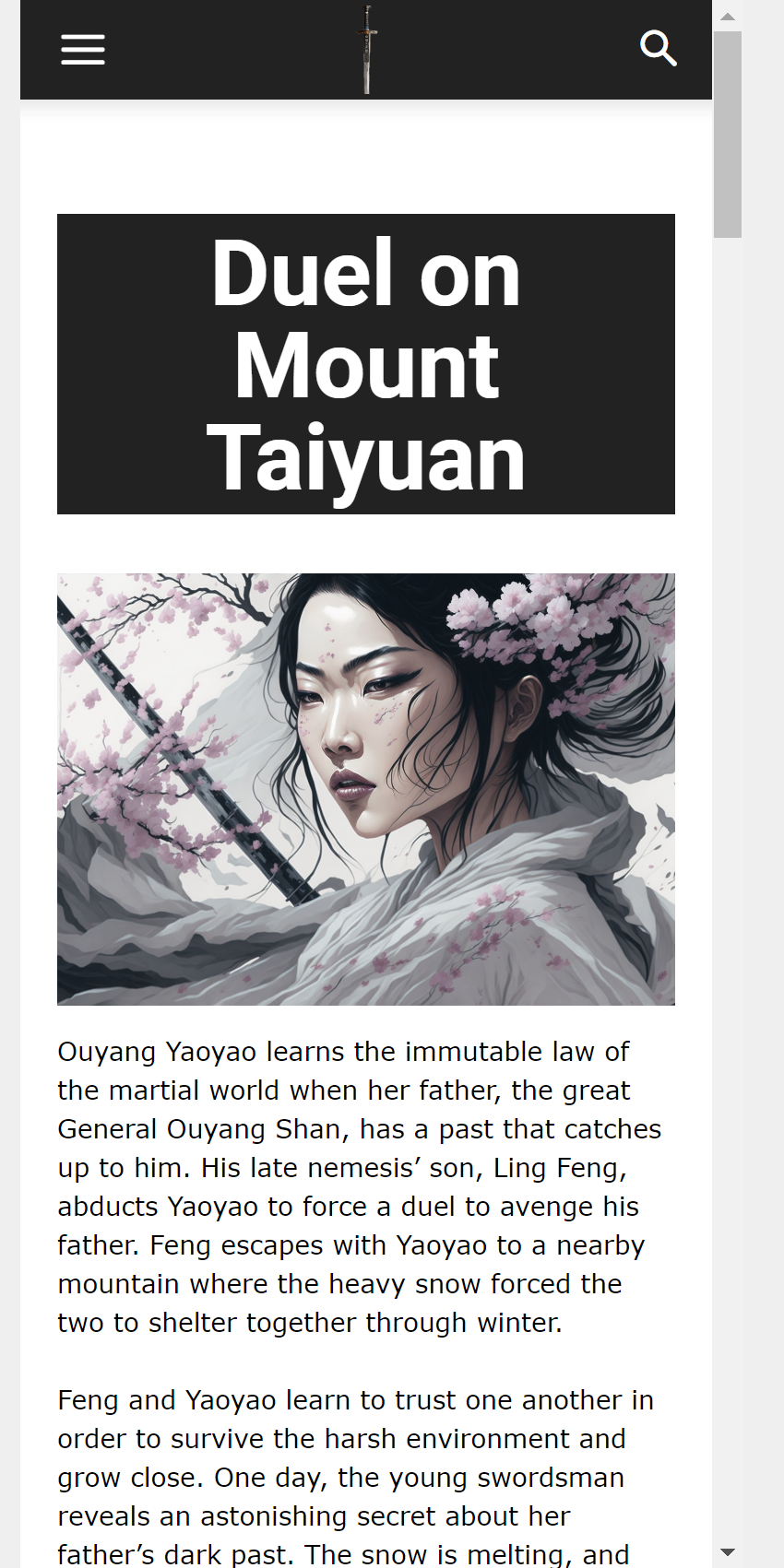
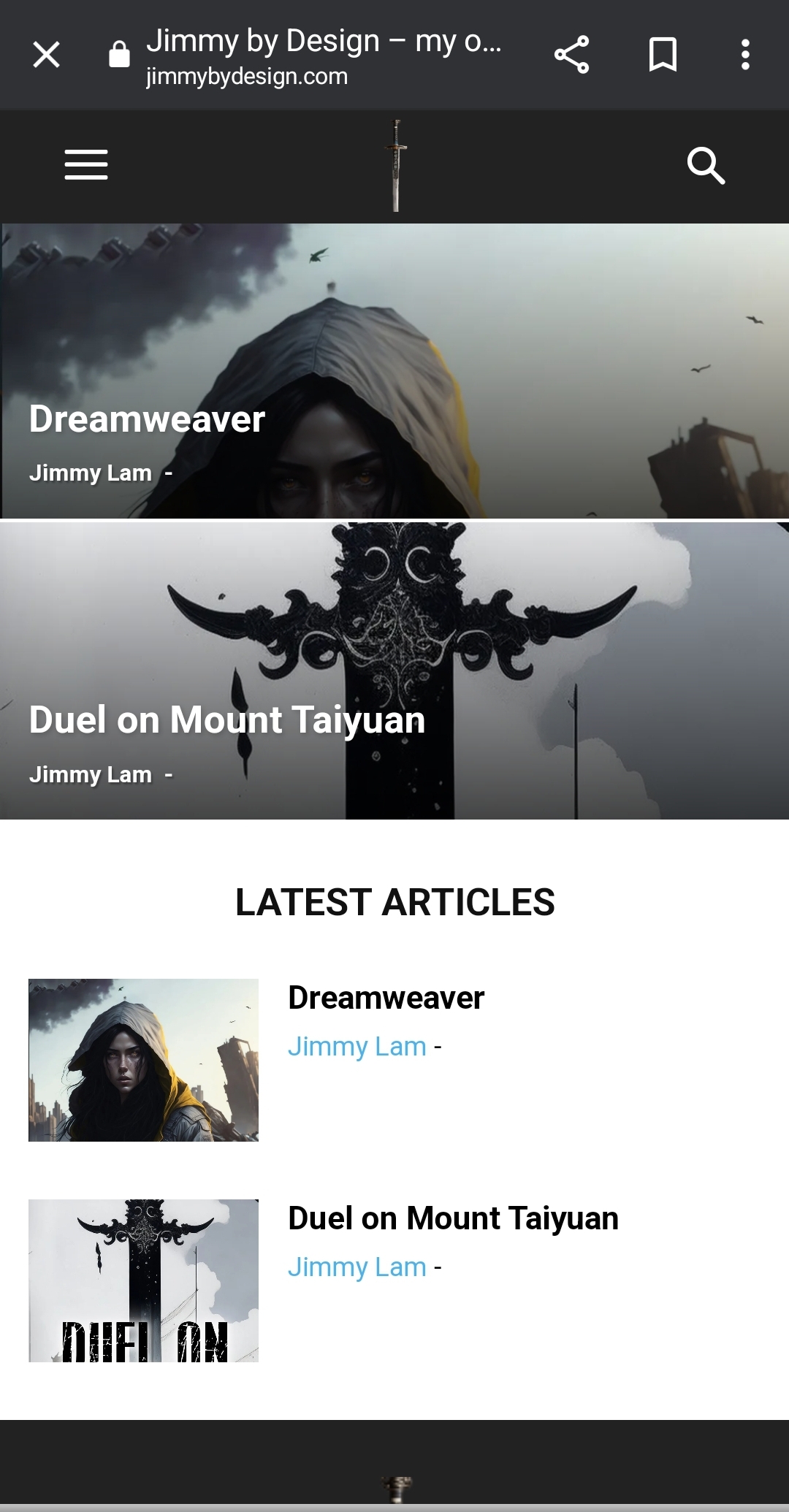
My problem is even after I set up my mobile homepage, what loads is something entirely different and I don’t know what I need to do to get this to load properly. Below are some screenshots of what I’m talking about.
This is a screen shot of how the mobile homepage should look: https://jimmybydesign.com/wp-content/uploads/2023/12/chrome_2023-12-06_18-00-51.png
This is how it turns out if visiting the site via mobile: https://jimmybydesign.com/wp-content/uploads/2023/12/Screenshot_20231206_180206_Chrome.jpg
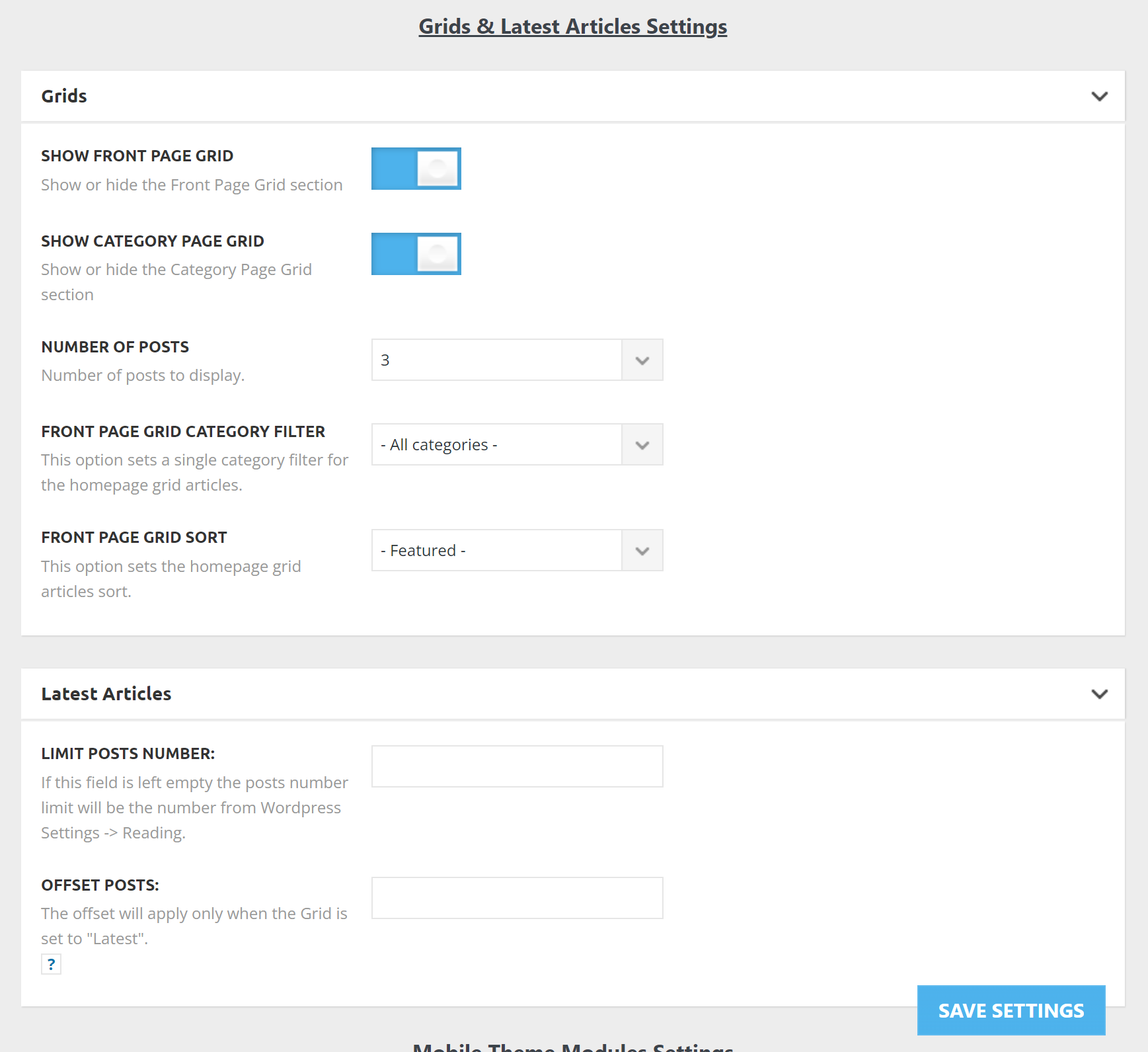
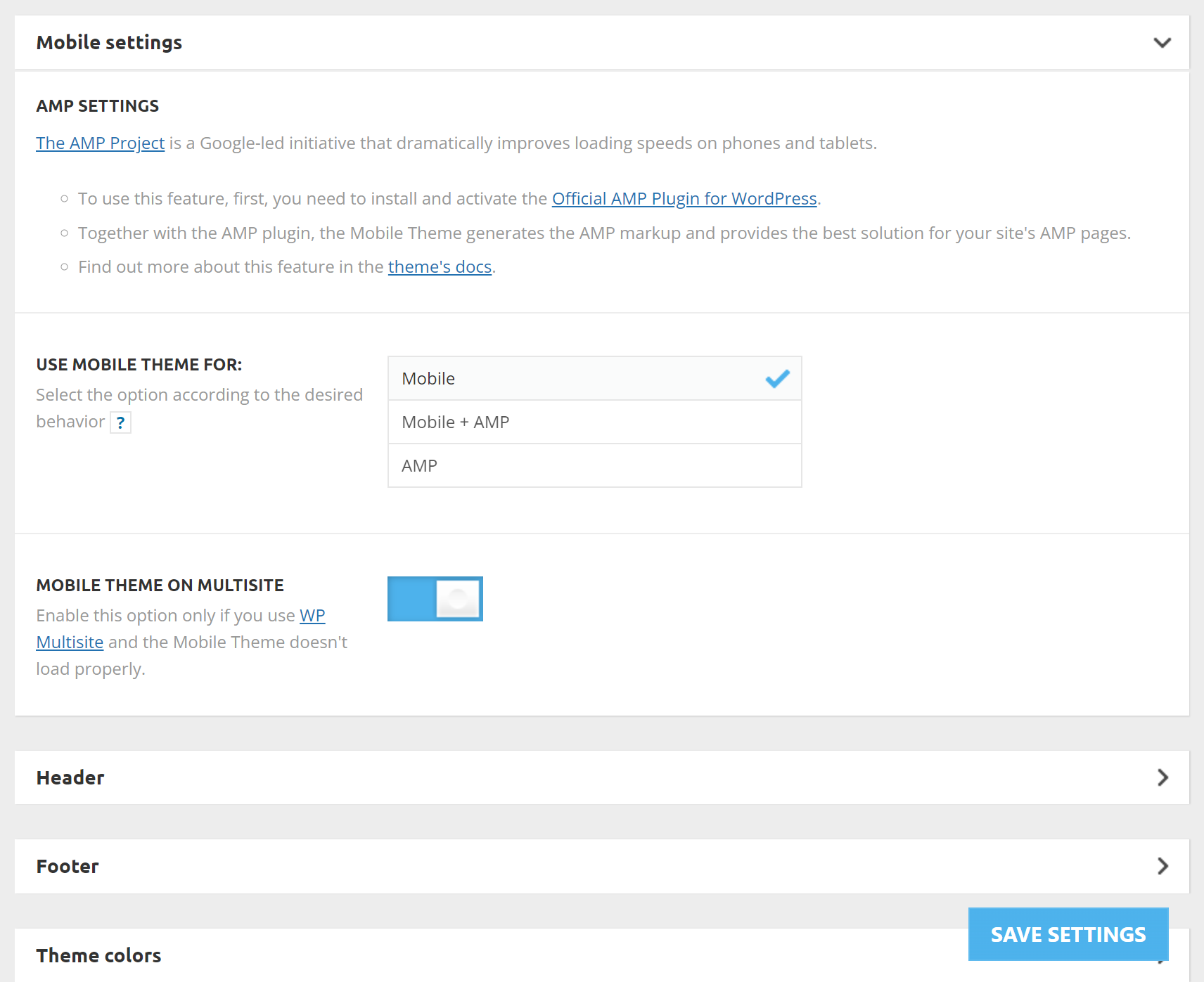
These are my mobile Newspaper theme panel settings:
https://jimmybydesign.com/wp-content/uploads/2023/12/chrome_2023-12-06_18-06-54.png
https://jimmybydesign.com/wp-content/uploads/2023/12/chrome_2023-12-06_18-07-55.png (FYI on this is I’ve set the Mobile theme on multi-site on/off but it doesn’t seem to affect anything. My mobile phone still loads that weird screenshot instead of the actual mobile version of the site.
Proof the mobile homepage is set up: https://jimmybydesign.com/wp-content/uploads/2023/12/chrome_2023-12-06_18-09-40.png
Please help!
Bettina Hello @faridullah !
Please deactivate, delete, and reinstall the tagDiv mobile theme from Newspaper plugins and clear all cache. Check out this article: https://kinsta.com/knowledgebase/there-has-been-a-critical-error-on-your-website/
Thank you!
 faridullah
Some posts on my site (https://solution8tech.com) do not load and show the error “There has been a critical error on this website.” for example, the post https://solution8tech.com/google-photos-locked-folder-backing-up/. It is pertinent to mention here that there was no error when the posts were published, all posts were loading properly. I have removed the theme and plugins and re-installed them, but they are all in vain. The affected posts load properly on mobile devices
 Anamaria
 Hi,
Using our theme you can choose from 3 mobile versions
-> mobile responsive => https://www.screencast.com/t/oJ2ShOp47
-> mobile theme plugin => https://forum.tagdiv.com/the-mobile-theme/
-> mobile page => https://tagdiv.com/newspaper-10-3-7-update-brings-customizable-and-fast-mobile-pages/
If you created the mobile pages with tagDiv Composer, then when you install the Mobile Theme plugin, your pages will be overwritten by the plugin (the mobile theme comes with its templates for page, post, category, etc so your current templates from the desktop theme will get converted to the mobile theme layout, the page content is made without builders in mobile editor => https://www.screencast.com/t/xbgZG8kH also, the options that are provided to edit the mobile theme version are limited (this keeps the things simple)).
This is a video about Responsive Newspaper Theme, AMP & Mobile Theme, Mobile Pages & Templates -> https://www.youtube.com/watch?v=SpGkOnJeNZY
So, the mobile responsive is what you see when that you select the viewport on phone => https://www.screencast.com/t/matV17hH, so some settings may apply for each viewport(where is the border blue), and others are not(where the border is black).
The mobile page has the mobile templates from Cloud Library => https://www.screencast.com/t/YCcZ8rL8
The Mobile responsive version of the theme and the mobile page editor can be edit with tagDiv Composer, the mobile theme plugin cannot.
For example, you can have the mobile theme plugin activated and use the mobile page/mobile responsive version for the homepage/pages, but for the categories pages/404 page, you can’t use the mobile page/mobile responsive version if you have the mobile theme plugin activated.
So, if you want to design the pages with tagDiv Composer, you can use the mobile page or mobile responsive version.
Thank you!
 platmm
Hello there! I know this has come up a few times here but I’m also getting an issue with the mobile menu. I’m using the “Reel News Pro” mobile header but it also shows up in “influencer” – anyone where after the hamburger menu is pressed, the screen shrinks, and then the menu appears.
It works perfectly on an Android and Mac Chrome but only shrinks the menu and does not display the menu in Mac Safari, Mac iOS (Safari and Chrome). The “Search” menu works fine everywhere where the page shrinks and the menu appears on top. Same situation under incognito.
php memories are 300M and all green in the Theme Panel. Any guidance would be helpful!
Thanks for your help!
Evie
 nitin sethi
Hello,
I had a query regarding the Mobile page template. So, the theme is already responsive and would fit properly on mobile devices. Is there a difference between the two in terms of page weight OR is it just another template made for mobile.
Thank You.
 meri
meriHi,
Is it possible to forbid the ads from showing on a specific post?
In other words, I want to exclude the page https://www.mondeoz.com/equipement-voyage/idee-de-cadeau-voyage/ from showing ads (because these ads are pointing to this page so it doesn’t make sense to show them on it).
How could I do that for desktop + mobile theme?
Thanks
Bettina Hello Rob!
We have 3 options for mobile versions that you can use:
1. Responsive version: A responsive version of your website looks similar to the desktop version. TagDiv Composer is used to edit the page.Click on the mobile viewport: https://www.screencast.com/t/XDQJedlggSB. There, you can see your mobile version and edit or adjust the elements to look better.
2. Mobile pages: https://tagdiv.com/newspaper-10-3-7-update-brings-customizable-and-fast-mobile-pages
3. Mobile theme plugin: The Mobile Theme is a performance-optimized theme included in the main Newspaper theme that only loads on mobile devices. It comes with its own templates and designs for pages, posts, categories, etc., so your current templates from the desktop theme will get converted to the mobile theme layout. Please see https://forum.tagdiv.com/the-mobile-theme/ and https://forum.tagdiv.com/mobile-theme-introduction/ for more information.
A full explanation is here: https://www.youtube.com/watch?v=SpGkOnJeNZY
If you need to use mobile version 1 or 2, then you need to uninstall the Mobile Theme plugin and AMP.
Thank you!
 iamramgarhia
 Thank you for the answer i want to know how can i change text latest article in mobile theme please see the screenshot
https://prnt.sc/cN2WOvpiEnWh
Bettina Hello @iamramgarhia !
We have 3 options for mobile versions that you can use:
1. Responsive version: A responsive version of your website looks similar to the desktop version. TagDiv Composer is used to edit the page.Click on the mobile viewport: https://www.screencast.com/t/XDQJedlggSB. There, you can see your mobile version and edit or adjust the elements to look better.
2. Mobile pages: https://tagdiv.com/newspaper-10-3-7-update-brings-customizable-and-fast-mobile-pages
3. Mobile theme plugin: The Mobile Theme is a performance-optimized theme included in the main Newspaper theme that only loads on mobile devices. It comes with its own templates and designs for pages, posts, categories, etc., so your current templates from the desktop theme will get converted to the mobile theme layout. Please see https://forum.tagdiv.com/the-mobile-theme/ and https://forum.tagdiv.com/mobile-theme-introduction/ for more information.
A full explanation is here: https://www.youtube.com/watch?v=SpGkOnJeNZY
If you need to use mobile version 1 or 2, then you need to uninstall the Mobile Theme plugin and AMP.
From my point of view, if you don’t use the Mobile Theme plugin, then there is no reason or benefit to AMP. Unfortunately, AMP is not working with the cloud templates because the AMP’s layout is not fully customized.
The AMP version works best with default templates and not cloud templates. That’s why we integrated it with the Mobile theme plugin.
The feedback from our clients about AMP was negative and it is not used anymore, that’s why we didn’t add more customization options.
Thank you for understanding!
Bettina Hello!
Please uninstall the Mobile theme plugin and AMP plugin.
Thank you!
 einvestigator
 Any chance you could share how you resolved the issue using Adsense?
I created an Adsense display ad, specifically sized to 320×100.
I wrapped the add code in a DIV container <div id=”ad-slot” style=”max-width: 320; max-height: 100px;”></div>
I placed the ad code in the TagDiv Newspaper theme panel > Header Ad.
On Desktop, it displays as expected as a 320×100 ad. When I resize the browser to its smallest setting, it remains as 320×100.
However, when I view on mobile, it resizes it to 300×250.