- TutorialsFrom WPBakery to tagDiv Composer
- TutorialsDefault Block Settings Guide
- TutorialsOffset Feature
- TutorialsSystem status parameters guide
- TutorialsWhat is Ajax preloading?
- TutorialsHow to Update the WPBakery Page Builder plugin
- TutorialsHow to Install bbPress forum
 ScubaDiverMag
 When the page reloads because they are moving to the next number on the list, I’d want them to stay on the list not move back to the top of the page. Otherwise everytime they count the list down, they have to scroll back to the bottom of the page to see the next item.
This limits the templates you can use as anything with a main image means a considerable scroll down. It also means you can’t have any lengthy introduction as again its a length scroll back down. Is there no way we can place a jump to point on the refresh?
I surely can’t be the only one that has requested this feature.
 BenBee
 Thank you for the reply! I gave that a try and it seemed to make the image I’m using smaller and put it behind the main section of the website.
I’m not sure if it has something to do with ads, but what I’d like to do is have a background image ad on the homepage only and not on any other page. For posts and categories I was able to get around this by putting custom backgrounds for each category. It’s still clickable but there is no image so that is ok. The problem I’m running into is that for other pages like my about page, contact page, and the link, the background image is still showing up.
Maybe there is another way to accomplish what I’m looking for without CSS? My website is todaysrdh.com if you want to take a look. If you go to todaysrdh.com/about you will see the background image that I’m trying to remove. (I want it removed from all pages, not just the about page, but that’s an example.)
Thank you in advance for your help — I very much appreciate the support you provide!
Thanks,
Ben
 nafezhusseini
I have a column of 3, each column contains block 14 and a custom ad on top. the first ad is spaced correctly, but the other two are touching the blocks on mobile and i would like to fix that.
how can I make this change?
here is a photo of what it looks like, the “seven times winner for best burgers” is the ad
 Cosmin
Are you guys or will you be planning in a reasonable time horizon on introducing overall page width adjustments as seen in the capture I linked below:
IMHO, not having an overall site configurable page width is a major usage holdback for the Newspaper theme at the moment, because posts are not wide enough and they look so 2012-ish, which leaves users with a bad taste. I know we can create wide pages in the page builder, but this really isn’t good enough.
That is the main reason I moved to another theme after using Newspaper for a long time and it’s a shame because Newspaper theme functionality is fantastic.
 Catalin
 Hello mrcbt,
Unfortunately, our theme has not been tested with another ad system but only with Adsense and that’s why we cannot say for sure if the theme will work with this, sorry! For more information about using other ads, please check here -> https://forum.tagdiv.com/using-other-ads-non-adsense-ads/
Thanks for your understanding!
 rafael-l
Hi there, all my posts have a category for permalinks settings, and i need to exclude this specific category from the related articles, otherwise the related articles don’t work properly, i already tried everything that is on this forum like this: https://forum.tagdiv.com/topic/filtering-related-articles-at-bottom-of-post/
… and this: https://forum.tagdiv.com/topic/remove-category-from-related-articles-filter/
… and don’t work, i just need to the related articles don’t “get” a specific category, i was using this plugin: https://wordpress.org/plugins/wp-hide-category/ but it stoped working…
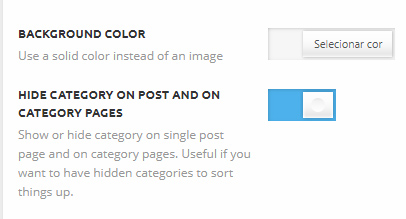
I’m using this option in the pannel : https://www.baixesoft.com/wp-content/uploads/2018/03/Hide-categories.jpg
… but the related articles “get” this category anyway…
I’m just wondering if i can try anithing different here
‘td_column_number’ => $td_column_number,
‘category_id’ => ‘-4’
If i use like this, all posts that have that category disappear from the block and the related articles don’t show nothing.
I appreciate any help, and please consider add more options in related articles in the theme pannel, users are asking for this since 2014. Thank you!
 andrei.manea
Hi,
The theme works great with the default demo installed but when I install the “Local news” demo the homepage footer is broken. Other pages are fine.
Here is a screenshot: https://ibb.co/bRbadS
 Anujsharma768
I had updated newspaper theme and now Adsense ads not appears in some posts and for some pages As ads are enabled but no ads shows there. Eg Of such pages are https://www.tricksbykabir.com/get-google-adsense-approval-new-blog/ & https://www.tricksbykabir.com/best-whatsapp-status/ and many other pages and still pending
 Simion C.
 Also test with no other plugins active if possible, plugins are the main source of delay when loading a website. Leave only theme plugins active and check the speed. Ads loading on the page can have an impact as well.
Simion C. That is possible as well. You can display an image with a link if you want. That is how the default theme demo ads are made
– https://www.screencast.com/t/3vzXlisSaSt
You can even wrap the code is conditions based on device, so you can display different images fore each device (width)
– https://www.screencast.com/t/24lwWolqsCfM
– https://forum.tagdiv.com/using-other-ads-non-adsense-ads/
 lights
 Same problem… most of the time Adsense ads are not showing. Mainly homepage ads not showing. But ads display in other themes.
Anujsharma768I had updated newspaper theme and now Adsense ads not appears in some posts and for some pages As ads are enabled but no ads shows there. Eg Of such pages are https://www.tricksbykabir.com/get-google-adsense-approval-new-blog/ & https://www.tricksbykabir.com/best-whatsapp-status/ and many other pages
 denniz6
 Hi,
I fixed it, it was because of Jetpack.
Another questions:
-How can I customize share social icons to match with my site colors – sample
-Can I make paginaging icons round? not square. – sample
– Is it possbile to define images inside of the post to get as feautered image automatically?
-Images inside of a post are not on same size, is there a way to make all of tehm sam size – sample
 hildi
hildi My response on the dashboard :
I already read that many times (“The theme will try to update the plugin automatically but seems sometimes it fails. Try to use FTP to install the composer. Remove the previous plugin folder from the uploads folder (if present) and paste the new one from the latest theme package (unzip it first).”
Please have a look and read carefully what I wrote (the trick did it for td composer but it does not work for the td-speed-booster (AMP) and the td-mobile plugins. And of course I’m talking about the latest version of the theme (and the plugins).
We all are loosing time because of such a behaviour (automatic responses without being read carefully).
I understand that there are plenty of people on the list but please, read carefully the topics (Extract : “But this method does not work for td AMP and TD Mobile or speed-booster”). I wanted to change the name of the topics but it is impossible and I don’t want to create another topic (because of the same issue ; it does not make sense).
By the way, on my test-site, I have absolut NO problem and the theme works well (it is the 8.5 version….)
 Foxmediakit@gmail.com
I have been trying to change font size and make it bold in 2 areas and cannot find the setting adjustment anywhere.
1. Footer – i have selected the style 13 showing only social icons
2. Header- i have selected style 10 with a text logo
Another fun little problem that just developed. The header main menu is non existant when the page loads. however when you scroll down and back up immediately its there?
 Bogdan B.
 Hello,
This happens because you do not use the needed implementation for a non adsense ad. Please use this guide: https://forum.tagdiv.com/newsmag-using-other-ads/
Thank you!
Anujsharma768On some pages, only black space shows instead of Adsense ads its working fine with other themes. Please check my site as on some pages no ads shows only white blank space shows. My website link https://www.tricksbykabir.com
 unit45host
HI.
Attached:
https://www.1000wordsmagazine.com/wp-content/uploads/2018/03/probelms-1000wm-ajax.jpg
A few problems – errors appear on the website, since today morning.
– ajax search not works – on the top right. – not in any browsers.
– menu items which overlap each other – sub-menu cannot click-catch – because of gone-away if you try.
– pictures on site – flat not correct size shown – featured images – flat – looks like missing size parameters.
– pictures in articles should open big-wide-modal, but instead – open the picture URL redirect. – meaning visitor took away —> causing bounce rate big.
How to check admin-ajax.php if its working or not?
Was everything good until 1:00 am today – when I added a new article – then went to sleep. – I did nothing else.
What happen since? –
Problem with cache or CDN?
I did not touch any plugins since 10days – and was ok until today.
Could you give any advise – or could you check it for me – whats wrong?
Thx, Zoltan
 arabdebate
 easiii
I was looking at the files that the theme loads, and there is one exceptionally big the Style.css. 1.09MB is way to much, and the actual theme only uses 10% of the entire file. Any way to reduce this file other than manually going and deleting all the unwanted css?
 Bintmusic
 Hi Simion,
1) yes video create problems to be solved.
2) For other question The typical situation with amp ads problem is follow
with Article Inline Ad after two paragraph:
(also activated Article Top Ad and Article Bottom Ad)
TITLE
—————-
FEATURE IMAGE
—————-
Article Top Ad
—————-
TEXT
—————-
TEXT
—————-
TEXT
—————-
Article Inline Ad
—————
Article Bottom Ad
—————
As you can see the two ads (Inline Ad and Bottom Ad) follow one another, while in the mobile theme there is a function that in the same case shows only Article Bottom Ad.
How can to be implemented also on amp plugin?
Thanks
-
This reply was modified 8 years by
Bintmusic.
Simion C. @boomathens This is how the ad is displayed for me on desktop
– https://www.screencast.com/t/aOAnPsgIlm
The size seems to be the intended ad size
– https://www.screencast.com/t/0B08kpppRv9
Below that header ad there are all the other ads based on device
– https://www.screencast.com/t/Fdden4Befyg
So it seems you have entered the ad code once with no restriction, then entered it again based on device. Also the positioning in the page is broken. Implementing other ads then Adsense would not be difficult, if the ads are responsive you can serve the same one, or create cases as mentioned here
– https://forum.tagdiv.com/using-other-ads-non-adsense-ads/
 sbrauer
Hello all 🙂
We would like to display another header ad and background image every time you refresh the website.
https://imgur.com/a/oFycA
We added 3 banner images under Theme panel -> Ads -> YOUR HEADER AD. Only the last one is being displayed and also not changing when we refresh the page. Do you know how we could achieve the swapping banner?
Under Theme panel -> Misc -> THEME BACKGROUND I can only insert one background image. What would we need to do to achieve swapping background images every time the user refreshes the page?
Thank you a lot for your support in advance 🙂
 boomathens
 I have the same problem, but it is not showing correctly on desktop, nor is it showing on other devices. The AdPro code is in the html, but it is showing only a tiny version of the ad. This is what I have entered in Headers ads – For testing purposes: I have a div that does not have a “td-visible” style in it (and the ad shows there) and then the other divs thatn I found in your documentation. You can see that the ad does show in the “td-visible-desktop” version, but it is extremely small. Do you have an suggestions?
http://boomathens.staging.wpengine.com
—–
<div style=”margin-left:auto;margin-right:auto;align:center;display:block;”>[bsa_pro_ad_space id=11]</div>
<div class=”td-visible-tablet-landscape”>[bsa_pro_ad_space id=11]</div>
<div class=”td-visible-tablet-portrait”>[bsa_pro_ad_space id=11]</div>
<div class=”td-visible-phone”>[bsa_pro_ad_space id=11]</div>
<div class=”td-visible-desktop”> test[bsa_pro_ad_space id=11]</div>
<div class=”td-all-devices”>[bsa_pro_ad_space id=11]</div>
-
This reply was modified 8 years by
boomathens.
Simion C. Enter the provided Adsense ad code in the theme panel section you want and it will be displayed.
If you also have a verification code that you must enter between the <head> tags enter it as mentioned above in the header file. That would be all, no other action necessary.
I have seen other users which have used Google auto placed ads instead of standard ads, these will appear randomly in the page
– https://productforums.google.com/forum/#!topic/adsense/dQgnENvdyYY