- Apitd_api_single_template::update_key
- Apitd_api_single_template::update
- Apitd_api_single_template::add
- ApiAPI – Single Template – Introduction
- ApiPractical example – How to add a new Block and Module
- ApiAPI – Category top section style – Introduction
- Apitd_api_module::update
- Apitd_api_module::add
- ApiAPI – Modules – Introduction
- Apitd_api_block::update
- Apitd_api_block::add
- ApiAPI – Blocks – Introduction
- ApiUsing the Theme API in plugins
 BruceInLouisville
 I’ve gone through and checked the settings, and they appear to be correct. When I look in my Cloud Templates list, there is only one footer template, and it is Influencer. Both the home page and the global setting are set to it. And yet, it is rendered differently on posts than on pages.
I appreciate your help with this. At this time, I’ve spent enough time trouble-shooting, so I’m just going to let it go. Perhaps at some point I’ll have the time to re-import a footer template and rebuild from scratch. You can go ahead and mark this as Closed. Thanks!
 elvisfrog
 Okay, maybe you might be able to isolate this issue for me, so I use the TD Cloud Library and I have Standard Pack disabled. When I use the Post Settings and select a “Custom Blank – Single Template” from Cloud Library and I removed the header/footer to just rule out code from that, I get the improper rendering as displayed here: https://fortworthbusiness.com/opinion/richard-connor-your-first-vote-is-a-vote-you-should-always-remember/ which again looks fine on the mobile version.
Now, I used the settings above for a test article located here: https://fortworthbusiness.com/uncategorized/test-article/ and reproduce the same incorrect formating, if I change the Post Settings to “Default – Single Template” it renders properly.
I believe that is part you alluded to early with using the non-cloud library template, but how could I fix this in a cloud library template? I also for testing using the Blank Single Template Cloud with just the post content so something in the way processing that is content causing it not to render using a cloud template but works with the default single template? I know I had this same issue with MemberPress and their use of restrict content with excerpts. So my thinking is how plugins edit the Post Content is universal, but how Cloud Library renders is different than how it renders the “Default – Single Template” which I assume is a file template?
Not sure if this is in a JS call or PHP backend, my guess it is in the PHP somewhere for how the TD Cloud Library renders a final page.
 Calin
Calin Hi,
The problem when you are using the mobile theme can be that the Cloudflare ‘APO’ do not understand that you use two themes, one for desktop and one for mobile, therefore it is delivering the last cache that was made. Using ‘WP Super Cache’ with the settings from this guide -> https://forum.tagdiv.com/cache-plugin-install-and-configure/ you can use an option for mobile devices -> https://i.imgur.com/6eZocyn.png in this way the cache plugin will know if you are using the mobile or desktop and will provide the proper cache. Also we have a guide for CDN here -> https://forum.tagdiv.com/cloudflare-cdn/
Now is possible that Cloudflare ‘APO’ to do not have such an option, then an alternative solution only for mobile is to use the new option to create mobile pages and mobile templates with tagDiv Composer -> https://i.imgur.com/t4rw8Ib.png in this way you can set only the content you want to display on mobile and there should be no problems with Cloudflare APO. You can check some more details about this new option in our guide from here -> https://tagdiv.com/newspaper-10-3-7-update-brings-customizable-and-fast-mobile-pages/
Hope this will help you!
Let me know the results!
Thank you!
Calin Hi chip303,
You can edit only cloud template with tagdiv Composer. If I’m right this is your website https://www.fehnblogger.de/ and you are using standard post templates, these can be edited using the options from theme panel > post settings -> https://i.imgur.com/P6L5Pwp.png -> https://i.imgur.com/oBjz1QA.png
You an find some more details about standard post templates in our guide from here -> https://forum.tagdiv.com/design-post-pages-using-default-templates/
Hope this will help you!
Let me know the results!
Thank you!
 Pixel Cities
 Hi Calin,
Thank you for your support in this matter. Its much appreciated.
I have been testing on both safari and chrome browsers! … and tweaked the column numbers.. deleted the code on the mobile entry as it wasn’t working properly.
The mobile is the worse problem? …only the Business Directory page, across all devices is ridiculous slow?? and also now only reads down to ‘Garden Nurseries’ on mobile why?
Why is this the case? … any suggestions?
I have a redirection plugin active as you can see to go to the lite version… whilst work is ongoing to finish the main site… is this the problem?
I also duplicated the main home page called it ‘Stage’ and changed the url of the headers for testing purposes.
I changed one of the older posts template so we can test how it looks and works
https://www.ircatoday.com/75th-ve-day-celebrations-recaptured-by-cllr-dibben/
If you could take a look please .. and advise a solution as the business page is vital to the sites existence.
Kind Regards
Mark
 TechieBraj
 Hi,
1. But i can edit all other page template sidebar using Tagdiv cloud template, e.g. Single Post Template: https://prnt.sc/v7ywao ;
But on this page http://www.keeptaxisalive.org/forums I am not able to edit the page using Cloud Template, there is no menu on the top like “EDIT TEMPLATE” https://prnt.sc/v7yycu
So why i am not able to edit this forum page template using TagDiv composer?
2. If you will read my 2ns question carefully you will notice that i am talking about whole sidebar nit just that Search Widget.
My issue is even after I select the FORUM page template to “ELEMENTOR FULL WIDTH” https://prnt.sc/v69w6n , the sidebar from tagdiv is showing on the FORUM page https://prnt.sc/v7z6fo
Thanks!
Calin Hi CTWL3,
If you are using standard post template -> https://forum.tagdiv.com/design-post-pages-using-default-templates/ then the widget sidebar are working, but you need to make sure that you do not have some plugin conflicts, if possible to have some plugins that are no longer compatible with our theme and creates this problem, please deactivate ALL plugins except tagDiv plugins (theme plugins), also if you are using child theme or cache plugin, deactivate them, clear all cache and try again.
Let me know the results!
Thank you!
Calin Hi eladoquintimes,
Make sure that all theme plugins are updated and activate -> https://i.imgur.com/0GKzPjd.png also another thing that it can be done is to set a revision of homepage -> https://www.templatemonster.com/help/wordpress-how-to-revert-the-last-changes-made-in-postspages-revisions-management.html
Let me know the results!
Thank you!
Calin Hi BruceInLouisville,
Indeed, now I see about what gap you are saying, also you are using standard post templates, that is way you can not edit theme with tagDiv Composer.
Please check to see if the footer template that you have set in theme panel -> https://i.imgur.com/h3EWLB1.png is the same with the one from homepage (it should be set on global footer) -> https://i.imgur.com/L4ODoRr.png
Let me know the results!
 Vlad S
 Hello !
1. As you can see here: https://www.screencast.com/t/WkqOj2R0x2nE in the cloud library you will find only the homepage for the Magazine Pro demo. The optimal image size which we recommend is 800×600 or HD – 1920x1080px.
2. That is a new feature implemented in the Newspaper Theme which allows you to create custom templates like the ones from desktop but custom made for your mobile viewport.
Find out more about it here:https://tagdiv.com/newspaper-10-3-7-update-brings-customizable-and-fast-mobile-pages/
Thank you !
Calin Hi,
You can edit the style from flex elements per device, so you can use tagdiv Composer -> https://i.imgur.com/Aq7labe.png or you can reduce the length but this option is a general one for all devices -> https://i.imgur.com/RL5LQoE.png
The content of this page -> https://puertoricorealestatenews.com/search-puerto-rico-properties/ is not displaying because you are using the mobile theme plugin, and you need to set for pages a separate content in mobile editor -> https://i.imgur.com/ho41rUl.png
Also you can show the responsive version on mobile theme (to get the same layout as on desktop on mobile) -> https://i.imgur.com/m0bVB5T.png you can check more details about mobile theme in our documentation -> https://forum.tagdiv.com/the-mobile-theme/ or if you want to have the responsive version only, you can use the amp option from mobile theme -> https://i.imgur.com/oofST3D.png (to use the mobile theme template on amp) or you can disable the plugin.
Thank you!
 Seashore
Hi,
I created the footer template for our new website some time ago – and meanwhile am at a loss how I did this. When I look at my new homepage https://seashore.nl/nieuw/ you’ll see a white thin line under the social media icon on top of the footer. However, when you click through to any other links, that white line disappears.
Under all posts and pages I see that “global template” is selected, but I can’t find a ‘global template’ in the list of cloud templates. I do see the Footer – Medicine Pro template there, that looks like the global template, apart from the fact that the footer seems to duplicate itself there.
So, how can I make that thin white line visable on all post and pages?
Regards,
Martin.
Calin Hi,
If you are using the Romania News Pro then you are using a pro demo, this is using cloud template from tagDiv Cloud Library, therefore you can use tagDiv Composer to edit a template and this will be the same on all elements that has assigned that cloud template.
For example if you want to translate the word “By” then -> https://i.imgur.com/g9PahXN.png -> https://i.imgur.com/nMBM6Oh.png this will apply on all posts is the same fore updated text -> https://i.imgur.com/69W81Ql.jpg
Thank you!
Calin Hi,
Using the mobile theme plugin, you’ll gain a better speed then responsive version of theme, but in order to achieve that speed you’ll need to create a new content for pages because in the most of cases those were made with builders or shortcodes ( tagDiv Composer, WPBakery ) and you need to use only the mobile editor ( you need to set the content for pages in mobile editor -> https://i.imgur.com/ho41rUl.png and this content will be display on mobile theme, also the mobile theme will not display any sidebar)
-> https://i.imgur.com/9d0UWLT.png
Also you can show the responsive version on mobile theme (to get the same layout as on desktop on mobile) -> https://i.imgur.com/m0bVB5T.png you can check more details about mobile theme in our documentation -> https://forum.tagdiv.com/the-mobile-theme/ or if you want to have the responsive version only, you can use the amp option from mobile theme -> https://i.imgur.com/oofST3D.png (to use the mobile theme template on amp) or you can disable the plugin.
These options are like this:
Mobile -> the mobile theme will apply only on mobile version.
Mobile + amp -> it will apply on both and it will have the same layout.
Amp -> the mobile theme plugin layout will be use only for amp version.
Hope this will help you!
Thank you!
Vlad S Hello !
That can be done by editing the viewports in tagDiv Composer as you can see here: https://www.screencast.com/t/a5fCGruUfn And now for the mobile viewport you can create your own templates as you can see here: https://tagdiv.com/newspaper-10-3-7-update-brings-customizable-and-fast-mobile-pages/
Thank you !
 CBTNews
 Hi Calin,
I have disabled WP bakery and all of the pages still havent been moved over to global template. Is there a way to override all settings without having to go to each post individually.
I recently upgraded from newspaper 7 and it seems to be using the outdated template settings on some post.
Also, The navigation sub menu is unaccessible now. I have went through and made adjustments on the plugins but it seems to be a theme issue.
Calin Hi,
According to our guide from here https://tagdiv.com/newspaper-10-3-7-update-brings-customizable-and-fast-mobile-pages/ now you can create mobile pages and mobile templates using tagDiv Composer. To assign that page for mobile you need to select it from the mobile list -> https://i.imgur.com/7ZvoGr6.png when this is selected will look like this (in list will be with green)-> https://i.imgur.com/eJtnJEo.png for cloud templates you need to do the same steps, but the assignations is just a little different -> https://i.imgur.com/HKKg73y.png
If there is no template assigned then it will be use the responsive version of the cloud template that is use on desktop.
Also make sure that the mobile theme plugin is not enable -> https://forum.tagdiv.com/the-mobile-theme/ or if you are using it, make sure that is only for amp -> https://i.imgur.com/foGx8BX.png otherwise will overwrite the mobile page.
Hope this will help you!
 providencebusiness
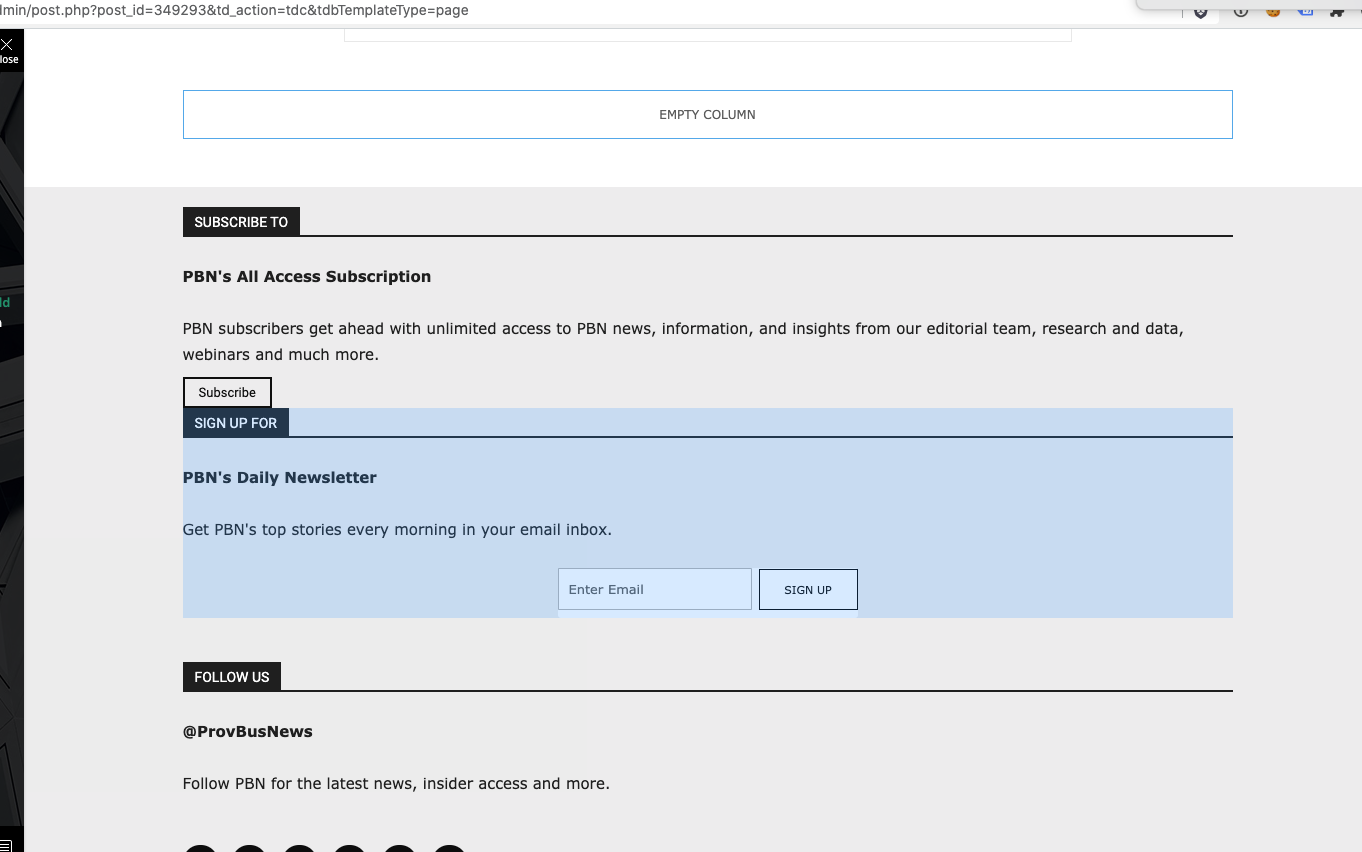
I have the latest version of the Newspaper theme, we are using a child theme with the Standard Pack plugin. I went and created a new footer template from a blank footer. In TD composer the column styles do not get injected on the live edit. See https://s3.amazonaws.com/pramadillo/_Providence_Business_News__WordPress_2020-10-26_11-41-42.png
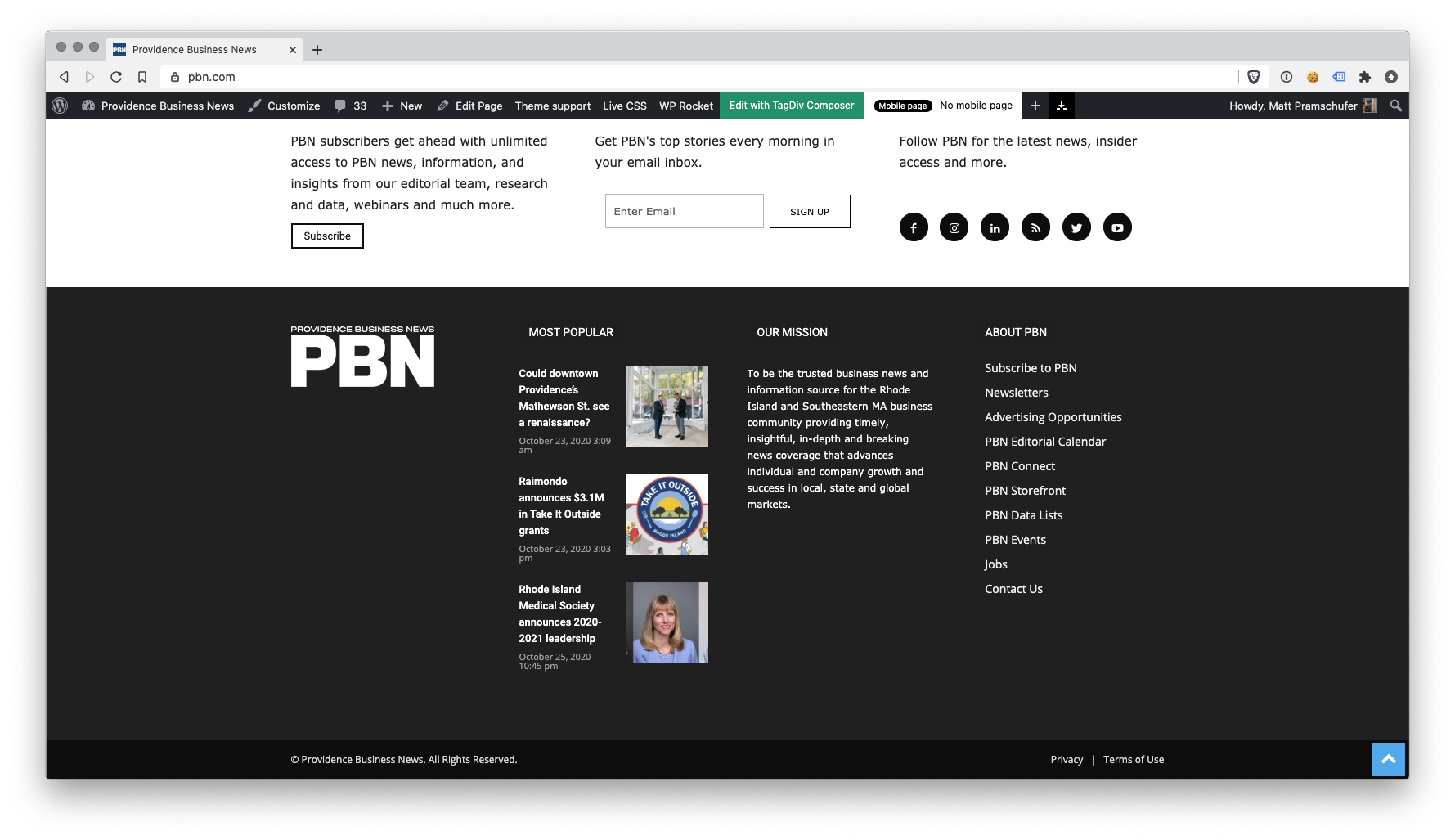
When I save the footer and assign it globally in Theme Panel, the footer column styles only appear on pages in which we build with Visual Composer.
Homepage Built with Visual Composer – https://s3.amazonaws.com/pramadillo/Providence_Business_News_2020-10-26_11-45-48.png
Individual Post Page without Visual Composer – https://s3.amazonaws.com/pramadillo/Could_downtown_Providences_Mathewson_St._see_a_renaissance_-_Providence_Business_News_2020-10-26_11-46-45.png
I have cleared cache and double checked everything and to no avail the css does not get included.
 tgrassey
 I just tried to use the jquery migrate helper plugin and after activating it, editing the homepage with the “Edit with TD Composer” button gives a 500 error. Is there anything else we can do in the meantime until we can get all of our custom templates and stuff working with the latest version of the theme?
Calin Hi,
According to our guide from here https://tagdiv.com/newspaper-10-3-7-update-brings-customizable-and-fast-mobile-pages/ now you can create mobile pages and mobile templates using tagDiv Composer. To assign that page for mobile you need to select it from the mobile list -> https://i.imgur.com/7ZvoGr6.png when this is selected will look like this (in list will be with green)-> https://i.imgur.com/eJtnJEo.png for cloud templates you need to do the same steps, but the assignations is just a little different -> https://i.imgur.com/HKKg73y.png
If there is no template assigned then it will be use the responsive version of the cloud template that is use on desktop.
Also make sure that the mobile theme plugin is not enable -> https://forum.tagdiv.com/the-mobile-theme/ or if you are using it, make sure that is only for amp -> https://i.imgur.com/foGx8BX.png otherwise will overwrite the mobile page.
Hope this will help you!
Calin Hi tgrassey,
These problems appear when you are using an old theme version and the last version of WordPress, these are not compatible https://i.imgur.com/1fwoN6e.png, one solution that can work is the one mentioned by Benjamin_duran to use jQuery Migrate Helper plugin and the second solution is to make a full back and update the theme to Newspaper v10.3.7 -> https://tagdiv.com/update-newspaper-theme/ also make sure that all theme plugins are enable, if not you’ll have only shortocdes on your website.
Also this “The current content page hasn’t been created by TagDiv Compser” is just a notice that the last time the pages/template was nit saved in TD Composer.
Thank you!
 lebaconsulting
I have the template working on the following website:
https://periodico.lebaconsulting.es/
The footer and sidebar breaks in the pages related to post like https://periodico.lebaconsulting.es/category/espana/ or https://periodico.lebaconsulting.es/andalucia-acogera-el-primer-congreso-de-cruceros-inteligentes/ however it works well in pages like https://periodico.lebaconsulting.es/ or https://periodico.lebaconsulting.es/espana/
I think it has something to do with css but I don’t see the problem.
Calin Hi,
1. If I’m right and this is your website -> https://forwardky.com/ then the footer problem seems to be solved -> https://i.imgur.com/WuV1qVm.png
If is not this, make sure that you have set the same footer and there is no plugin that is interfering with it.
2. The footer template can be edited only if you are edit a page or cloud template, there is no button in cloud templates to edit it, therefore it can be edited only from the elements where is set (pages/cloud templates).
-> https://i.imgur.com/OpYJe2p.png -> https://i.imgur.com/ci9p54S.jpg
Also if is a general footer, when you edit it in one place it will display the edited version for entire website.
Thank you!
Calin Hi seanodavids,
According to our guide from here https://tagdiv.com/newspaper-10-3-7-update-brings-customizable-and-fast-mobile-pages/ now you can create mobile pages and mobile templates using tagDiv Composer. To assign that page for mobile you need to select it from the mobile list -> https://i.imgur.com/7ZvoGr6.png when this is selected will look like this (in list will be with green)-> https://i.imgur.com/eJtnJEo.png for cloud templates you need to do the same steps, but the assignations is just a little different -> https://i.imgur.com/HKKg73y.png
If there is no template assigned then it will be use the responsive version of the cloud template that is use on desktop.
Hope this will help you!
Calin Hi!
I’m sorry that you are facing issues using Newspaper Theme. The page loading speed for both mobile and desktop depends on many factors and you can’t compare an empty theme like Twenty Twenty with a fully functional, features loaded theme like Newspaper that helps you create a website in a few hours.
We know that you requested us to optimize the page loading speed and our development team refused your invitation as your website is slowed down by the ads loading on your website. I’m sorry, we really wanted to help you, but we can’t optimize the ads as on each page load, the speed tests are waiting for the ads to get fully loaded. So, if in a specific moment, the ads server takes 10 sec to deliver the ads, your page results will display 10 sec delay added to the rest loading time.
The other recommendation was to use the Mobile theme, and now (after the last update) optimize the pages for mobile. You can find more about the new optimization for mobile in this article – https://tagdiv.com/newspaper-10-3-7-update-brings-customizable-and-fast-mobile-pages/ .
We are not deceiving customers. We are building a long term collaboration with our customers. You can see on our demos what page loading speed score can a website loaded with content can have. ca However, page loading speed can depend on many factors, and each website is unique from this point of view.
Let me explain some of these factors and maybe they give you some starting points for optimizing your website.
External factors: server speed, if you are using CDN or not, the external resources loaded by your website like ads, fonts, tracking scripts like Facebook Pixel, Google Analytics, Twitter analytics, Hotjar and so on.
Internal factors: the number of elements on the page, image size, image formats, if you are using mobile optimized layouts, console errors, if you are using the Standard Pack plugin on not, if you are using PRO demo or a standard one.
We can’t not provide a solution for you here, right now as we do not know what are the conditions on your website. You can make the following tests:
1. Activate tagdiv Composer and Standard Pack, install a standard demo and check the page loading speed, then disable the Standard Pack and activate the cloud template and install a pro demo. You’ll see that the speed will improve significantly. Also, you should consider creating the mobile optimized pages for each of your pages to improve the speed on the small screen devices.
2. Test your website in a page speed test la GTMetrix or Google Pagespeed Insights and check the loading time on the ads, fonts and tracking scripts – if there is something there that slows your website down, take action.
Our developers are constantly working on improving Newspaper Theme performance. If you need our help, please send us an email at bogdan@tagdiv.com, we’ll evaluate your client’s website and see if there is something we can do to assist you.
Thank you for your understanding!