
- NewspaperWP Rocket and Newspaper Theme: Optimization Guide
- TutorialsDefault Block Settings Guide
- TutorialsOffset Feature
 Vlad S
 Hello !
Unfortunately there are no page templates because they cannot be assigned. Each page can be designed. This is the only way. One of our users did a tutorial for Newspaper Theme, maybe this will be more helpful for you to learn using tagDiv Composer: https://www.youtube.com/watch?v=SHrkreJUKlc
Thank you !
 chellofr
 Hello and thank you for your answer. My request concerns a block integrated into a template (and not a page). Therefore the TD Composer option is not available. This concerns the “Flex Block 1” block: I would like this block not to be displayed when the filter does not return any article.
Vlad S Hello !
For this you will have to edit your post template using the tagDiv Composer. On posts pages you can disable the mobile theme so you will be seeing the modifications you’ve done using tagDiv Composer.
Thank you !
Vlad S Hello !
1. You can customize your post templates if you use Cloud library as you can see here: https://forum.tagdiv.com/design-post-pages-using-cloud-library-templates/ All the cloud library templates are fully editable using the tagDiv Composer.
2. Categories and subcategories are wordpress functions. For more informations you can follow this: https://www.wpbeginner.com/beginners-guide/how-to-add-categories-and-subcategories-to-wordpress/
Thank you !
 swolly
 Hi,
if I duplicate a template, for example category template, how can I assign to author page?
 tronghanh20
Hello,
I’m trying to put the shortcode (3rd party plugins) in theme but it does not work. I tried inline text, column text, raw html but no success. The shortcode only works when I put it directly in my post. It does not work when I customize the page through tagdiv composer.
One more thing, I am using the post template of Covid Pandemic Pro (https://demo.tagdiv.com/newspaper_pandemic_pro/2020/03/19/td-post-a-call-to-arms-under-attack-pro-vaccine-doctors-fight-back/). How can I have the sidebar appear in the mobile view please? The sidebar now is only appearing on desktop or tablet, it does not appear in the mobile.
I hope to hear from you soon!
 nycinsider
 OK. So where’s a template for a PAGE that has a banner image across the top? Exactly the same as Post #6 or #7. If I imported a template, which one? How are there no page templates with an image when you have 15+ post templates? Doesn’t anyone want an image on their About page?
 Tounizino
hey
1. comments are disabled in my pages even though it’s enabled in my post settings in the Editor as you can see here https://i.imgur.com/kNDHLnj.png
is there a way to enable the comments?
2. the read more button in gadgets pro doesn’t take me down to the desired section or post section https://i.imgur.com/LixqhAI.png
thanks
 Kronos
Good morning,
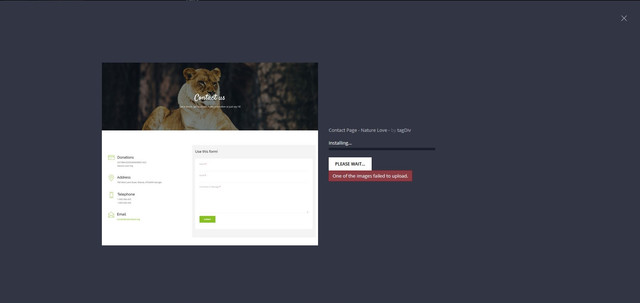
When I go to import pages from Cloud Templates, I get the error message “One of the images failed to upload.” And it stops without going ahead and importing it, I tried to import even more always with the same error.
How can it be solved?
 assadnazar
Hi Developers,
1) It is requested that kindly provide news magazine demo homepage in cloud templates.
2) Can you provide the steps to use the demo without content? When i install the demo without content, I dont get homepage structure setup. In my opinion there should be the structure without content if we install the demo without content.
Vlad S Hello !
The only way to create / re-create pages or templates is by using tagDiv Composer.
If you want you can contact our custom work team and they can help you with the design over a fee: https://tagdiv.com/web-development-services/
Or if you want we are able to offer you a refund if you make a request here: https://themeforest.net/refund_requests/new
We are sorry for the inconvenience !
Thank you !
 Warlockjmn
Hello. I am having issues using the TD composer within WordPress. I get the following error.
This site can’t be reached The webpage at https://kennedalenews.techxperts.guru/wp-admin/post.php?post_id=227&td_action=tdc&tdbTemplateType=page might be temporarily down or it may have moved permanently to a new web address.
ERR_HTTP2_PROTOCOL_ERROR
I have done the following:
1. The advice from the previous post about this
2. uninstalled and reinstalled both theme and plugin with a fresh copy
3. Removed the demo
4. Created a new page
 MJO84
MJO84Hi,
I’m trying to edit the Homepage with the Composer but I can only do the top half!! The bottom half doesn’t give me the option, like when you want to edit it makes the area “blue” for you to click, I don’t have that option for the bottom of the page, below my Video News.
Also, I receive “Invalid reply from server endpoint.” error when trying to load a template from the Composer.
I’m using the Politics Demo Theme if that helps.
Thanks and looking forward to hearing from you ASAP.
 HarrisonBands
We’re using WordPress, and recently upgraded to Newspaper X, then loaded the Livestyle Magazine template. We’ve created a new page in TAGDIV composer by importing blocks from the Cloud feature. Our page is now live, and we added it to our main menu. When used on a desktop, laptop or tablet, the page loads correctly when selected from the main menu. However, when using a mobile phone (I-Phone or Android) and selecting the item from the mobile menu, the page does not load. The address box loads the proper web address, and our header and footer load properly. The page title also loads. But the rest of the content does not load. The same thing occurs when the web address is entered directly from a mobile phone.
You can see this at http://www.harrisonbands.com, selecting the ALUMNI option from our menu.
Please help as we’ve been struggling with this for a few days, and have deleted and recreated the menu item, checked all page settings, etc. We’re eager to launch this new page in our final weeks of the school year.
 Calin
Calin Hi,
The footer logo can be adjusted with a custom css -> https://i.imgur.com/Mko4Qh7.png
.td-footer-page .tdb-logo-img-wrap .tdb-logo-img {

    max-width: 80%;

}
Using the custom css will fix the problem on both language -> https://i.imgur.com/lLFjFSX.jpg

.td-footer-page .tdb-logo-img-wrap .tdb-logo-img {

    max-width: 80%;

}

.tdb-template .td-main-content-wrap {

margin-top: 140px;

}
-> https://i.imgur.com/zae2t6K.png
Please try like that and let me know the results!
Thnaks.
 Sophia_FACES
Hi,
I have created a single post template from tagDiv cloud library using the Single post 70 – Pandemic Pro. The idea is to keep all small news posts, each with its own featured image on one post/page in continuous format (one below another) as it appears in the live preview of Single post 70 – Pandemic Pro. However I am unable to get the continuos news format after I choosing this post template in new post. I thought every time I start a new post and select the this templete from post setting the news woul just go below one another in a sequence. I would like to know how to attain the continuous news format as per Single post 70 – Pandemic Pro.
https://facesoman.com/movement-of-arabian-sea-humpback-whales-between-oman-and-india/
https://facesoman.com/bank-muscat-facilitates-easy-payment-at-muscat-airport-car-parking/
Thanks
Sophia
 PRINCE002
 This is actual error awake after seeing in console
uncaught exception: Errors at columns: 2(models) : 11(dom). The model does not match the content Current state has involved an issue. You could try an UNDO operation (CTRL+Z / CTRL+SHIFT+Z) js_files_for_wp_admin.min.js:16:1
showNotice https://offcampusjobs4all.com/wp-content/plugins/td-composer/assets/js/js_files_for_wp_admin.min.js?ver=7f1aa22e75244d72bc50388e10a0733a:16
notice https://offcampusjobs4all.com/wp-content/plugins/td-composer/assets/js/js_files_for_wp_admin.min.js?ver=7f1aa22e75244d72bc50388e10a0733a:14
init https://offcampusjobs4all.com/wp-content/plugins/td-composer/assets/js/js_files_for_wrapper.min.js?ver=7f1aa22e75244d72bc50388e10a0733a:235
loadIframe https://offcampusjobs4all.com/wp-content/plugins/td-composer/assets/js/js_files_for_wrapper.min.js?ver=7f1aa22e75244d72bc50388e10a0733a:382
jQuery 2
dispatch
handle
Calin Hi,
You need to set the categories ids here -> https://i.imgur.com/VPPbINq.jpg
Latest articles: the homepage use the page template Page Builder + Latest Articles + Pagination this can be edited from backend -> https://i.imgur.com/yksN4gW.png from here is set the sidebar and this is made with widgets here -> https://i.imgur.com/1DipDwk.png
To display again all the posts, you need to have set the all buttons in ajax category -> https://i.imgur.com/fB4M3E7.jpg
Hope this will help you!
Thank you!
nycinsider Hi. Please answer my question.
I’d like to create a PAGE template similar to the post template I use (DEFAULT SITE POST TEMPLATE – Either #6 or #7, that has the featured image as the page banner). I’m unable to use the TDC because it’s just too hard to use (I’ve spent like 20 hours trying to understand it and read all the tutorials. I’ve never been able to use it).
What’s the easiest way to get a page with an image banner using the featured image as a template sitewide? Thanks.
 Sarbjit Grewal
Hello my friend, I setup Newspaper theme here:- https://blog.tekkiwebsolutions.com/master-hire-php-developer/
But, you can see this page content and footer is not look good, everything is collapsed, should I need to disable or enable any plugin to fix this or any action required ??
 unit45host
Hi,
After the latest update – 10.3.2 is some dirt appears on every page bottom:
————————————————————
Maximum upload file size: 64 MB.
<# if ( data.suggestedWidth && data.suggestedHeight ) { #>
Suggested image dimensions: {{data.suggestedWidth}} by {{data.suggestedHeight}} pixels.
————————————-
when theme inactive – ( like base twenty twenty active ) – its not there, so it is clearly the theme brings there.
Other problem – the template editor wont do anything – says sometimes this template not created with tagdiv – or shows nothing – just can add a new elements -but can not save anything..
if AMP and mobile theme plugins activated – then site crash – and desktop view also loads AMP – but on a bad way..
All this bad things from the latest update.
Deactivated all plugins — still the same issue
Cleaned db – all possible way – same
purchased a new license to be able to write here… – same issue still…
I have litespeed webserver, redis cache, cloudflare, bunnycdn
I need to fix the live site ASAP.
Thank you, Zoltan
 waqarahm3d
 I deactivated cloud template and TD composer plugin and re-added them they fixed the cloud template issue but now every element i have added to the page is showing in CSS visual can’t see a visual display.
 r1kay
r1kayHi,
Today I noticed the pagination on homepage and category pages is not working. So homepage.com/page/2 doesn’t show any content, same with the category pages. I designed the whole website with the TagDiv composer using the Tech Pro templates. I did some troubleshooting and noticed that switching Cloud Templates to a different Cloud Template fixed the issue. So there seems to be bug in the Tech PRO template that somehow breaks pagination. Could you guys please provide a fix? I can’t just switch templates because then I need to redesign the whole website.
r1kay I tried disabling cloud library but that breaks the website. All pages and templates are made with the clohd templates
 yunusmitan
 Hi,
I chose a different homepage template. A picture appears at the bottom of the homepage template and slows the loading of the page. How can I disable the image I mentioned on my server?
https://www.guzelbilgiler.com/wp-content/uploads/2020/04/20180620791b8eda-0fda-e8de-a72d-c5ee3edfe55e.jpg
The image in this link allows my page to load late in the gtmetrix test.



