
- Apitd_api_single_template::update_key
- Apitd_api_single_template::update
- Apitd_api_single_template::add
- ApiAPI – Single Template – Introduction
- ApiPractical example – How to add a new Block and Module
- ApiAPI – Category top section style – Introduction
- Apitd_api_module::update
- Apitd_api_module::add
- ApiAPI – Modules – Introduction
- Apitd_api_block::update
- Apitd_api_block::add
- ApiAPI – Blocks – Introduction
- ApiUsing the Theme API in plugins
 Patrick93
 Hi Calin, thank you very much. Works fine!
Could you also explain how i can change Breadcrumbs on Category Pages?
I use category template style 3 and changed the code at td_category_template_3.php but it doesnt work.
https://www.bilder-upload.eu/bild-9543a7-1580729190.jpg.html
https://www.bilder-upload.eu/bild-df26f0-1580729202.jpg.html
https://www.bilder-upload.eu/bild-79bf13-1580729213.jpg.html
 Vlad S
 Hello !
TagDiv Composer is a page builder not a post builder. You can edit the POST LAYOUT not the Post Content.
Find out how to use the post template here: https://forum.tagdiv.com/design-post-pages-using-cloud-library-templates/
I hope this was helpful.
Thank you !
Vlad S Hello !
If you’re using a Header template from the Cloud library you can create a new page, use the column text in order to insert a shortcode from your plugin in it and add that page as part of your menu. Or if the plugin can be inserted directly into the new page you can add it directly and it should render in the menu.
I hope this was more helpful !
Thank you !
 Calin
Calin Hi,
The pagination can be set only on latest articles this can be set from page template or using posts loop -> https://i.imgur.com/qokhcZY.png on pages with tagDiv Composer.
If you you need help with this, please provide me a link where I can check your homepage and I will guide you!
Thank you!
 slivertorp
Hi TagDiv team,
I’m using a Post Loop block to display my 6 latest articles on my homepage.
I have got the pagination at the bottom. So far so good.
But How can I link my pagination buttons (page 2, page 3, etc ) to my list of posts?
Example of what I need : page2 = shorturl.at/dM136
On your Influencer template : page2 is identical to the home page : https://demo.tagdiv.com/newspaper_influencer/page/2/
Thanks in advance for your precious help 🙂
 TheRiz
 @Calin I am trying to remove all login/register code as well. Right now even though disabled in the theme panel the code appears everywhere on the page and links to pages that don’t exist (example – the privacy policy link is linking to a contact form 7 WP draft page).
In the code this begins with “<!– register/login section –>”
I am using a cloud template that I edited, but I see no way to remove it from there, since it does not appear anywhere on the front end.
Can this code be removed from TD Composer plugin, or commented out?
 what-the
 I do not want it to appear on the cloud templates. So if someone goes to the 404 error page they will see it in the url
Calin Hi,
This part of forum is for the Newsmag theme -> https://i.imgur.com/LuD2vpg.png
For Newspaper -> https://i.imgur.com/UNtebq3.png
Also This option on Newspaper can be use on single post templates, this will be apply on all posts that have set that single post template from tagDiv Cloud Library, for modules we have only the modified date, please check the settings from theme panel -> https://www.screencast.com/t/H7CFzAKVw7 set the option with tagDiv Composer-> https://www.screencast.com/t/OAoAK9oUu make update on post -> https://www.screencast.com/t/vcQoLkQByxc now check the date of that post -> https://www.screencast.com/t/sKbLrp1jz also you can can sort after modified date -> https://www.screencast.com/t/VSePr63B
Thank you!
Calin Hi,
You’ll need to edit the single post template using tagDiv Composer -> https://i.imgur.com/uvzUEKB.jpg after that click on the post content after that click on row -> https://i.imgur.com/WrH53pt.png -> https://i.imgur.com/YERhdlq.jpg
Hope this will help you!
Thank you!
Calin Hi,
Usually we recommend to our clients to use WPML translate plugin, this can translate the menus/pages/posts/cloud templates.
If you are using other plugin for translate is very possible to interpret wrong the theme menus, also the mobile theme plugin have a different implementation then the theme.
Thank you!
 erescultura
Hi.
I´m trying to remove some blocks from the homepage in my site erescultura.com
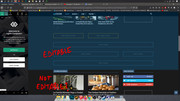
I can edit the top area, but apparently not the bottom area. What am I doing wrong?
Vlad S Hello !
You can achieve this but basically you will need to create a custom post template for each advertiser you have. If you choose to select cloud templates you will be able to set custom adboxes for each client or multiple clients on the same page.
Find out more about it here: https://forum.tagdiv.com/design-post-pages-using-cloud-library-templates/ ; https://forum.tagdiv.com/custom-ad-spots/
I hope this was helpful !
Thank you !
Calin Hi,
This option -> https://i.imgur.com/rMvNSYn.png from theme panel will disable the post date from inside the posts, the date will still show on blocks, if you want to disable the date from blocks too you’ll need to use this option -> https://i.imgur.com/kFvwQy7.png also in pages and cloud templates from tagDiv Cloud Library you can set the banners, or elements using tagDiv Composer, on standard templates you’ll need to make sidebars and add widgets in them -> https://i.imgur.com/H1zoVNv.png
Also in order top add elements in sidebar for “Latest articles” you’ll need to check the page at bottom in homepage latest articles, please check our documentation from here -> https://forum.tagdiv.com/page-templates-2/
Hope this will help!
Thank you!
Calin Hi,
So if I understand correctly you do not want to have in posts the related articles -> https://i.imgur.com/pPwbOoO.png if you disable this option in theme panel ->https://i.imgur.com/s9iQAa1.png and the block is still display, that means that you are using a single post template from tagDiv Cloud Library, on the cloud templates the settings from theme panel will not apply, you’ll need to edit them using tagDiv Composer -> https://i.imgur.com/E9gc3td.png click on the element you want to remove and press delete or use the right click -> https://i.imgur.com/cuUYnG9.png
Hope this will help you!
Thank you!
Calin Hi,
Is look that you have set on sticky menu the min-height: 100vh; -> https://i.imgur.com/j1JFjgL.png if the settings is remove the posts will work -> https://i.imgur.com/Fv9Ym85.png
Is possible to have set on row and sticky menu, you’ll need to use tagDiv Composer to edit the header template and check the full height option -> https://i.imgur.com/FrqIL6f.png
Let me know the results!
Thank you!
Calin Hi,
If I understand correctly you are using cloud templates, if yes, then you can edit all the templates that you get from tagDiv Cloud Library with tagDiv Composer, for example you can remove the h1 in header template from logo like this -> https://i.imgur.com/uo5dJks.png
Thank you!
 marcos.jimenez@n-people.es
Hi,
I am editing my page with Cloud Templates post.
I created a template with infinite scroll and an AD box at the end.
The problem is that the ad only appears in the first post of the scroll, in the other news of the infinite scroll does not appear.
How can we solve it?
Thank you 🙂
Calin Hi,
You can save the block with the design you made using the right click -> https://i.imgur.com/hvI36Kq.png -> https://i.imgur.com/i2SIqg7.png after that you’ll find the element in composer elements -> https://i.imgur.com/CrySPD5.png
After that drag and drop the element where you want, in pages and cloud templates.
Thank you!
Calin Hi,
I think that you are using a PRO demo or cloud templates, that is why the theme panel settings are not apply. Using cloud template from tagDiv Cloud Library, you’ll need to edit the cloud template using tagDiv Composer and set on the elements the color and style you want
Hope this will help you!
Let me know the results!
Thank you!
 dietsdiscuss
The logo is used as a H1 on regular pages, so I started using the template loud for headers and now there are 4 H1 tags called “City News”. Which is the name of the header template. How do I fix it?
Calin Hi,
This is the sticky menu from mobile version, first you’ll need to check if you are using a cloud template for header, it will look like this -> https://i.imgur.com/fVaXHAg.png if not you’ll need to make these settings -> https://www.screencast.com/t/H1lVAbuWj -> https://www.screencast.com/t/vzqdtC9Q3nR -> https://www.screencast.com/t/wwEqEISNJ -> https://www.screencast.com/t/CRoHjDzZm
If you have a cloud header, then you need to edit the header template and tagDiv Composer, check the sticky menu, scroll until you see the sticky menu and click on logo -> https://www.screencast.com/t/o6Z8zoJoWbFY (desktop version) and -> https://i.imgur.com/8XJUFaj.png mobile version.
Hope this will help you!
Thank you!
 winter
Hello.
I need to delete the author page link (link on author archives) from the author box in the single post template (make it text only, not clickable). Where can I find a file with code of the author box used in the single post template?
I have found only \wp-content\plugins\td-standard-pack\Newspaper\parts\page-author-box.php – but this is not author box. In previous Newspaper 9 author box was in wp-content\themes\newspaper\includes\wp_booster\td_module_single_base.php Now i cant find it.
Theme: Newspaper 10.2
 Velers
Hello,
I was originally designing a web page without a sidebar, but then I changed my mind. Now I want to migrate the blocks that I have in one column over to the sidebar panel. How do I save the blocks’ settings so that I don’t have to completely remake them when I add them to the sidebar?
For example, one block I want to move is the search bar. But I have a bunch of settings changed already to make the search bar look exactly how I want, and I don’t want to go through and have to change every setting all over again.
I also noticed that there doesn’t seem to be a way to design and save a custom template; it looks like I can only choose a pre-made template from online. Is that the case, or is there a way for me to save a custom template?
Thanks in advance,
Samara
 PuckWuck
Hi, Didn’t realize until some time after making use of your cloud templates for Tags and Categories.
Every numbered page shows the same exact posts from the first one. Like a loop.
Had to go in and reset to No-Template.
 Equapio
Hi Support-Team,
i want to make my site super fast and am excited to update it to 10.2. now. However the homepage was built with the WPBakery Visual Composer (current installed version is 5.1.1). Will the update break the page?
As far as i understand the situation i need to use the cloud templates+TD Composer to rebuild the homepage. But what is the best way to do this reg. the update? Should i update the theme first with the standard pack installed and then rebuild the homepage or would it be better to do it prior of updating to the latest version of Newspaper in order to not break the page?



