
- TutorialsDefault Block Settings Guide
 itmentor38
see the right side of the website , there are some article and news on right side bar there not showing viewer or comment counting number on small black area there all 0 0 0 please how to setting up . i proved the all comment from admin panel
check this link of website >>>> https://kanekhusi.com
 TMP Design
Hi, is there a step by step guide for adding adobe fonts to the theme? I have reviewed the documentation and seems out of date with references to typekit. Thanks
 SquallSFU
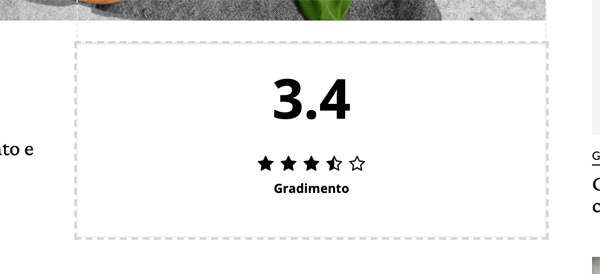
Hi, in tagDiv Composer I added to the layout of the Article page the element “Single post review overall”, as seen in the photo. However, when I go to the browser I don’t see this element. Why?
 corey615
Hello. I’m trying to utilize the ad boxes to show specific ads in my articles (Article Inline Ad), and at the bottom of every article (Article Bottom Ad). The ads that we use have shortcodes to place ads where we’d like vs a typical script. When I drop this in via the theme panel, the ads do show up on the posts, but they show up in the wrong place – they both show up at the top of the article vs their intended location within the article content and at the bottom of the article. You can see in these screenshots below. I’ve also tried wrapping the shortcode in your suggested <div class=”td-all-devices”></div> but I get the same result. I’ll provide a link below to an article on our dev site you can check out as well. I appreciate any help you can give! Thanks.
Theme panel settings: https://www.evernote.com/l/ADEdnRUAyOZH35TOW1ROLpA0igek2XyoOHo
Article example: https://www.evernote.com/l/ADEat5vkhfRMqJhUuRM6kk6Cls_JRJYHp1k
Use this link to bypass the coming soon page: https://williamsonsource.com/devjcm20200417?bypass=preview
Once you’re in, go to this article example: https://williamsonsource.com/devjcm20200417/pizza-hut-launches-contactless-curbside-pickup-nationwide/
 kenanksknn
It includes link sharing within the “blockquote” tags.
It does not bring in the form of a visual preview.
 Calin
Calin Hi,
Please note that in order to be able to provide a custom css, I need a link to your website to inspect the review box.
Thank you for your understanding!
 rstreng
I had already noticed this problem when upgrading from 10.3.1 to 10.3.2, but now it’s still happening when upgrading from 10.3.1 to 10.3.3: after the theme update the header and footer items along with background image and banner ads have all disappeared. Can you review this 5 minute summary of events and let me know why this is happening?
https://vimeo.com/cutflower/review/415599478/84b7b3e137
 David
DavidHi,
I noticed that on Newspaper AMP a post into post embed does not display any preview.
It displays just a simple link: https://prnt.sc/sc0oug
How it should look (like mobile version): https://prnt.sc/sc0tqr
Then I went to my testsite. There I use a 1 year old version of AMPforWP and the preview displays properly. That means, the preview on AMP is possible and I guess it’s just not set up in your Theme AMP Files.
Can you please tell me how to make the preview display on AMP?
Thanks!
 ramirey
 I can edit all elements in tagDiv Composer exepct header and footer – I just cant click on them to go to the settings. I did try to upload new header template via website manager and with new theme I can change fonts, colors, position …. but not text 🙁
I simply want to change names for news, videos, sieries, games reviews to new names but still dont know how 🙁
 ArtRights
Hi guys,
I am experiencing some problems with the previews of my blogposts on social media, ie:
-There is no fetching preview when I copy the link to Linkedin, Facebook
-If I click, on the social sharing icons on the blogpost, it shows me an error
I was wondering if it might be some issues with the Yoast Premium Plugin?
Thanks,
Regards
 Nagarig
 Then why you can not test more plugins and make compatible with Newspaper X. This will benefit you! More people will attract towards theme because it is more compatible!
Where to share link privately? Also, there are so many review posts so I have to put that CSS to every post?
Calin Hi,
Unfortunately, theWP review plugin has not been tested with our theme and therefore, we cannot say for sure if it will work or not as expected with the theme, sorry! Also, we cannot provide support for untested plugins. We do not say that it can not work with our theme, but we do not know the right settings to make it work properly with our theme.
All I can do for you is to provide a css to hide the first review box, fr this I need a link to your product.
Thank you!
 terveydenasialla
If I add custom ad code to theme panel > ads >
<div class="td-all-devices">


</div>
for example to sidebar ad -slot
and then go to front page – TD Composer to edit the page and choose that adslot
it does not work. Nothing is visible in the page source after save
It looks like something was loaded to TD composer on that ad slot into image file (because can see Remove-link) but the image preview is not working.
NagarigI am using the WP review plugin which provides a Review box for products. On my other website, I use it without any problem. But after installing the theme, the review box appears right after the menu and before Title of Post. >https://snipboard.io/e13CIt.jpg
This is super weird to look at. I tried to edit the post template but not sure how can I remove this review box appearing in the first place. It also appears after title> featured image > Box. And that is the correct place. So I just need to get rid of that extra first box between the menu bar and Title.
 Tommes
 Hello,
on my website the mobile editor is only for the pages, not for the articles. Is that correct?
In addition, no preview images of the items are shown on the phone.
Can someone help here?
 ludyma
Hello, document me on (Responsive Web Design) Comparing topic 9 with 10, the style.css there is a difference in Media Queries
In the 9 are the @media parameters (max-width: 320px) and in v.10 they are not, in my opinion I think it is the problem that the issue does not adapt to mobile devices, attached video of the failure in different browsers, it is not because the cache is not cleaned etc. Please review the style.css of the V.10 newspaper
 moonpie00
Is there a way to display post tags under a post title? You know the area that will usually show post date, author, excerpt… is there a way to include tags?
 divaspathak
https://www.bestsevenreviews.com/vpn/. I wanted to know whether this page is made by td composer or not. If yes then how make a page like this?
 Sachin Dahal
From the beginning, I encountered a problem while previewing the draft post. I thought it was due to my hosting and the backend of WordPress. I did everything too recover that problem but yet not succeed. Now, the problem is being so annoying that I can recheck my post before posting which brings some inconvenience in publishing the posts. Is it a problem with the theme or something else?
Calin Hi,
If you are using a single post template from tagDiv Cloud Library, then you can set the color by editing the template with tagDiv Composer -> https://i.imgur.com/Juif01I.png click on element and look for stars color -> https://i.imgur.com/EbkZsqS.png
If you are using a default post style, then you can achieve this with a custom css.
-> https://i.imgur.com/dK96iJ0.png
.td-review-stars{

color: red;

}

.td-review-overall .td-icon-star{

 color: green;

}
The code need to be set in theme panel> custom code> custom css.
Thank you!
 demcrumblies
Hi there,
How can I change the review star and overall number score color?
Thank you.
 Vlad S
 Hello !
We have reviewed your website and the author seems to be gone.
Please check and let us know !
Thank you !
demcrumbliesHi there, I have a strange problem with the Newspaper Theme. I bought it on April 26th and and it worked pretty quickly for the first two days.
However, when I try to edit any page using the default WordPress editor, it takes many minutes to load (sometimes over 5 minutes, and sometimes just a blank screen appears). However, if I click to edit the page using the Edit with TD Composer, it works right away. I still need to use the default editor sometimes to make other edits such as adding tags, dates, etc., but the theme loading speed makes it unusable now. Here is what I mean when I say when I click the edit link or the Edit with TD Composer: 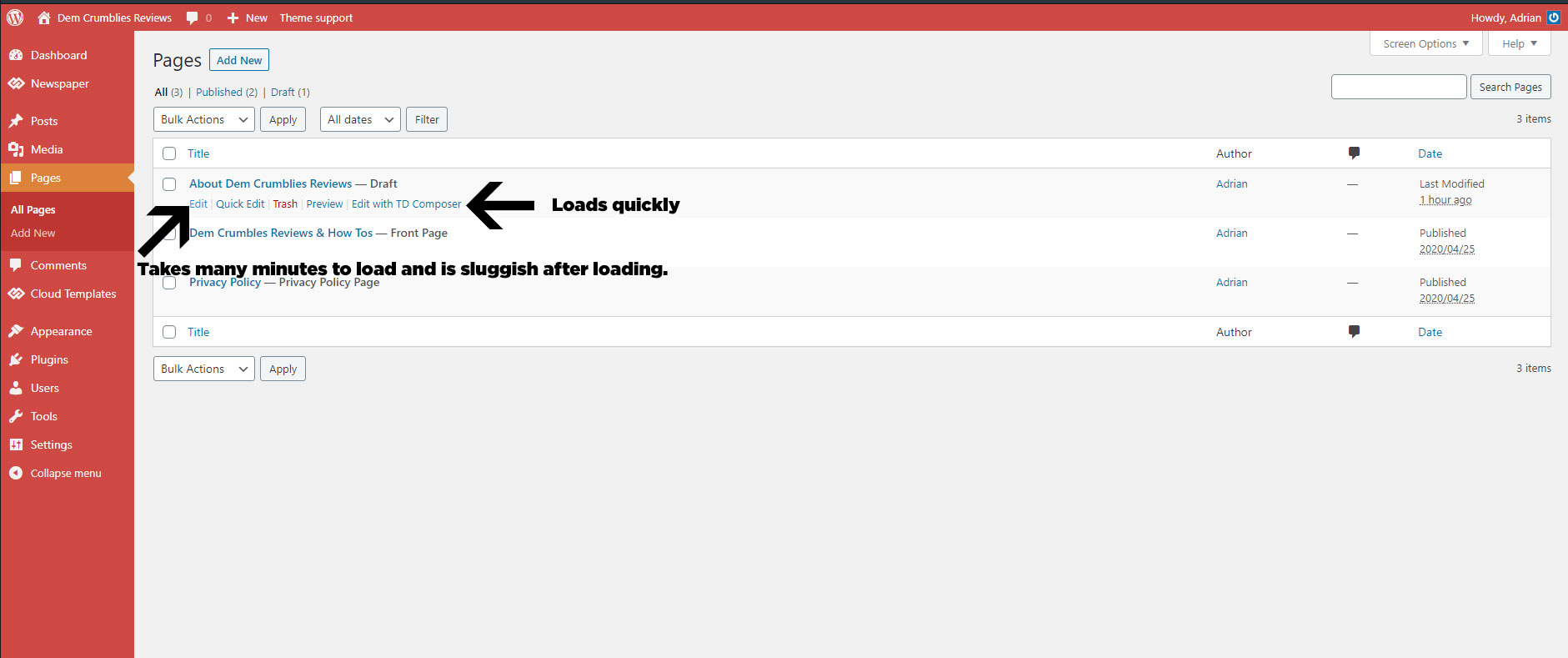
I have met all the server requirements or exceeded them, proof here: 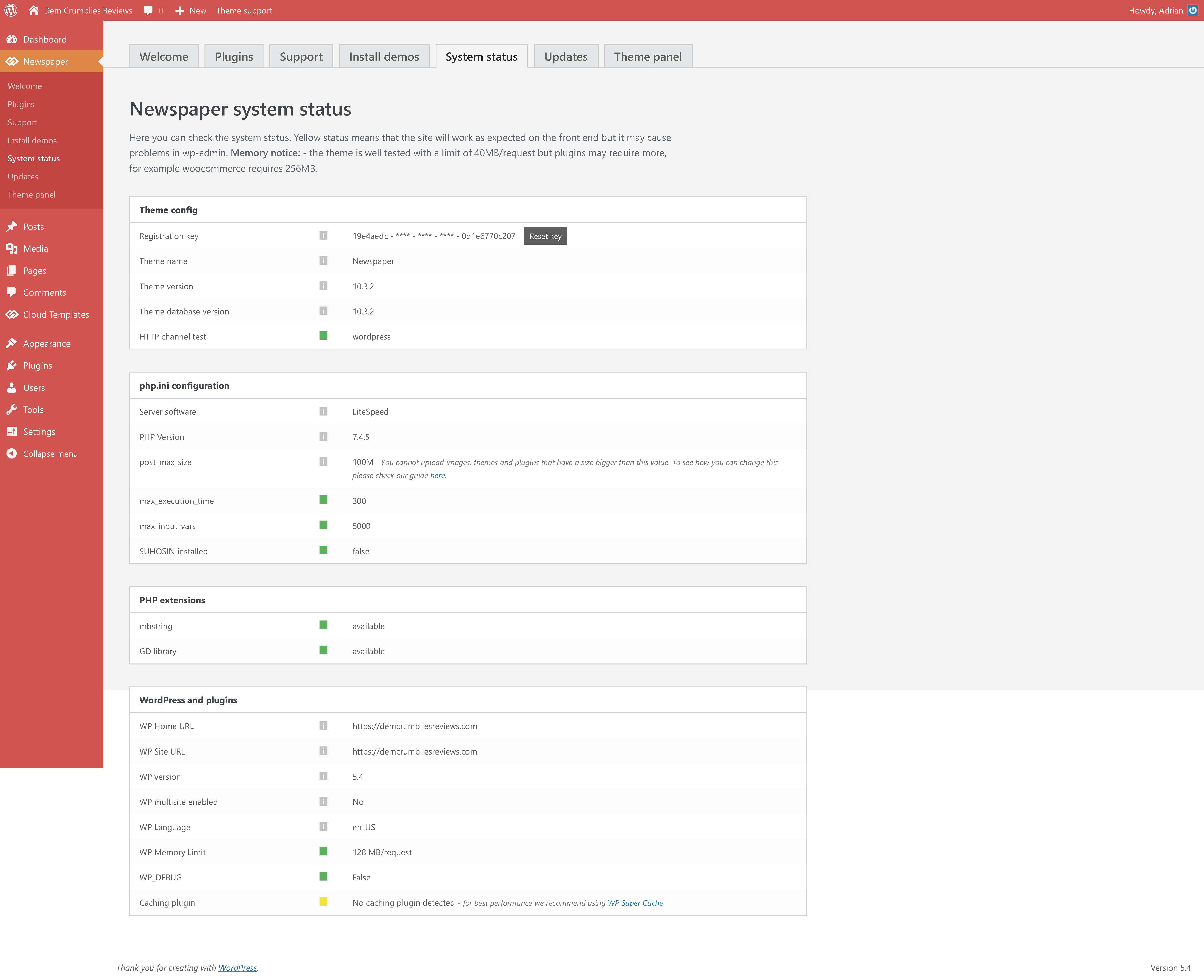
I had set my PHP version to 7.2 as recommended, but changed it to 7.4.5 today after everything loaded slowly, but it still did not help.
Viewing the website is not slow. Accessing the plugins screen, theme settings, tool settings, menu settings is fast. The ONLY issue is when I choose to click “Edit” using the default WordPress editor shown in the image above.
I have disabled all plugins, so that only the the tagDIV ones are active, but still no help. Proof here: 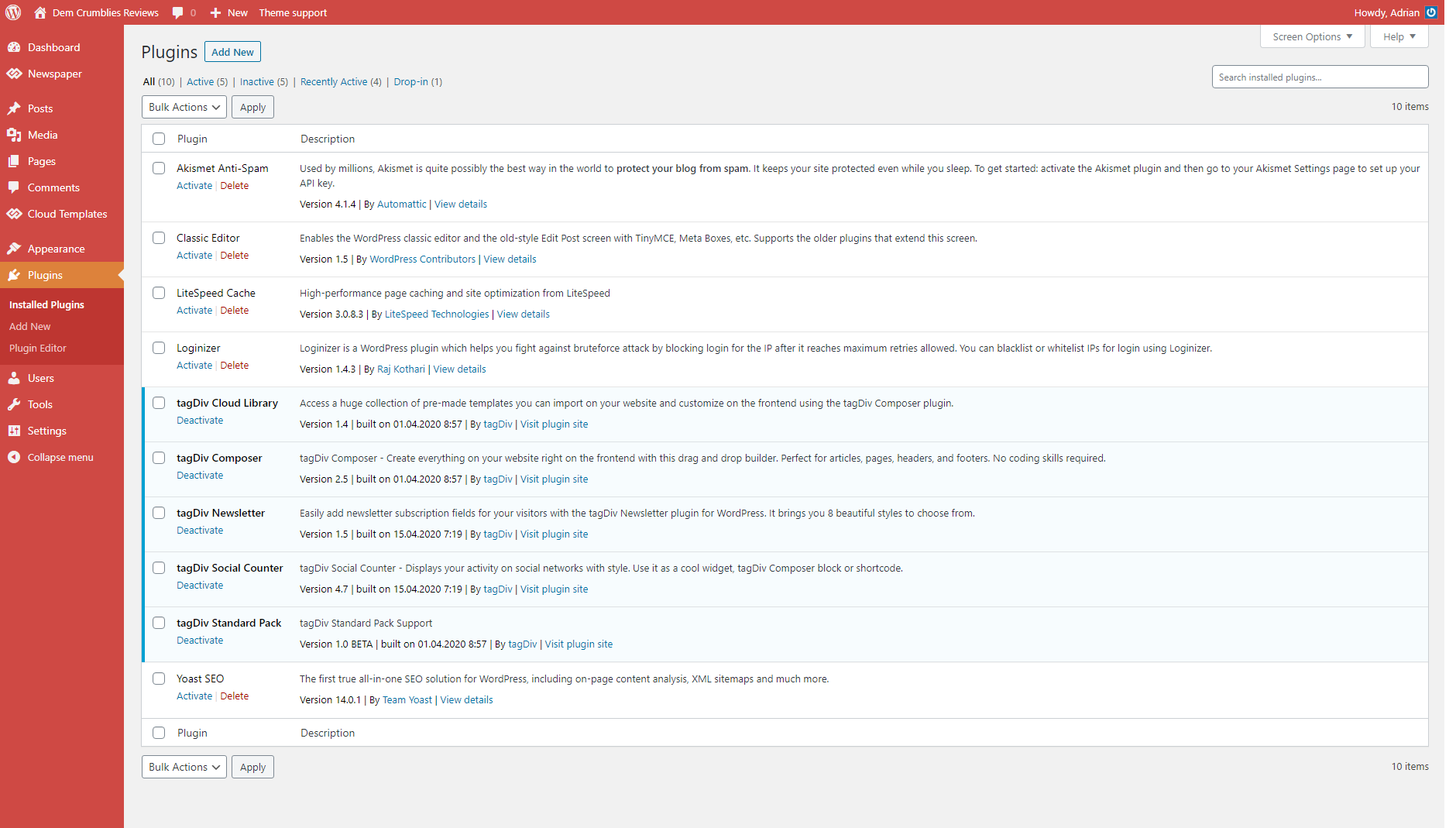
I have recorded a clip to show what I mean. (fast when using TD Composer and very very very slow and sluggish when clicking to edit using the default editor).
 Mahfuzul Hasan
 Now the images will not get uploaded!!!!! What a f***king theme full of bug, and you are advertising this like hell!!! I am going to leave a proper review.
 Anonymous
 Hello @vlad. Pls see https://mypope.com.ph/ and review block ‘Vatican updates’, top right block on desktop browser. Or first block in mobile. Thank you!



