
- TutorialsDefault Block Settings Guide
 Mark Gilbert
 I got round this to some extent by making a two-column row above the post content block and putting feature image in left column and author, date, review rating etc in the right column. But it’s a tedious workround and absolutely still not ideal, leaves loads of white space on right of pic.
Newspaper needs to do the obvious thing and create a Pro single template based on Style 1 so those who like Style 1 (my site’s got 1500+ articles in Style 1) can also get continuous scrolling and in-article ad placement.
 Pascal1414
Hi,
I’m using the slider module on one of my websites, and I noticed that the images of the slider are not clickable, here is the website: https://ruhrblick.info/
How do I make the preview images clickable, so they link to the post?
Thanks a lot,
Pascal
 Mauricio Jaramillo Marín
 Thanks, Calin!
We have made those and more changes according to the tagDiv guides. Some things have improved, but we continue to have problems.
I would like to know if I can order an optimization service plus technical review of the site and the server (I saw these services, but none is exactly that: https://tagdiv.com/services/custom-services-wordpress-setup-plugin-installation/).
 Ruffo
RuffoHello there,
The Newspaper theme has Big issue with the canonical tag and Yoast plugin. When I use + latest articles + pagination option the canonical is repeated (duplicate) in the view source code home. It affects the SEO and the drop in the Google rankings SERPs.
The canonical tag is repeated 2 times, this is terrible for SEO to ruin our traffic.
Apparently the theme breaks the Yoast code (canonical link), causing the plugin to repeat the canonical 2 times in the Home and on the next pages: /page/1 until the end.
It’s confuses for Google bots, leaving your home page in the last ranking positions, and loss of JUICE in the links.
It’s not a Yoast issue, when you deactivate the plugin, the error continues. Only disappears when you change the theme from (+ latest articles + pagination) to (latest posts) option. But here is a big problem, because you cannot activate extracts for the posts in this module 1. What should we do? Most user should have the same problem and have not noticed it.
Starting on April after the Newspaper Theme updates, the visitor drop dramatically. Many think it’s Yoast issue plugin, which mistakenly deleted the meta tags from all posts for “No index”. But it was fixed in the version 14.1.
The issue only appears on the home page and home pagination
Here the code with the 2 canonical tag:
<link rel=”canonical” href=”https://www.devocionalescristianos.org/”/><link rel=”next” href=”https://www.devocionalescristianos.org/page/2″/><link rel=”icon” type=”image/png” href=”https://cdn.devocionalescristianos.org/wp-content/uploads/2015/07/favicono.ico”>

<!– This site is optimized with the Yoast SEO Premium plugin v14.1 – https://yoast.com/wordpress/plugins/seo/ –>

<meta name=”description” content=”Devocionales Santa Biblia Reina Valera 1960 Estudios Reflexiones Versículos Bíblicos Clases Lecciones Recursos para Iglesias Juegos Dinámicas.” />

<meta name=”robots” content=”index, follow” />

<meta name=”googlebot” content=”index, follow, max-snippet:-1, max-image-preview:large, max-video-preview:-1″ />

<meta name=”bingbot” content=”index, follow, max-snippet:-1, max-image-preview:large, max-video-preview:-1″ />

<link rel=”canonical” href=”https://www.devocionalescristianos.org/” />

<meta property=”og:locale” content=”es_ES” />

<meta property=”og:type” content=”website” />

<meta property=”og:title” content=”Devocionales † Cristianos: Sitio Oficial” />

<meta property=”og:description” content=”Devocionales Santa Biblia Reina Valera 1960 Estudios Reflexiones Versículos Bíblicos Clases Lecciones Recursos para Iglesias Juegos Dinámicas.” />
Look it the code:
<link rel=”canonical” href=”https://www.devocionalescristianos.org/”/><link rel=”next”
it should be below the Yoast tags: (and it’s above)
<!– This site is optimized with the Yoast SEO Premium plugin v14.1 – https://yoast.com/wordpress/plugins/seo/ –>
Do you understanding? Any idea with it issue please?
Thank you very much!
Ruffo Hi Calin,
your theme has Big issue with the canonical tag. When I use + latest articles + pagination option the canonical is repeated (duplicate) in the view source code home.This affect the Seo and the drop in the Google rankings serps.
The theme has an issue with the Yoast plugin when I use the + latest articles + pagination. But if I use the “last posts option” all work correctly.
If I use the last posts, How can enable excerpt post? Because my posts it shows with complete content.
Here the code with the 2 canonical tag:
<link rel=”canonical” href=”https://www.devocionalescristianos.org/”/><link rel=”next” href=”https://www.devocionalescristianos.org/page/2″/><link rel=”icon” type=”image/png” href=”https://cdn.devocionalescristianos.org/wp-content/uploads/2015/07/favicono.ico”>
<!– This site is optimized with the Yoast SEO Premium plugin v14.1 – https://yoast.com/wordpress/plugins/seo/ –>
<meta name=”description” content=”Devocionales Santa Biblia Reina Valera 1960 Estudios Reflexiones Versículos Bíblicos Clases Lecciones Recursos para Iglesias Juegos Dinámicas.” />
<meta name=”robots” content=”index, follow” />
<meta name=”googlebot” content=”index, follow, max-snippet:-1, max-image-preview:large, max-video-preview:-1″ />
<meta name=”bingbot” content=”index, follow, max-snippet:-1, max-image-preview:large, max-video-preview:-1″ />
<link rel=”canonical” href=”https://www.devocionalescristianos.org/” />
<meta property=”og:locale” content=”es_ES” />
<meta property=”og:type” content=”website” />
<meta property=”og:title” content=”Devocionales † Cristianos: Sitio Oficial” />
<meta property=”og:description” content=”Devocionales Santa Biblia Reina Valera 1960 Estudios Reflexiones Versículos Bíblicos Clases Lecciones Recursos para Iglesias Juegos Dinámicas.” />
Any idea with it issue please?
Thank you very much!
 pinnaclecompass
Hello,
On the default article template, the related articles area is not showing, even though the tags are there, and it is set to show in the theme panel. (This is the area below the article body, below next/previous post, just above footer).
Ex: https://www.caymancompass.com/2020/05/17/frontline-worker-profiles-pumping-gas-helps-keep-country-running/
I checked with several posts, tags, and category settings.
If I select a different article template, the related articles show.
Ex: https://www.caymancompass.com/2019/12/16/year-in-review-the-summer-of-sargassum/
How do we get the related/more by author on the ‘default’ post template?
Thank you.
 Stuart
 Okay, I think I may have fixed this… but will give it 24 hours until I’m sure.
I downloaded the Disable Gutenberg plugin and it fixed everything so far. The wrong version showing, posts not posting, ‘Load more’ not loading, previews not previewing.
Gutenberg is a horror story but I didn’t realise how much damage it could do.
StuartI’ve been having the problem many have had on here – the mobile theme will show randomly on the desktop, the desktop theme will show randomly on mobile, and both look horrible (moreso the mobile theme on desktop!).
However, disabling Cloudflare (Developer Mode) has helped with the mobile/desktop theme swap problem (touch wood). So does anyone have any theories which Cloudflare setting might cause that problem? I have Rocket Loader disabled as well as Minify options, which I thought could be an issue.
Secondly, does anyone know what might break a series of functions, namely ‘Update’ (post/page), ‘Preview’ and ‘Load More’ buttons to show more articles. Is it ‘Ajax’ related? I literally can’t update pages or posts at the moment.
Before I get the response I’ve seen many times, I have disabled caching software and all plugins. It’s incredibly frustrating as I wasn’t having these issues until a few days ago.
Mark Gilbert Thanks – I had missed the Block Setting and it now works.
However, I have Show Author Name turned on in Meta Info but no authors’ names are showing in category lists, e.g., here – https://jazzjournal.co.uk/category/reviews/audio-reviews/
I am using M6. I notice author name will appear if I use M4, M5, M8 but not in M6 or M7. Is this a bug?
 Calin
Calin Hi,
You’ll need to enable the reviews on flex elements -> https://i.imgur.com/MIWcRyF.png and make sure that the general option from theme panel is enable -> https://i.imgur.com/g943PSY.png
Let me know if there is still a problem.
Thank you!
Mark Gilbert Well, of course I have reviews set, on about 1000 reviews, like this: https://jazzjournal.co.uk/2020/05/18/trilok-gurtu-god-is-a-drummer/
Calin Hi,
Make sure that you have set some reviews on your posts -> https://forum.tagdiv.com/reviews-2/ because only if the post has review can display the reviews in flex block.
Thank you!
Calin Hi,
Please check to see if the review option is enable in theme panel -> https://i.imgur.com/sCppMAC.png -> https://forum.tagdiv.com/reviews-2/
Make sure that you have set the star reviews -> https://i.imgur.com/N2seDja.png -> https://i.imgur.com/r2fARwe.jpg -> https://i.imgur.com/tYo4OrH.png
Also if you are using a single post template from tagDiv Cloud Library, you can edit it with tagDiv Composer and add the elements for review -> https://i.imgur.com/hDLif66.png
Hope this will help you!
Thank you!
Mark GilbertWhen I select “Show” in “Show review stars” in modules 1 and 2 in Flex Block 3, no stars show.
 aristake
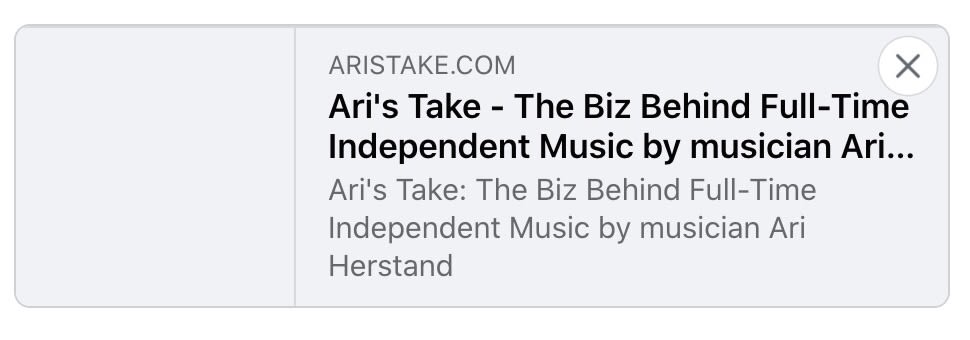
Hi, trying to share this page on Facebook: https://aristake.com
And get no image as a preview. The question is how to set an image which will be shown as a preview of the page when sharing it on Facebook
Now, when it’s posted on Facebook, it looks like this:
 notenoughtech
 Hi Calin
Please see the screens from this page
https://imgur.com/a/x6Vl84H
relate to post URL: http://35.192.55.254/home-automation/inching/
No matter what size I pick, the image is not keeping the size specified in the Gutenberg. I don’t have any caching plugin, and I loaded a fresh preview in incognito mode.
Let me know if you need any details.
Regards
 djbory1232019
Hi guys,
All My Review Posts Have 2 warnings in Search Console.
Missing field “offers” (optional)
Missing field “review” (optional)
Why is this and what should I do to fix this?
Thanks in advance for your assistance.
DJBory
 antoniog3004
Hi, I have installed the theme, when I try to see the preview in real time I have the following error:
Parse error: syntax error, unexpected ‘[‘ in /web/htdocs/www.gazzettinodelgolfo.it/home/wp-content/themes/Newspaper/includes/wp-booster/tagdiv-wp-booster-functions.php on line 240
I opened the file .php but it all seems correct:
if ( false !== $response ) {
$zip_resources = json_decode( $response, true );
$latest_version = [];
$versions = [];
Could you help me, please?
Thanks Antonio
 AkuaG
AkuaGHello, I want to change a section on my site to use the ‘Critic’ theme – though the main site is using iGossip theme.
But any changes I make to that area affects the whole site. Is there a way of just applying design changes to one specific area?
I have a review section on the site and the ‘Critic’ theme is perfect. Also I want to introduce the ‘Video’ theme to the section of my site dedicated to Watching content.
I think logically I may have to create a new page and use the Critic theme, but I can’t work out how to then link that page to Homepage navigation and then link to all the places it would need to show up … please help.
 ludyma
 Hello, I have a problem with the template that I have for Opinion, it turns out that if you send the link of the entry when it is in that category on Facebook, the featured image does not appear, the image of the advertisement comes out, you could review and tell me why or what I have I miss it.
If you send an article from that category on Facebook, it does not take the featured image, only the advertising image.
if I put it in another category if the featured image comes out
-
This reply was modified 6 years by
ludyma.
 riteshonline
 please find the screen shot https://prnt.sc/sjrctq after typing and reviewing it is changing into this https://prnt.sc/sjrdxt
Even I can write the unicode in Odia language like ରିତେସ ଶର୍ମା
but cannot able to write on my website.
Kindly help as urgently need to make a website in local language
 demcrumblies
 Hi Calin,
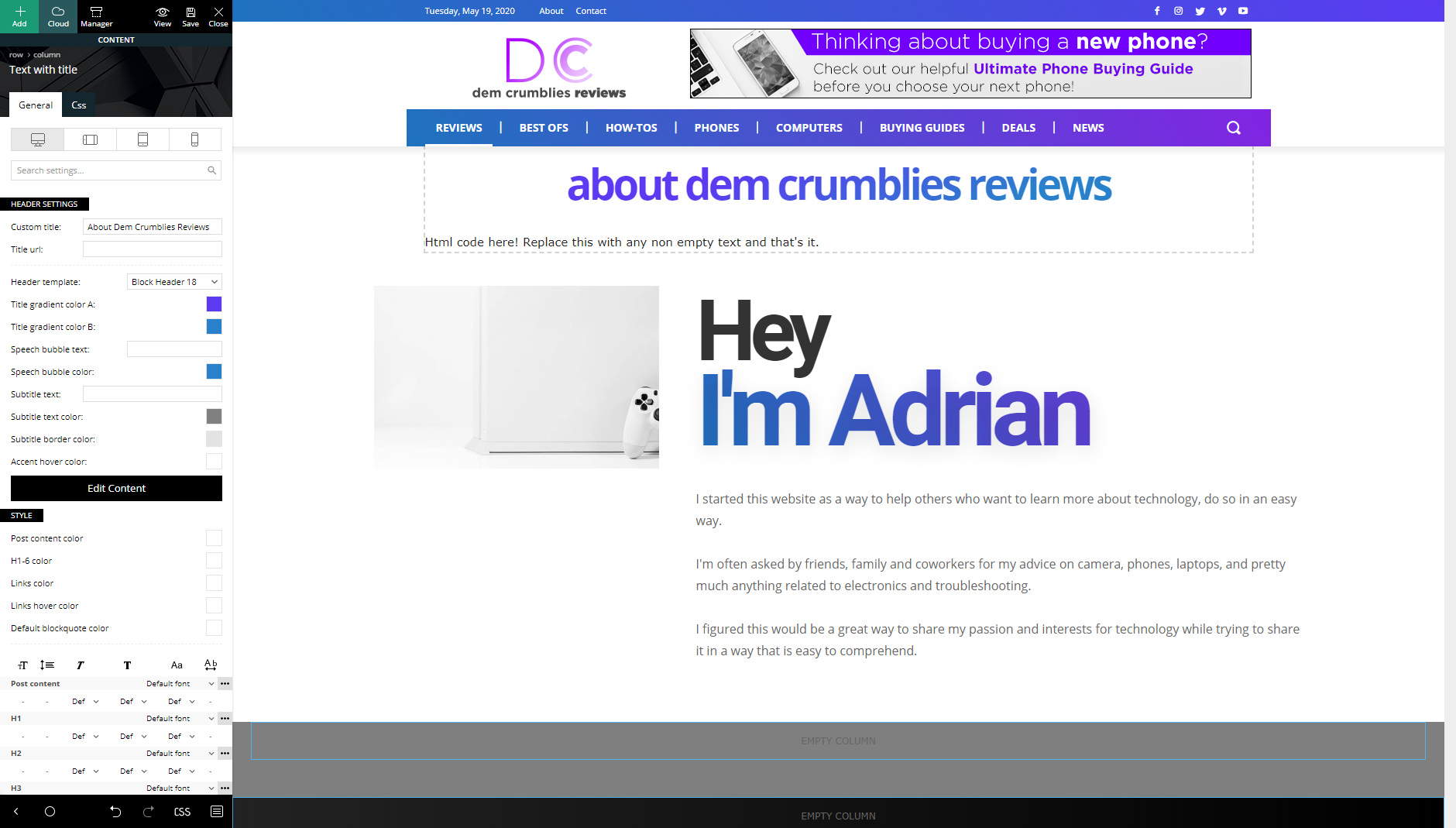
I looked, but I did not see that option because I used the “Text with title” block. What should I use instead of that block, or is there another way to edit it?
-
This reply was modified 6 years by
demcrumblies.
 rnbjunk
 <meta charset=”UTF-8″ />
<meta name=”viewport” content=”width=device-width, initial-scale=1.0″>
<script src=”/cdn-cgi/apps/head/n6xhyHpZY9SiIIpWYH2WP5M7qH4.js”></script><link rel=”pingback” href=”https://www.rnbjunk.com/xmlrpc.php” />
<link rel=”canonical” href=”https://www.rnbjunk.com/” /><link rel=”next” href=”https://www.rnbjunk.com/page/2/” /><link rel=”icon” type=”image/png” href=”https://www.rnbjunk.com/foto/2020/04/favicon-1.ico”><link rel=”apple-touch-icon-precomposed” sizes=”76×76″ href=”https://www.rnbjunk.com/foto/2020/03/apple-touch-icon-76×76-1.png” /><link rel=”apple-touch-icon-precomposed” sizes=”120×120″ href=”https://www.rnbjunk.com/foto/2020/03/apple-touch-icon-120×120-1.png” /><link rel=”apple-touch-icon-precomposed” sizes=”152×152″ href=”https://www.rnbjunk.com/foto/2020/03/apple-touch-icon-152×152-1.png” /><link rel=”apple-touch-icon-precomposed” sizes=”114×114″ href=”https://www.rnbjunk.com/foto/2020/03/apple-touch-icon-114×114-1.png” /><link rel=”apple-touch-icon-precomposed” sizes=”144×144″ href=”https://www.rnbjunk.com/foto/2020/03/apple-touch-icon-144×144-1.png” />
<title>Rnbjunk Musica – ultime notizie e gossip di musica</title>
<meta name=”description” content=”Rnbjunk Musica: il portale di Musica con notizie, gossip, traduzioni e novità sul mondo della musica Pop RnB HipHop dal 2006.” />
<meta name=”robots” content=”index, follow” />
<meta name=”googlebot” content=”index, follow, max-snippet:-1, max-image-preview:large, max-video-preview:-1″ />
<meta name=”bingbot” content=”index, follow, max-snippet:-1, max-image-preview:large, max-video-preview:-1″ />
<link rel=”canonical” href=”https://www.rnbjunk.com/” />
<meta property=”og:locale” content=”it_IT” />
<meta property=”og:type” content=”website” />
<meta property=”og:title” content=”Rnbjunk Musica – ultime notizie e gossip di musica” />
<meta property=”og:description” content=”Rnbjunk Musica: il portale di Musica con notizie, gossip, traduzioni e novità sul mondo della musica Pop RnB HipHop dal 2006.” />
<meta property=”og:url” content=”https://www.rnbjunk.com/” />
<meta property=”og:site_name” content=”Rnbjunk Musica – ultime notizie e gossip di musica” />
<meta property=”article:publisher” content=”https://www.facebook.com/rnbjunkmusica/” />
<meta property=”article:author” content=”https://www.facebook.com/rnbjunkmusica” />
<meta property=”article:modified_time” content=”2020-05-17T08:38:59+00:00″ />
<meta property=”og:image” content=”https://www.rnbjunk.com/foto/2019/03/logosito-1.png” />
<meta property=”og:image:width” content=”512″ />
<meta property=”og:image:height” content=”512″ />
<meta property=”fb:app_id” content=”148929808465760″ />
<meta name=”twitter:card” content=”summary” />
<meta name=”twitter:creator” content=”@https://www.twitter.com/rnbjunk” />
<meta name=”twitter:site” content=”@rnbjunk” />
<meta name=”msvalidate.01″ content=”ef2f43d7741d4d5a8bafb2e6d8867805″ />
<meta name=”google-site-verification” content=”wcyqMvk3lzghJK7v5uaxi1AyPid8FstPHhWhoYNhl4″ />
<meta name=”yandex-verification” content=”74d3eae14b0b05c1″ />
 sloope
 Update: When I deactivate Yoast, at least the zodiac footer is imported… Anyways, I can’t save it most of the time and I can’t edit inside Tag Div Composer at the old footers…
Also I found out, whenever I am able to save it… and I watch the preview, the footer is imported two times and there is this message:
Warning: getimagesize(https://www.annaobermeier.at/wp-content/uploads/2020/04/logo-1.jpg): failed to open stream: HTTP request failed! HTTP/1.1 403 Forbidden in /www/htdocs/w014a910/lovely-photos.at/wp-content/plugins/td-cloud-library/shortcodes/header/tdb_header_logo.php on line 792
-
This reply was modified 6 years by
sloope.
demcrumblies How can I manually add the H option? I can see that the theme is setting the heading as H4 when I inspect the code for the word “tech reviews” shown in my image above. But I want to change it from H4 to H1 for the word “tech reviews” for SEO. Is there a way to do this with CSS? My page URL is: https://demcrumbliesreviews.com/tech-reviews/
Thanks.



