
No search results were found in Documentation!
 Calin
Calin Hi MCDS,
Open settings – permalinks, click on the type you already have selected and click save.
Helped for me with the same issue.
Please make sure that the theme system status is configured as mentioned in the requirements guide. Please follow the guide carefully
– https://forum.tagdiv.com/requirements-for-newspaper/
 motoexcape
Hi, i have read the posts about td composer not working, and i’ve setting everything as described and as required in the system status but still the td composer it’s not loading at all, just a blank page https://www.motoexcape.com/wp-admin/post.php?post_id=624&td_action=tdc&tdbTemplateType=page&prev_url=%2F%2Fwww.motoexcape.com%2F
Is there something i could do? Thank you, Fabio
 spu
spuHi,
We have been early adopters of the theme and have been using some of the earlier and new recommended plugins, but those make the site heavy too.
1)Can we deactivate Jetpack and Tag Div cloud library plugins. Would that effect our website in any manner? http://www.gadgetbridge.com.
2) Also the tagdiv speed booster is always in yellow, in the system status panel, we keep deactivating the plugins it suggests, but it still stays in yellow, telling us to deactivate more plugins.
Thanks
 Catalin
 Hello Kennplus,
Please check your System Status and make sure you meet the theme server requirements -> https://forum.tagdiv.com/requirements-for-newspaper/ Please change PHP version up to 7.1 and use this guide to increase the parameters required by the theme.
If the issue is still there, please try to deactivate all your plugins except tag div plugins and check again.
If the issue persists please provide also FTP or Cpanel access so we can investigate this.
If the problem is still there, please send us an email at contact@tagdiv.com with your log-in information (wp-admin) so we can further investigate it closer your setup page. Also, provide the full CPanel access so we can try to install again the theme.
Thanks for your understanding!
 Graphic Oracle
Hello,
I just updated to Newspaper 9.1 (using WordPress 4.9.8). When I attempt to edit a page with tagDiv Composer I receive a 520 Error. All system status elements are green. See screen cap (https://i.postimg.cc/pL0kqGdj/systemstatus.png).
I had previously added the script to my htaccess file by tagDiv support:
<IfModule mod_substitute.c>

SubstituteMaxLineLength 10M

</IfModule>
Currently I cannot access the tagDiv composer plugin and update the site. Please advise how to fix. Thanks
Calin Hi,
Please make sure that the theme system status is configured as mentioned in the requirements guide. Please follow the guide carefully
– https://forum.tagdiv.com/requirements-for-newspaper/
Thanks.
 cancbry
I’ve done all suggested fixes I’ve found on the forum for the error “Error at rows: 1(models) : 0(dom). The model does not match the content” and nothing has fixed the issue.
*Updating php.ini and .htaccess according to system requirements listed in https://forum.tagdiv.com/system-status-parameters-guide/
*Adding to .htaccess:
<IfModule mod_substitute.c>

SubstituteMaxLineLength 10M

</IfModule>
*Adding to wp-config.php file:
define ( ‘CONCATENATE_SCRIPTS’, true );
The only issue still popping up in the system status is WP MEMORY LIMIT, which says is set at 40MB but all of my settings are actually set to 256MB (even got my host involved to make sure and they confirmed).
I have also created a different posts page and have the same problem; the previous post page would then be opened for editing without a problem.
So I am not too sure what the ultimate problem is here, but I am not able to edit any page designated as a posts page.
 freeesmaster
 Hi Calin,
I am using TD Composer only on home page, so when I click on edit with TD Composer I get the spinning circle like in the sceen shot below, and everything is frozen I can’t click anything, I have to click the back button on browser to exit.
https://www.dropbox.com/s/x98935dutov7bcs/HomePage.JPG?dl=0
so I tried to edit another page that never been updated with TD Composer and I get this error message as in the below screen.
I did all the system suggestions and they are all green in the status now. I modified the WP supper cache plugin to the recommended setting. I disabled all untested plugins and many others just to test, same results. I even tested on 3 different computers without luck.
I designed a beautiful home page, but I am not sure if me upgrading to version 9 got me to this and I feel stuck I can’t modify homepage anymore.
I hope to hear from you, Thanks!
 Hadigezcom
Hello dear personel,
All of my server settings are correct. But WP Editor is not working.
Can you help me please?
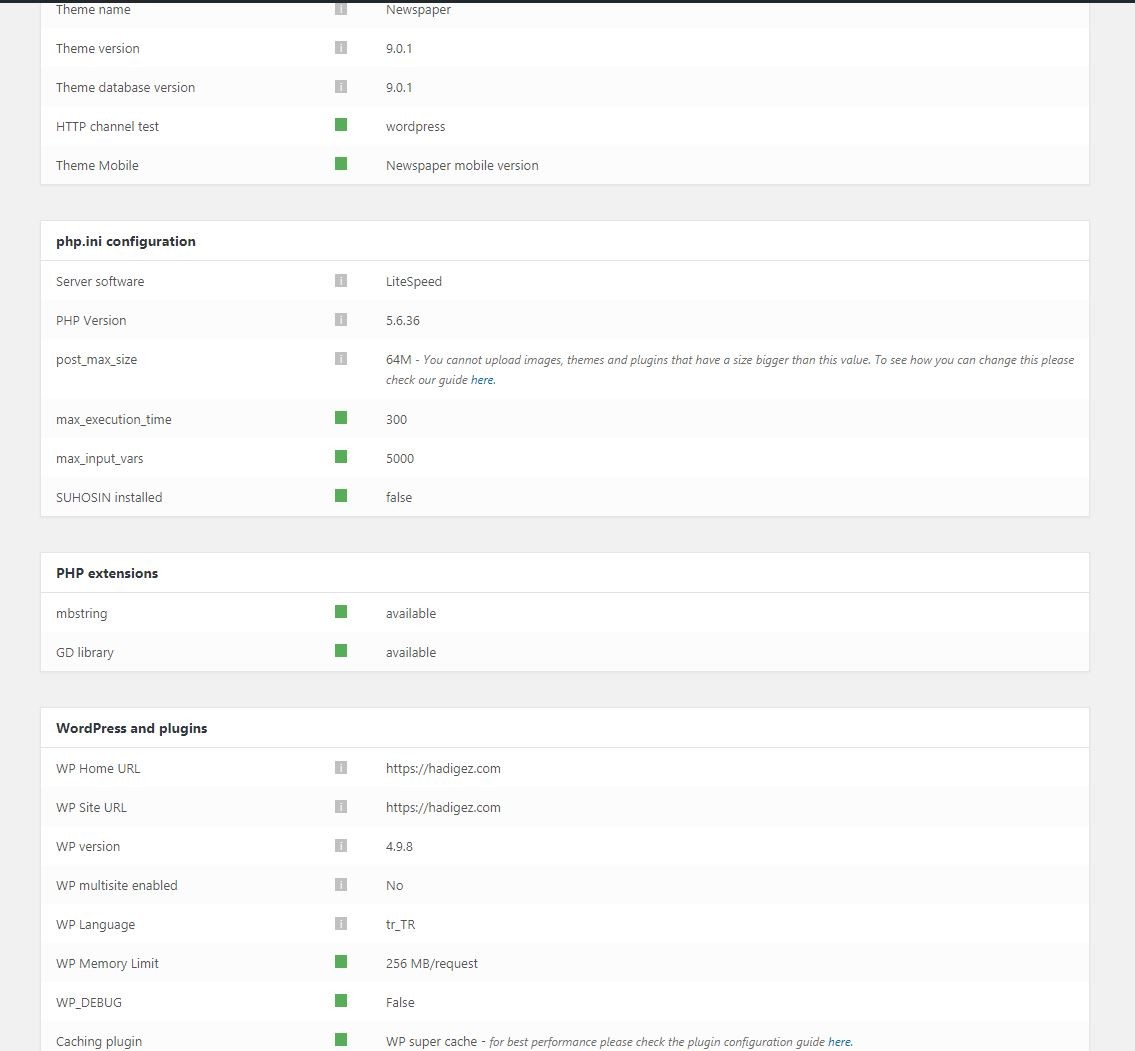
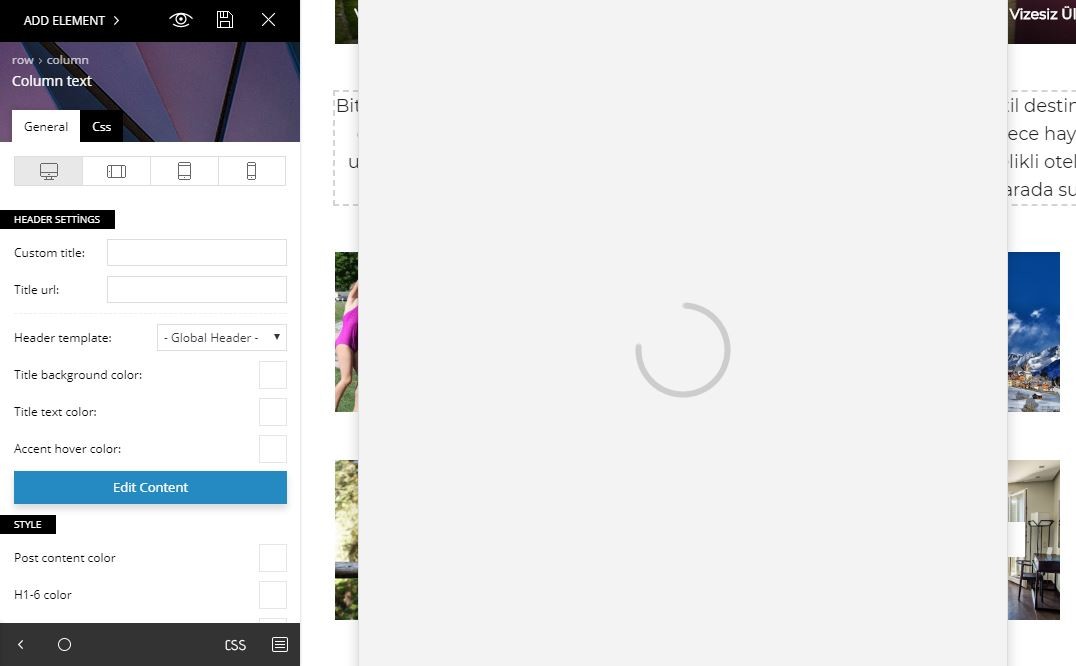
Calin Hi,
Please make sure that the theme system status is configured as mentioned in the requirements guide. Please follow the guide carefully
– https://forum.tagdiv.com/requirements-for-newspaper/
Also please add this code in your .htaccess file.
<IfModule mod_substitute.c>
SubstituteMaxLineLength 10M
</IfModule>
Thank you.
 kpivarnik
For System status, we can solve max_execution_time issue, but I still have a problem with “max_input_vars” in php.ini configurations.
I have also try to change below files:
php.ini
wp-config.php
.htaccess
functions.php
.use.ini
But we are not getting any effect on theme system status.
I can show you my php info if that’s helpful. Thank you!
Calin Hi,
Please check this steps:
1. Make sure that the theme system status is configured as mentioned in the requirements guide. Please follow the guide carefully
– https://forum.tagdiv.com/requirements-for-newspaper/
Also pay attention on this part https://www.screencast.com/t/atq8NTapw1v
2. Use just one Composer for build( if you have TD Composer and V Composer, please deactivate one of them).
3. Deactivate the Composer, delete it from theme plugin, download it from themeforest and install it again.
Thank you for your understanding.
 Simion C.
 Glad you fixed it. I have inspected your website, from what I can see there are many images which do not load, they have a status of 400
– https://www.screencast.com/t/9MgimjUoWg
If you use an image delivery system you could check why this is happening.
Also be sure to check the theme requirements guide and increase the allocated resources if needed
– https://forum.tagdiv.com/requirements-for-newspaper/
There are also quite a few topics in this forum for improving website speed, try a search for these and read a few for more information. Some of the topics here
– https://www.infophilic.com/get-almost-100-pagespeed-newspaper-theme/
– https://forum.tagdiv.com/topic/score-100100-pagespeed-with-newspaper-wordpress-theme/
– https://forum.tagdiv.com/topic/newspaper-theme-speedify-your-website/
– https://forum.tagdiv.com/topic/tutorial-chriss-custom-optimizations-for-functions-php-etc/
– https://forum.tagdiv.com/topic/tip-how-to-easily-minify-your-css-without-breaking-your-site/
– https://forum.tagdiv.com/cloudflare-cdn/
– https://forum.tagdiv.com/how-to-make-the-site-faster/
Calin Hi,
Please make sure that the theme system status is configured as mentioned in the requirements guide. Please follow the guide carefully
– https://forum.tagdiv.com/requirements-for-newspaper/
Also you can try to deactivate plugins one by one, and test if is from plugins, please be notice that our theme was tested only with some plugins ( https://www.screencast.com/t/i6vQvn5e ).
Thank you.
Calin Hi,
Please make sure that the theme system status is configured as mentioned in the requirements guide. Please follow the guide carefully
– https://forum.tagdiv.com/requirements-for-newspaper/
Thank you.
Calin Hi,
First pleas make sure that the theme system status is configured as mentioned in the requirements guide. Please follow the guide carefully
– https://forum.tagdiv.com/requirements-for-newspaper/
After you set the requirements please check again with Jetpack plugin.
Thank you for your understanding.
Calin Hi,
Please try to make a new page and test if after you edit the column content and save the page, you are still able to edit the column.
Also make sure that the theme system status is configured as mentioned in the requirements guide. Please follow the guide carefully
– https://forum.tagdiv.com/requirements-for-newspaper/
Thank you for your understanding
Calin Hi,
Please make update to td Composer, or login to your themeforest.net account and download all files in the downloads section. Then extract the zip file and it should be there.
Please make sure that the theme system status is configured as mentioned in the requirements guide. Please follow the guide carefully
– https://forum.tagdiv.com/requirements-for-newspaper/
Thank you for your understanding.
Simion C. Hi,
@BlogMickey and @Cavaldini It could be caused by insufficient or incorrectly configured system status
– https://forum.tagdiv.com/requirements-for-newspaper/
Could also be caused by a security plugin if you use one or a server firewall, there were some cases. Maybe try and check that as well.
Calin Hi,
Please make sure that the theme system status is configured as mentioned in the requirements guide. Please follow the guide carefully
– https://forum.tagdiv.com/requirements-for-newspaper/
Thank you for your understanding.
Graphic OracleHello,
I had created blocks with column content (text, images, buttons) that worked perfectly fine. For some reason, the Title and Description Text is no longer editable. Specifically, when a block is selected, the tagDiv editing box is simply blank and I cannot click into it at all to edit the already existing text in the block (See link below for screen capture). This occurs with every block that already has text in the block when using the tagDiv editor. All system status parameters are green and everything is fine otherwise, as I had previously set-up and edited the blocks originally with no problems. I have emptied page cache as well with no luck. Thank you for your assistance.
Calin Hi,
Make sure that the theme system status is configured as mentioned in the requirements guide. Please follow the guide carefully
– https://forum.tagdiv.com/requirements-for-newspaper/
Also you can try to deactivate the plugins that are not tested on newspaper ( https://www.screencast.com/t/ewp4QThgkKnn ) and try again.
If there is still a problem, you can send us an email at contact@tagdiv.com and provide admin login, as well as cPanel or FTP if possible. We will take a look. Include a link to this topic in the email.
Thank you for your understanding.
-
This reply was modified 7 years by
 Calin.
Catalin Hello hardmoney,
Check your system status parameters to be increased according to our documentation from here -> https://forum.tagdiv.com/system-status-parameters-guide/ Also, please try the below solution ->
Set up the below code in .htaccess!
<IfModule mod_substitute.c>
SubstituteMaxLineLength 10M
</IfModule>
In the future, please do not provide here your credentials because this forum is not private and some of our users can use these, sorry! I have deleted them!
So, if you want a private message, you should send us an email at contact@tagdiv.com.
Thanks.
Catalin Hello satperi,
Check the system status parameters to be increased according to our documentation from here -> https://forum.tagdiv.com/requirements-for-newspaper/
Thanks for your understanding!
Calin Hi,
Please make sure that the theme system status is configured as mentioned in the requirements guide. Please follow the guide carefully
– https://forum.tagdiv.com/requirements-for-newspaper/
Thank you.



