- NewsmagtagDiv Composer Tutorial
- NewsmagHow to use the Visual Composer plugin
- NewsmagHow to update a plugin
- NewsmagRequirements for Newsmag
- NewsmagInstall via WordPress
- NewsmagInstall via FTP
- NewsmagBlock settings tutorial
- NewsmagPage Menu
- NewsmagCustom ad spots
- NewsmagSmart sidebar
- NewsmagVideo playlist
- NewsmagPage templates
 Bashar
Hello,
I can’t change font size of Module mx18 from Theme panel > Theme Fonts > Modules MX and Other Blocks – Article Title > MODULE MX18 > size.
Yes, I can change the font size of that module manually from td-composer, but this is not useful for me, because I use “Big Grid Full 1” a lot. So, I want to change font size of all these modules for one time.
Please, tell me how?
Note: I tried to change the font weight of Module MX18 from theme panel and it’s done. But the problem of font size remains.
 Decaadv
Hello,
Im trying to change the images in to the content of the pre-build theme “SMART APP”, but when i choose the new image i receive this error “Invalid data Current state has involved an issue. You could try an UNDO operation (CTRL+Z / CTRL+SHIFT+Z)” inside TD Composer edit page. Why?

Thanks.
 Calin
Calin Hi,
Thank you for your kind words!
PRO demos are build using cloud templates and tagDiv Composer, if you want to edit something or remove, all you need to do is to edit it with TD Composer, also you can use the right click for copy stile or deleting elements.
If there is a specific element that you can not edit/remove, please provide me a link/screenshot where I can inspect it and I will help you to do it.
Thank you!
Calin Hi,
You just need to play with tagDiv Composer and tagDiv Cloud Library (https://tagdiv.com/what-is-the-cloud-library/), there are a lot of things that you can do once that you learn how to use it, also the changes made in theme files will be lost when you’ll update the theme, because not all the files from the them can be set in a child theme.
Now I do not want to say that you can achieve everything, but you can achieve almost everything you want.
For example there are individual elements that can be adjusted in pages (is not like you’ll have an html page and you can change it in code), for example on this path you can find a part of the elements that are use in tagDiv Composer -> wp-content/plugins/td-composer/legacy/Newspaper/includes/shortcodes
Thank you for your understanding!
Calin Hi pratiek and Nagarig,
Please note that in this way was design the live search, that’s how it should work, now it was add the option to remove the live search, but you still do not like the way its displaying now the mobile search. What I’m trying to do is to help you to find a solution. Your ask is for a custom work these are perform by developers, not support staff, but I ‘m trying to help with a little custom work that I’m able do do.
To remove completely the ajax from mobile search you need to replace the js from file wp-content/plugins/td-composer/mobile/js/tagdiv_theme.min.js with this code -> https://pastebin.com/LBJxbytw in this way the mobile theme will no longer call the td_ajax_mob.php unfortunately for amp I can not find a way to prevent the ajax to be use.
Thank you for your understanding!
 Vlad S
 Hello !
This can be found in here: wp-cah perontent/plugins/td-composer/mobile/style.css
Thank you !
Vlad S Hello !
All the Newspaper Theme has been created using tagDiv Composer. Using any other page builder on them will not work.
Number of columns can be set as you can see here from tagDiv Composer: https://www.screencast.com/t/PoLUTDxgR
Thank you !
 DrEO Studio
the multimedia content of my template is not seen, in the tagdiv composer is displayed perfectly, but no longer online
this is an entry with the template https://clinicadreo.mx/cuando-el-trabajo-depende-de-tu-imagen/ https://subefotos.com/ver/?2baf27b69425b5edf6b59a2f073d46a0o.png
this is my template https://clinicadreo.mx/tdb_templates/historias-exito/
 secnat
 Hi, we are using the latest version of the plugin and the feature to redirect attachment URLs is set to “Yes”. This is happening only to the homepage though. Moreover, totally disabling yoast, does not fix the issue.
As we can see the page under consideration: https://www.secnews.gr/?attachment_id= inherits theme’s blog template.
Is there any way to make edits to this page/template as the “Edit with TD Composer” is disabled ?
Moreover would it be safe to set a redirection till the issue is resolved? To redirect https://www.secnews.gr/?attachment_id= to https://www.secnews.gr/ ?
Calin Hi,
Your footer is this one -> https://i.imgur.com/cuu4NdQ.jpg this is set from theme panel, until you’ll set other templates, this will be your footer template.
Also as I said above the cloud templates can be edited only when are set on pages or cloud templates, these do not had a edit button with TD Composer in cloud templates -> https://i.imgur.com/ymo4pb6.png therfore you need to assign it, you can do it from here -> https://i.imgur.com/VVdGlgY.png or editing the homepage -> https://i.imgur.com/LHabwkZ.png -> https://i.imgur.com/QAo5KXw.png
How to Customize your Footer with Newspaper Theme -> https://tagdiv.com/how-to-create-a-footer-with-newspaper-theme/
If there is still a problem, let me know, also please provide some screenshots.
Thank you!
Calin Hi kotada105,
If you are using standard post templates -> https://forum.tagdiv.com/design-post-pages-using-default-templates/ then you can still edit the templates from wp-content/plugins/td-standard-pack/Newspaper/parts/single or you can use a single post template from tagDiv Cloud Library and you can edit it using tagDiv Composer.
Thank you!
Calin Hi lifemathmoney,
Indeed these external links were added in Newspaper v4.9.4 unfortunately for the moment these can be remove only manually from the theme code -> wp-content/plugins/td-composer/legacy/Newsmag/js/tagdiv_theme.min.js -> https://i.imgur.com/hloRRpY.png -> https://i.imgur.com/ckk8Yhf.png
Thank you for your understanding!
Calin Hi ninjaray,
The “More article box” can be filtered using only one filter -> https://i.imgur.com/FEGDmGg.png using Category filter will pick all post random, using Latest option will display the last posts that you’ve added on website without checking the category.
The file that contain the more article box is on this path -> wp-content/plugins/td-composer/legacy/common/wp_booster/td_more_article_box.php -> https://i.imgur.com/umh8tVq.png
Thank you!
Calin Hi imagpt,
Where you want to apply the code, if you want to align Justified the post content this can be achieve using a single post template from tagDiv Cloud Library, edit it with tagDiv Composer click on single post content and set the extend direction “Lift & Right ” https://i.imgur.com/TRXJLvD.jpg
Or you an use a custom css ->
.tdb_single_content p, .tagdiv-type p{

 text-align: justify;

}
Thank you!
Calin Hi,
As I can see note is set with h3 -> https://i.imgur.com/xxxVLrV.png if you want to replace the h3 with h1 you need to make the changes in Custom Post Type template -> https://forum.tagdiv.com/custom-post-type-support/ also the general function for get_title is set on this file -> wp-content/plugins/td-composer/legacy/common/wp_booster/td_module_single_base.php -> https://i.imgur.com/oqbXS3G.png
Thank you!
 MrShawnTierney2
 Update: For anyone else having this issue, it turned out to be an inefficiency in the tablet version of the Home Page designed with TD Designer.
Like I said above, my website worked on all devices and all browsers except for the Mobile (tablet version) Site in Chrome on my iPad Tablet – the desktop version of the same site worked without issue.
Also, pages and posts could be viewed fine in Chrome on iPad using the Mobile (Tablet) version, just not the home page.
So to work around this bug in TD Composer, I disabled some of my picture ads when viewed on a Tablet in the Mobile/Tablet browser, and now my mobile/tablet homepage loads in chrome on the iPad.
At this point I’m going to investigate moving away from TD Composer to one of the new designs since this is the only site I use it on (and the only site that had this issue)
Hope this helps someone!
Shawn
-
This reply was modified 6 years by
MrShawnTierney2.
 theodim74
 Thank you for your answer.
I already tried several times editing from TD Composer from my home page and it doesn’t let me like it is a “ghost” footer runing on the backround.
I use influencer tamplate and when i imported a cloud footer from the tamplates it lets me edit it from the home page (and not from the cloud templates page) but it seems like there is a second footer runing on the backround… You do not see the second footer in live site, but you see two same footers, like douplicates, in the editing mode of TD Composer from homepage…!!! As a result of this, a lot of conflicts are taking place in my site, it slows down, when you scroll down in some parts of scrolling the megamenu apears without the mouse being at the menu, and also it cuts the lower parts of my articles in the infinite loading from the second article and down…
Also when i import a footer from the cloud templates, the section from the Theme Panel that controls the footer section (instagram etc. etc.) doesn’t have any choises any more… they just desapear or diactivate… I can’t control the footer section from the Theme Panel any more…
My site is vmotion.gr
Please help me with my problem.
Please tell me whatever you need from me to provide you (Pictures, My wordpress admin panel, my host panel…)
Thank you very much in advance!!!
Calin Hi,
If you are using the mobile theme plugin, then the code need to be set in the mobile functions.php the file path is wp-content/plugins/td-composer/mobile/functions.php
Hope this will help you!
Thank you !
Calin Hi,
In order to remove the stycky from mobile you need to go in wp-content/plugins/td-composer/mobile/js/tagdiv_theme.min.js and search for tdAffix.init(“td-header-wrap”) this need to be comment like this -> https://i.imgur.com/EK2EIXq.png the the sticky from mobile theme will be remove, but I do not think that the problem is from there.
Hope this will help you!
Thank you!
Calin Hi pratiek,
I just checked our theme code and the way it is working, therefore if you want to have the search animation but not the ajax results you need to go in wp-content/plugins/td-composer/mobile/includes/td_ajax_mob.php and comment 2 lines of code (if you comment all code will no longer work on amp) -> https://i.imgur.com/8HxqPxO.png -> https://i.imgur.com/BZMH30M.png and for amp you need to go in wp-content/plugins/td-composer/mobile/header-amp.php and comment this part of code -> https://i.imgur.com/Tzg7xDI.png -> https://i.imgur.com/awTSu40.png
The results will be:
amp – https://i.imgur.com/fDfB00r.png
mobile – https://i.imgur.com/k40LGkD.png
Hope this will help you, also I made a note to our developers with the suggestions you’ve made to can keep the search animation and remove only the ajax search!
Let me know the results!
Thank you!
 Sarah Gildea
I created a new user. He is an author.
I want to add him to a category in TD Composer.
It asks for Author ID, and Author Slug.
Where is this information found?
It is not stated in the “Users” section.
Thank you for your help.
 mrsky28
Hello.
So with the new update, there is a new item on the WP admin bar more cramped.
You have these items currently:
“Theme Panel”
“Theme Support” — which I don’t get why it should be placed in a prominent position.
“Edit with TD Composer / Cloud Template editor”
“Live CSS”
What you can do:
Consolidate them under one head menu and the rest are under it. Name it as “TagDiv” or something.
We have other admin menu items too so you guys taking 4 menu items is really annoying.
Please fix this.
 MG Dev
 Hi Vlad – so following this conversation we installed the Standard Pack (which brought up the breadcrumbs options), disabled the settings for breadcrumbs and page title in there, then turned Standard Pack off again.
We’ve noticed some other issues like this, but mainly affecting the Mobile Theme. Since the Mobile Theme inherits settings from the default settings rather than from an TD Composer templates, the Standard Pack has to be installed to change things like sharing settings and turning off the Facebook like button etc for mobile and AMP pages.
Not installing Standard Pack and removing unnecessary features is a good thing for Cloud Templates, but for a site that uses AMP it does create some issues.
 itsu60
Hi
I don’t see the composer button in posts. only in pages. How can i resolve this?
please see a screenshot here: https://prnt.sc/t3nnam
 bstaff
Hi there I am using td-black-pro single_template_7 as the default post template for my site.
My issue is that there is no way to edit one of the default templates that come with the theme in TagDiv Composer.
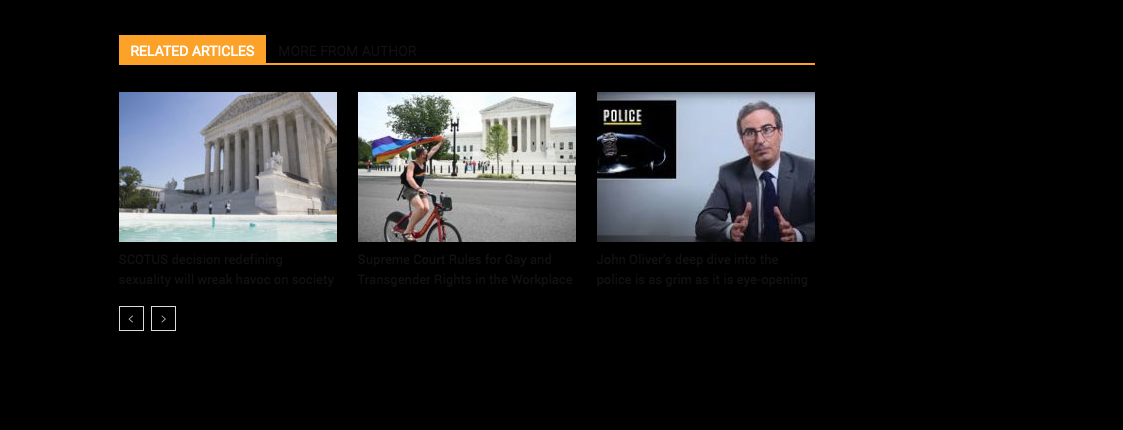
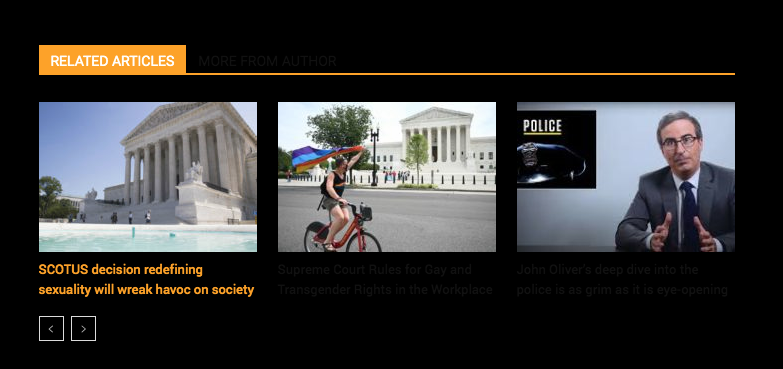
Currently, the text for the title in Related Posts is black and the background is black and you can not see the text. If you hover the text you see it in Orange (which is correct.)
I need to change the default text color in the Related Posts module in Template 7 to White.
Could you provide the custom CSS code to enter in Custom CSS field in the theme panel to make this text white. Please see below images one and two.
Thanks
Brent