- NewsmagHow to update a plugin
- NewspaperHow to update a plugin
- NewsmagHow to update the theme
- NewsmagHow to update the WPBakery plugin
- NewspaperHow to update the WPBakery Page Builder plugin
- NewspaperHow to Update the Newspaper Theme
- Apitd_api_top_bar_template::update_key
- Apitd_api_top_bar_template::update
- Apitd_api_single_template::update_key
- Apitd_api_single_template::update
- Apitd_api_footer_template::update_key
- Apitd_api_footer_template::update
- Apitd_api_smart_list::update_key
- Apitd_api_smart_list::update
- Apitd_api_thumb::update_key
- Apitd_api_thumb::update
- Apitd_api_category_top_posts_style::update_key
- Apitd_api_category_top_posts_style::update
- Apitd_api_category_template::update_key
- Apitd_api_category_template::update
 andrewbisharat
 I see a million posts on this forum right now about the problems people are having with 10.4. When will the fixes be coming for the problems this updated created for so many people on here?
 imkimc
 Hi Bettina,
Our server meets exceeds requirements by a considerable margin, this is a fairly busy website (1.3+ million page views per month).
We upgraded the theme to v10.4 from 10.3.9 using the built in upgrade tool.
I did NOT run your CSS consolidation tool.
I would have rolled BACK to 10.3.9 but TagDiv bundled in an XSS vulnerability security fix in the 10.4 update. So now I cannot roll back without exposing our site to a possible XSS attack.
Let’s be clear, I am NOT asking you to support a plugin that isn’t on your list and I’m not asking you to do custom development work.
I found a serious bug in TD Composer that affects all stand alone Stripe payment plugins except one. And apparently is now affecting a WooCommerce Stripe plugin.
The bug: If you have TD Composer v2.8 active on your site, the javascript that needs to execute to process Stripe credit card payments fails to execute. There is no logfile or other errors given, the javascript just fails to run.
To determine that TD Composer caused the problem:
-I setup all stripe plugins on a dev site and tested.
-I turned off ALL plugins except TD Composer.
-I tried 6 Stripe credit card processing plugins one by one.
-5 of them failed to process payments as long as TD Composer was on.
-All of them worked just fine with TD Composer off.
So TagDiv needs to take this seriously. Please get this info to your Devs and see if they can validate the problem. I may be the first to have contacted you about this, however I doubt I’ll be that last. Someone else has already posted that they have the same problem in this thread.
I’m happy to provide more info, access to our dev site or answer questions if we are working toward a solution.
Best,
Kim
 vanisticz
Hello,
I’ve updated my website to the latest 10.4 version of Newspaper template. Unfortunately, with this update hover style of the Button Style 1 stopped working. See my settings in tagDiv composer, which worked fine in the previous theme version. Any advice?

For reference – see the affected single page.
Thanks a lot for your help.
 angelramos
Hello,
Seems like this theme is not compatible anymore with the new version of Youzify and Buddypress combo. The header doesn’t seem to have CSS. Somehow there is a conflict. Can I get some assistance or will there be an update to make sure the theme is compatible with these two big systems?
You can see what I am referring to here. https://peoplesolivebranch.com/members/moneywithjim/
Thank you
 tahirim
Hello,
Very urgent help please. Site : https://tatilpanosu.net
When td_conposer is activated, it gives an error.
‘firstInstall’ in /home/tatilpanosu/public_html/wp-content/plugins/td-composer/legacy/common/wp_booster/td_options.php on line 48
Warning: Illegal string offset ‘td_log_status’ in /home/tatilpanosu/public_html/wp-content/plugins/td-composer/legacy/common/wp_booster/td_options.php on line 48
Warning: Illegal string offset ‘tds_login_sign_in_widget’ in /home/tatilpanosu/public_html/wp-content/plugins/td-composer/legacy/common/wp_booster/td_options.php on line 48
Warning: Illegal string offset ‘tds_thumb_td_150x0’ in /home/tatilpanosu/public_html/wp-content/plugins/td-composer/legacy/common/wp_booster/td_options.php on line 48
Warning: Illegal string offset ‘tds_thumb_td_218x150’ in /home/tatilpanosu/public_html/wp-content/plugins/td-composer/legacy/common/wp_booster/td_options.php on line 48
Warning: Illegal string offset ‘tds_thumb_td_300x0’ in /home/tatilpanosu/public_html/wp-content/plugins/td-composer/legacy/common/wp_booster/td_options.php on line 48
Warning: Illegal string offset ‘tds_thumb_td_324x400’ in /home/tatilpanosu/public_html/wp-content/plugins/td-composer/legacy/common/wp_booster/td_options.php on line 48
Warning: Illegal string offset ‘tds_thumb_td_485x360’ in /home/tatilpanosu/public_html/wp-content/plugins/td-composer/legacy/common/wp_booster/td_options.php on line 48
Warning: Illegal string offset ‘tds_thumb_td_696x0’ in /home/tatilpanosu/public_html/wp-content/plugins/td-composer/legacy/common/wp_booster/td_options.php on line 48
Warning: Illegal string offset ‘tds_thumb_td_1068x0’ in /home/tatilpanosu/public_html/wp-content/plugins/td-composer/legacy/common/wp_booster/td_options.php on line 48
Warning: Illegal string offset ‘tds_thumb_td_1920x0’ in /home/tatilpanosu/public_html/wp-content/plugins/td-composer/legacy/common/wp_booster/td_options.php on line 48
Warning: Illegal string offset ‘tds_thumb_td_0x420’ in /home/tatilpanosu/public_html/wp-content/plugins/td-composer/legacy/common/wp_booster/td_options.php on line 48
Warning: Illegal string offset ‘tds_thumb_td_80x60’ in /home/tatilpanosu/public_html/wp-content/plugins/td-composer/legacy/common/wp_booster/td_options.php on line 48
Warning: Illegal string offset ‘tds_thumb_td_100x70’ in /home/tatilpanosu/public_html/wp-content/plugins/td-composer/legacy/common/wp_booster/td_options.php on line 48
Warning: Illegal string offset ‘tds_thumb_td_265x198’ in /home/tatilpanosu/public_html/wp-content/plugins/td-composer/legacy/common/wp_booster/td_options.php on line 48
Warning: Illegal string offset ‘tds_thumb_td_324x160’ in /home/tatilpanosu/public_html/wp-content/plugins/td-composer/legacy/common/wp_booster/td_options.php on line 48
Warning: Illegal string offset ‘tds_thumb_td_324x235’ in /home/tatilpanosu/public_html/wp-content/plugins/td-composer/legacy/common/wp_booster/td_options.php on line 48
Warning: Illegal string offset ‘tds_thumb_td_356x220’ in /home/tatilpanosu/public_html/wp-content/plugins/td-composer/legacy/common/wp_booster/td_options.php on line 48
Warning: Illegal string offset ‘tds_thumb_td_356x364’ in /home/tatilpanosu/public_html/wp-content/plugins/td-composer/legacy/common/wp_booster/td_options.php on line 48
Warning: Illegal string offset ‘tds_thumb_td_533x261’ in /home/tatilpanosu/public_html/wp-content/plugins/td-composer/legacy/common/wp_booster/td_options.php on line 48
Warning: Illegal string offset ‘tds_thumb_td_534x462’ in /home/tatilpanosu/public_html/wp-content/plugins/td-composer/legacy/common/wp_booster/td_options.php on line 48
Warning: Illegal string offset ‘tds_thumb_td_696x385’ in /home/tatilpanosu/public_html/wp-content/plugins/td-composer/legacy/common/wp_booster/td_options.php on line 48
Warning: Illegal string offset ‘tds_thumb_td_741x486’ in /home/tatilpanosu/public_html/wp-content/plugins/td-composer/legacy/common/wp_booster/td_options.php on line 48
Warning: Illegal string offset ‘tds_thumb_td_1068x580’ in /home/tatilpanosu/public_html/wp-content/plugins/td-composer/legacy/common/wp_booster/td_options.php on line 48
Warning: Illegal string offset ‘td_social_drag_and_drop’ in /home/tatilpanosu/public_html/wp-content/plugins/td-composer/legacy/common/wp_booster/td_options.php on line 97
Warning: Illegal string offset ‘td_social_drag_and_drop’ in /home/tatilpanosu/public_html/wp-content/plugins/td-composer/legacy/common/wp_booster/td_options.php on line 97
Warning: Illegal string offset ‘td_social_networks’ in /home/tatilpanosu/public_html/wp-content/plugins/td-composer/legacy/common/wp_booster/td_options.php on line 97
Warning: Illegal string offset ‘td_version’ in /home/tatilpanosu/public_html/wp-content/plugins/td-composer/legacy/common/wp_booster/td_options.php on line 48
Warning: Illegal string offset ‘td_011_tp’ in /home/tatilpanosu/public_html/wp-content/plugins/td-composer/legacy/common/wp_booster/td_options.php on line 48
Warning: Illegal string offset ‘td_updated_fonts’ in /home/tatilpanosu/public_html/wp-content/plugins/td-composer/legacy/common/wp_booster/td_options.php on line 48
Warning: Cannot modify header information – headers already sent by (output started at /home/tatilpanosu/public_html/wp-content/plugins/td-composer/legacy/common/wp_booster/td_options.php:48) in /home/tatilpanosu/public_html/wp-includes/functions.php on line 6362
Warning: Cannot modify header information – headers already sent by (output started at /home/tatilpanosu/public_html/wp-content/plugins/td-composer/legacy/common/wp_booster/td_options.php:48) in /home/tatilpanosu/public_html/wp-admin/includes/misc.php on line 1310
Warning: Cannot modify header information – headers already sent by (output started at /home/tatilpanosu/public_html/wp-content/plugins/td-composer/legacy/common/wp_booster/td_options.php:48) in /home/tatilpanosu/public_html/wp-admin/admin-header.php on line 9
 Edgardo Espinoza
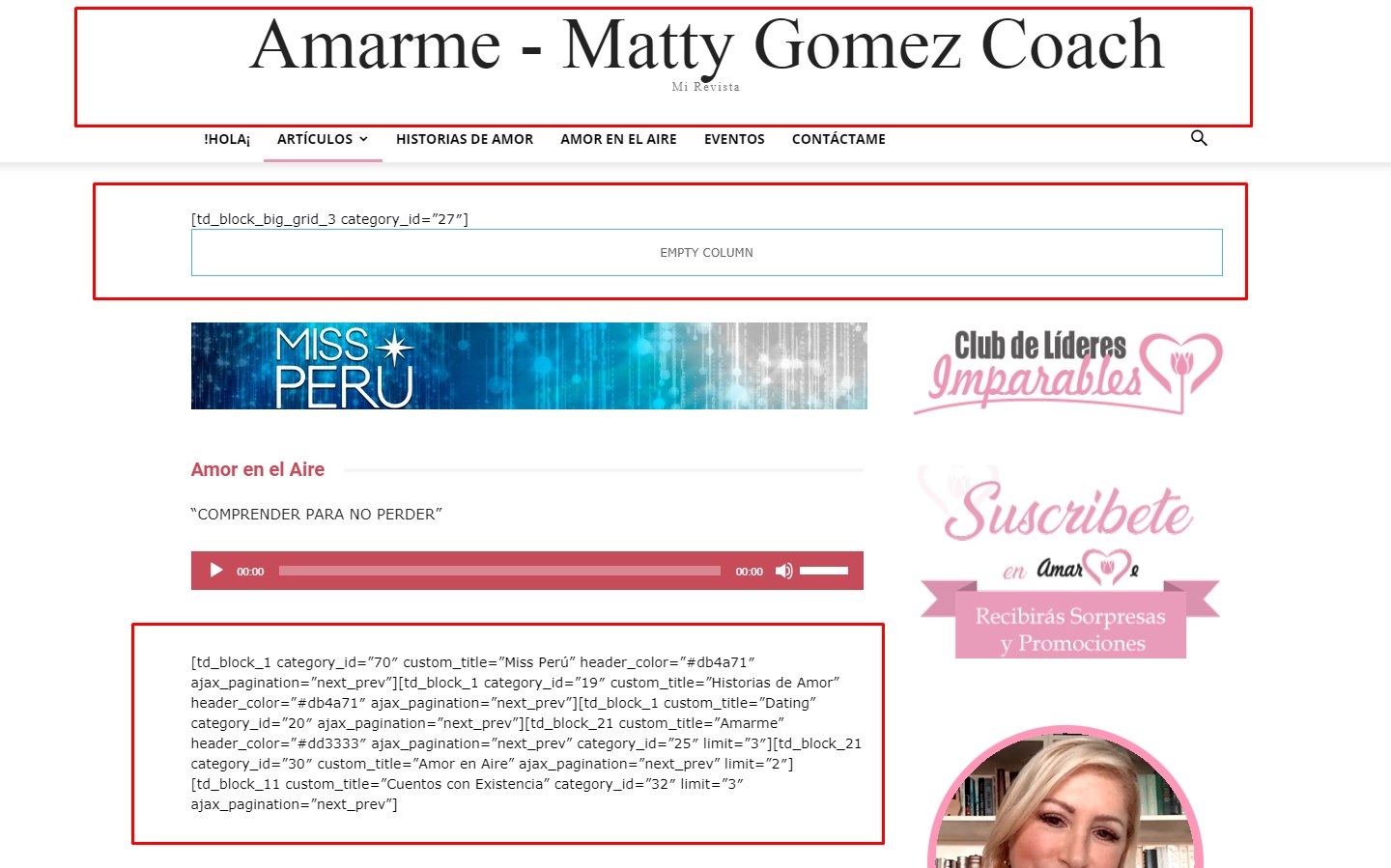
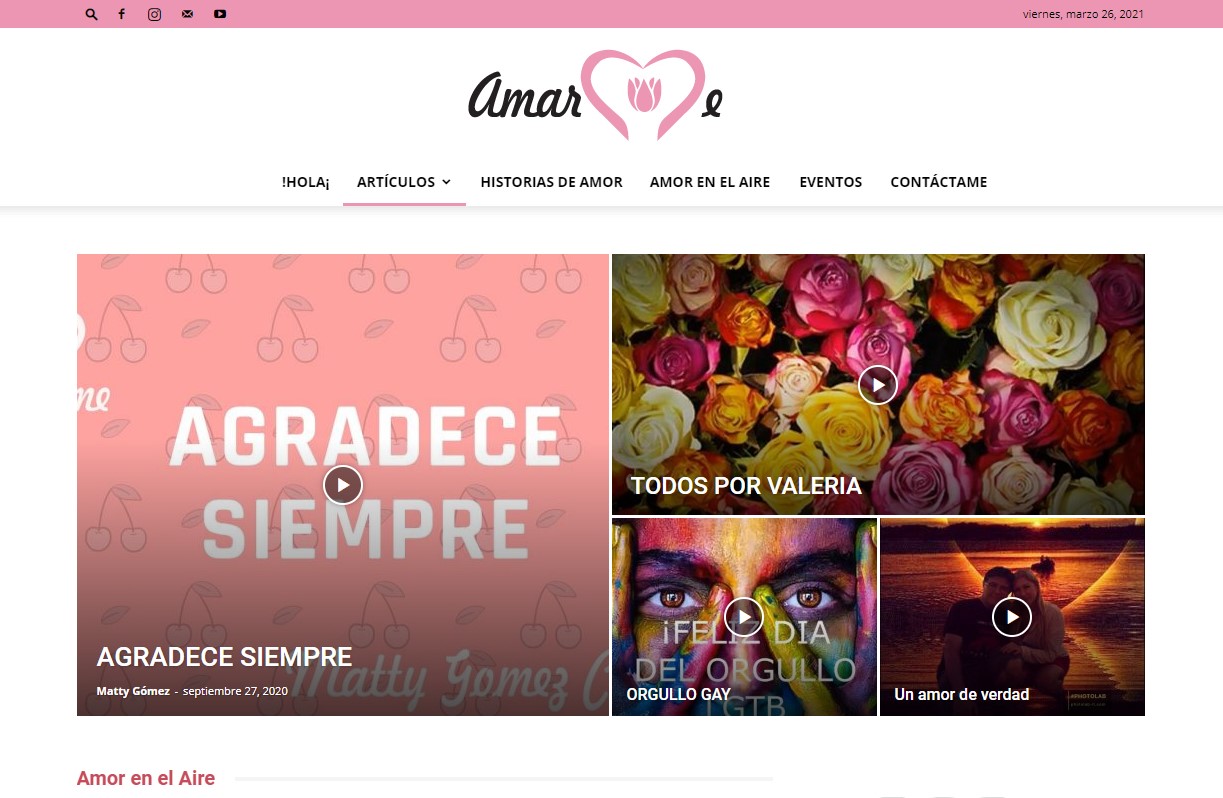
Good afternoon, please again I need help, my compositer was working fine and I updated the Newspaper to version 10.4 and now I get Oops … Error 404. and it comes out incomplete when disabling the plugins
Already disable the plugins causing error:
tagDiv Multi-Purpose
tagDiv Standard Pack
I hope your help
Greetings, Edgardo
https://amarme.pe/
http://amarme.pe/wp-content/uploads/2021/04/error-abril.jpg
so it was:
http://amarme.pe/wp-content/uploads/2021/04/Screenshot_1.jpg
 pavel@earnware.com
 This happened after the update, and what do logos have to do with thumbnail sizes?
 thinkdm2
After updating to the latest version of the theme, I noticed that the Title attributes on the sidebar image links were not populating. I confirmed that the input fields do have values in them.
The Title attribute is used in the CSS as a selector, so I need this to be addressed.
See “Product Updates” sidebar here: https://bottomline.thinkdm2.com/newsletter/
Thank you in advance.
 alec
alecHi,
Following our host having to redeploy and restore our sites from a backup I have noticed an issue across our websites with the Tagdiv editor.
Any changes made to current elements in the editor are not saved nor reflected on the live page, adding new elements just adds text e.g ‘row’ (highlighted below) instead of the block, and clicking on these doesn’t do anything so they are unable to be edited, saving the page does not update it and when refreshing the builder/edit page the new added elements are gone.
Do you know what might be causing this, or how to fix?

https://www.scottishgrocer.co.uk/ in example
 Bettina
 Hello!
First of all, please make sure you have a backup done and then you can update the theme and the TagDiv plugins also.
Please take a look for this advice before updating: https://forum.tagdiv.com/topic/action-required-please-read-how-to-update-to-the-newspaper-theme-v-10/
I recommend you to make a backup and update plugins and the theme via file transfer, so that you don’t face any error: https://forum.tagdiv.com/how-to-update-the-theme-2/
Thank you!
Bettina Hello!
It seems you modify the header and not the mobile page.
Please edit the mobile page with TagDiv Composer and then you will have the same settings as desktop version.
For more information, please check this article: https://tagdiv.com/newspaper-10-3-7-update-brings-customizable-and-fast-mobile-pages/
Hope that helps you!
Thank you!
 Jimmy_X
 It’s all set. That happened after I update to 10.4. Before works just fine.
Thank you.
 meri
meriHi,
In Theme panel > Mobile theme > Mobile settings, I changed “Mobile + AMP” to “Mobile”.
Since then, my traffic is at zero in Analytics, which makes no sense as I see 1000 clicks a day in GSC.
I’ve been looking everywhere in the theme but couldn’t find what the problem was.
I searched for “AMP Analytics” but this menu doesn’t seem to exist anymore since the last update. Maybe my AMP Analytics code is still in the code but I can’t access it anymore to remove it? Or maybe is it something else?
The website is http://www.coupdepoker.com
Could you kindly help?
Thanks
Bettina Hello!
Please re-install TagDiv Composer plugin, also make sure your WordPress and plugins are up to date.
Note that if you had an old version to your updates, then the theme update is not updating your plugins automatically.
Let us know about your results!
Thank you!
 travelingsession
The header menu on some of the pages isn’t displaying correctly. I think it was after the update to 10.4, but I can’t say for sure. It looks like for some reason on certain pages it isn’t using the theme css for the headers. The problem is random. I haven’t noticed it on any posts, but it shows up like that on all profile pages. It affects some category pages (https://travelingsession.com/category/festivals/) but not others (https://travelingsession.com/category/travel-tips/). I did notice on the category pages that were affected, the thumbnails weren’t showing for the posts. Any thoughts.
 Yuda
YudaHi Team,
I need the advice to update my theme to that latest version.
Currently on version 9.8
 thorayork
 UPDATE:What I mean is, the style of the buttons. Can it be done on default Home page (blog entries), or I need custom Home and Custom blog pages in order to be able to customize sidebar widgets? This part totally confuses me. Thank you!
 HIGHLIFE
 I can’t edit previous posts because they all look the same.
How can I get it changed back to the way it was before the newspaper update
 jacobevansj
Hey,
Thanks for the great article. I just updated to 10.4 but I see codes on all my homepage display. How can I revert to my default homepage theme or design? You check it out and see what am meaning.
The website in question is https://flashugnews.com/
pavel@earnware.comAll the websites that have Header Style 7 (at least 20), had this problem after the theme update. Even changed the logo to 272×90, to follow the same proportions and it.. still appeared wider than it’s original size. Try it on your end, with 2-3 menu items only to see what I mean, for the version 10.4 (some size: 211×80 pixels or a 383×90 pixels logo)
Please let me know if it is so, here’s one of the websites with the problematic logo https://freedomfalcon.com/ and this one https://constitutionsoldier.com/ (that uses a 272×90 logo, still wider than the original), and if you are about to launch a fix.
andrewbisharatA few headaches after the latest update for my site as well. The big issue is that my customers who are trying to buy a subscription get this endless spinning wheel when they try to check out. It never goes past the check out page. The other problem that I just noticed is that my site isn’t showing properly in Google Chrome.
Jimmy_XHello guys. I have updated Newspaper 10.4 on WordPress 5.7 and Social Media buttons doesn’t show on Newspaper Mobile version. Is just a blank space but if you touch that region links are active to social media. Never has that issue before.
Also, Instagram in footbar has’nt update for a while. Shows old posts. Acces Token is active and updated.
Thank you, I hope for fix(es).
 Beldar
Hi, I would like to know if there is a way to create a text box as a file and under it there are posts related to the main tag of the text box.
For example, if I talk about a movie or director in a movie news website, I could write his profile and under it I could update it with related news. Something similar to what I see in this web:
https://www.cinemascomics.com/peliculas/wonder-woman-1984/
Thanks.
Bettina Hello!
A responsive version of your website is looking similar like on desktop, then you need to deactivate Mobile Theme plugin, edit the page with TagDiv Composer, click on the mobile viewport: https://www.screencast.com/t/XDQJedlggSB ; there you can see your mobile version and you can edit the elements there.
Check and let me know if you use a mobile page assigned to your homepage. For more information about this mobile version please take a look in this article: https://tagdiv.com/newspaper-10-3-7-update-brings-customizable-and-fast-mobile-pages/
Hope that helps you!
Thank you!
 bogmart
 Hi again,
There must be a conflict somewhere.
I’ve checked everything that says here – https://yoast.com/help/my-seo-title-isnt-displayed-as-i-have-entered-it/
And still does not work.
I even deleted the plugin and when i installed it back had the old settings.
I cannot understand why in the plugin settings it shows something and in the source code does not update.
It is really frustrating and i need to update this as soon as possible and i can’t find any solution to this.
Waiting for an reply soon,
Thank you,
Bogdan