
- NewsmagHow to update a plugin
- NewsmagHow to update the theme
- NewsmagHow to update the WPBakery plugin
- NewsmagCategory templates
- NewsmagWhat’s included in Newsmag theme package
- NewsmagAjax view count
- NewsmagSmart Lists
- NewsmagFeatured images
- NewsmagFeatured image or video
- NewsmagModal window
- NewsmagtagDiv slider gallery
- NewsmagVideo playlist
 Anamaria
 Hello,
This problem can appear when is a plugin conflict. Please deactivate ALL plugins except tagDiv plugins (theme plugins), also if you are using child theme or cache plugin, deactivate them, clear all cache and try again.
Please check this guide to update the plugin => https://forum.tagdiv.com/newspaper-how-to-update-a-plugin/
The plugins are located in Newspaper-tf\plugins.
If this problem is not solved after that, then we need to take a look and see what happened there.
Please contact us via email at contact@tagdiv.com and provide the following:
– admin url and credentials
– a link to this topic in order to identify you
Our team will take a look!
Thank you!
Thank you!
 Jagan
JaganHi all
I have been trying to increase the WP Memory Limit but its not getting updated, I have increased it in the cpanel php settings and wp-config file. But nothing seems to work, the system status still shows 40M while I have upgraded it to 256M via settings. Please help.
 spurt
spurt Do I have Fitness Blog for free in my existing version of Newspaper theme? I have the latest update.
-
This reply was modified 5 years by
spurt.
 Calin
Calin Hi,
The tdb_header_search.php if is on a different line you can delete tagDiv Cloud Library and tagDiv Composer and reinstall them from Newspaper > plugins and it should be on the same line as for me, if not, search for the code line and add the aria-label attribute like this -> https://www.screencast.com/t/iyvML1u00
The line code for twitter background color is this one -> https://i.imgur.com/3ncfflE.png from wp-content/plugins/td-social-counter/shortcode/td_block_social_counter.php
Normal it should work for Newsletter, if you made the implementation in the same way as for the rest of Accessibility issues.
There will be soon a theme update that hope will fix those accessibility issues.
Thank you!
 Anonymous
 Hi, Calin!
I can’t use the Flex Block 1, for that to me accomplish the same design I’d have to put a lot o CSS fixes, and it would be a worse solution for my problem… I am bound to use the Flex Block 2, which doesn’t have the property to fix width and height.
I’ll wait and hope for the next update then…
And yes, 0.007 is not a lot, but is something, and if you add 0.007 here, 0.007 there, 0.01 somewhere else, it gives you a lot.
Right now, my CLS on mobile is 0.377 and and my CLS on desktop is 0.007. The desktop one is fine (not perfect) but the mobile is terrible..
 pyro2212
 They said there would be an big update in January but nothing came up in the end.
Calin Hi,
What you can try for the problem from that block is to use an flex element that has option for width and height and set some fix size normally this should improved the situation -> https://i.imgur.com/l6xP5pd.png also I do not think that 0.007 CLS from menu has a big impact, but I’m agree that is better if it can be remove.
Hope that the coming theme update to solved as many CLS problems.
Thank you!
Calin Hi marcorroma, unfortunately, for the moment we didn’t test the https://it.wordpress.org/plugins/advanced-post-queries/ with our theme, therefor we do not know if this is working correctly or not with our theme.
As for “Advanced Custom Fields” as I know is a plugin that require to add some extra parameters in theme files, as I know this is working with standard templates from our theme, but is a little complicate with cloud templates and one problem is when you update the theme, all the settings made in theme and plugin files will be lost if those files that were edited can not be set in the child theme.
Please take a look over the next useful guides from here -> https://forum.tagdiv.com/topic/add-additional-fields-to-posts-in-category-grid/ -> https://forum.tagdiv.com/topic/add-custom-field-to-post/ to know how you can configure your Advanced Custom Fields.
Thank you!
Calin Hi,
Normal if you have the latest theme (v10.3.9.1) and WordPress (v5.6) version then, on images should be add dimension by WordPress -> https://prnt.sc/y02uv9 -> https://wplift.com/cumulative-layout-shift-wordpress -> https://i.imgur.com/qHr0XUl.png also there will be soon a theme update that has the main goal to fix as many problems with CLS.
Thank you for your understanding!
 sanjeev
 Dear tagDiv Team,
Our Website is https://rashtrajyoti.in. The wordpress is of updated version 5.6 with a last theme version Newspaper 10.3.9.1. Recently we set up a woocommerce store on the same website with same newspaper theme. And we noticed that we had to install a plugin for every small thing that was required to set up this store and still it doesn’t function smoothly. Eg: I added a sidebar on rashtrajyoti.in/store(in draft right now) but after every small change in wp-admin or installation of a plugin the sidebar disappears from the store. We are facing more such issues.
Also tagDiv composer is not working properly. The new version of tdcomposer is not getting updated. We contacted you for the same issue before and we are yet to do implement the provided solution of manual updation.
I want to know if the theme is the problem in the store setup functionality or its the tdcomposer issue here?
Requesting you to kindly help me out on priority as the store is going to be LIVE asap. Can be available for Team Viewer Support too. Thanks.
Awaiting for your active and earliest response,
Neelam,
Theme User, Site Admin,
Team Sanjeev.
 AngelaJelita
Hi there,
Website: feedearthspirit.com
I’ve installed the Newspaper theme and have been trying to install/update the TagDiv plugins, but it keeps saying failed. I tried to then install each plugin manually, but even this doesn’t work. I’ve also tried to locate the plugins in the Newspaper zip theme folder, but I can’t locate them here.
 gabrod
How can I go about updating without losing the way it currently looks?
 pepperandplatinum
 Thank you Anamaria – It however did not work.
Everything is updated.
I deactivated all the plugins except TagDiv, purged cache.. nothing.
It just won’t let me edit the site when I select Edit with Tagdiv.
When I hover my mouse over the page that is loading, it knows the website is there.. but I cannot see it.
What it is doing currently:
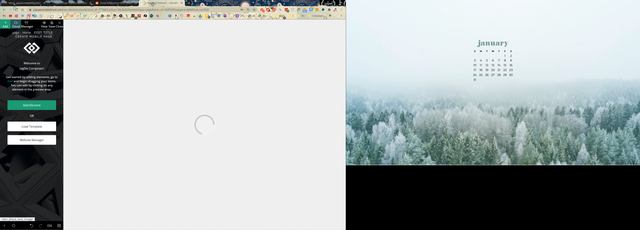
 its-rain-again
 Dear Anamaria,
Still working on it?
When will the update come?
Thanks,
S.
 Bettina
 Hello!
Please make sure you have all updates done.
Try on that pc to delete your cache and start looking for a plugin conflict.
Hope that helps you!
Thank you!
Bettina Hello!
Unfortunately, there is an issue with the version of WordPress for the moment, but we will solve this issue in the next updates.
Thank you for your understanding!
Anamaria Hi,
Please check if you use the last version WordPress 5.6 with a last theme version Newspaper 10.3.9.1 and check to see if the problem persists.
If you need to make an update, before please make a full backup to all files and the database, in case something goes wrong. => https://forum.tagdiv.com/how-to-update-the-theme-2/
Also, try to deactivate ALL plugins except tagDiv ones, too if you are using child theme or cache plugin, deactivate them, clear all cache and try again.
Let me know the results!
Thank you!
 RPFlu
RPFluOn my computer, I no longer see the Editor Admin button (no longer access to Visual Composer) and some buttons (like Add media) are no longer active.
I have this problem on my computer, in all of my browsers.
I was able to try on another computer and everything is normal …
It must be from an update or setting on my computer (Dell) but I can’t find what it is.
Anyone have an idea or a solution?
 juler1
Hi, I am creating my first blog post and have downloaded a cloud template. The ‘single post content’ element within the template does not let me update the text or images within tagDiv? Do I have to go out of tagDiv into WordPress to edit the text and images? The instructions are not to mix editing in tagDiv and wordpress? Please advise.
Anamaria Hello,
Unfortunately, for the moment the settings from the theme panel do not cover the flex elements and cloud templates, but you can use the website manager to see if you have set different fonts on-page or cloud template https://www.screencast.com/t/Yf961QuIqvr also is possible that incoming update to add more options, unfortunately, I do not know if this will be one of theme or not.
Thank you!
Anamaria Hi,
The issue can be from a plugin conflict, that’s why, please deactivate ALL plugins except tagDiv ones, also if you are using child theme or cache plugin, deactivate them, clear all cache and try again.
Also, please check if you use the last version WordPress 5.6 with a last theme version Newspaper 10.3.9.1(if you have a theme version older, than NewsPaper 10.3.9 and you have the latest WP version 5.6, tagDiv Composer not work)
If you need to make an update, before please make a full backup to all files and the database, in case something goes wrong. => https://forum.tagdiv.com/how-to-update-the-theme-2/
Hope this helps you!
Thank you!
Bettina Hello!
Please update our theme and plugins also:
https://forum.tagdiv.com/how-to-update-the-theme-2/
I recommend you to update the theme via file transfer, so that you don’t face any error.
Thank you!
 JessiLynn76
Hello everyone,
I have had this issue for quite some time and I never got it resolved, now that I am starting to use my website again I would like to have help removed the section above my footer with all the broken Instagram images. Can anyone please assist, I have an extremely important article I need to post up today and want my website to not look sloppy with broken areas. I have tried to go into the divtag section and remove the box but it doesn’t even show me any options for it. Website is fully updated which is what I was told by support last time. Thanks in advance!
The website is http://www.livemusicfavorites.com
 AhoraRoma
 Thanks for the answer!! Theme is updated to 4.9.6, plugins are off and i have try the jquery migrate but still the link to the ticker doesnt work as you can check at ahoraroma.com
 nigel_eccleston
Our site https://theprint.in/ get really slow (both frontend and CMS) after the latest theme update Version from 9.7.2 to 10.3.9.1. Note that we use git for version control and update the theme code updates through it. Saving and updaing of posts is the slowest



