- NewsmagHow to update a plugin
- NewspaperHow to update a plugin
- NewsmagHow to update the theme
- NewsmagHow to update the WPBakery plugin
- NewspaperHow to update the WPBakery Page Builder plugin
- NewspaperHow to Update the Newspaper Theme
- Apitd_api_top_bar_template::update_key
- Apitd_api_top_bar_template::update
- Apitd_api_single_template::update_key
- Apitd_api_single_template::update
- Apitd_api_footer_template::update_key
- Apitd_api_footer_template::update
- Apitd_api_smart_list::update_key
- Apitd_api_smart_list::update
- Apitd_api_thumb::update_key
- Apitd_api_thumb::update
- Apitd_api_category_top_posts_style::update_key
- Apitd_api_category_top_posts_style::update
- Apitd_api_category_template::update_key
- Apitd_api_category_template::update
 Calin
Calin Hi,
We’re planning to release a theme update soon. The update for Newspaper is scheduled for the beginning of May, and after that, we will prepare an update for Newsamg.
Thank you.
 Rafael-13
Hello, my anti malvare plugin says that there is a vunlerability in wp-content/plugins/td-composer/css-live/includes/td_live_css_ajax.php
I updated it to the newest version 5.4.4, but it shows, that the vunlerability is still there… When would this be fixed?
Best regards,
Rafał.
 CircuitM
Very similar to this post https://forum.tagdiv.com/topic/tagdiv-composer-wont-work-and-cant-update-theme/ . Tried to reset the theme, purchased a new license but the theme won’t activate. This is the error: An issue has been encountered while trying to validate your license key.
How can this be resolved?
 nycinsider
My site is abysmally slow – but I’d like to work on the actual issues before I add a caching plugin. I’ve come across many speed articles and supposed Newspaper Optimization – but I can’t figure out what is current, or where any of things mentioned are.
https://tagdiv.com/newspaper-theme-unveils-comprehensive-update-v-12-6-what-you-need-to-know/
Performance Optimization
Among the most anticipated features are options to minify and aggregate inline CSS of blocks, accessible directly from the Theme Panel. Additionally, you can now hide the mobile menu and mobile search functions, offering a cleaner user experience on mobile devices.
The Newspaper Theme has leveled up its performance by optimizing the Theme Panel’s color settings through CSS variables. Moreover, JavaScript files will only be loaded when they are needed, which should noticeably improve the website’s speed.
What are the instructions for this? I have no clue where to click or what to do – AI lies constantly and makes things up. What is a step by step guide to gain the advantages claimed above?
https://tagdiv.com/how-to-increase-page-loading-speed/ – is this still accurate?
I’d love an updated step by step list on how to speed up newspaper before I add a plugin to do so.
Calin Hi,
Before making any changes, please ensure you create a full backup of your website.
Important notice: If you choose to install a pre-built website with demo content and then edit and use it as your own, please be aware that switching or uninstalling the pre-built website will remove that content.
Therefore, if you are using pages, categories, or articles from the default demo and want to keep them, you will need to either duplicate them or update their slugs before making any changes.
Installing pre-built websites: https://forum.tagdiv.com/newsmag-installing-demos/
Thank you!
Calin Hi,
I see that you no longer have the coming soon mode and that the prebuilt website installed is Pulses Pro (this demo), so the solutions are exactly those I mentioned above. The best solution will be using the first method:
1. To use the option for a unique article on the homepage using wordpress editor – https://prnt.sc/MWs2ytZHk8kB scroll to the bottom, there under the Page Template Settings, open the Unique articles tab and enable it https://prnt.sc/SKjrD-FGiIOQ. After that, save/update the page and the results will be different articles in each block – https://prnt.sc/nznA2bCFFH6g
Calin Hi newsru, is it possible to have an extra plugin or something that is interfering. Here is how you can do, enabled the debug https://developer.wordpress.org/advanced-administration/debug/debug-wordpress/, after that disable all plugins except the theme plugins and and in case you are using a child theme, disable lit and set the main theme, after that update the php version and see if the site is crashing, if no, start enable the plugins one by one and check after each plugin to see if the site crash until you discovered de plugin that is creating the problem.
 EWP
EWP UPDATE — April 25, 2026
Significant new findings after deeper DOM inspection. The block is no longer empty, but articles are rendered offscreen.
What changed since my last report:
Yesterday: the block container appeared completely empty — no child modules in the DOM.
Today (verified via browser DevTools): the container #tdi_96 now contains 5 .td_module_flex elements with correct titles, dates, categories, and links pointing to the right posts.
However, the articles are rendered at top: -4729px on the public frontend — far outside the viewport, which is why they remain invisible to users despite being present in the DOM.
Detailed observations from the frontend (incognito, logged out):
Articles ARE in the DOM: confirmed via document.querySelectorAll(‘#tdi_96 .td_module_flex’) returning 5 elements with valid content.
Articles positioned offscreen: getBoundingClientRect() returns top: -4729, left: 20 for the first article. Parent #tdi_96 itself sits at normal page position with height: 234px.
Computed CSS does not explain the offset: position: relative, top: 0px, marginTop: 0px, transform: none, translate: none, inset: 0px — no positioning rule should push the elements offscreen.
No transform on any ancestor: walked up the DOM from .td_module_flex to #tdi_96 — no element has a transform or non-default position.
In tagDiv Composer editor, the block displays correctly — all 5 articles visible with normal layout. The issue manifests only on the public frontend rendering.
Block class on frontend: td_block_inner td-mc1-wrap with el_class=”td-week-slider” set in shortcode.
Image container has display: none (intentional — image_floated=”hidden” in config).
Editor still throws 8x “model does not match content” errors when opening the Homepage in tdc. These persist from yesterday and have not cleared.
Hypothesis:
The block appears to enter a ticker/slider rendering mode on the frontend (consistent with the td-week-slider class), where articles are positioned offscreen waiting for a JS animation that never executes. The editor renders the block correctly because it bypasses this ticker behavior, but the frontend runtime applies it and fails. This may be linked to the persistent “model does not match content” errors.
Concrete questions:
(a) How can I force this block to render as a standard vertical flex list (no ticker behavior) without entering Composer to edit it (since opening the Homepage in tdc shows the model errors)?
(b) Is there a way to clear the model-content mismatch from the database directly (wp_options, wp_postmeta) without going through the editor?
(c) Does the td-week-slider el_class trigger specific JS that could fail silently and leave articles parked offscreen?
I can provide additional diagnostic output from DevTools console if helpful.
 newsru
 Hi,
I have the issue – when trying to update to 8.3, the website crashes completely.
Any way to debug it?
Thank you,
Al
Calin Hi,
This will indicate that it is to be made on a staging, not directly on the live site.
First, make sure that all theme plugins that you have installed and activated on Newspaper 7.5 will also be updated and used on Newsapper 12.7.5, as this will be a big update for you. In Newsapper 12 under Newsapper > plugins, you’ll see an extra plugin that was not there before. This is the tagDiv Standard Pack plugin. In your case, you’ll need to install and activate that plugin to bring back the old templates for your website.
I hope this will help you!
 laurentiu.stefan
Hi.
I have a website whith 7.5 version and I want to update to the latest version (I have buyed the lates version too).
Any help?
 cybermikan
 Hello
It happened again after theme update. Plugin is up to date also.
Calin Hi,
I see, this is a problem with the current option for Accessibility (Keyboard + Skip link + Search dialog), this was resolved in the theme package for the next theme update, until then please disable the option from the theme panel – https://prnt.sc/D8vF2-wxI8ph
Thank you!
Calin Hi,
Unfortunately, those edits must be changed in the theme plugin file and should be done after each theme update because that thumbnail size doesn’t exist. To edit it you need to edit the file wp-content/plugins/td-composer/legacy/Newspaper/includes/td_config.php, look for the td_api_thumb::add(‘td_300x0’, https://prnt.sc/KNli1gH4SIx1 code line around 1491 and change the width from 300 to 400. After that, you need to set the thumb on the blocks small – https://prnt.sc/A-XkfODxUiLO and use a regenerate plugin to regenerate the thumbs.
I hope thsi will help you!
Calin Hi,
I will recommend making a full backup and updating the theme to version 12.7.5 and see if after that the situation still persists or it is resolved.
How to Update the Newspaper Theme: https://forum.tagdiv.com/how-to-update-the-theme-2/
Let me know the results!
 shivanaresh
Dear TagDiv Support Team,
I hope you are doing well.
I would like to request a small change regarding my Newspaper Theme license activation. Currently, the license is activated on http://www.zyqorr.com, but for security and configuration purposes, I need it to be activated on the root domain zyqorr.com instead.
Could you please:
– Deactivate the license from http://www.zyqorr.com, and
– Activate it on zyqorr.com
This adjustment is important for my website’s setup and SSL configuration.
Please let me know once the update is completed or if you need any additional information from my side.
Thank you for your support.
Calin Hi,
This issue can have several causes, one of the most common being a plugin conflict. If any plugins were recently updated, they may no longer be fully compatible with the theme.
I recommend disabling all plugins except the tagDiv ones, then re-saving the permalinks. After that, check if the issue still persists.
Thank you!
 Scott-Pike
my emails to contact@tagdiv.com bounce back.
Please fix my home page code on whitecounty.com
I can’t save since theme update.
Calin Hi,
I’m not sure I fully understand your setup, but category templates can only be assigned to categories. For pages, you should create them using tagDiv Composer, either build one from scratch or import a pre-made layout and customize it as needed. Once you have a page you like, you can duplicate it and simply update the content to create new pages while keeping the same structure.
Also, based on your screenshot, it looks like you’ve created mobile templates for categories and are using a plugin to assign them. However, for pages, you haven’t selected a mobile version, so the responsive design is being used instead.
Mobile pages/templates should only be used if you want a different layout or content on mobile compared to desktop. Otherwise, the default responsive version is sufficient, and you don’t need a separate mobile page/template.
Thank you!
 ilisakpop99
 Hi,
I’m experiencing a similar issue related to the sticky functionality, but specifically with the Sticky Offset not working correctly.
I’m using the Newspaper theme with TagDiv Composer and have a sticky column (Table of Contents) in my single post layout.
Here’s the problem:
* The sticky feature itself is working (the column sticks while scrolling)
* However, the Sticky Offset value is ignored
* My header is fixed, and it overlaps the top part of the sticky column
So even though I set an offset (e.g., 120px), the sticky element does not respect that space, and part of the content is hidden behind the header.
It seems like the sticky behavior is not properly calculating the offset when a fixed header is present.
Is this a known issue after recent updates?
Is there an official fix or recommended workaround for this?
Thanks!
 luciamyv
Something is happening with my website—the mobile version is showing as the desktop version.
My theme and plugins are up to date.
What’s going on? It started happening out of the blue. My PHP version is 8.3.
website: https://tanpolitica.com/
screenshots:
1- http://tanpolitica.com/wp-content/uploads/2026/04/2026-abril-14-13168-Updates-TanPolitica-—-Word_-https___tanpolitica.com_wp-admin_admin.php_-scaled.png
2- http://tanpolitica.com/wp-content/uploads/2026/04/2026-abril-14-13169-Theme-panel-TanPolitica-—-_-https___tanpolitica.com_wp-admin_admin.php_-scaled.png
3- http://tanpolitica.com/wp-content/uploads/2026/04/Captura-de-Pantalla-2026-04-14-a-las-15.44.22-scaled.png
Can you help me?
Calin Hi,
I just checked teh website, and it appears that the sticky header is only on mobile, so I checked with the Wayback Machine to see how it was before the update https://prnt.sc/iT5WXE67POYX, and it was exactly as it is now, only for mobile https://web.archive.org/web/20260212122551/https://www.electronicsforu.com/, so this is not a theme update-related.
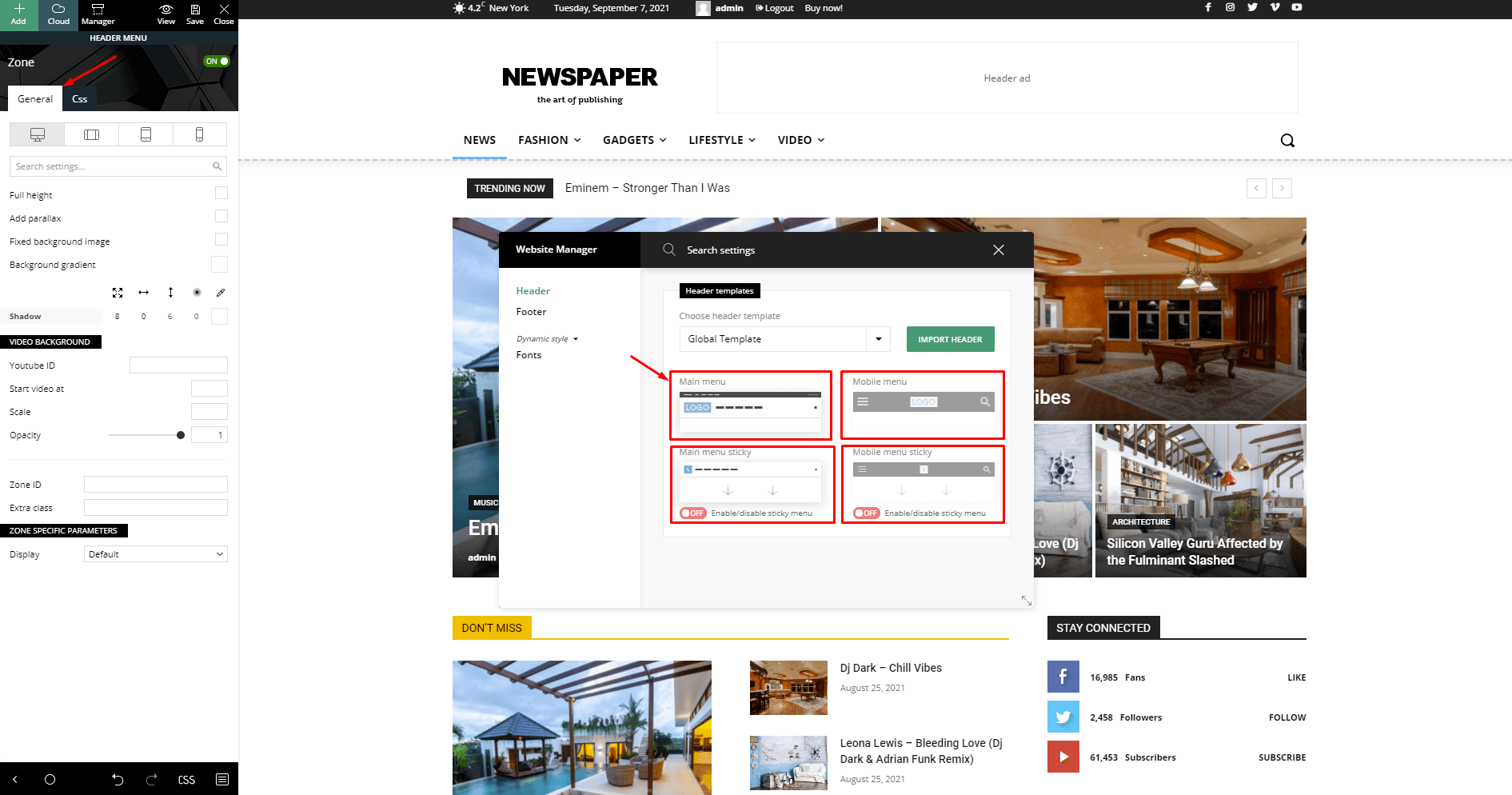
Please check our documentation for how to enable the sticky header https://forum.tagdiv.com/header-manager/ – https://forum.tagdiv.com/wp-content/uploads/2019/07/Header-Main-Menu.png
 chromosome6
After updating my theme, the titles in my header sections (e.g., “Children”, “Students”, etc.) have shifted upward from their original position. Previously, they were aligned toward the bottom of the image boxes, but now they appear higher.
Could you please advise how to restore their original bottom alignment? I have attached screenshots for reference.
Thanks in advance for your help
https://chromosomevi.com/
 PolishExpress
 Thanks for your previous reply.
Before I make any direct edits to the theme files, I would like to confirm one thing with you.
Newspaper appears to generate its own <title> tag even though WordPress already handles the document title via add_theme_support( ‘title-tag’ ) and Yoast SEO also outputs its own <title>. This results in duplicate title tags.
I found that Newspaper provides a filter to disable the theme-generated title tag:
php
add_filter( ‘td_wp_booster_disable_title_tag’, ‘__return_true’ );
Can you please confirm that this is the correct and recommended way to disable the theme’s <title> output when using Yoast SEO?
This approach would allow me to avoid editing core theme files and keep the setup update‑safe.
Thanks in advance!
 Atithya
Hi, I have recently updated newspaper theme and after the update the sticky menu is showing empty column instead of showing sticky menu with small logo and menu. Can we bring back the same menu?
screenshot: https://drive.google.com/file/d/1hNZB-RQW3mJthFj73edem2riiJjqJCQU/view?usp=sharing