
- NewsmagHow to update a plugin
- NewspaperHow to update a plugin
- NewsmagHow to update the theme
- NewsmagHow to update the WPBakery plugin
- NewspaperHow to update the WPBakery Page Builder plugin
- NewspaperHow to Update the Newspaper Theme
- Apitd_api_top_bar_template::update_key
- Apitd_api_top_bar_template::update
- Apitd_api_single_template::update_key
- Apitd_api_single_template::update
- Apitd_api_footer_template::update_key
- Apitd_api_footer_template::update
- Apitd_api_smart_list::update_key
- Apitd_api_smart_list::update
- Apitd_api_thumb::update_key
- Apitd_api_thumb::update
- Apitd_api_category_top_posts_style::update_key
- Apitd_api_category_top_posts_style::update
- Apitd_api_category_template::update_key
- Apitd_api_category_template::update
 muhammadlo
Hi I getting this error
Fatal error: Class 'AMP_Theme_Support' not found in /home/xxx/public_html/wp-content/plugins/td-mobile-plugin/td_mobile_theme.php on line 91
im using other amp plugin, ampforwp, in previous newspaper version i didnt get any problem but this new update i have this problem, please let me know how to fix it.
thanks
 Siddhartha Mukherjee
 Hi!
Regrettably, that didn’t solve the issue of blurry images. However, thank you so much for your valuable time. I really don’t want to keep you occupied with this. Perhaps its a plugin conflict, the editor itself or some other issue that may later rectify itself or with a WordPress update. So will use full-width as the images appear as of now.
Thank you again!
 Calin
Calin Hi,
Both way are good, but we recommend to be made via FTP because in this way you need to remove the old theme and set the new one (always make firs a backup to the theme first).
After theme update please check the theme plugins to be updated and activate in specially tagDiv Composer and tagDiv Cloud Library if you are using elements from cloud -> https://www.screencast.com/t/aNq9x55w
Thank you!
Calin Hi @michaelp,
If you are using our templates from tagDiv Cloud Library this will be the results
-> http://prntscr.com/n113s7
-> https://www.screencast.com/t/anUUDgw9
If you do not want to use this you can use the guides from those topics:
-> https://forum.tagdiv.com/topic/how-to-make-this/
-> https://www.techprevue.com/show-last-updated-modified-date-newspaper-theme/
Thank you!
 Simion C.
 On AMP pages this code will load – http://prntscr.com/n10gt1
On desktop and mobile theme this one – http://prntscr.com/n10h30
If you want a separate analytics code just for the mobile theme, you could enter it in the mobile theme files directly, but the one from desktop will still load (could be removed with a modification if needed). But this will have to be all redone after a theme update when the mobile theme files will be replaced.
This would be all there is to it.
 yvrmark
 Hi Calin
This is how I have updated the theme installing (using the WordPress method). I have been using this method for updating since I purchased the theme with all kinds of updates over the years without problem. If WordPress update method is an option why do you recommend FTP? Thanks.
Mark
Calin Hi,
Unfortunately for the moment those are the only customization for mobile menu, sorry! we hope that in coming updates to implement some more options, to can customize some more parts of mobile.
Thank you for your understanding!
Calin Hi,
Using a single post template from tagDiv Cloud Library will be the easiest way; if you do not want to use this you can use the guides from those topics:
-> https://forum.tagdiv.com/topic/how-to-make-this/
-> https://www.techprevue.com/show-last-updated-modified-date-newspaper-theme/
Thank you!
 Arlink
 Now I noticed that if every post (and I have them on page 1017) refreshes by clicking on update, then the icons appear …
 aloysiuspattath
Guys,
We are really not satisfied with the current AMP setup. The Old AMP Plugin was nice, But we ub=nderstand the issues of the future support of that plugin. The new mobile theme does lack many features like auto post loading, etc.. and most of don’t use mobile theme plugin. AMP without mobile theme plugin is just the ordinary WordPress AMP plugin. So, It will be great if you guys can create an Updated AMP Plugin or an AMP integration with the theme. Your theme competitors are likely to have their AMP setup working. And if possible please optimize the theme like fewer requests, less page size.
We always love Newspaper Theme ❤
 rmeijden
 Hi Michael,
I’m quite busy here so as soon as I have the time I will write everything in detail (but you can see the thread telling which files on the theme to edit and how here: https://wordpress.org/support/topic/jason-ld-vs-inline-micro-data-again/#post-11270557 ).
About google not showing the last updated date, what the developer of the plugin was:
“Newspapaer theme by default uses Article type schema and datePublished is a mandatory property of Article Schema. So I told you to edit your theme file and disable those markups and you successfully did it. Now please wait upto 7 days as Google will fetch the new schema info very soon and it may take some time to show last modified date in SERPs. ”
But keep in mind that I am editing my texts directly on wordpress. So I know it’ll work there, just not sure about posts/pages built with plugins.
 Umashankar Thakur
Hello Sir,
I’m still using older version of newspaper theme (v9.5) with old amp plugin that comes with the theme.
I have tested your latest version theme on localhost. and I have few concern.
1. if i will update my theme to latest version and if i follow your amp tutorial (mobile theme + amp plugin).
my url amp will change from https://website.com/post-url/amp/ to https://website.com/post-url/?amp
so my Question is, will it hurt my SEO? (that i am already ranking for)
2. smart list is not working fine with mobile theme, as it supposed to work.
if i goes to smart list post on mobile, Text before list start always remains on top on every page.
see this = http://bit.ly/2ukZNxa
with amp page everything looks fine. see this http://bit.ly/2Ok7Ymd
3. on amp pages Comment field name is not showing up, how will people understand where to fill what.
see this = http://bit.ly/2JDy19E
overwise your product is unbeatable. I hope you will understand my broken bad English. Have a nice day
 michaelp
 Hi Calin,
Thank you for your reply.
I don’t think we understand each other.
I have set the blocks to show modified date and it’s working fine. No problem with that.
I have also set the single post template to show modified date after reading this tutorial: http://www.techbuzz.in/tagdiv-newspaper-theme-last-updated-modified-time.php
So, my posts are showing the modified date instead of publishing date.
The problem is that the:
<meta property=”article:published_time” content=”2019-03-04T16:26:51+00:00″ />
Is still visible in the post’s code.
And even though after using the WP Last Modified plug-in I also get this code on the same post:
<meta property=”article:modified_time” content=”2019-03-06T19:26:04+00:00″ />
Google won’t show the modified date on the SERP’s as long as the published_time/date is present in the post’s code.
The whole point of doing so is to increase CTR to the post by adding the “FRESHNESS” element to the post and show more up to date dates.
I don’t understand why your team can’t implement this somewhat simple feature that is available in a lot of other themes that don’t come close to the “Newspaper” quality.
I really want to understand.
Thanks again.
 Catalin
 Hi,
Yes, it seems to be a minor bug in our theme. On the mobile, if you do not have any subcategories, then, all of these will be displayed. Sorry for the inconveniences. I have added to our list of improvements and we hope to fix it in near future updates. If you want to delete them, you can check the following topic from here -> https://forum.tagdiv.com/topic/how-delete-the-categories-list-in-mobile-theme/
Thanks for your understanding!
Calin Hi,
The modified date is a new option in latest them version that allow you to display each date you want on blocks, you can use this option, or use the old one with publish date.
Please check the settings from theme panel -> https://www.screencast.com/t/H7CFzAKVw7 set the option with tagDiv Composer-> https://www.screencast.com/t/OAoAK9oUu make update on post -> https://www.screencast.com/t/vcQoLkQByxc now check the date of that post -> https://www.screencast.com/t/sKbLrp1jz also you can can sort after modified date -> https://www.screencast.com/t/VSePr63B
Also the modified date on post can be set with tagDiv Composer on single post template -> https://www.screencast.com/t/eYkeLqbCqV -> https://www.screencast.com/t/3qCSo9Nxtt
Hope this will help you!
Thanks.
 Kiran
Kiran Thanks everyone for your inputs. Yes, it’s working now for the new pages. The problem was due to a incompatible plugin.
Catalin, I still have issue with old pages such as this one. Not sure what’s going on.
https://www.fosslinux.com/4240/how-to-update-manjaro-using-command-line-in-the-terminal.htm
Calin Hi,
Please make sure that you are using the plugins that came with the Newspaper version that you have install.
Also please make sure that you have the last version of theme, before to make the update please make sure that you make a full backup to your website.
Please follow our documentation for How to Update the Newspaper Theme for WordPress -> https://tagdiv.com/update-newspaper-theme/
After theme update please check the theme plugins to be updated and activate in specially tagDiv Composer and tagDiv Cloud Library if you are using elements from cloud -> https://www.screencast.com/t/aNq9x55w
Thank you!
Simion C. Hi,
You could do something like this – http://prntscr.com/n0vtc4
Enter this one in the Advanced CSS in the desktop field, in the desktop field
.td-header-style-1 .td-header-sp-logo img {

max-width: none;

}
You could also check out the header builder, now you can design your header in the composer
– https://tagdiv.com/whats-new-in-newspaper-theme-9-5-update/
– https://tagdiv.com/newspaper-theme-customize-the-header-manager/
There are headers designed by us in the cloud templates section, these can be imported (and modified if needed) with the cloud library plugin
– http://prntscr.com/n0vylc
Thanks
Simion C. Looks alright now – http://prntscr.com/n0vmca – http://prntscr.com/n0vmi4
AMP is valid – http://prntscr.com/n0vmt6
Some of the issues that happened in 9.6 were fixed in the 9.6.1 update, looks alright from what I can see.
Calin Hi,
Please make sure that you do not have a plugin conflict, please deactivate all non theme plugins, also if you are using child theme or cache plugin, please deactivate them, clear all cache and try again.
Also please make sure that you have the last version of theme, before to make the update please make sure that you make a full backup to your website.
Please follow our documentation for How to Update the Newspaper Theme for WordPress -> https://tagdiv.com/update-newspaper-theme/
After theme update please check the theme plugins to be updated and activate in specially tagDiv Composer and tagDiv Cloud Library if you are using elements from cloud -> https://www.screencast.com/t/aNq9x55w
Thank you!
Catalin Hi,
If you want to update your theme, we recommend to do it manually, according to our documentation from here -> https://forum.tagdiv.com/install-via-ftp/ via FTP way. This is the most healthy and safe method. You need to download the latest theme packet from your Theme Forest account and then, follow the steps from the documentation.
Thank you!
 ethosmedia.eu
Hello,
After update to 9.6.1, I lost the categories tabs on top of all my news sections in homepage. It works well on my stage, but not on live.
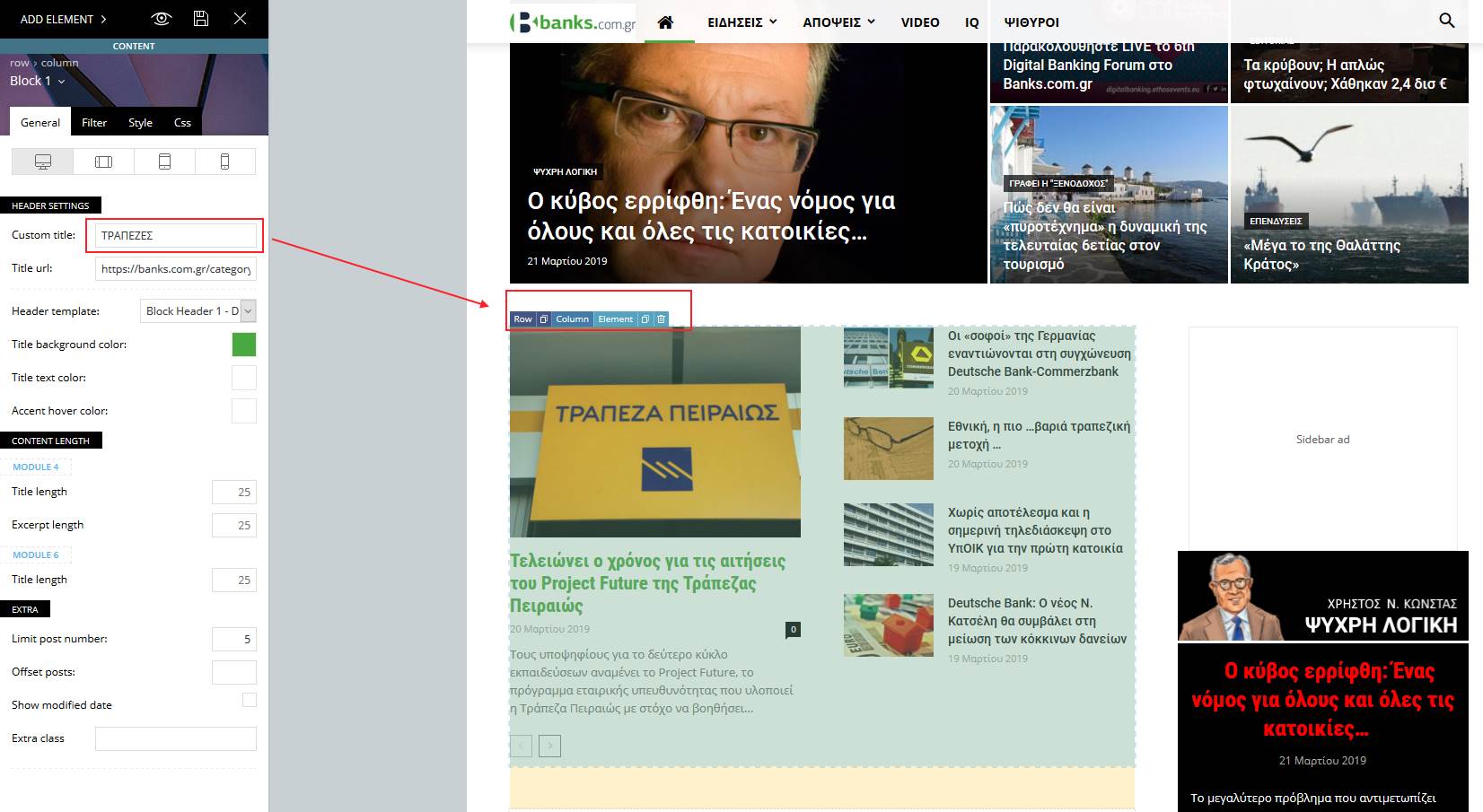
 Demir
DemirHello,
I am using the update date with Newspaper 9.6. I have activated the “Show update date” setting in all blocks. However, the date on the article page still appears as the publication date, as shown in this link. What should I do to show the update date instead of the publication date on the article page?
Note: I don’t use any templates for article pages.
Thanks in advance for your interest and help.
Calin Hi,
Please make sure that you follow the update of theme like in our documentation -> https://forum.tagdiv.com/how-to-update-the-theme-2/
Install via FTP – https://forum.tagdiv.com/install-via-ftp/
Install via WordPress – https://forum.tagdiv.com/install-via-wordpress/.
How to Update the Newspaper Theme for WordPress – https://tagdiv.com/update-newspaper-theme/
If you have child theme please deactivate it until you update/install the theme.
We recommend to be made via FTP.
Thank you!
Calin Hi,
Unfortunately the child theme will not work for mobile theme plugin, the child is working only for theme, sorry.
For the moment there are not so many options for customize the mobile theme -> https://www.screencast.com/t/YuiOASFbul7 but I think that in coming updates this will be possible.
For the moment the only option to customize the mobile theme is to make the checks in mobile files
Thank you!
