- NewsmagHow to update a plugin
- NewsmagHow to update the theme
- NewsmagHow to update the WPBakery plugin
- NewsmagCategory templates
- NewsmagWhat’s included in Newsmag theme package
- NewsmagAjax view count
- NewsmagSmart Lists
- NewsmagFeatured images
- NewsmagFeatured image or video
- NewsmagModal window
- NewsmagtagDiv slider gallery
- NewsmagVideo playlist
 Fabrizio Azzali
 After i updated the theme to last version i see in comment form this line with a check box: “Save my name, email, and website in this browser for the next time I comment.”
Before update the line was not here
But:
– The checkbox do not blok any request also if is not checked
– I alwyas have a solution for comment gdpr
The result is that i have a double check box.
What i need is to block the new code you have added.
Thanks
 mayuxi
 Hi! I’ve got 245+ errors same type “The inline ‘style’ attribute is not allowed in AMP documents. Use ‘style amp-custom’ tag instead” after update to 8.7.5 and switching from WordPress AMP plugin to TagDiv AMP 1.2
Examples: https://magazeta.com/2010/02/lingqi/amp/
https://magazeta.com/2016/02/medicine-archive/amp/
I’m using latest plugin (1.2) available. HOw can I fix it?
 Amit
Amit Hello @ahujasahil
In recent update, tagDiv team has included Multi-Purpose plugin in the tagDiv Composer plugin. There is no need to install the Multi-Purpose plugin now, as all the functionality was moved in tagDiv Composer.
Uninstall td-multi-purpose plugin and keep td-composer plugin active.
Hope this will help you.
Thank you for your understanding.
 arvidbux
Hi there,
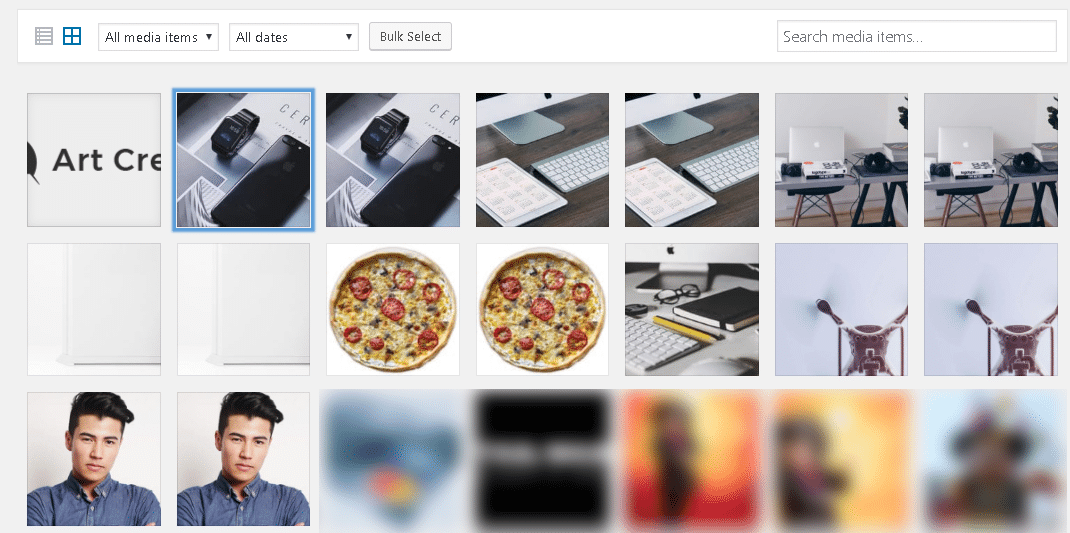
for some strange reason since the most recent update, Art Creek Demo image files keep on showing up in the gallery. I deleted them from within WordPress and using FTP, but each time they return.
You can see the images here: https://www.traveltothemagic.net/wp-content/uploads/2018/05/2018-05-26_8-59-25.png
I was able to relate it back to the Newspaper Theme and Demo.
Why are these files being (re)loaded? Not using the demo.
Thanks,
Arvid
 apnaepaper
Hey we are using newspaper theme but suddenly website home page is down without any update
have a look at that website : http://www.apnaepaper.com/
 CollectiveM
 My wordpress was not updated with the new privacy link.
Updated it and reinstalled and everything is now a-okay!
 Zeref28
Hi,
I updated the theme to the latest version but I get the following error when I try to install tagdiv composer plugin from the theme options.
Unpacking the package…
Installing the plugin…
Destination folder already exists. /home/sharelif/public_html/wp-content/plugins/td-composer/
Plugin installation failed.
The plugin does not have a valid header.
My front page is messed up. The columns and rows are not as they should be.
 krysteleal
 I have the theme and plugin on all last versions, all update! 😉
 jmccarroll
 I am getting this same error. I deleted everything in my child theme and uploaded the base child theme that comes in the download package and still got the same error. I don’t have any Woocommerce overrides in my child theme, so I wasn’t sure why that would be an issue in the first place. The file referenced is from the base Newspaper theme, which is out of date for the current Woocommerce version.
I also tested this by using just the Newspaper theme on a staging site along with Woocommerce. I looked at the changelog and noticed the Woocommerce files were not updated in the latest version.
Woocommerce had a recent update. Please provide a patch to the theme with an updated Woocommerce file.
 ahujasahil
Hi Team
I just updated my theme and td-multi-purpose plugin, I am getting a fatal error for TD-MP plugin and can’t activate it.
everything else seems ok for the time being.
Here is detailed error ..
“Fatal error: Cannot redeclare on_tdc_init_multipurpose() (previously declared in /home3/accouv4e/public_html/accountingcapital.com/wp-content/plugins/td-composer/td-multi-purpose/td-multi-purpose.php:15) in /home3/accouv4e/public_html/accountingcapital.com/wp-content/plugins/td-multi-purpose/td-multi-purpose.php on line 16”
^^ This might be sensitive data, I am not sure, if it is please have it removed or hidden once this ticket is resolved.
Please help me fix this, the website is http://www.AccountingCapital.com
 Kevin P. King
 Hey Simion I believe the issues are with my Webhost and not the theme. I am in the process of migrating the theme to the new host and will update once that is done.
Thanks
Kevin
 commandeleven
Hello,
I updated our site with the new theme update and we have lost the social media settings that appeared on the site.
https://drive.google.com/open?id=1sn1DpnTxxcCI1jWm9R08yG7S51hnMjdy
Can someone help me understand why the theme’s page builder isn’t loading the drag-drop interface on the backend and why the social media widget has gone flaky on us?
Thanks.
 helios87
Hey TagDiv team,
I’m experiencing an odd error when trying to update to 8.75. As soon as I updated, my categories disappeared and I cannot create a new one with that slug.
Do you know what might be causing this error?
Appreciate it
 Duvher
 I will try again to explain!
In WordPress 4.9.6 you CAN NOT write in visual mode only in html, I reiterate this step from the WordPress 4.9.6 update, to the WordPress version 4.9.5 by default it came in visual mode, in WordPress 4.9.6 it appears in html.
If you want you can give me an email and I will give you access to one of our websites one that we hardly use but that has the same problem, Thank you


Español
Intentare de nuevo explicarle!
En WordPress 4.9.6 NO SE PUEDE escribir en modo visual únicamente en html, le reitero esto paso desde la actualización WordPress 4.9.6, hasta la versión WordPress 4.9.5 por defecto venia en modo visual , en WordPress 4.9.6 aparece en html,
Si desea me puede dar un correo y le daré ingreso a uno de nuestros sitios web uno que casi no usamos pero que tiene el mismo problema,
 gferrise
Im getting this message
PLUGINS DISABLED AUTOMATICALLY
The following plugins were disabled because they are incompatible with this version of Newspaper:
tagDiv AMP
thanks
 berchez
 hi , we just update the theme and the plugins
but the facebook counter don’t work
and also when i try to enable the td_multipurpose i get this error
Cannot redeclare class td_api_multi_purpose in /home/r47936best/public_html/blog/wp-content/plugins/td-multi-purpose/td-multi-purpose.php on line 43
——- another thing
we try to make one app for mobile and now we are stuck on this error
when i try to enter on https://blog.bestride.ro/wp-json/wp/v2/posts – and when i change the screen lower than iphone6 (like 5 or 4 ) and make refresh on the window i get this
<!–
Error: <strong class=”td-wp-booster-title”>wp_booster
error:<br>td_api_base::mark_used_on_page : a component with the ID:
td_css_res_compiler is not set.<br>/wp-
content/themes/blogbestride/includes/wp_booster/td_api.php (rara-error)
–>
<!–
Error: <strong class=”td-wp-booster-title”>wp_booster
error:<br>Missing parameter: ‘file'<br>/wp-
content/themes/blogbestride/includes/wp_booster/td_autoload_classes.php (rara-error)
–>
 Simion C.
 We fixed the Twitter issue, this is a new version of the social counter if you want to use it, or wait until the theme is updated
– https://www.filedropper.com/showdownload.php/td-social-counter_1
Simion C. We fixed the Twitter issue, this is a new version of the social counter if you want to use it, or wait until the theme is updated
– https://www.filedropper.com/showdownload.php/td-social-counter_1
Simion C. Hi,
Never heard of something like that before. If you removed and installed the new composer plugin after the theme update, then you activated it the plugin should stay activated. This is most unusual. Could youre please first check the theme requirements
– https://forum.tagdiv.com/newsmag-requirements-for-newsmag/
Ask your hosting provider to increase the allocated resources where needed. Also maybe they can check error logs, potential errors could be seen there. Monitor if the same thing happens if you have only theme plugins active. Temporarily remove theme modifications and child theme.
Simion C. That will require that you update to the latest theme version 4.4 and also social counter plugin 4.4. Now only the ID has to be entered when configuring the social counter
– https://www.screencast.com/t/83oEj4Jda
– https://forum.tagdiv.com/newsmag-how-to-update-the-theme/
Simion C. Hi,
You may need to update to at least 8.7.4 and social counter plugin 4.4. There were changes made for Facebook, now you only need to use your ID
– https://www.screencast.com/t/MuHZktg5YK
– https://forum.tagdiv.com/how-to-update-the-theme-2/
Once you update, all there is needed is to enter your ID
– https://www.screencast.com/t/qHKH43i4fr2
Thanks
Simion C. Hi,
The thumbnails seem to be created correctly
– https://www.screencast.com/t/lxt3homq
The problem seems to be with the theme width, it is wider than normal. If you updated from an older version, with pages built with Visual composer, please deactivate the tagDiv composer plugin. Check if this will fix the problem, it should also fix the single image problems.
Or in case of the slider it could be modifications you made or are making to the theme, old customization may not work for in case of an update. Theme elements and design can change from update to update.
Simion C. Hi,
If the mobile theme plugin has disappeared from your active plugins list, search for it in the inactive plugins and delete it. If you try to activate it this message should be displayed
– https://www.screencast.com/t/c1nsiSvnmQq
So delete it and install it again from the latest theme package. That is if you still want to use it.
1. The plugin is optional, so you could simply not activate it and there will be no problem. It’s purpose is to present a overall simplified variant of the website on mobile.
2. The multi-purpose plugin is no more
– https://www.screencast.com/t/bzKr92ePiT3
By an oversight it is provided in the theme package, we will fix that. As of 8.7.5 all the multi-purpose elements and settings are included in the tagDiv composer.
Now after a theme update the tagDiv composer should be updated automatically, if that did not happen for you deactivate and delete it and install it from here
– https://www.screencast.com/t/KwPCbnRF9PB
The shortcodes should work, like this
– https://www.screencast.com/t/OWg27PZp
– https://www.screencast.com/t/25TYTGQnI
Thanks
 ableIntel13
 I updated to the latest version. The new version only requires the facebook page name
 nasimnazanin88
Hi,
I have updated newspaper from 7 to 8. Before I used 800*500 as image size but after updating the theme I see a blank space on the right side of the image block.
I have a second issue after updating. The single image element from WP Bakery doesn’t work on my home page and when I use it the images are not shown.
http://iranneda.org/