Calin
Calin Unfortunately we can not cover all the requirement once, we try to make our theme the best, but for that we need time and feature ideas.
Sorry for the inconvenience.
Thank you for your understanding..
Calin Hi,
Please read AMP HTML Specification ->
https://forum.tagdiv.com/topic/custom-javascript-is-not-allowed/
‘While it does allow styling the document using custom CSS, it does not allow author written JavaScript beyond what is provided through the custom elements to reach its performance goals.‘
https://www.screencast.com/t/BKkjHyDA
Also after you manage the javascript, please access your permalinks section of WordPress and press the save button again for the permalinks. you do not have to change the structure. Just save gain. This fixed the amp error for most users.
Thank you.
Calin Hi phanthanhan,
Unfortunately this you’ll see even on the demo shift, you may increase the page speed, but the shift will be there, in this way was builded the theme.
Sorry for the inconvenience.
Thank you for your understanding.
Calin Hi,
Please increase the wp_memory_limit and the tagDiv Composer will work just fine.
https://www.screencast.com/t/HwsGvfpzK
https://forum.tagdiv.com/requirements-for-newspaper/
Thank you.
Calin Hi,
1. For ad row in categories please set “>” before each subcategory
https://www.screencast.com/t/2OvC8so0IP
https://www.screencast.com/t/brOm1GtRWq
2. You can not set there the view count and Facebook like, but you can hide the comments, just click on the flex, click on the Layout https://www.screencast.com/t/gwNlEZ8q -> https://www.screencast.com/t/dnHdZXdfd9X
Meta Info on Modules and Blocks -> https://forum.tagdiv.com/meta-info-modules-blocks/
3. You can hide the comment but not show the Facebook like
Global settings -> https://forum.tagdiv.com/general-settings/
4. You can activate the like button from panel, but if you want to have a share count and like button count you can use a plugin like this: Shared Counts -> https://wordpress.org/plugins/shared-counts/
https://www.screencast.com/t/BUdp8ZXo
If you refer to comments please read Enable/disable comments -> https://forum.tagdiv.com/enabledisable-comments/
5. Just open the page with tagdiv Composer click on the ticker and set the navigation to manual https://www.screencast.com/t/mrrIGgebEnu
6. Please use tagDiv Cloud Library -> https://forum.tagdiv.com/tagdiv-cloud-library-plugin/
Here is an affiliate link were you can test what you can do with cloud librarian and td composer :
https://affiliate.tagdiv.com/#/load/Pages
Hope this will help you.
Thank you.
Calin Hi,
Please read this topic, here is a quick solution : https://forum.tagdiv.com/topic/shortcode-in-text-element-convertered-to-html/
Sorry for the inconvenience.
Thank you for your understanding.
Calin Hi,
Please check the page you have set for Checkout, go in woocommerce, advanced https://www.screencast.com/t/4Ttv3uIxmMu , go in page and open that page https://www.screencast.com/t/JEFZLjqxbS , delete all from the page and paste this shortcode [woocommerce_checkout] https://www.screencast.com/t/f4rSuEjq , after that click on update page and view.
Hope this will help you.
Thanks.
Calin Hi,
Please deactivate all plugins that are not tested with our theme.
And try again.
If the problem is still there please send us an email at contact@tagdiv.com and provide admin login, as well as cPanel or FTP if possible. We will take a look. Include a link to this topic in the email.
Thank you.
Calin Hi,
The vimeo you’ll found in Newspaper>Theme panel>Social Networks
https://www.screencast.com/t/qsV2A2Z3T
But not in social counter https://www.screencast.com/t/OBUDY5y7D
Sorry for the inconvenience.
Thank you for your understanding.
Calin Hi,
Please make some screenshots how you make the mega menu, and please don’t forget to set the menu.
Thanks.
Calin Hi,
If this is what you want https://www.screencast.com/t/Xx7QNP2cN
then please add this custom css in theme panel>Custom code>Custom css
.td_block_7 .td_module_6 img{

  border-radius: 50%;

}
Thank you.
Calin Hi,
You can do that only if you increase the number of post from theme file.
If you like to do that, you need to edit the file td_panel_post_settings.php ( start on line 727 https://www.screencast.com/t/G43RCAyJ0kgE ), you’ll find this file in includes> wp_booster>wp-admin>panel>views
See results: https://www.screencast.com/t/5HkdpWGyxZ
https://www.screencast.com/t/NrRtqF9aqC
Hope this will help you.
Thank you.
Calin Calin Hi,
Yes you can set them, but this will not longer be a dynamical sort ( the post/ page you set will be show always)
https://www.screencast.com/t/qMZdxd5O
Please read our documentation about Filter Tab:
https://forum.tagdiv.com/block-settings-guide/
Thank you.
Calin Hi,
Please try Thumbnails – Fix strange looking images on blocks
-> Thumbnails – Fix strange looking images on blocks
Thank you.
Calin Hi,
Please change the header style because the header style 7 don’t have this hover effect.
Thank you.
Calin Hi,
Unfortunately our theme don’t have this option yet.
You can use a plugin like Shared Counts ->https://wordpress.org/plugins/shared-counts/
Sorry for the inconvenience.
Thank you for your understanding.
-
This reply was modified 7 years by
 Calin.
Calin Hi,
Please provide a link were I can inspect the problem, because the hover effect for the top bar is the same as in footer .
Thank you.
Calin Hi,
In order to edit the layout/style/css on big grid flex you need to use tagDiv Composer
https://www.screencast.com/t/NgQLlsgI
click on the block, change from general to style and change the modules fonts, or you can use a pre-made style https://www.screencast.com/t/jurpyPDuxrkp
Thank you.
Calin Hi,
If you refer at this: https://www.screencast.com/t/HDXTYZncLT
if is so then change the editor to text and set a <br>
https://www.screencast.com/t/vcaCZIDQk
If is not this button, please provide some more details and screenshots, or a link to the website where I can see the problem would be very helpful.
Thank you for your understanding.
Calin Hi,
I’ve just inspect your website and is look like you don’t have set a mega menu.
Please check this documentation https://forum.tagdiv.com/mega-menu/
Thank you for your understanding.
Calin Hi,
Here is the css for header color:
.td-fast-news .td-header-wrap .td-header-menu-wrap-full, .td-fast-news .td-header-menu-wrap.td-affix {

     background: linear-gradient(to right, blue 0, yellow 25%, red 100%)!important;

}

@media (max-width: 767px){

body .td-header-wrap .td-header-main-menu {

    background-color: blue!important;

}

}
Thank you.
Calin Hi,
Please send us an email at contact@tagdiv.com and provide admin login, as well as cPanel or FTP if possible. We will take a look. Include a link to this topic in the email.
Thank you.
Calin Hi,
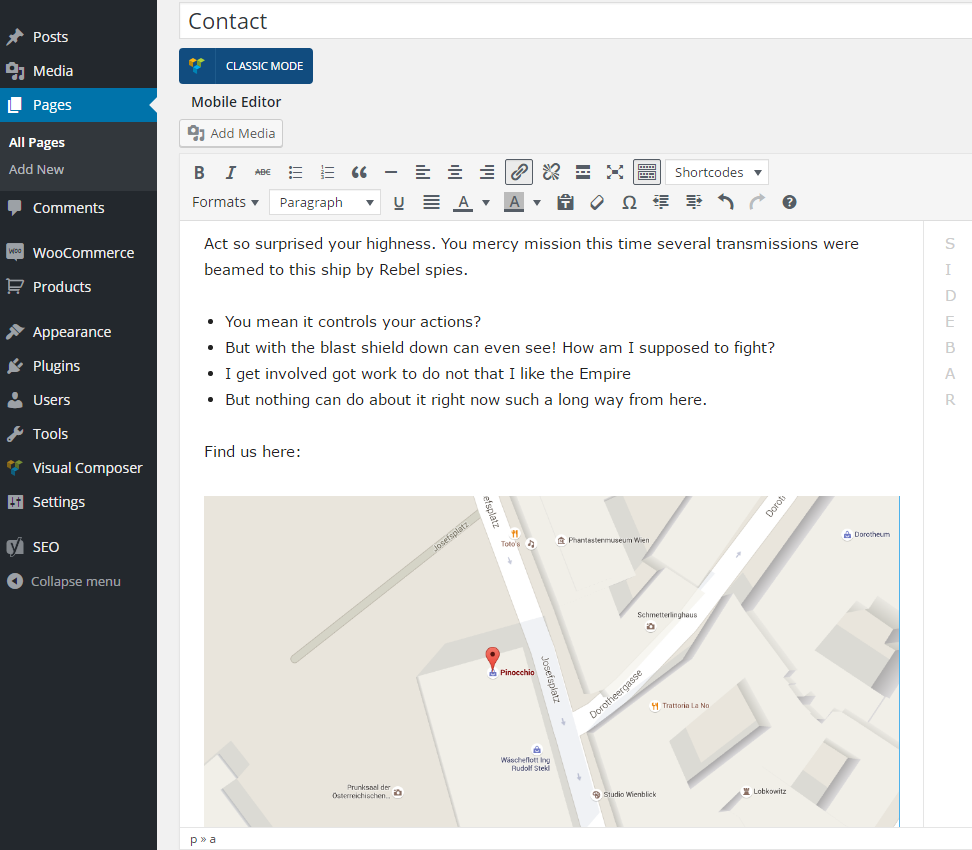
I think you have the Mobile Theme, if is so you need to make a spceial content for the mobile https://forum.tagdiv.com/wp-content/uploads/2016/01/td_find_us_here.png.
Please read more about mobile theme here -> https://forum.tagdiv.com/the-mobile-theme/
Thank you.
Calin Hi,
You need to have set the template page on Page Builder + Latest Articles + Pagination, and from the “Posts loop settings” tab you can customize the Latest Articles
https://www.screencast.com/t/UjxQZmjIxVeA
Please read about Page Builder + Latest Articles + Pagination ->https://forum.tagdiv.com/page-templates-2/
Thank you.