- ApiPractical example – How to add a new Block and Module
- Apitd_api_top_bar_template::delete
- Apitd_api_top_bar_template::update_key
- Apitd_api_top_bar_template::update
- Apitd_api_top_bar_template::add
- Apitd_api_single_template::delete
- Apitd_api_single_template::update_key
- Apitd_api_single_template::update
- Apitd_api_single_template::add
- Apitd_api_footer_template::delete
- Apitd_api_footer_template::update_key
- Apitd_api_footer_template::update
- Apitd_api_footer_template::add
- Apitd_api_smart_list::delete
- Apitd_api_smart_list::update_key
- Apitd_api_smart_list::update
- Apitd_api_smart_list::add
- Apitd_api_thumb::delete
- Apitd_api_thumb::update_key
- Apitd_api_thumb::update
 gumball44
How can I change Images V align on Home page GRID AMP ?
Thank you
Kind regards
 richardmeriveles2019
Hello again. First of all I want to thank for the awesome support you’ve given to us at DNX.news
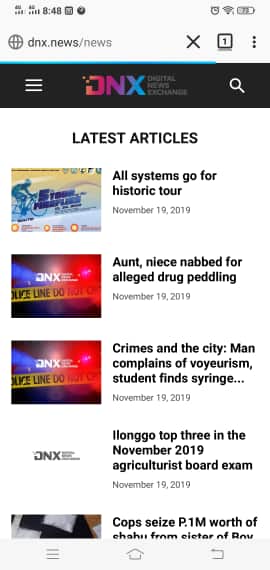
To further improve our site with the AMP+Mobile feature, I would like to correct also our homepage which displays only the posts from our Latest News category. Is there anything I can do to customize this? Our homepage now looks like this http://www.dnx.news/wp-content/uploads/2019/11/ss.jpg
Looks really sad. Waiting for your awesome replies. Thank you.
richardmeriveles2019 tnx vladi.. the AMP is really fast only then the captions are odd.. I’ll try this one.. Tnx for the quick action.
 Josef
Josef Hi Vlas,
so now in Newspaper 10.1 is not imposible if we want start use clean WordPress with clean Newspaper (without StandartPack) how this set? Ok.
And is +- know, when will be released update, where will be this fixed?
We can wait and because we prefer start with new website without any aditional plugins etc., so we have not problem wait.
Could you ask developers in what timeframe this update is possible?
We don’t need to know exactly the day.
We just need information, if will be within for example a week, two, month, two, etc.
 sylcharlestone
 Hi Calin,
That’s great thanks.
Here is an example: https://www.consobrico.com/comment-poser-un-seche-serviettes-electrique/
Many thanks.
 tariq@mta.tv
i have upgraded to newspaper 10. I got 2 issue
1) After disabling tagdiv standard pack, the post loop layout setting for each page is not available, (http://tinyurl.com/r82aqxd). how do i change the layout?
2) I couldnt find the sticky menu settings. I need to change logo and menu in sticky bar (http://tinyurl.com/uhsbfb6)
 Calin
Calin Hi,
Indeed you can not customize the mobile theme plugin and amp, only a few tings can be customize.
Also the ads should work if the ads are approved and are working, the code for ads need to be set in Theme panel> Mobile theme >Ads.
Thank you!
 Siebren10
Hi there!
Is it possible to have the images that are inserted in text clickable? For example, I want users to be able to click on the images on https://www.streamwijzer.nl/nieuw-op-netflix-nederland/ to make them larger. Thank you for the help in advance.
Warm regards,
Siebren
Calin Hi,
Unfortunately, our theme do not have this feature, sorry!
You can load only on image on line for example -> http://prntscr.com/pyxqw3 -> http://prntscr.com/pyxrm3 also only http is supported in WordPress links -> http://prntscr.com/pyxsef
Thank you for your understanding!
 Tonyruik
 Hello,
1. here is the link with tweets, which is align to left: https://www.ruik.cz/kosovo-vs-anglie-vice-nez-jen-fotbalovy-zapas-oslava-pratelstvi-vsak-zakryva-problemy-mladeho-statu/
2. on this picture: https://prnt.sc/pyx17r where is the “social networks – Select active social share links and sort them with drag and drop:” in this link there is facebook, twitter and so on. But I choose in that menu only “naver”
3. I set everything. The ads show well on my pages. But I need that if you scroll down the article for example, so the ads go with you down. Because on pages, where I create it with composer, there you can click on sticky and the ads are moving. But in article or somewhere where you cant set it. So how can I do it please?
Have a nice day
Calin Hi,
In that link was given a solution for redirect to a specific page after the user was login, the link was for example, if I understand correctly you want to do the same but for password reset.
“If you do any of those tasks you will receive one email with password reset link which is talking us to default page.” -> the message usually comes from WordPress so you’ll be redirect to an WordPress page ( something similar with this http://prntscr.com/pyx6dk ), you can change this only with custom work.
Thank you for your understanding!
 Mauro
MauroI received a message that the truth is surreal, as they have not solved the problem.
“Hi,
As far as I know currently there is an issue as you mention. While in the classic editor the Yoast content analysis should work fine, in Gutenberg there are a few problems. For example the links detection may not work correctly when using Gutenberg. This is already on our list and our developears will try and fix it as soon as possible. Sorry for the inconvenience.”
They haven’t solved anything. Please provide realistic dates. Unfortunately, you have not been characterised in this, instead of continuing with the same pauteed response as always in each case. Can I speak to a human who does not have a machine mentality?
Specifically, when will the problem be solved? Because it is a complex issue, considering that you incorporated changes that are appreciated, but have resulted in several failures for the community. Therefore, it is necessary that you can resolve the error that you yourselves created as soon as possible.
 Vlad S
 Hello !
Indeed there is a CSS code coming from the AMP plugin but you can overwrite that by using this CSS code: .wp-block-image figcaption {
font-family: Verdana, Geneva, sans-serif;
text-align: left;
margin: 6px 0 26px 0;
font-size: 11px;
font-style: italic;
font-weight: normal;
line-height: 17px;
color: #444;
}
You need to paste that code in here: https://www.screencast.com/t/poSdpVkJ
Thank you !
 frankcf
 Thanks. What are the minimum recommended cloud templates? For example, I install the Default Pro demo, it installs the following cloud templates…
404 Template 1
Attachment Template 1
Author Template 1
Category Template 1
Date Template 1
Header Template 1
Search Template 1
Single Post Template 1
Tag Template 1
Are all of these needed if you are building simple site from scratch?
Thanks
MauroI received a message that the truth is surreal, as they have not solved the problem.
“Hi,
As far as I know currently there is an issue as you mention. While in the classic editor the Yoast content analysis should work fine, in Gutenberg there are a few problems. For example the links detection may not work correctly when using Gutenberg. This is already on our list and our developears will try and fix it as soon as possible. Sorry for the inconvenience. “
Specifically, when will the problem be solved? Because it is a complex issue, considering that you incorporated changes that are appreciated, but have resulted in several failures for the community. Therefore, it is necessary that you can resolve the error that you yourselves created as soon as possible.
Thank you in advance for your response.
Best regards.
 Sibi Paul
 All The Screen Shots are Checked…
And Already i have tested them, before creating the previous post.
Now, My Site Not having AMP,
Not Having a Mobile Theme.
But, I still have ads in my posts…
I Used an Ads Inserter Plugin to show ads in the posts.
Why I not use AMP…
1 – When Install AMP, The Site Looks is NOT Good.
I can’t Customize Theme for AMP Pages.
2 – Mobile Theme from TagDiv Also Not Having Customization Options.
3 – Ads NOT Works, even if I Follow All the Tutorials…
So, I left the Idea to Implement AMP in My Site.
 fsiedler
 hey vlad,
sent an email, but the answer was “reinstall tagdiv cloud” again. but that doesnt help!
if i choose no header template it works, but if i choose a header-template (for example 28) it stops working on a specific page… (front page works!)
 mateusnds
Hello.
I’m with a big problem on 10.1 version.
The timestamp is wrong.
No matter what I change on “WordPress – Setting – general – timezone” , Newspaper is showing time from I dont know where.
I have send a ticket request to support tagdiv.
Thank yo
 picturemeclubbing
 Having the same issues in all browsers (IE, FF & Chrome). Loading of pages very slow, Save Changes button works 20% of the time, LIVE changes will stop in middle of refreshing itself. Been stuck a few days on this. Host is fine, my internet connection is fine. It’s definitely the install of this template and TD Composer.
 GuillaumeFRK
Hello,
I activate Mobile theme and AMP but I can’t see the photo on the home page on mobile?
There is the grid and latest article but no photo 🙁
The url is : blog.freelancerepublik.com
Best
Guillaume
Josef Hello Calin, so if we will be using default Newspaper 10.x Default Pro with default images size so for us is best posting featured images with “1068px X …” right?
If yes, please, with theme Newspaper is better using aspect ration in images 16:9 or 4:3 etc?
For example in theme ElegantThemes Extra and Divi we using 4:3 because in this theme is it recommended aspect ratio.
 Azulita
hello, i don’t have anymore the white screen issue since i updated to 10.1 but when i want to create or edit a post i have some big problems that make impossible to work with gutenberg, i have to use the classic editor.
For example if i press tab it doeasn’t create a new block, and i don’t have the “+” t create a block after the first, so i have to create one before and drag and drop it after. I can’t add a link by pasting it on a text, it deletes my block. I can’t edit lists…
 dimitrisv dimitrisv
 Hi Vlad,
It was sorted by the plugin’s developer. Here is his response – for reference to other users of yours that may have the same issue:
I can see you’re using the new WP 5.3 so, I made a test on a different site to be sure that this was not a new plugin bug.
The result was that everything worked as expected.
You can try to move to a WP default them and see what happen, if the problem is solved the issue comes from you theme.
“The solution? Just set the Video Player position to Custom in the plugin options page and use a shortcode to publish your contents.
Already done on your site, everything looks great.
https://cmj.about.gr/wp-admin/post.php?post=1145&action=edit ”
richardmeriveles2019Hello..
I have a promblem with my image captions using newspaper theme.
The one on the web version looks good. Here’s the link http://www.dnx.news/technology/google-devfest-2019-strengthening-linkages/
But the one in AMP version here http://www.dnx.news/technology/google-devfest-2019-strengthening-linkages/?amp
really looks odd.
How can I edit the AMP version of the captions? Thank you.