
No search results were found in Documentation!
 themepark
I’m using the Social Media Counter and it is properly tracking all of my social media accounts, except Facebook Fans which it is showing a zero.
At first, I tried the URL to the page. Nope.
Next, I entered just the page extension. Nope.
Next, I went to Pages/About/Page ID and copied the ID and pasted it into the social counter. Nope.
Everything I have tried has failed. It continues to shows zero. I have no cache on the Website.
Please advise. Thanks!
 topmagazin
 Sounds like a problem with header not being submitted correctly from cloudflare in combination with super cache mobile device support.
If you are using cloudflare plugin you should disable rocket loader in cf dashboard.
If you are using wordfence:
Please set Wordfence —> All Options —> „Use the Cloudflare “CF-Connecting-IP” HTTP header to get a visitor IP.
Give it a try.
 jihoon park
 Due to an error, all current cache plug-ins have been removed. This is the result of installing only super cash. Help me with the mobile theme.
jihoon park Friend, I installed wp super cache as you told me, and set the same value. However, the mobile theme is immediately turned off. How does this problem arise?
 abc
abcWhich do you recommend WP Super Cache or LiteSpeed Cache plugin?
 Anamaria
 Hello,
Please try to do these steps
1. disable all tagDiv plugins
2. uninstall all tagDiv plugins
3. clear cache (if cache plugin exists)
4. re-install all tagDiv plugins again from Newspaper plugins => https://www.screencast.com/t/WLy01lbc
5. activate all tagDiv plugins
6. clear cache (if cache plugin exists)
Also, make sure your WordPress and plugins are up to date.
Let me know the results!
Thank you!
Anamaria Hello,
That’s weird! Please do a test using only tagDiv plugins on a staging website, because there is a possibility, to be a plugin conflict, also if you are using a cache plugin, deactivate it, clear all cache(also from your browser) and try again. See if the problem persists.
Thank you!
Anamaria Hello,
Unfortunately, I don’t know how this plugin works and what settings need to be done, but maybe these articles will help you to remove the effect https://blog.litespeedtech.com/2018/06/20/critical-css-and-litespeed-cache/
https://docs.litespeedtech.com/lscache/lscwp/pageopt/
For cache, we recommend using WP Super Cache plugin https://forum.tagdiv.com/cache-plugin-install-and-configure/
Thank you!
 Vlad S
 Hello !
Please send us a screenshot of your System Status Tab and make sure that all the requirements are met as you can see here: https://forum.tagdiv.com/requirements-for-newspaper/ ; You will have to first start looking for a plugin conflict. please deactivate ALL plugins except tagDiv ones, also if you are using child theme or cache plugin, deactivate them, clear all cache and try again.
Also you can try and remove and re-install the tagDiv Composer plugin and please send us a link to your website in order to take a look.
Let us know the results.
Thank you !
Vlad S Hello !
Please send us a screenshot of your System Status Tab and make sure that all the requirements are met as you can see here: https://forum.tagdiv.com/requirements-for-newspaper/ ; You will have to first start looking for a plugin conflict. please deactivate ALL plugins except tagDiv ones, also if you are using child theme or cache plugin, deactivate them, clear all cache and try again.
Also you can try and remove and re-install the tagDiv Composer plugin and please send us a link to your website in order to take a look.
Let us know the results.
Thank you !
Vlad S Hello!
You will have to first start looking for a plugin conflict. please deactivate ALL plugins except tagDiv ones, also if you are using child theme or cache plugin, deactivate them, clear all cache and try again.
Also you can try and remove and re-install the tagDiv Composer plugin and please send us a link to your website in order to take a look.
Let us know the result!
Thank you!
 mnnsfrm
 Hi,
A deactivated all plugins, cleaned the cache, same result.
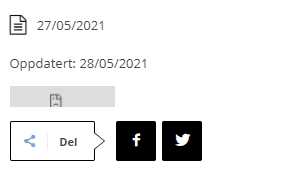
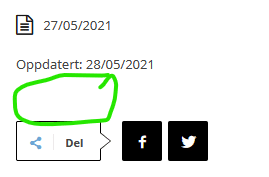
But I am also getting the same sub-frame-error on my page:
<div id="sub-frame-error-details" jsselect="summary" jsvalues=".innerHTML:msg" jstcache="2"><strong jscontent="hostName" jstcache="23">www.facebook.com</strong> refused to connect.</div>
Printscreen from different platforms:
Chrome desktop:
Firefox desktop
Chrome mobile:

Firefox mobile:
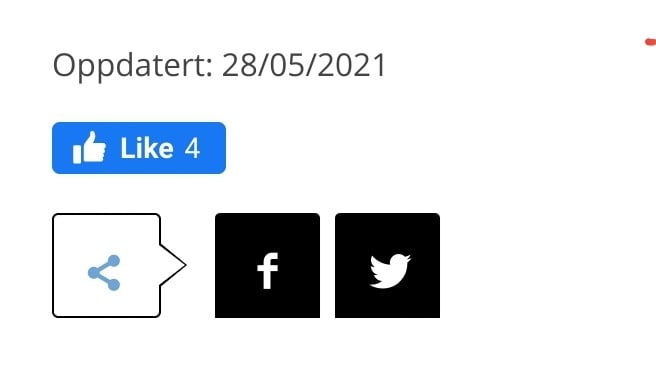
The site is located at:https://www.mannsforum.no
-
This reply was modified 5 years by
mnnsfrm.
Anamaria Hello,
Please try to do these steps
1. disable all tagDiv plugins
2. uninstall all tagDiv plugins
3. clear cache (if cache plugin exists)
4. re-install all tagDiv plugins again from Newspaper plugins => https://www.screencast.com/t/WLy01lbc
5. activate all tagDiv plugins
6. clear cache (if cache plugin exists)
Also, make sure your WordPress and plugins are up to date.
Let me know the results!
Thank you!
Anamaria Hi,
Please do a test using only tagDiv plugins, clear all cache and see if the translation will apply.
Also, if the problem persists we need to investigate what settings were made to cause that problem, please make a full backup to all files and the database and contact us via email at contact@tagdiv.com Provide
– wp-admin URL and credentials
– cPanel URL and credentials
– a link to this topic in order to identify you
Thank you!
 Calin
Calin Hi,
What you need to do is to make sure that you are using only that WP Super cache plugin, because if you use more cache plugins, the one that is not recognize the mobile version, it will still deliver it for desktop. Also make sure that the cache plugin has the same settings as in our guide.
Also for the problem with page speed, I do not know if those are errors -> https://i.imgur.com/PCdq4KG.png but if I’m right those are parts from website that need to be improved to increase the page speed. Usually, for this it is use a plugin to optimize the images and one to optimize the rest of theme, for example you can try EWWW Image Optimizer and maybe Autoptimize.
I hope this will help you!
Vlad S Hello!
You will have to first start looking for a plugin conflict. please deactivate ALL plugins except tagDiv ones, also if you are using child theme or cache plugin, deactivate them, clear all cache and try again.
Also you can try and remove and re-install the tagDiv Composer plugin and please send us a link to your website in order to take a look.
Let us know the result!
Thank you!
 jshallo
 So now I have the javascript “travel deals” displaying but, not when my site is in incognito mode. Odd.
I keep clearing the cache but, it’s not working.
 vijayrana
 While disabling LightSpeed Cache, it is gone. Can you suggest me how can I remove this issue while enabling the LightSpeed Cache plugin as well?
vijayrana Dear Anamaria,
Thank you for your reply.
I did my setup according to the documentation. And, I have my Rocket Loader disabled.
https://prnt.sc/13n1v76
https://prnt.sc/13n1wto
https://prnt.sc/13n20oe
I have been using LightSpeed Cache. Do you think it may have caused the issue?
 Bettina
 Hello!
Please make sure that all the requirements are met as you can see here: https://forum.tagdiv.com/requirements-for-newspaper/ ; You will have to first start looking for a plugin conflict. please deactivate ALL plugins except tagDiv ones, also if you are using child theme or cache plugin, deactivate them, clear all cache and try again.
Also you can try and remove and re-install the tagDiv Composer plugin.
We have a guide for how to investigate this problem and fix it: https://forum.tagdiv.com/tagdiv-composer-not-working/
Let me know the results!
Thank you!
 zarpe77
 Hi Bettina
Thank you for your quick response. I cleared the cache but still seem to have the issue on both desktop and mobile
Is their a way to send or upload to you the 2 different images I see when in the 2 modes? I have a snippet of the 2 different looks.
Thanks
 mihai_somanescu
 Hello!
I ve updated my WP Super Cache settings as per your instructions, but it didnt solve the problem.
I dont have cloudflare installed. I dont know what to do.
I ve noticed that my mobile template does not list in the Cloud Templates, as tagdiv s instructions say it should.
Does that have anything to do with it?
I m open to any suggestions,
thank you so much!
Bettina Hello!
First of all, try to do these steps as quickly as possible, so your visitors do not notice the process:
1. disable TagDiv Composer
2. uninstall(delete) TagDiv Composer
3. clear cache (if cache plugin exists)
4. install TagDiv Composer
5. activate TagDiv Composer
6. clear cache (if cache plugin exists)
If this won’t help, then we need to take a look and see what happened there.
Please contact us via email at contact@tagdiv.com and provide the following:
– admin url and credentials
– a link to this topic in order to identify you
Our team will take a look!
Thank you!
Anamaria Hello, @mnnsfrm,
Please provide more information, screenshots and your website link in order to help you.
Have you checked for a plugin conflict? You will have to first start looking for a plugin conflict. please deactivate ALL plugins except tagDiv ones, also if you are using a child theme or cache plugin, deactivate them, clear all cache and try again.
Thank you!
Bettina Hello!
I can see only Monserrat and Lato fonts.
Did you solved your issue?
Please clear your cache and try again.
Thank you!

