
- NewspaperWP Rocket and Newspaper Theme: Optimization Guide
- TutorialsWhat is Ajax preloading?
 eman
emanHello, I have a problem with the mobile version and it’s driving me crazy, I need help.
Here’s the setting in the options: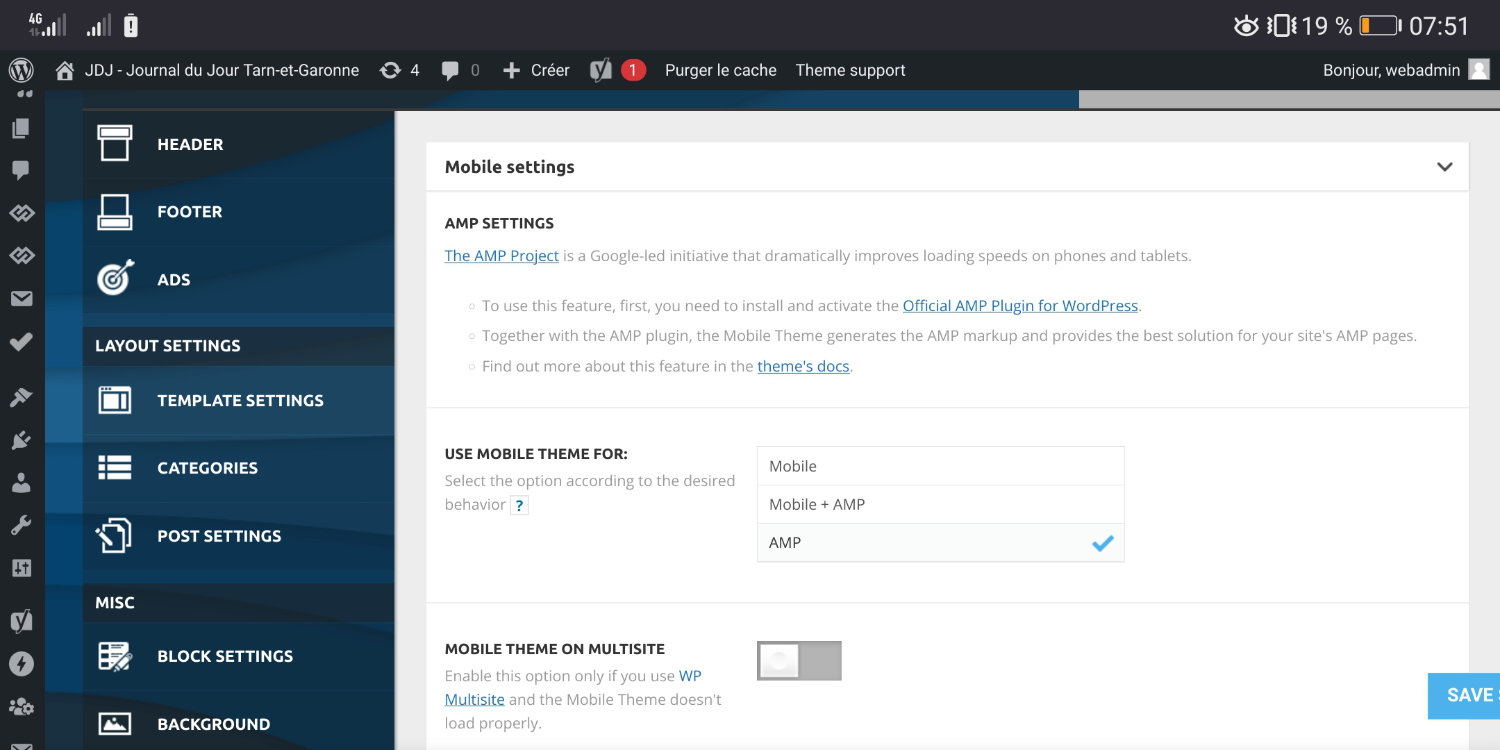
and here’s the rendering that appears and that I want to have : 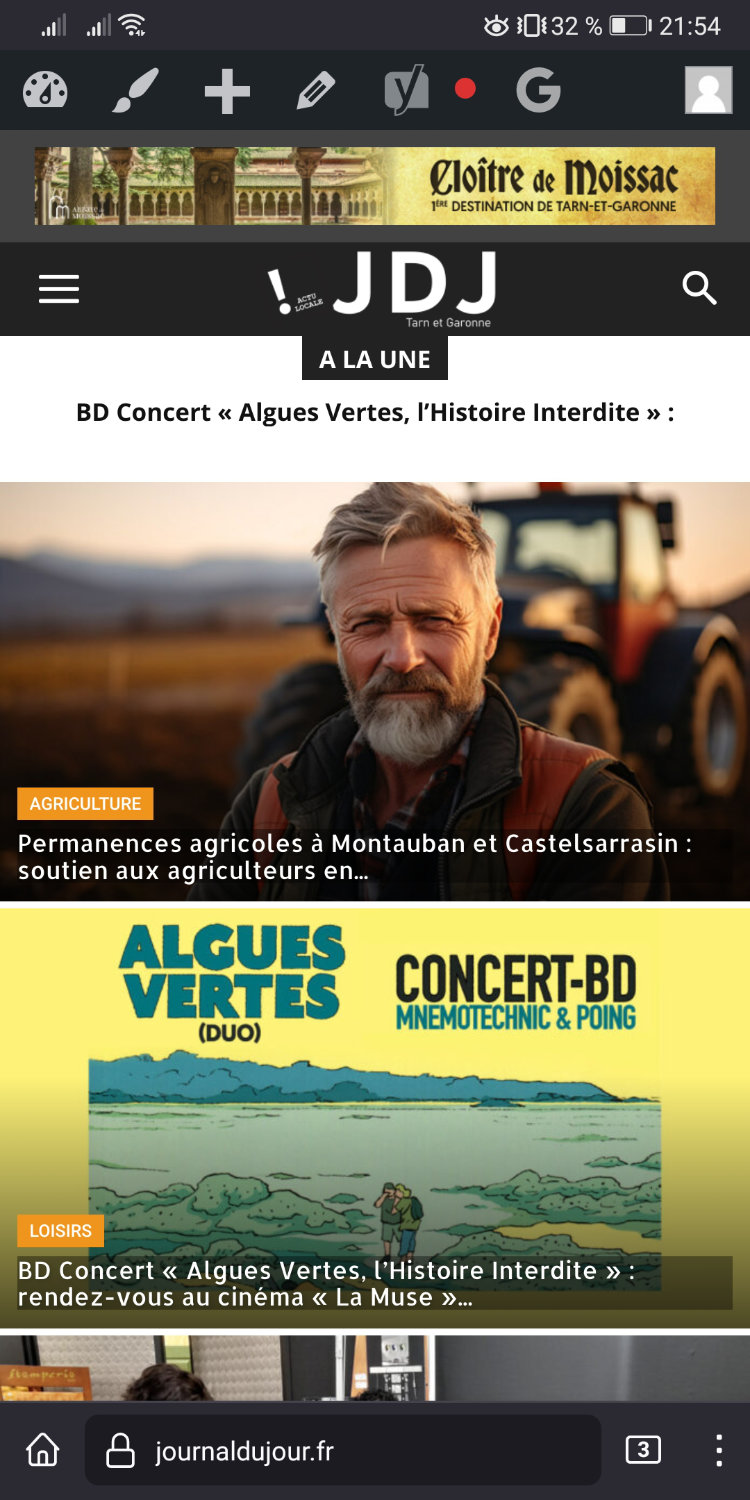
BUT! this rendering doesn’t stay, it displays another visual by itself!! and then looks like this :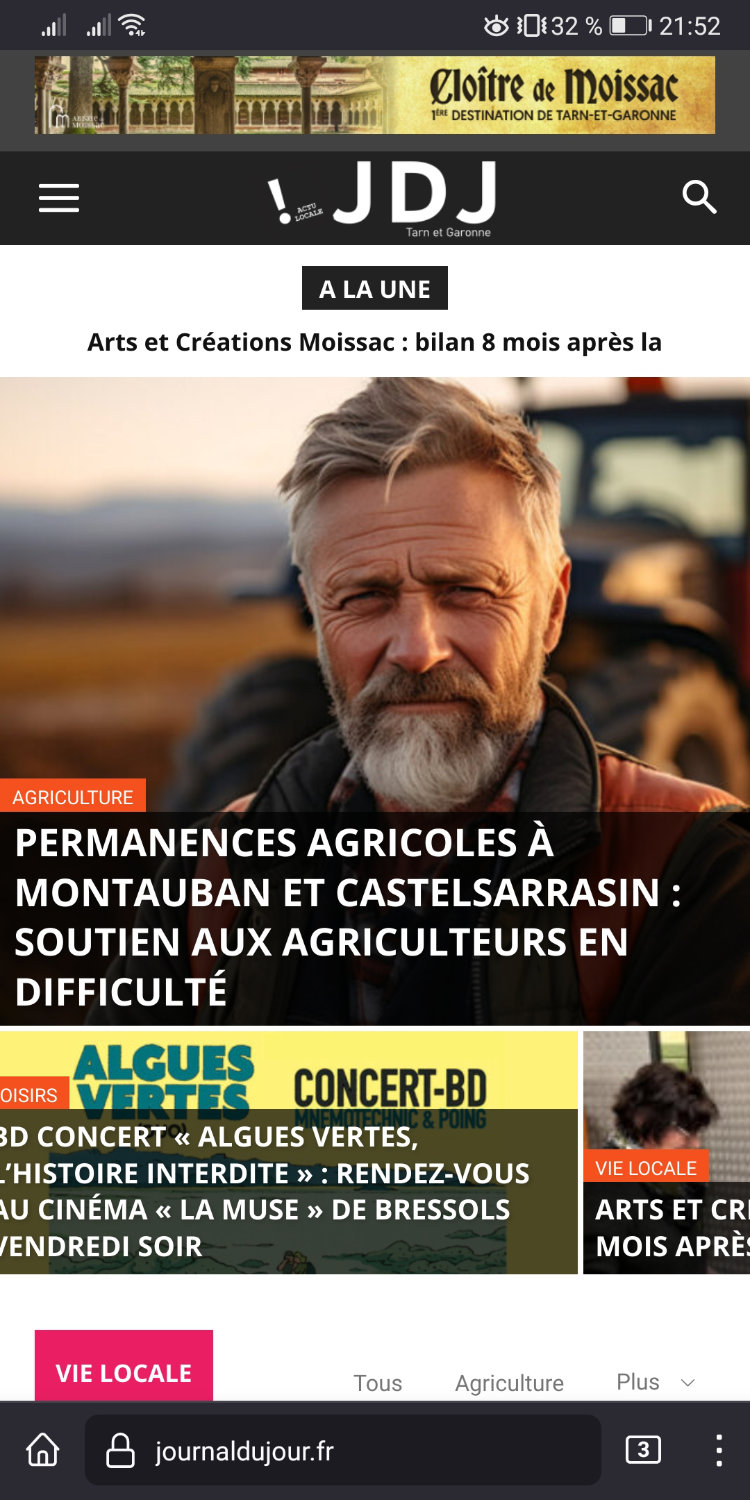
I have the cash WP plugin SUPER CHACHE, and I’m constantly forced to connect to the site admin and clear the cache to get the right version! but it never stays in place!
PLease help
Thank you
 Anamaria
 Hi,
I think that you use the option to minify the css and js. Please disable it, delete the object cache file https://forum.tagdiv.com/general-options-may-interfere-newspaper-theme/ and check after.
Thank you!
Anamaria Hi,
Please check the console when you open edit content; if there is an error like this, please go to the Network tab, select the error, and select Preview -> https://i.imgur.com/iiBOHwP.png
Maybe the problem is caused by the server host
I think you will have a 403 or 404 error, so please check this topic -> https://forum.tagdiv.com/topic/wp-editor-for-text-with-title-and-column-text-not-updating-content/ and try the suggestions. Also, please check the cache, clear/purge all cache.
Please check this topic with the same error https://forum.tagdiv.com/topic/err_http2_protocol_error-on-go-daddy-hosting/
Thank you!
 Bettina
 Hello @sotirisa!
Please check the settings you’ve applied in the tagdiv composer: https://app.screencast.com/vsPQbS1cbnbjU and also if you have some CSS code in the Live CSS section or theme panel -> custom code -> custom css.
Sometimes, the issue can be from a plugin conflict or a cache issue. That’s why we recommend first deactivating ALL plugins except tagDiv ones; if you are using a cache plugin, deactivate it, clear all cache (also from your browser), and see the results.
If you can’t handle to solve this issue, then contact us via email at contact@tagdiv.com and provide the following:
– admin url and credentials
– a link to this topic in order to identify you
Thank you!
 chaywood0896
 The issue is extensively detailed above. I will not provide cpanel access unless you can provide a very specific reason why what would be necessary. The first step should be for you to review all the details I have provided and see the problem for yourself on your own mobile device. Once you have confirmed we agree on the problem, and you still cannot tell why your theme is doing this without direct access to the website, then I will consider providing access the WordPress instance. Thanks.
To recap (although I have provided screenshots above), sometimes when viewing a page on mobile, on different browsers, the formatting is wrong (it extends beyond the edge of the page). This does not occur on all pages. It is usually, though not always, fixed by a refresh. It happens to pages that have just been published, so therefore there is no caching problem. Pages revert to this problem later. I use CloudFlare, but it is not a caching problem there either; I regularly purge the entire cache.
Anamaria Hi,
Please activate the tagdiv standard pack plugin and clear the cache.
Thank you!
 Calin
Calin Hi,
I understand, so if there is no difference with default post title style, will need to find a different approach, maybe the problem is related that on mobile the title is on 2 lines and seems to be the largest element at first load.
I made some test locally and seems to can get the problem resolved only if the post title appears on one line, but I think that most of articles display on mobile the title on 2 lines. I also made the same test using a default WordPress theme and the results were similar, but the LCP was smaller (from 4, to 3ms).
Normally if you have a dedicate cache plugin (example WP Rocket) and Cloudflare (CDN), it is possible to be some settings on those that can help to resolve this situation.
I will continue to check and if I find something I will let you know!
Thank you!
Anamaria Hi,
sing our theme, you can choose from 3 mobile versions
-> mobile responsive => https://www.screencast.com/t/oJ2ShOp47
-> mobile theme plugin => https://forum.tagdiv.com/the-mobile-theme/
-> mobile page => https://tagdiv.com/newspaper-10-3-7-update-brings-customizable-and-fast-mobile-pages/ The option that you need to use.
Suppose you created the mobile pages with tagDiv Composer. In that case, when you install the Mobile Theme plugin, your pages will be overwritten by the plugin (the mobile theme comes with its templates for page, post, category, etc, so your current templates from the desktop theme will get converted to the mobile theme layout, the page content is made without builders in mobile editor => https://www.screencast.com/t/xbgZG8kH also, the options that are provided to edit the mobile theme version are limited (this keeps the things simple)).
This is a video about Responsive Newspaper Theme, AMP & Mobile Theme, Mobile Pages & Templates -> https://www.youtube.com/watch?v=SpGkOnJeNZY.
So, the mobile responsive is what you see when that you select the viewport on phone => https://www.screencast.com/t/matV17hH, so some settings may apply for each viewport(where is the border blue), and others are not(where the border is black).
The mobile page has the mobile templates from Cloud Library => https://www.screencast.com/t/YCcZ8rL8
The Mobile responsive version of the theme and the mobile page editor can be edit with tagDiv Composer, the mobile theme plugin cannot.
For example, you can have the mobile theme plugin activated and use the mobile page/mobile responsive version for the homepage/pages, but for the categories pages/404 page, you can’t use the mobile page/mobile responsive version if you have the mobile theme plugin activated.
So, if you want to design the pages with tagDiv Composer, you can use the mobile page or mobile responsive version.
Also, please check this topic https://forum.tagdiv.com/topic/amp-pages-not-working-well-with-this-theme/
If the cache plugin does not have mobile support, then the mobile theme version can be delivered instead on the desktop and vice versa.
The solution would be to use the recommended WP Super Cache plugin instead and activate these settings (especially the mobile device support): https://forum.tagdiv.com/cache-plugin-install-and-configure/
Thank you!
Anamaria Hello,
Please check if you have this option disabled https://i.imgur.com/pmi2MBt.png
Also, please purge the cache a few times.
Support Hours (GMT+3)
Monday – Friday:
8:00 AM – 17:00 PM
Thank you!
Bettina Hello!
Make a test and deactivate ALL plugins except tagDiv ones, also if you are using a cache plugin, deactivate it, clear all cache and try again.
Let me know the results!
Thank you!
 happypeoplepickleball
happypeoplepickleball.com
Hi, I cannot get my images to display on my webpage post pages. I have optimized and re-generated thumbnails.
My home page is loading slowly as well. I don’t know what else to do to get my media images to display. I know they are linked correctly. I have cleared my cache.
For example
https://happypeoplepickleball.com/friday-pickleball-paddle/
Please help, Thank you!!
Calin Hi Sebalos, usually when this is happening is related to a cache/object cache that is apply on backend and when the page is reloaded the theme panel settings will be delivered from cache version – https://i.imgur.com/kPuffg6.png
Thank you!
Bettina Hello!
If this problem is not because of the Jetpack plugin, then this problem can occur due to various reasons such as a slow internet connection, server issues, or heavy traffic on the website. Also, check if you are using any lazy loading feature(it seems like this to me). Clear all your cache and also the browser cache.
I hope that helps you!
Thank you!
Anamaria Hi,
Please check if your plugin has the option for mobile cache.
I’m glad that I could help you.
Have a great day!
Anamaria Hi,
To sort the block for Popular (24h,48h and 7days) you need to have added the element SINGLE POST VIEWS => https://i.imgur.com/pLWuoSS.png -> https://i.imgur.com/BbrBmL0.png, also, for Popular you need to have this option enable https://i.imgur.com/grI3bti.png
The sort option will be displayed popular posts of the last 48 hours, those can be older posts.
Also, for this, I recommend using cache option on the blocks -> https://forum.tagdiv.com/use-flex-blocks-cache-option/
Thank you!
happypeoplepickleballAny ideas? Thank you!
Posts page
This page timed out:
https://happypeoplepickleball.com/
What to do
The page timed out during load. There could be various reasons but most likely a plugin is causing this issue. Please complete the following steps.
1
Clear the cache in your browser.
2
Visit the page while not logged into WordPress.
3
See how long it takes to load compared to other pages on your site.
4
If this page is slower than the others, check what plugins are working on that page.
5
Deactivate any plugin that you believe are making the page slow.
6
Try again to generate the Critical CSS.
 Simon1980
 Thank you for your advice, it seems that there was a Cache plugin called Breeze installed, I have now disabled it and the problem has gone away.
Much appreciated.
Simon.
 upmy-life
 Ok thanks, I saw it. But it doesn’t work. Is there a cache somewhere ?
I have also remove the “sign in” option but it’s still there too…
Anamaria Hi,
Usually, this happens with cache plugins. If the cache plugin does not have mobile support then the mobile theme version can be delivered instead.
The solution would be to use the recommended WP Super Cache plugin instead and activate these settings (especially the mobile device support): https://forum.tagdiv.com/cache-plugin-install-and-configure/
Also, please let me know what plugin for the cache you use now.
Thank you!
Anamaria Hi,
You need to translate the English (original language) header for each language in part – https://i.imgur.com/CDmeHCf.png you should have them for each language cloud template – https://i.imgur.com/4agmUtg.png
A much simpler and faster alternative is to duplicate the cloud template you want to use in another language, edit it and select the desired language – https://i.imgur.com/z1CqgBo.png (edit the name) – https://i.imgur.com/dPX8ROs.png – https://i.imgur.com/Lc81IgP.png This method needs to be used to translate all cloud templates.
The pages are created with tagDiv Composer which is a page builder, when WPML is used it cannot translate everything that was built with the page builder and must be edited for each language separately. Please open the page in the editor and click on translate – https://i.imgur.com/TXH6y1c.png. After, if you duplicate the template, you can edit it to change the logo, menu, and whatever you want.
When you make the corrections, make sure you are on the page with the language you are editing, and if you use the cache, or object cache, please clear it.
Thank you!
Calin Hi cassiano12,
This is strange, because when a post can not be indexed there is a reason and this appears in GSC.
I also teste the article with the Schema.org and Rich Results Test – https://i.imgur.com/aH0Ge0Z.png and everything seems to be ok.
Do you use extra plugins for cache/optimize and CDN? if you do, then please make sure that all cache and cdn are cleared/purge when a post is updated or publish, I saw a similar situation when a user do not know that he has CDN and this was not set to be purged.
If the problem still persists after this, then please do a test using only the theme plugins and try to manually index the article: Indexing pages to be included in search results
Thank you!
Anamaria Hello,
The amp doesn’t work with mobile mage; the amp works with mobile theme.\Hi,
I don’t recommend to using amp, because it is deprecated -> https://developer.bigcommerce.com/docs/storefront/wordpress/platform-integration/enabling-amp
For mobile theme + Amp the content need to be added in Mobile Editor -> https://www.screencast.com/t/xbgZG8kH
Please check this topic where I explained each mobile version -> https://forum.tagdiv.com/topic/mobile-version-not-working-properly-2/ -> https://forum.tagdiv.com/topic/amp-pages-not-working-well-with-this-theme/ and choose what mobile version you want.
Also, please let me know what plugin for the cache you use now.
Thank you!
chaywood0896 This is still happening. It has nothing to do with caching or plugins. It is solely due to your theme. Please fix it.
For example, a TOTALLY NEW POST THAT COULD NEVER HAVE BEEN CACHED, ALWAYS SHOWS LIKE THIS INITIALLY. Then, after multiple refreshes, eventually it looks correct. By that time, of course, the reader has long since gone away. This is totally unacceptable and again, is not due to some caching problem.
-
This reply was modified 2 years by
chaywood0896.
Anamaria Hello,
It depends on your cache plugin; maybe you have an object cache.
Also, what other issue do you have?
Thank you!
 disegnoweb
 EDIT
I tried to edit the contact page, but on mobile it doesn’t work. It’s like that cache doesn’t work on mobile… but I don’t now how can I fix



