
- NewsmagtagDiv Composer Tutorial
- NewsmagHow to use the Visual Composer plugin
- NewsmagHow to update a plugin
- NewsmagWhat’s included in Newsmag theme package
- NewsmagRequirements for Newsmag
- NewsmagInstall via WordPress
- NewsmagInstall via FTP
- NewsmagBlock settings tutorial
- NewsmagtagDiv Social Counter tutorial
- NewsmagHow to update the WPBakery plugin
- NewsmagPage Menu
- NewsmagCustom ad spots
- NewsmagSmart sidebar
- NewsmagVideo playlist
- NewsmagPage templates
- NewsmagHomepage – How to build and set it
 aymangamal
when i Disable Gutenberg Editor and add new post WPBakery Page Builder and tagDiv Composer not appear only classic editor appear
 princenaz
Hi and thank you for any help you might be able to provide. I would like to know if it is possible to embed widget shortcode from external widgets not included with newspaper theme? I’ve spent a few days trying to figure the ins and outs of this theme but have been stumped on a few things.
If you visit http://www.mnfightnews.com you can see my current theme that I’d like to move on from to this one. I have two widgets that I’d really need to be able to bring over but I cannot figure out how to display the shirt codes through composer. I understand that you don’t test these, but I wanted to ask how I would got about it myself? One is shortcode to display my latest asgaros forum topics on the homepage main content area as well as a sidebar.
The other is shortcode to display the latest events from my calendar plugin.
My approach to learning this on my own has been importing the default newspaper theme in composer and sort of customize what shows up. But I’ve been getting stuck with that problem as well as trouble getting the featured sections to only display certain categories but not ALL of them like it defaults to. So my second question would be, how do I go about editing the imported default category displays to just show certain categories? I tried to input the specific ID numbers to the ones that I wanted but it still displayed every category.
Thanks for any help you might have!
 Carlichy
Hi, I have followed this article of slides galleries.
I have some problems to achieve the slide effect for this:
1.-When I try to edit a post I can´t see the TagDiv Composer option: https://prnt.sc/ou604y. Only I can see in the page editor: https://prnt.sc/ou60vc ¿Posts doesn´t have the tagdivcomposer?
2.-When I try to edit the text in the post I can´t see the classic editor but the Gutemberg editor: https://prnt.sc/ou61sc, I show this because with this editor I can´t find the option/button to include the media.
3.- If I use directly the upload gallery option in the editor and I use different images, like the cited article, when I push the next button, I can´t see the gallery settings like your article.
Thanks, I am waiting for your help.
 CLEM5ON
Curious if there is a way to replicate the sidebar I created on the home page (made w/Composer) on my individual posts and category pages? So far I’ve only been able to do category/posts sidebars via the widget section but I would like to do the EXACT one I have on my Home page.
Thanks in advance
 bstaff
 Hi Vlad, I deactivated child theme and activated main newspaper theme, I deactivated all plugins except TD Composer and I flushed cache and the error still occurs!!
Does this look like a familiar problem? Again please note that it is happening on both sites the main and the sub.domain version. What could it be?
Thanks
 urbandigital
 Im afraid you dont get my point. Then, I have to ask another way:
Is there a way to add the content that I create with the wordpress boxes, to the tagdiv Composer?
 artsixmic
 I disabled Visual Composer extender, but that does not change anything. I still have error messages like, “Sorry, you do not have permission to preview drafts.” or always “The site is experiencing technical difficulties, please check the site administrator account mailbox for instructions.” It’s not great!
 toimitus
 Thank you for your reply. The page has been built entirely with WP Bakery, never with tagDiv Composer.
 Vlad S
 Hello !
Unfortunately from 9.8 working with both tagDiv Composer and Wp Bakery on the same page will cause issue. You will have to redo your page using only one of those 2 page builders.
Also please take a look at our improved update tutorial: https://forum.tagdiv.com/how-to-update-the-theme-2/
Thank you !
toimitusHi! I updated my client´s site on a test (staging) site. Everything okay except one major problem: a grid of small banner ads at the bottom of the front page totally broke down. It has been a neat grid in six columns containing Single Images thumbnails on top of each other like here, on the live site:
https://suomi-seura.fi
After updating both the theme and WPBakery on the staging site it looks like this:
https://https://suomiseura3.pilvia.site/fi/
Previous version of the theme that worked was 9.7.2. All pages of this site have been built with Visual Composer / WP Bakery.
Please help, thank you
Vlad S Hello !
The Newspaper Theme requires tagDiv Composer in order to work. What exactly do you want to edit and why ? Please make sure that all the settings are like in our requirements, please follow the guide carefully
– https://forum.tagdiv.com/requirements-for-newspaper/
and please increase all requirements that are lower, and follow all steps.
WP_MEMORY_LIMIT try to increase it at least to 256mb.
Follow this topic for more informations: https://forum.tagdiv.com/topic/cannot-save-category-from-theme-panel/
Thank you !
 Athil
AthilWe have installed Newspaper version: 9.8 theme, But we are having a problem with tagDiv Composer Plugin.
1. If we edit any file inside of theme it’s not affecting frontend, Once if we deactivate tagDiv Composer Plugin there are no issues.
2. Also if we edit anything on the Newspaper theme panel it’s not saving, just showing loader infinitely.
Kindly do the needful.
Vlad S Hello !
You can create a page from 0 and start editing it with the tagDiv Composer in the way you want: https://www.screencast.com/t/QOtprDWB
Also please note that in the 15th August we were unavailable due to a public holiday as mentioned on the header above.
Thank you !
Vlad S Hello !
1. I couldn’t find any post with that issue !
2. You can now setup the sidebar from the tagdiv composers elements: https://forum.tagdiv.com/tagdiv-composer-tutorial/
3. Home page can be configured using the tagDiv Composer from here: https://www.screencast.com/t/MgLmUFHlI
4. The footer can be edited from Theme Panel – Footer and there you the options for the footer to edit.
We offer support only for the Newspaper Theme. We cannot offer support for untested plugins. The list of plugins can be found in Theme Panel – Plugins.
Thank you !
 shogunteam
 Ok. I actually builth the startpage only with td composer, so it should work. Could you please delete the name of my page from the thread?
Vlad S Hello !
If you have not used the Child Theme untill now then you don’t need to update it. You don’t have to keep it even installed. The tagdiv cloud library is a plugin that gives you access to all of our demos and features and tagDiv composer is the one that helps you modify it so you can create a fully custom website.
The answer is no. If you haven’t used child theme untill now, you can delete it and stick to main theme.
What I suggest is to backup before updating and also take a look through our updated tutorial for installation and updating the Newspaper Theme: https://forum.tagdiv.com/how-to-update-the-theme-2/ ( I recommend updating via FTP or WordPress )
Thank you !
Vlad S Hello !
Unfortunately there is no fix to this. You cannot use 2 pagebuilders on the same page. If you’ve created your page with tagdiv composer then you have to stick to the tagDiv Composer.
We are sorry for the inconvenience !
Thank you !
Vlad S Hello !
That can be achieved when using the tagDiv Composer. Go into the filters tab and remove the ajax options as you can see here: https://www.screencast.com/t/ncrOjGg5l6
Thank you !
Vlad S Hello !
You have to import it all the way, save the settings from the tagDiv Composer and then set it from here: https://www.screencast.com/t/fNuNXF8lfVx7
Let me know how this went !
Thank you !
Vlad S Hello !
1. The sticky header must be edited using the Header manager from the composer and edit it like here: https://www.screencast.com/t/CDbOGUJoxdR8
2. The lines come from the demo style and can’t be edited or removed.
3. We do not have any contact template but you can use a blank template, edit it the way you wish and use Contact Form 7 plugin since it’s supported by Newspaper theme.
Thank you !
 developermustak786
Hi,
I have bought the new newspaper theme but when i am going to pages and edit the page with the tags Divi Composer then it’s not working and giving this error. can you please help me.
http://prntscr.com/otcndn
Thanks
bstaffHi there love the theme. I have it licensed and running on two websites, both hosted on the same Go Daddy shared hosting account.
One is https://regulatorwatch.com (9.2.2) and the other is https://support.regulatorwatch.com (9.5). In the past few days a major error has started. On both sites when you log in to the Wp Admin dashboard, go to ANY page and click Edit with TD Composer an error is returned that says “This site can’t be reached”….. See attached image.
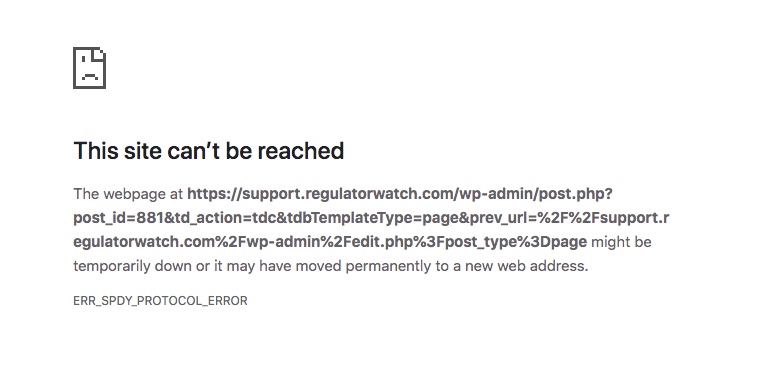
This error above is from the support.regulatorwatch.com website and it happens on every page when you click Edit with TD Composer. This also happens on every page on the main site regulatorwatch.com.
This problem is new only in the last couple of days. Each website is still up live and working. New posts and images can be added. It is simply the page editing that is not working. Major problem for me as I am still building the Support.regulatorwatch.com website.
Are you familiar with this type of error? Is it theme related? Or could it be a permissions issue with Go Daddy? Nothing has changed on my end. Plugins are updated. Themes have been totally fine and they are both different versions anyhow. I have not updated 9.2.2 yet as it’s the main site and wanted to make sure the updates were stable.
Let me know if you need login creds.
Help! Thanks.
 VoZz
VoZzHi guys,
On a category page (Cloud Library) I want 6 posts in a loop on desktop an 4 posts on mobile. I thought I would do it by copying the post loop block and hiding it on certain devices. But when I set the mobile block to 4 posts, it also shows 4 on the desktop even though it shows six in tagdiv composer. Is this a known problem? https://bit.ly/2KGxpwU
 highlanderhaliburton
I have put a lot of work into my site optimizing things from a hidden url before stitching servers and site content – (So I couldn’t view on my mobile device). I used the mobile view tab in the TagDiv composer to see what I THOUGHT would be the mobile look of my site. However, now that the site is online, even the homepage doesn’t look at all similar now.
I read here: that the built in TagDiv mobile theme defaults to 3 grid pictures and latest posts (for homepage). THIS IS NOT AT ALL WHAT I WANTED. What happened to the look I saw in the mobile view tab?
Does anyone know how to fix this spo my site shows up the same way in mobile as it does on desktop? I just want it to be similar.
Plz help!
 TravelDudes
I have installed WordPress and the theme, worked on the site, added plugins and suddenly new users got forwarded to spam sites on the first visit. After refreshing the browser our site got shown and this did not happen anymore.
We tried to identify this issue, but couldn’t find it.
We now reinstalled a fresh WP version and the theme again.
We installed the required Newspaper plugins from tagdiv (CloudLibrary, Composer, Social Counter). And we added the Slider Revolution as an additional plugin and the UberMenu.
The site worked for a few days. We haven’t done any changes to it and suddenly the users gets forwarded to spam sites again on their first visit.
Here is an example link it gets redirected to:
http://tandabu.space/?u=h2xkd0x&o=lxkgnum&t=201
I’ve checked the forum, but only see older entries with similar matters.
Thanks for the support!
