
 Bettina
 Hello!
In the cloud templates, you can add the ads when you edit the post with TagDiv Composer in the element called “Single Post Content” in the tab ADS. Documentation here: https://forum.tagdiv.com/article-ads/
Thank you!
Bettina Hello!
You can not use flex blocks without the plugin or theme. You can add multiple blocks on the cloud templates. The elements from the tagdiv Composer can not be used in the default templates.
Check the settings of the flex blocks: https://forum.tagdiv.com/flex-block-settings-guide/
There are special filters as well and the block knows to filter by the current category for example. You can also copy-paste the block or save it as element and use it in another cloud page. Please check the filters applied always.
Thank you!
 thiru
thiruHi
I know I need to use Column Text to embed short codes. How do I embed the blocks available in tdcomposer to posts/pages? For eg., If I want to use list of posts belong to category using FlexBlocks or Blocks, how do I embed and pass the required settings as parameters to display as we do using TD Composer visually?
 satheshf12000
I’ve just bought the theme and installed it on beta.thinaboomi.com and I’m getting this error while trying to install the tagDiv plugins.
Parse error: syntax error, unexpected ‘)’ in /home/thinaboomi/public_html/wp-content/plugins/td-composer/legacy/Newspaper/includes/td_config.php on line 9201
Can you please help?
Thanks.
 Anamaria
 Hi,
I recommend you do a clean install of WordPress and the theme. Also, the file is license.txt, not with the extension HTML, so you can try to remane it or delete it. Additionally, please check all the files for the strange code.
Additionally, using Wordfence to scan the website and remove unknown users would be prudent.
Change admin passwords and delete admin accounts you are not familiar with;
– Delete any weird/unknown plugins;
– Delete the weird/unknown themes;
– Clean unfamiliar Theme Panel injected code (example – https://i.imgur.com/4q70kCv.png);
– Clean WordPress files (example – https://i.imgur.com/stJCqiK.png)
Please block /wp-json/tdw/save_css
If an attacker wants to target this URL /wp-json/tdw/save_css they can do so. Even if the website uses a different theme, the attacker can still try that URL. We could add an option to be able to enable/disable the Live CSS, it will be considered. But for now in order to remove it this can only be done with a modification to the composer plugin. I think that all that removing it requires is to comment this line of code – https://prnt.sc/RtwvL5Nc4ikR -> https://prnt.sc/ymZmhdUfp57U But as I mentioned, the attacker can still try to access the URL.
Thank you!
Bettina Hello!
We have a guide with some tips on why our Composer is not working properly; please check it here: https://forum.tagdiv.com/tagdiv-composer-not-working/.
Examine some other potential interfering factors: https://forum.tagdiv.com/general-options-may-interfere-newspaper-theme/
Make a test and deactivate ALL plugins except tagDiv ones, also if you are using a cache plugin, deactivate it, clear all cache and try again.
Check all these requirements for the theme: https://forum.tagdiv.com/requirements-for-newspaper/
Let me know the results!
Thank you!
 Calin
Calin Hi,
Related to fonts, if it is a single post template, then the font need to be changed using the tagDiv Composer
For the problem with cache and correct mobile version can you please contact us via email at contact@tagdiv.com and provide a temporary wp-admin access. We’ll check a closer look at this problem. Also, please include the link of this topic in email.
Thank you!
Bettina Hello!
Apply it manually on each page. You can copy-paste the elements after you do the row configuration.
You can build a sidebar with the TagDiv Composer. Steps:
1. Insert one new row (or delete an existing one).
2. Divide into two columns (2/3 + 1/3).
3. You can add whatever element you want from the tagdiv Composer to the second column and consider it a sidebar
Thank you!
Bettina Hello!
Please create the menus you want and apply them manually in the tagdiv composer.
Thank you!
 krzysztof-em
Hi,
recently I updated the theme and plugins to the current version.
I am now unable to save the content of one of the pages using TagDiv Composer. I get an error: “Invalid data Current state has involved an issue. You could try an UNDO operation (CTRL+Z / CTRL+SHIFT+Z)”. The page contains Icon Box elements. I can save other pages that do not contain this type of elements without any problems.
WordPress 6.4.5, Newspaper 12.6.7, installed and active plugins: tagDiv Composer, tagDiv Cloud Library, tagDiv Social Counter, tagDiv Standard Pack
 hellio
Hi! I think was a update of the theme or the plugin td composer, because my posts page on wordpress is “broke”.
You can see here, with tagdiv composer activate: 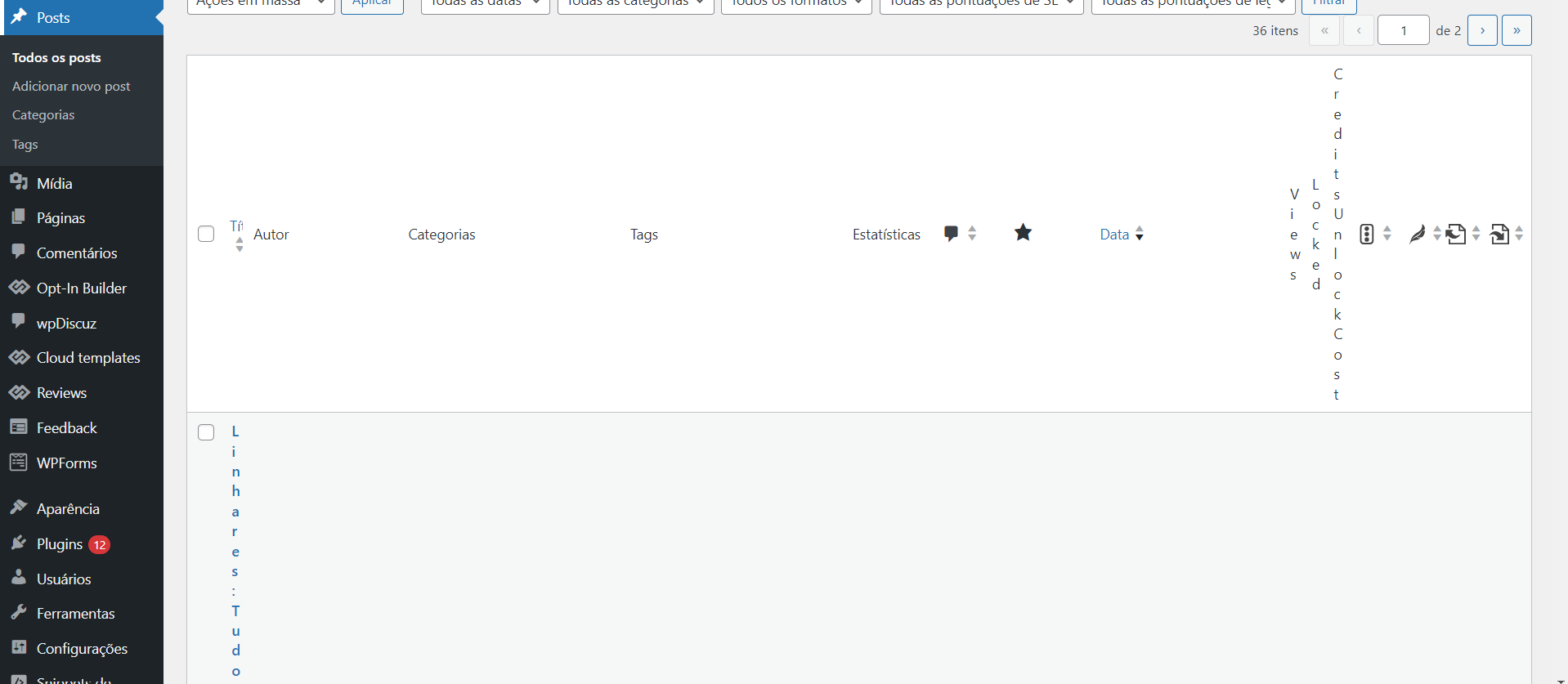
And here, with the plug in disable: 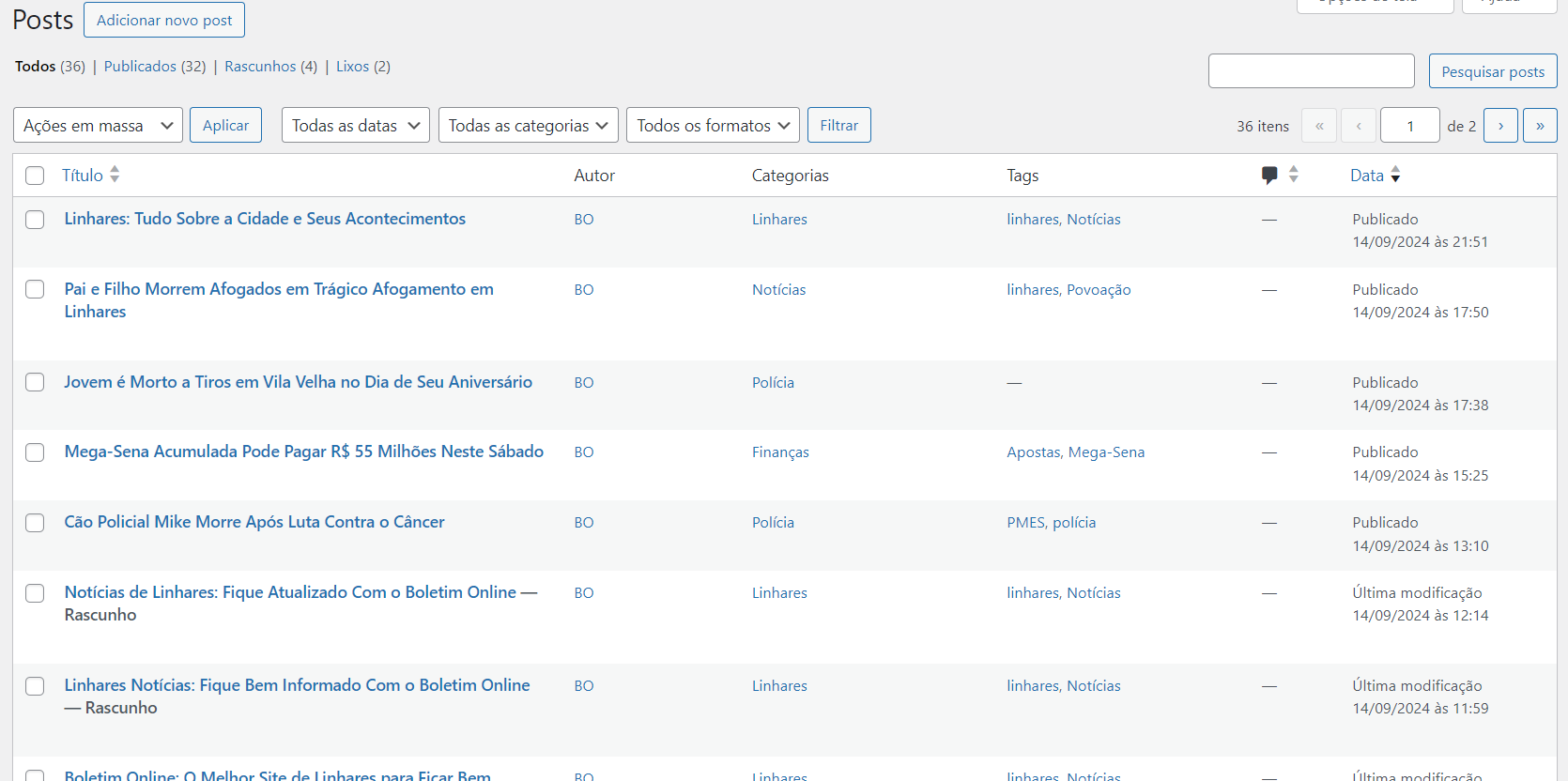
What can I do?
 Srikant Sharma1
Hi,
Newsletter tagDiv Composer frontend editing plugin not appearing on my Chrome.
Please help me.
Thanks,
Srikant
 simchris
 need to update install activate td composer
 Abdurraheem Olaiya
I bought a new license and the blocks in my tagdiv composer are incomplete. Kindly help me out.
simchris If it were me, I’d probably overwrite the theme and tagdiv composer with updated copy of the Newspaper theme, and do it via FTP not zip upload.
Sorry – not sure how that is happening. Would drive me nuts too 🙂
 Manoj Chekkilla
 Sure im deleting the cloudflare for now and will let you know.
I have another doubt, i want to increase the font size of the body of all articles (Post body or content)
How to do If i do it from the theme panel it is not showing immediately and if i go the tagdiv composer to edit it, it is showing but not reflecting on the front end!
-
This reply was modified 2 years by
Manoj Chekkilla.
Anamaria Hi,
A shortcode can be inserted also by using the element called “Column text” or “Text with title”. “Column text” and “text with title” elements have a button called “edit content” and if you click on that button, the WP Editor will open, and you can add some text/code/shortcode there. Close the WP Editor from X, save the changes from Composer and view the page to see the changes.
Thank you!
Anamaria Hello,
Please let me know if you installed the plugins after update, like tagdiv Composer, tagdiv Cloud Library and so on.
Thank you!
Bettina Hello @tonipelovski!
The Single Post Featured Image will display the video as in your screenshot. But the Single Post BG Featured Image displays the image from the video.
You should use a cloud single post template in order to be able to edit it with the tagdiv Composer.
This is should work like that. Otherwise, please check if there is not a plugin conflict.
Thank you!
Calin Hi Manoj Chekkilla, so our theme is normally work with any type of ads, you can use any, you just need to have approve for your account ads and set them properly, for example our theme is using ad box element and you can chose as source the ads from the theme panel, or you can set the ads code directly in the ad box using the tagDiv Composer.
I just checked the website and now I see that you save ads on both mobile and desktop so I belie that you already manage the to resolve out.
Bettina Hello!
We recommend to use cloud/PRO templates in order to have the possibility to edit them with the TagDiv Composer which contains a lot of functions and features, please check our tutorial here: https://forum.tagdiv.com/tagdiv-composer-tutorial/
More documentation about the cloud templates is here:
– https://forum.tagdiv.com/cloud-library-templates/
– https://forum.tagdiv.com/design-post-pages-using-cloud-library-templates/
– https://forum.tagdiv.com/cloud-library-category-templates/
Check out this video about how to create a website from scratch: https://www.youtube.com/watch?v=SoGQ0d5kIBg
I hope that helps you!
Thank you!
 forcenews
 Okay, but how do I do that? This page is not a category but a page. When I try to edit it in TagDiv Composer, it doesn’t show me the sidebar. I can’t delete/add a new row. However, in Theme Panel – Template Setting – Page Template – it’s set to CUSTOM SIDEBAR + POSITION and Default Sidebar
 Yohanndev83
 To continue this thread, here’s how I managed to achieve what I wanted.
In my custom module, I added an element of the “Column Title” type from the “Multipurpose shortcode” category, and in the title, I placed “foobar”.
Then, in the plugin file td-composer : td_multi-purpose/shortcodes/tdm_block_title_simplified.php,
I modified line 56 with the variable $buffy.
If I detect the title “foobar”, then I use do_shortcode() and call my function to add a dynamic element.
This works on the front-end, no regression, BUT it remains unstable when editing in the back-office. I will need to add a condition: if back-office, do not load do_shortcode(). Nothing difficult, but not urgent for me.
The code is well-documented, and for future updates, I’ll just need to be careful.
Bettina Hello!
You can achieve that with a flex block. Please check the screenshots: https://app.screencast.com/Szl2okqrzjYcR -> https://app.screencast.com/KTrbSXfDu2Mqd
You can build a sidebar with the TagDiv Composer. Steps:
1. Insert one new row (or delete an existing one).
2. Divide into two columns (2/3 + 1/3).
3. You can add whatever element you want from the tagdiv Composer to the second column and consider it a sidebar
Thank you!
Anamaria Hi,
Please edit the page normally in editor and change the setting for the page into Template: Default template because I think you have there the setting: Pagebuilder + Latest articles + Pagination and these are not editable by the tagDiv Composer plugin.
Thank you!


