- NewsmagtagDiv Composer Tutorial
- NewsmagHow to use the Visual Composer plugin
- NewsmagHow to update a plugin
- NewsmagWhat’s included in Newsmag theme package
- NewsmagRequirements for Newsmag
- NewsmagInstall via WordPress
- NewsmagInstall via FTP
- NewsmagBlock settings tutorial
- NewsmagtagDiv Social Counter tutorial
- NewsmagHow to update the WPBakery plugin
- NewsmagPage Menu
- NewsmagCustom ad spots
- NewsmagSmart sidebar
- NewsmagVideo playlist
- NewsmagPage templates
- NewsmagHomepage – How to build and set it
 Bogdan B.
 Hello,
Please do not use an old child theme with the new version of the theme
Please read this guide to learn about the child theme functionality: https://forum.tagdiv.com/topic/setting-up-child-theme/
Keeping both the tagdiv composer and visual composer plugins active at the same time will cause layout problems especially with the single image elements
Please only use one or the other, not both at the same time
Thank you!
 Simion C.
 Hi,
For the Latest articles section you can change the module in the page edit screen
– https://www.screencast.com/t/LPNN0kYZIHD
Even in the composer while editing the page
– https://www.screencast.com/t/9wOCD6zE
Thanks
Bogdan B. Hello,
It was a visual composer issue and it has now been fixed. Please download the theme package from envato again as it now has visual composer 5.2.1 included where they fixed most of the issues found in 5.2
Thank you!
 rdsem
rdsemAfter updating from version 7 to the latest version 8.x, our site doesn’t look right – it’s missing most of the images and thus is mostly white background. We are using a Newspaper child theme – should all the code in the child theme be compatible with the new version of Newspaper?
I had saved the old Newspaper folder before upgrading, so I deleted the new folder and put the old one back (but keeping all of the updated plugins intact), and now all seems to be back to normal. But I’d still like to upgrade to the latest version.
Any suggestions?
Also, are there any issues in keeping both Visual Composer and TD Composer activated?
Thanks!
 simchris
 If plugins are ‘vanishing’ from your site, that is a very serious issue unrelated to theme or plug by TagDiv — stuff should never “automatically remove itself” from your install if you have the system setup correctly.
Note that TDC is new plugin; VC is old classic one. To keep using VC, install that and disable TD Composer. To switch to TDC in place of VC, you will need to redo your home page layout with the TD Composer in place of VC as the modules are different.
Sorry if that is no help; I don’t work here, but using Newsmag since 1.0.
 Sanalup
 So after reinstalling td-composer my whole site is crashed right now 🙁
This is how it looked before:

This is how it looks now:

i tried to reimport the database which i backed up 1 hour ago but it won’t work, my site is still broke.
-
This reply was modified 9 years by
Sanalup.
 majorfuss
I know I can add a video player as a widget, but I’d like to add a video playlist. I don’t want to have to install Visual Composer just for this one thing – seems a bit pointless.
 John
JohnFor some unknown reason, my site traffic dropped after upgrading from v7.8 to v8. Sessions dropped -34%, pageviews went down -46%, and the bounce rate went up by +5%.
https://www.screencast.com/t/1F2d4giJaiko
https://www.screencast.com/t/58YjsvA5vkJ8
After 10 painful days on v8, I rolled back to version 7.8 and traffic is back to normal. Since rolling back to version 7.8, I have lost all Text Block editing functionality (Paragraph, Formats, Text Color, etc.). I need to get this fixed so I can update content.
https://www.screencast.com/t/g7bvrccRWZ
I want to upgrade to version 8.1 and start using tagDiv Composer, but I as you can understand, I’m a little nervous.
 SMG
SMGHello,
We are having problems of being unable to enter any content for the text when using the Text with Title in TD Composer.
We are using the latest Newspaper theme, and all plugins on the site are currently disabled, with the exception of tagDiv Composer.
Whenever we click on the ‘Edit Content’ link in the left sidebar when trying to set up a Text with title block, there is no save button or way to save the content, and there is an error in the console.
https://prnt.sc/g6u6x2 has a screenshot of what I am referring to.
Any insight on how we can address this?
Simion C. Hi,
Make a backup to your database just to be safe. Please update the theme by FTP like this
– https://forum.tagdiv.com/install-via-ftp/
Update the included plugins as well. Please note that much has changed from that version in the theme and Visual composer. In Newspaper 8 the tagDiv composer as introduced as well.
I believe it would be best to try and recreate the pages with the new tagDiv composer if possible after the update
– https://forum.tagdiv.com/tagdiv-composer-tutorial/
Custom codes or the same modifications may not work in the new theme. The child theme too, if there is one. Deactivate all plugins except theme plugins except theme plugins to rule out any conflicts.
Check the theme system status and make modifications to the parameters mentioned in this guide if necessary
– https://forum.tagdiv.com/system-status-parameters-guide/
Thanks
 viglioh
After I updated the theme from v8.0 to 8.1 I have some problems, in fact this is the third post i wrote in the last 2 days. This time the problem is the header. I go to Theme Panel -> Header and change the style, but it doesn’t work immediatly. I have to edit the home page with TD Composer to see the changes and I have to save to view the header changed. Why?
Thanks in advance!
 Catalin
 Hello Gee95,
Before updating your theme, please check our documentation here -> https://forum.tagdiv.com/visual-composer-tagdiv-composer-transition/ -> https://forum.tagdiv.com/tagdiv-composer-tutorial/ because there you will find all the steps which are needed to take in order to move your website on our page builder, TD Composer.
Hope this helps!
Thanks for your understanding!
 rex4media
Hi,
Our customer website was hacked. He didn’t update the website since some years and now after the attack, he is in a hurry to update. We try to make the web update from an old backup, but we have problems to go from version 4.5a to the current one. Some shortcodes like a blocks fail. Now we have wp 4.8.1 and last js_composer. If we install td_social counter plug it fails too.
Can you help us please… We can’t publish the website with this version, since it is vulnerable.
Thx a lot,
Bogdan B. Hello,
OK, let us try to get a hang of this issue.
Each page must be built with the builder you use on your site. If you want top use tagdiv composer, then disable visual composer and create the pages from scratch using the tagdiv composr
If you want to use visual composer, disable the tagdiv composer and create the pages from scratch using visual composer (they have already been created with visual composer so it is not needed but i wrote so you understand the pattern here)
On every page builder, you have to create the pages using that particular page builder. Not create a page with one and use the other to edit it.
If for some reason this functionality as I have described still provides the error, please contact us via email at contact@tagdiv.com and provide a link to your site and wp-admin so we can login and investigate the problem.
Thank you!
 Gee95
Gee95Morning guys,
I’m a bit slow to move due to my site being widely popular around this time of year.
I’m currently on version 7.8 and want to move to 8.1 – But continue to use WPBakery Visual Composer, for now, until a later stage when I can convert all my pages e.g. homepage to the new TagDiv page builder.
How is this possible? Have you got a guide where I can quickly follow so my website will only be down for a few minutes?
Also, does upgrading change my website structure and Google crawling? As when i’ve changed themes in the past, it’s taken days for Google to detect the structure change and crawl and rank again.
Many thanks,
Simion C. Hi,
1. If you mean on pages, a widget sidebar can simply be placed in the desired column
– https://www.screencast.com/t/WubWt0PA
Then select from your available sidebars, and it will be displayed accordingly.
If you have a problem doing this, it would be helpful if you could provide some screenshots of the problem and more details so we can understand better.
2. You can place any number of blocks on the pages
– https://forum.tagdiv.com/tagdiv-composer-tutorial/
Here you can see how all the blocks look in different layout settings (use selection on the right to switch blocks)
– https://demo.tagdiv.com/newspaper/block-1/
These are all the Big grids
– https://demo.tagdiv.com/newspaper/big-grid-1/
And all the available Full Big grids
– https://demo.tagdiv.com/newspaper/full-big-grid-1/
There are also other elements that are available in the tagDiv composer.
Thanks
Catalin Hello emceenetwork,
1)Errors happened during tdcIframeData.init() -> bindViewsModelsWrappers()!
Please do not use this setting in Seo by Yoast:
https://www.screencast.com/t/n8Cc35EofLh Also, if you are using the WP Super Cache plugin, please ensure that has been right setup according to our documentation here -> https://forum.tagdiv.com/cache-plugin-install-and-configure/
2)Also, the third important rule is to do not edit a page which was created with Visual Composer with TD Composer.
Also, I have inspected your website and I saw that you are using some untested plugins which can interact with the theme core files and causes a lot of unknown issues like this.
Clear all the caches and check the results.
Thanks for your understanding!
Simion C. Hi,
In Newspaper 8 the new tagDiv composer was introduced as the main page builder
– https://forum.tagdiv.com/tagdiv-composer-tutorial/
It will be activated by default when the theme is installed or updated. In some cases there can be problems when both Visual composer and the tagDiv composer are active at the same time.
If you decide to use the tagDiv composer you will have to recreate all the pages with this new front-end editor
– https://forum.tagdiv.com/visual-composer-tagdiv-composer-transition/
You can keep using Visual composer after updating the theme and disable the tagDiv composer, then make the switch when you think the time is right.
The option to display pages in blocks is available for Visual composer as well
– https://www.screencast.com/t/4HR4wu8gxPj
Page Id’s can be entered in the filter in order to display specific pages if necessary
– https://www.screencast.com/t/PtWrlmq7
Here in the live demo you can see most of the features of the theme (latest theme version)
– https://demo.tagdiv.com/newspaper/
Check the Features menu.
Thanks
Simion C. Hi,
Please check your Yoast SEO plugin settings, and see if this option is enabled
– https://www.screencast.com/t/n8Cc35EofLh
If it is, disable it and see if everything works properly. That setting is known to create problems in combination with the tagDiv composer.
Thanks
 steve83
Apologies for starting a new thread on this. I’m not getting anywhere with my previous thread and need to summarise everything in hope of a solution.
5 days ago I upgraded Newspaper theme to 8.1. All my pages were created with visual composer.
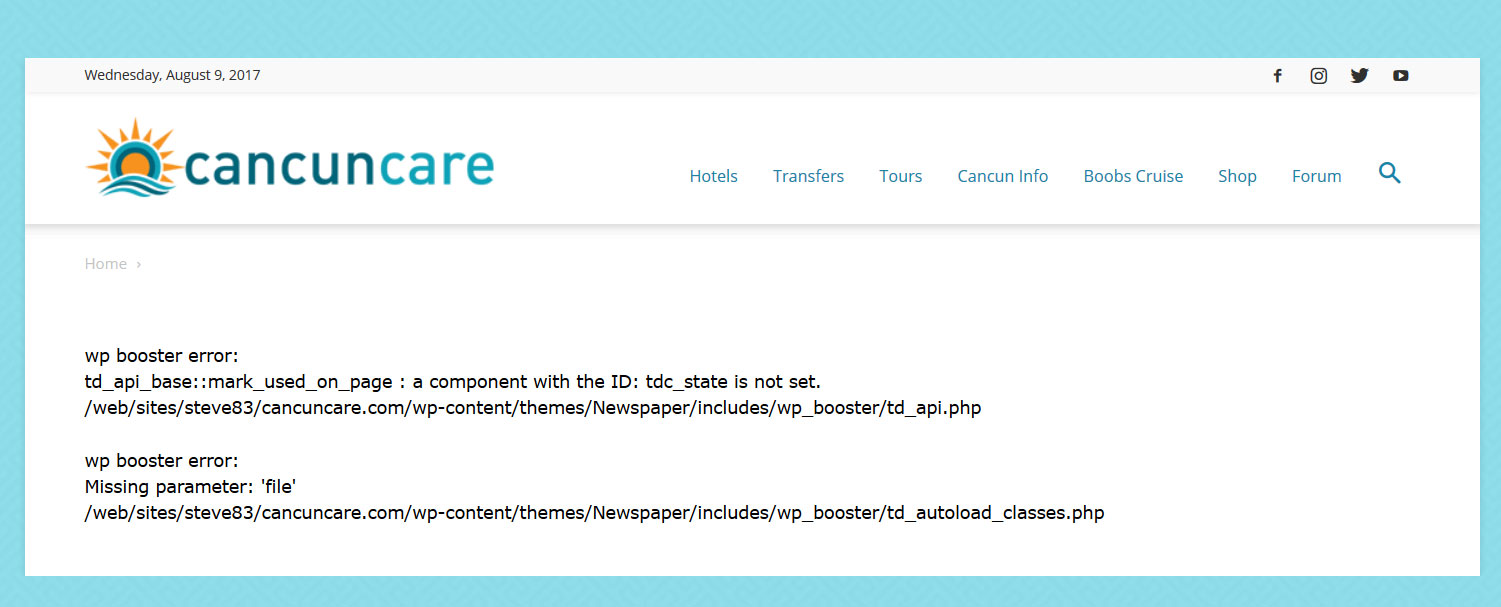
With tagdiv composer deactivated and visual composer activated my pages give the following error.
wp booster error:
td_api_base::mark_used_on_page : a component with the ID: tdc_state is not set.
/web/sites/steve83/cancuncare.com/wp-content/themes/Newspaper/includes/wp_booster/td_api.php

wp booster error:
Missing parameter: 'file'
/web/sites/steve83/cancuncare.com/wp-content/themes/Newspaper/includes/wp_booster/td_autoload_classes.php
(screenshot http://www.cancuncare.com/screenshot/homepage-with-vc.jpg)
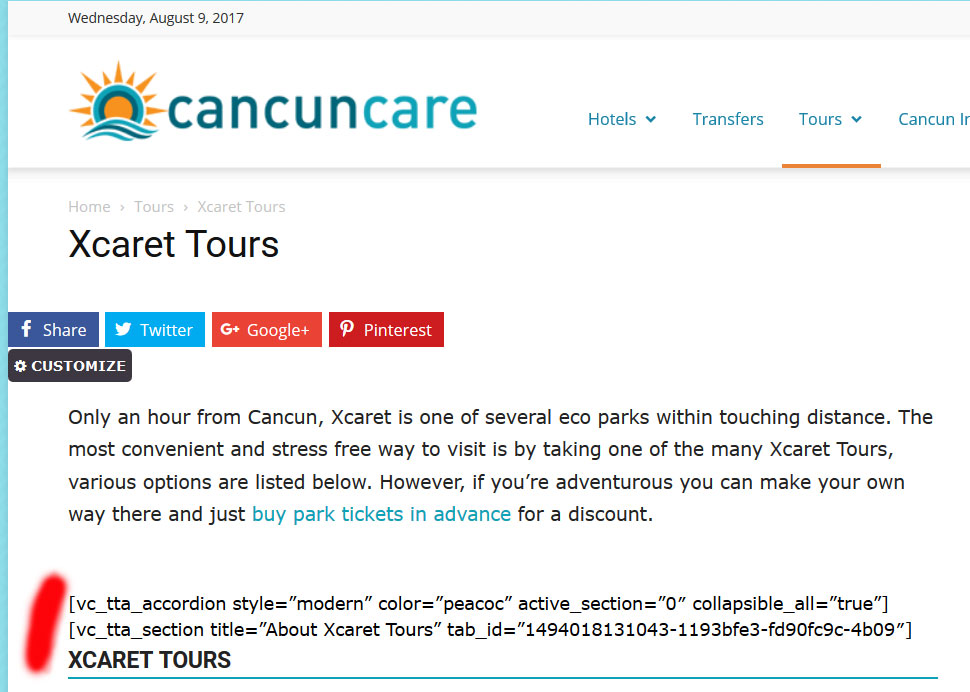
With tagdiv composer activated and visual composer deactivated many elements do not show at all, instead displaying the visual composer code.
(screenshot http://www.cancuncare.com/screenshot/page-with-tc.jpg)
The only way I have found to get the pages to show somewhat correctly is to install and activate both tagdiv composer and visual composer, which when I do so results in some page elements rendering incorrectly (images showing at an incorrect size and sidebars appearing below content). Re-making these pages from scratch results in the exact same problems. I understand having both tagdiv and visual composer enabled is not good. But disabling tagdiv results in the wp-booster error, and disabling visual composer results in elements not displaying.
I have been going round in circles for the last 5 days and am no further on than when I started. I really need a proper solution to this, the latest Newspaper update (8.1) broke my site and I need to get it fixed.
I am happy to provide wordpress login and ftp details if you could advise me on a secure way to do this.
steve83 All was working fine before the latest update. It was the update that broke things.
As mentioned, following the update the pages showed a wp booster error and did not render at all. Activating tagdiv composer allowed the page to show but the strange rendering of pages explained above occurred. At no time were any pages created with tagdiv composer, it was only installed for the first time with the latest update.
I then reinstalled Visual composer via ftp, deactivated tagdiv composer and the pages rendered again but still had the weird display errors. I then removed tagdiv composer and wp supercache. I reinstalled the whole theme via ftp (minus tagdiv composer) but the problem continues.
I guess the only way to fix these issues are to build all affected pages from scratch, at least 20 pages around 20 hrs of work I didn’t anticipate 🙁
-
This reply was modified 9 years by
steve83.
 emceenetwork
I just installed the theme.
I tried to edit the homepage with the TagDiv Composer and immediately got this error:
Errors happened during tdcIframeData.init() -> bindViewsModelsWrappers()!
 schnapperin
Hi,
after updating to 8.1 I try to re-create my homepage with the tagDiv Composer with the following problems:
1) It doesn’t show my sidebar widget (it does display the sidebar on all post pages) on the pages and if I add sidebar widget it is displayed under the first post. How can I display a normal right sidebar?
2) Can I create two blocks on the pages?
Thanks
schnapperin
Catalin Hello braveinftech,
I have inspected your website URL and I saw that you are using the Mobile Theme. Please notice that if you are using that plugin for mobile devices, you have to take account of some restrictions according to our documentation here -> https://forum.tagdiv.com/the-mobile-theme/ Please keep in mind that mobile theme does not recognize the shortcodes generated by Visual Composer or our page builder and then, all the pages which have been created with this page builder will not be displayed in mobile theme, sorry!
Hope this helps!
Thanks for your understanding!
Catalin Hello Hemal,
Sorry but please notice that did not exist any recommended way for achieving this with our theme, sorry! If you want this, you can try using the 4 columns layout using the Visual Composer, like this -> https://www.screencast.com/t/SyyIgebF16d but please notice that way is not recommended by us and if you will encounter any issues with the theme, we cannot provide support for this case.
Thanks for your understanding!