
 Bettina
 Hello Rich!
You can add another element called “Ad box” from TagDiv Composer and there you need to add the ad. Place it in the column after the first 3 ads.
Thank you!
Bettina Hello @westropMEF!
Please check some concrete cases in the next guides:
– https://forum.tagdiv.com/general-options-may-interfere-newspaper-theme/
– https://forum.tagdiv.com/tagdiv-composer-not-working/
I hope you can find the issue which is blocking the Mailchimp.
Thank you!
 Anamaria
 Hello,
To set the same menu for the main menu and sticky menu, please edit with tagDiv Composer v-> Manager (Website manager) -> Header, select the Main Menu Sticky and after you can edit the menu -> https://i.imgur.com/HsSLJyP.png
Thank you!
Anamaria Hello,
Our theme uses Cloud Templates from tagDiv Cloud Library, which can be edited and customized with tagDiv Composer. -> https://tagdiv.com/how-to-use-footer-builder-and-tagdiv-cloud-footer-templates/ -> https://forum.tagdiv.com/footer-templates/ -> https://forum.tagdiv.com/header-manager/
Please check this video about how can create a website from scratch https://www.youtube.com/watch?v=SoGQ0d5kIBg
Also, on our channel https://www.youtube.com/channel/UCOT1RiNysIPCTPSnVZskwtQ, you can find more videos that can help you and documentation https://forum.tagdiv.com/newspaper-theme-documentation/ and you can ask us here on the forum if you have any questions.
Have a nice day!
Thank you!
Bettina Hello @greenleads_bg!
Please execute these steps:
1. disable TagDiv Composer & Cloud Library plugins
2. uninstall(delete) TagDiv Composer & Cloud Library plugins
3. clear cache (if cache plugin exists)
4. install TagDiv Composer & Cloud Library plugins
5. activate TagDiv Composer & Cloud Library plugins
6. clear cache (if cache plugin exists)
If the problem is still there, then we should take a look and see what happened there. Contact us via email at contact@tagdiv.com and provide the following:
– admin url and credentials
– cpanel url and credentials
– a link to this topic in order to identify you
Our team will take a look!
Thank you!
Anamaria Hello Gilles,
Please check this topic about footer edit with tagDiv Composer -> https://forum.tagdiv.com/topic/footers-templates-doesnt-show-the-option-edit-with-tagdiv-composer/
Thank you!
Anamaria Hello,
Please let me know if you use a cloud header because this message appears only when you have a header style from Theme Panel -> https://i.imgur.com/zqw29dJ.png
The footer template does not have the button to be edited with the tagDiv Composer in the backend. Please check this guide:https://forum.tagdiv.com/footer-templates/
You can edit with tagDiv Composer the footer template can be edited only from the frontend if it is assigned, edit a page/post template with tagDiv Composer and go down to the footer => https://www.screencast.com/t/rpfNhfyrF
Hope this helps you!
Thank you!
 Wyohost
I have a new install we’re working on and I’m trying to embed a short-code for a stock ticker.
https://wordpress.org/plugins/stock-ticker/
To be honest, I’m surprised there isn’t one in the theme.
Anyways, when I put in the column text widget and try to edit the content, the popup pops up and spins.
I don’t know if it matters but, all my PHP settings are up to the theme requirements, however, the theme only sees 40mb. On the server it is actually set to 256mb.
https://wyonews.wyowp.com/
The only plugins that are active are:
tagDiv Cloud Library
tagDiv Composer
tagDiv Opt-In Builder
tagDiv Standard Pack
ManageWP – Worker
Thanks
 FRI
FRIHe there!
We’re using the latest Newspaper Theme and after installing last version of WMPL plugin we lost the possibility to edit header and footer from TagDiv Composer. Plz see screenshots https://prnt.sc/26nk9x4 and https://prnt.sc/26nka91
We still could edit the Header from the Cloud Templates menu, but the Footer lost the link “Edit with TagDiv” https://prnt.sc/26nkat2
I think it was after WPML install but I’m care to lost all work if we uninstall WMPL.
Please help me to resolve this.
 kevinsikora
The (Slide) element can be found under (Extended shortcodes). If only one post is available for the Slide element, it will not display. If two posts are available, it will display properly.
I found the (Slide) element in the TagDiv composer.
The issue can be seen on the following page: https://www.wheredoitakethekids.com/place-categories/ . The last row does not display one (Slide) element.
I am using the latest version of WordPress and Newspaper. I tested this with both the Chrome and Firefox browsers.
 gilles@wili.lu
Hi,
I have a problem with my Footer module in the cloud templates (Footer Template and Footer Template V2). They are no longer accessible in “Edit with TagDiv Composer” mode so I can’t change them. When I edit it in classic mode, I can’t change anything because it’s just syntax. Moreover, in the Cloud Templates tab, if I look at the header, it shows “site” for the “Used On” column, and nothing is indicated for the two footer modules.
Can you look at this and help me, I don’t see how to solve this problem.
The header and footer are selected in the Themepanel Newsletter.
Thanks
Gilles
Bettina Hello @jozef!
These issues can be seen while editing the page with the TagDiv Composer on tablet viewport. Change the color of the element you need there. The shortcode can be inserted by using the element called “Column text” or “Text with title”.
Thank you!
Anamaria Hi,
A solution to your problem would be to add more text to the page using the element “column text” or in the “text with title” => https://www.screencast.com/t/NsyYy3VHXQd or delete from the blocks used on the page -> https://forum.tagdiv.com/topic/seo-problem-aioseo-and-tagdiv-composer/
Thank you!
Bettina Hello @honlim!
If you use a cloud/PRO template, then we recommend to insert a shortcode with the TagDiv Composer. The shortcode can be inserted by using the element called “Column text” or “Text with title”.
Thank you!
Bettina Hello @Minoumax1967!
You can’t edit/modify the default global footer with the TagDiv Composer. You’ll need a cloud/pro footer template, so you can import a cloud one from Cloud Templates or you can do it from scratch also by importing a blank footer template: https://www.youtube.com/watch?v=SoGQ0d5kIBg
For a cloud/pro footer template, you can access the homepage and edit them with the TagDiv Composer(scroll till down for the footer).
Thank you!
Bettina Hello @steven786!
Please refresh the page in Composer, and check if you set up some HTML code or some special characters in the element’s settings when you edit the page with TagDiv Composer. Also, if this error appear only on a page, try to revert a revision: https://www.wpbeginner.com/beginners-guide/complete-guide-to-wordpress-post-revisions/ -> https://i.imgur.com/jbmCnzm.png for that page.
We have a guide with some tips why our Composer is not working properly: https://forum.tagdiv.com/tagdiv-composer-not-working/
If you use untested plugins with our theme, then please deactivate ALL plugins except tagDiv ones, also if you are using a cache plugin, deactivate it, clear all cache, because the issue can be from a plugin conflict.
Thank you!
Anamaria Hi,
AMP is faster and works better only with the Mobile Theme plugin. If you’ll use the Mobile theme plugin, then you can not edit the pages with tagDiv Composer.
You have only some settings for this layout, which you can find in Theme panel -> Mobile Theme. The same thing for the AMP plugin too.
Also, you can check our documentation here:
-> https://forum.tagdiv.com/tagdiv-amp-plugin-tutorial/ please set the AMP like in our guide.
-> https://forum.tagdiv.com/the-mobile-theme/
This is a video about Responsive Newspaper Theme, AMP & Mobile Theme, Mobile Pages & Templates -> https://www.youtube.com/watch?v=SpGkOnJeNZY
Thank you!
 Sammy Cheng
I use Flex Block 1 on my home page. And add <!–more–> More Tag to post. But I cannot set it to show content partially.
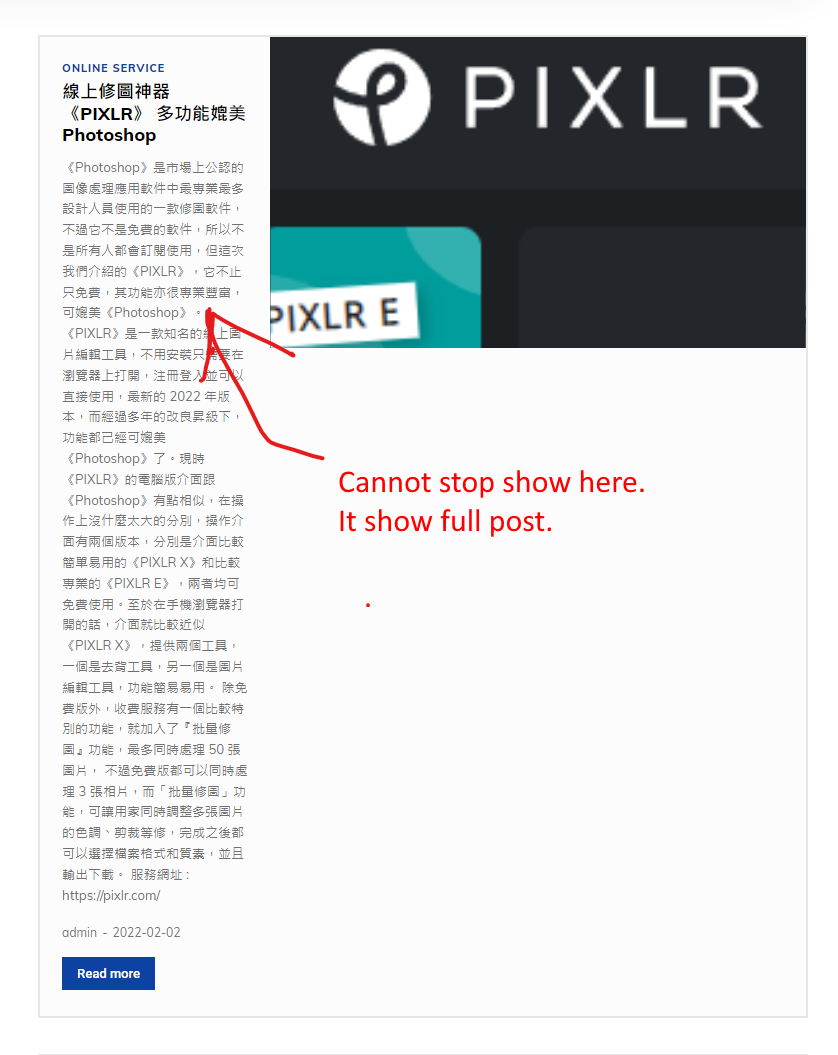
How to fix this problem?
 nurhandi
The problem appears when I update to the latest version of wordpress
 desirevp
1. Is there any difference in functioning between implementing an image ad via the theme panel with the code and doing it via tagdiv composer? Is there any special recommendation about the method?
2. How can I show the same ad to open in a new window in desktop and in the same in mobile? If I make the change via tagdiv composer it implements the change on all devices. Any way of forcing one change to be implemented only in the current tagdiv viewport?
Bettina Hello @iamratnesh!
Edit your current desktop with the TagDiv Composer, click on Load Template, and there you can see that homepage: https://www.screencast.com/t/hHK5xqKr1B
If you want whole demo with all templates, then you can find it in the Newspaper -> Prebuilt Websites.
Thank you!
Anamaria Hi,
You need to set the menu with tagDiv Composer, not using the Customize Option.
You can add the menu, in the main header, sticky header, mobile header and sticky mobile header
-> https://forum.tagdiv.com/mega-menu/
-> https://forum.tagdiv.com/main-menu/
Also, you can add the element for the menu with the tagDiv Composer, where you want to have it on the page (for example, in the footer).
Thank you!
Anamaria Hi,
You can find more single post templates from tagDiv Cloud Library -> https://cloud.tagdiv.com/#/load/Single
Also, if you want to use a standard template, please activate tagDiv Standard Pack, but it is recommended to use Single Post Template -> https://forum.tagdiv.com/how-use-tagdiv-cloud-library-templates/ because you can customize it with tagDiv Composer.
Thank you!
Bettina Hello!
Then you can find the modal in td-composer/legacy/Newspaper/parts/header/td-login-modal.php in order to modify it how you’ll like.
Please note that any change you make in the theme files after update will be overwritten and you have to make the changes again. Better save the code somewhere and then apply it again after every update.
Thank you!
Anamaria Hi,
Please edit the page normally and change the setting for the page into Template: Default template because I think you have there the setting: Pagebuilder + Latest articles + Pagination and these are not editable by tagDiv Composer plugin.
Let me know the results!
Thank you!



