
- TutorialsFrom WPBakery to tagDiv Composer
- TutorialsDefault Block Settings Guide
- TutorialsOffset Feature
- TutorialstagDiv Social Counter Tutorial
- TutorialsHow to Update the WPBakery Page Builder plugin
 Anamaria
 Hello,
Please let me know how you set the tagline.
If you use a standard template, you can set the font size from Theme Panel -> Theme Fonts -> Header => https://i.imgur.com/2y5vGQo.png if you have a cloud template, you need to edit with tagDiv Composer, select the logo and set the font size like this => https://i.imgur.com/bEKETfK.png
Thank you!
Anamaria Hello,
You can find the WP Bakery in this path Newspaper-tf\code\other_plugins
We strongly recommend using only one of those plugins with our theme (WP Bakery or tagDiv Composer, but not both)-> https://forum.tagdiv.com/how-to-use-visual-composer/
Thank you!
 Writerat
Hi,
I have been seeing error notifications for two days. I’m not sure, but I think it happened after I tried to change the look of the page header in tagdiv composer, but I reverted the changes immediately. What can I do about this problem?
“Invalid argument supplied for foreach() in”
“Cannot modify header information – headers already sent by”
My website is writerat.pl
Thank you in advance for your help!
 pawelbednarz
Hi, i have a problem. In my WP I see that I have a TAGDIV Composer. BUT I have only Newspaper Theme – not a composer like looks on the wideo tutorials – with opportunity to edit of another blocks. Please help
 behappy
 Hi there Calin,
How are you?
In the latest release we cannot find the js_composer ZIP in order to update WP Bakery plugin. We did it in the past by following these instructions: https://forum.tagdiv.com/newsmag-how-to-update-visual-composer-plugin/
What steps should we follow now?
Thanks in advance.
 vadoingiappone
 Hi Bettina,
thanks for the answer, but this is not the solution.
BG Featured and SP Featured imges are different component and, in some case, can’t be interchangeable. I need’t caption or have a lot of style.
I can have different size for the image with BG Featured too, simply using TagDiv composer configuration, as you see here
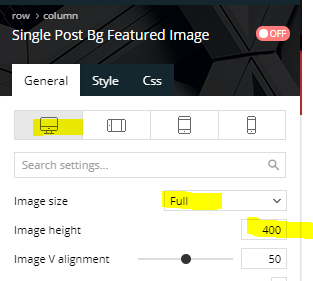
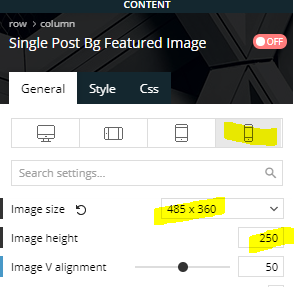
In frontend, tagdiv generate this CSS, that is great:
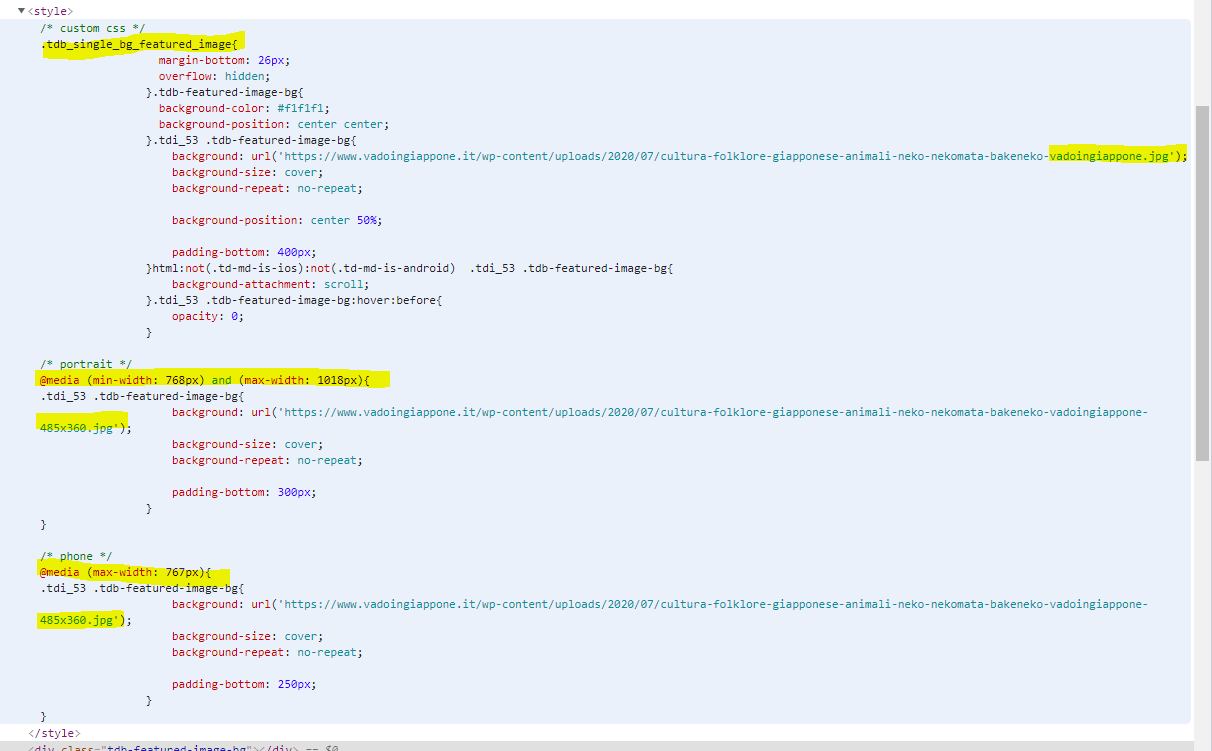
Now, css background image is not the best for LCP, because all CSS must be evaluated before start download the image, so, if the theme can attach a “link preload” in head tag, all could be best.
The theme has all the info to create a Preload with “imagesrcset” attribute, because it already to this with CSS.
Thanks a lot
Fabrizio
Anamaria Hello,
The WooCommerce template is the standard template, so, if you want to use our plugin, you need to create the page with tagDiv Composer, also, you can check this article https://tagdiv.com/how-to-build-an-ecommerce-website-with-newspaper-theme/
Thank you!
 globalsouthvoice
I’m trying to change the blocks, but it is not showing all the blocks in the tagDiv Composer. Some blocks are showing by default, but I want to change those blocks. Here is the PDF file links of screenshot of blocks not showing in tagDiv Composer https://smallpdf.com/file#s=d999df3c-f55b-4979-afaa-538bac1b913a
I would appreciate if you give me a guide on changing the setting of blocks on website.
REPLY
 dhsg
dhsg More info from my host….
These are the related errors on the website:
2021-08-03 17:53:54.190397 [NOTICE] [25137] [149.62.205.209:31458#APVH_locality.guide] [STDERR] PHP Warning: require_once(/home/wokstare/domains/locality.guide/public_html/wp-content/Newspaper/tagdiv-deploy-mode.php): failed to open stream: No such file or directory in /home/wokstare/domains/locality.guide/public_html/wp-content/plugins/td-composer/mobile/functions.php on line 11
2021-08-03 17:53:54.190416 [NOTICE] [25137] [149.62.205.209:31458#APVH_locality.guide] [STDERR] PHP Fatal error: require_once(): Failed opening required ‘/home/wokstare/domains/locality.guide/public_html/wp-content/Newspaper/tagdiv-deploy-mode.php’ (include_path=’.:/usr/local/lsws/lsphp74/share/pear:/usr/local/lsws/lsphp74/share/php’) in /home/wokstare/domains/locality.guide/public_html/wp-content/plugins/td-composer/mobile/functions.php on line 11
I’m unsure what it all means though.
Anamaria Hello,
Please send some screenshots with your steps.
Also, if you have a standard Prebuilt Website you need to add the logo in Theme Panel -> Header -> Logo and Favicon (you need to have the tagDiv Standard Pack plugin activate ), but if you have a Pro Prebuilt Website then you need to add the logo with tagDiv Composer like in this video https://www.youtube.com/watch?v=HXQQygkCCJo
Thank you!
 Bettina
 Hello!
The template is the same for all your posts because it’s set as global template. If you change something on a post, then will be the same for all your posts. Edit the post with TagDiv Composer and you can edit the sidebars.
Thank you!
Bettina Hello!
For cloud templates, you should add the ads when you edit the post with TagDiv Composer in the element called ” Single Post Content ” in the tab ADS or you can use the element called “Ad box” from TagDiv Composer and there you need to add the ads.
Thank you!
globalsouthvoice I’m trying to change the blocks, but it is not showing all the blocks in the tagDiv Composer. Some blocks are showing by default, but I want to change those blocks. Here is the PDF file links of screenshot of blocks not showing in tagDiv Composer https://smallpdf.com/file#s=d999df3c-f55b-4979-afaa-538bac1b913a
I would appreciate if you give me a guide on changing the setting of blocks on website.
Bettina Hello!
Edit the page with TagDiv Composer, click on the mobile viewport: https://www.screencast.com/t/XDQJedlggSB ; there you can see your mobile version and you can edit the elements there in order to display how you want.
Thank you!
Bettina Hello!
Edit the post with TagDiv Composer, click on the Social Counter element(icons) and you will see the settings where you should change/edit the link.
Thank you!
Bettina Hello!
For default templates, the settings are here: https://www.screencast.com/t/UbJfGnXERMEv
and for cloud templates, you should add the ads when you edit the post with TagDiv Composer in the element called ” Single Post Content ” in the tab ADS or you can use the element called “Ad box” from TagDiv Composer and there you need to add the ads.
Hope that helps you!
Thank you!
 hebdo24
Hello,
I need help solving an issue with tagdiv composer, each time we setup the mobile version, it works only at 1st launch and once we refresh the page, all elements come to the default layout and completely ignore our templates from cloud library.
We urgently need your help.
Regards.
 what-the
 It works. Wow. Thank you Bettina! We’re loving the TD composer! 😉
vadoingiapponeHi,
have you never think to add an option on “Single Post Bg Featured Image” in TagDiv Composer to add a <link “preload”> in head for the background image?
The <link> tag must have an “imagesrcset” too, as explaned here https://web.dev/preload-responsive-images/
This can optimize LCP of WebVitals
Thanks
Fabrizio
 jeanbaptistenox
Hi there!
I have updated the newspaper theme to 11.2, all plugins are activated. Everything is ok in back office. But ! On home page, the big grid doesn’t works anymore and it’s showing errors : code text. Impossible to access to the big grid with tag div composer or change anything. Can you help me ?
https://www.pinbalmag.fr
Best regards
 vipers24
I have created a custom post template for each of my categories.
Inside the Newspaper Theme Panel, I have updated each category and assigned its custom post template.
When I visit my site (staging site), I’m not getting the correct templates.
For example, this post has a category of SOFTBALL. In the theme panel, the category is set to open the softball custom template, but it’s pulling up a generic template:
https://www.staging2.ohiovarsity.com/vipers-conclude-tryouts/
In the upper right hand corner, I see this:
EDIT WITH TAGDIV COMPOSER (green box with white text) and next to that it says: GLOBAL Single Post Template 10
Sometimes it works and sometimes it doesn’t.
Is there something I’m missing?
 itictmedia-nl
 Hello Anamaria,
Thank you for answering, but as stated in my first message, I already tried doing this, but even with only the tagdiv cloud library, tagdiv composer, tagdiv opt-in builder and tagdiv standard pack plugins active the CSS analyser does give the same results, only a white screen for a short time.
The issue is at: https://itexecutive.nl
Huub
Anamaria Hello,
I checked your website and seems the Instagram works well in the footer => https://www.screencast.com/t/LsOSs6JbTCCq
Also, the sidebar is created with tagDiv Composer or in widgets?
Thank you!
Anamaria Hello,
Please deactivate, delete and reinstall tagDiv Composer from Newspaper plugins => https://www.screencast.com/t/OrzLvR2j and clear all cache.
In most cases when you get a similar message “ Error at zones: 6(models): 0(dom). The model does not match the content Current state has involved an issue. You could try an UNDO operation (CTRL+Z / CTRL+SHIFT+Z)” then indeed it is a problem, most of the time the problem is from a shortcode that is not compatible with our theme, therefore after you set it with tagDiv Composer and save the page/cloud template, the next time when you try to edit it, you’ll get that error.
For this error, you can check our guide from here at point 5 -> https://forum.tagdiv.com/tagdiv-composer-not-working/ also after trying the steps from our guide you do not solve the issue, you can send us an email at contact@tagdiv.com and provide wp-admin login, as well as cPanel and credentials. We will take a look. Include a link to this topic in the email.
Also, please make a full backup to all files and databases.
Thank you!
 dinhhiep
 Ok, step by step.
1. I installed the Newspaper theme, and chose “Pulses Pro” pre-made website. I activated “Design only”.
2. I chose “Cloud Templates”, then clicked on “Category Template” and edit it with TagDiv Composer.
3. Now the screen changed to the Tagdivie Composer Interface. The main category page is designed like this:

4. Situation: When my category has some sub-categories, there will be a list of sub-categories, right below the category description. Like in this live web link:
https://www.banyantimes.com/section/business/
However, if my category has NO subcategories, there is a menu list of other same-level categories, which I do not like, as in this live web link:
https://www.banyantimes.com/section/sports/
5. Questions: How can I remove the menu in the second case where the category has no sub-categories?
Or, what are other options I can enter for “Categories to show when display as list” in TagDiv Composer?


