
- NewsmagtagDiv Composer Tutorial
- NewsmagHow to use the Visual Composer plugin
- NewsmagHow to update a plugin
- NewsmagWhat’s included in Newsmag theme package
- NewsmagRequirements for Newsmag
- NewsmagInstall via WordPress
- NewsmagInstall via FTP
- NewsmagBlock settings tutorial
- NewsmagtagDiv Social Counter tutorial
- NewsmagHow to update the WPBakery plugin
- NewsmagPage Menu
- NewsmagCustom ad spots
- NewsmagSmart sidebar
- NewsmagVideo playlist
- NewsmagPage templates
- NewsmagHomepage – How to build and set it
 Anamaria
 Hello,
The footer template can be edited only from the frontend, edit a page/post template with tagDiv Composer and go down to the footer, or if you want to assign one, use the Manager => https://www.screencast.com/t/GllWehU3l (the footer templates does not have the button to be edited in the backend).
We were talking about this in this topic here: https://forum.tagdiv.com/topic/how-to-edit-footer-template-default-pro-by-tagdiv-composer/
Hope this helps you!
Thank you!
 atmoloch
Hi guys,
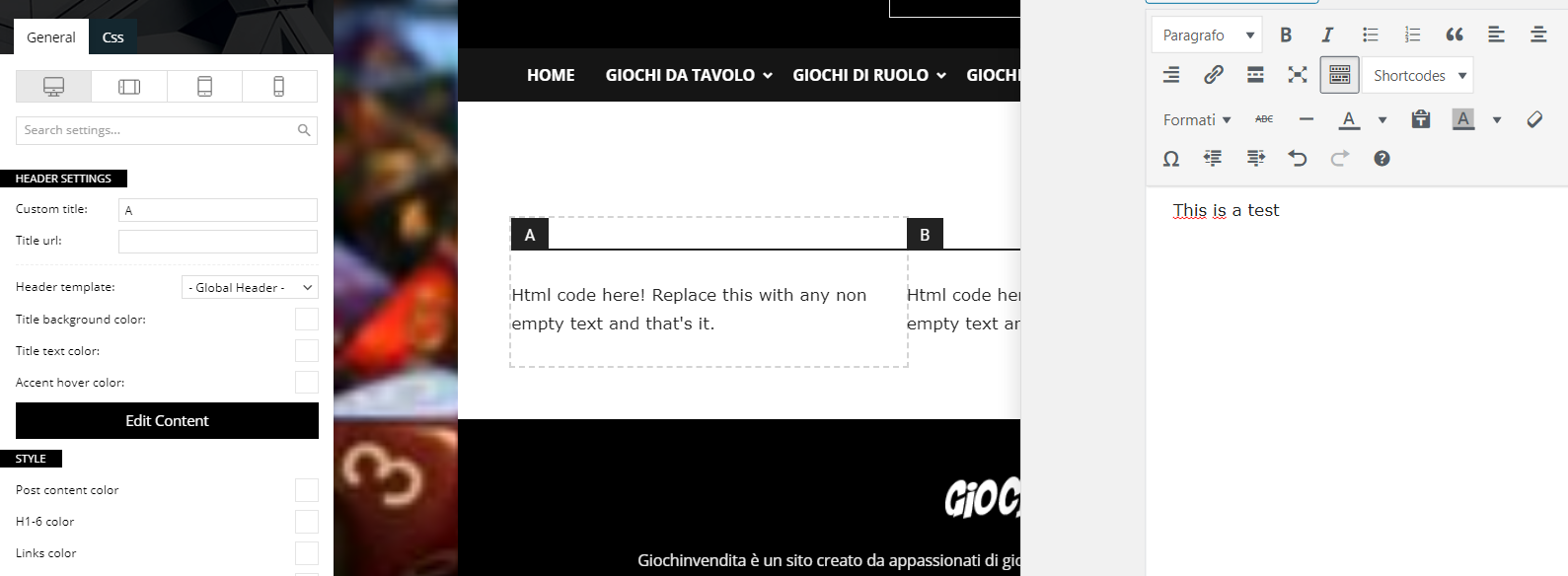
I’m having some problems with the composer and specifically with the text blocks. When I click on edit content and start writing, the page doesn’t update and I can’t figure out how.
Can you help me?
Newspaper Version: 10.3.9.1
WP Version: 5.6
PHP Version: 7.3.25
Anamaria Hello,
I checked your website and seems you have an empty row at the bottom of the page, on the row you have is set a background color and padding top and bottom => https://www.screencast.com/t/yY3jvZ3Ki1rR
You need to remove the row, edit the page with tagDiv Composer and with a click right remove the row => https://www.screencast.com/t/9nWg97KsS.
Hope this helps you!
Thank you!
 bibendus
Hello,
I have a problem in the search field of the site: it cannot find a text contained within a page. This anomaly is not found for texts in articles, which are searched regularly.
Anamaria Hello,
You are using a Prebuilt Website Pro, the row width can be edited only tagDiv Composer.
For this you need to make sure that you don’t have set a background color/image in Theme Panel, because this makes your website boxed. Make sure this option is diseable => https://www.screencast.com/t/ejiNPCBF.
Hope this helps you!
Thank you!
 webarts
hello i add a new social icon MeWe network (https://mewe.com/) in /plugins/td-composer/legacy/common/wp_booster/td_social_icons.php and all is ok
how can add this icon and in share social icons here ?
https://prnt.sc/wg3f9b
 apwall
Hello, brand new site and have just installed the Newspaper theme. When editing a page there is an option to use TD Composer. But, there isn’t an option when editing posts. What is the easiest way to add a visual editor to posts? Don’t need significant options…just will embed an occasional picture and link.
 jeremydan
Good day
I have a child page, in which I want the breadcrumbs to be visible. So in the TagDiv Composer, I added the Element ‘Breadcrumbs’, but all I get is following: Home > child page. The Parent page is missing. I need it to be: Home > Blog > Child Page
Is there a fix for that?
For that problem to be fixed, I selected the Template ‘Pagebuilder + Page title’ for the Child Page: https://prnt.sc/wg2ntq
However, if I do that, I’m unable to design the breadcrumbs and Page title. Is there a way to edit it to customize it to my liking.
So I need a) a full breadcrumb when adding the Element ‘Breadcrumb’ (Parent Page is missing)
or b) be able to customize the Breadcrum + Page title, which are shown automatically when using the ‘Pagebuilder + Page Title’ Template.
Thanks and best wishes
 erickimani
Please see a comment from hostgator regarding a memory issue on our website
Thank you for contacting HostGator.
It is my understanding that you are experiencing issues when updating to php 7.3 on constructionreviewonline.com. I apologize for any inconvenience.
Upon review the website was exceeding the memory_limit for php 7.3 which was set to 512M. I have set the site to use php 7.3 and increased this memory limit to 1028M and the site is loading however having 1GB of RAM dedicated for a single process is not ideal and could potentially lead to resource issues on the server. This memory limit is being exceeded due to the tagDiv Composer plugin on the site, as such it would be strongly recommended to either disable this plugin or reach out to the plugins developer to determine why this plugin is using such a large amount of memory then reduce the memory_limit back to a more normal level from the MultiPHP INI Editor in WHM.
Anamaria Hello,
You can make this pagination use the tagDiv Composer => https://www.screencast.com/t/90N6aAgis, add element -> Posts Loop => https://www.screencast.com/t/ZrbBCTH6kx0, to set the type of pagination you need go in General -> Pagination => https://www.screencast.com/t/Ps63VzBqyT3, you have more options like to show or hide the name author or something else in Layout => https://www.screencast.com/t/1egmaHcZe,
or change the title text color in Style =>https://www.screencast.com/t/JQtPHtGp6tUz .
Hope this helps you!
Thank you!
Anamaria Hello,
You can achieve the hours ago on blocks only with custom work, you can contact our team here => https://tagdiv.com/premium-customization-services/
If you want to use the “Time ago format” only for the post, you need to use a single post template from tagDiv Cloud Library and edit it with tagDiv Composer click on single post date and enable the “Time ago format” -> https://www.screencast.com/t/HcjkFySnV.
about this topic has been discussed here =>
https://forum.tagdiv.com/topic/implementing-the-time-ago/
https://forum.tagdiv.com/topic/changing-the-date-to-x-time-ago/
https://forum.tagdiv.com/topic/the-time-ago-in-block-3-is-correct-but-another-block-is-wrong-time/
Thank you!
 FathersClubUa
Hello!
After installing NewsMag theme I had button “Tag Div Composer” in Pages but now
button dissapear from WordPress admin
Now I have this button only in top menu while browsing main page
as at screenshot 1

But while browsing another posts a haven’t such button

and at the list of posts too

Shortly I have button ” Edit with TD Composer” only for Pages, not for Posts
Anamaria Hello,
You can remove the banner edit with tagDiv Composer => https://www.screencast.com/t/2WD6ZePKVc -> select the element Ad box, and with a click right you can delete => https://www.screencast.com/t/uPsNz7XjC7, or selecting the element and with drag & drop place into the deleting red zone from the bottom right of the page.
Hope that helps you!
Thank you!
Anamaria Hello,
You can change the design page using tagDiv Composer.
For example, you can check and edit the fonts in Manager(Website Manager) => https://www.screencast.com/t/UxVGZ7e252hI.
For each element, you can change the settings about the font, size, color from Style => https://www.screencast.com/t/Uw2CWsAHG -> https://www.screencast.com/t/sJkUbd2Hh.
About meta info in Layout can change the settings => https://www.screencast.com/t/Tn7m6yI4.
Also for some elements, you can use the fonts from in Theme Panel -> Theme Fonts => https://www.screencast.com/t/qFi4umJV5p.
Hope this helps you!
Thank you!
 Bettina
 Hello!
You need to edit a post with TagDiv Composer and add this element: https://www.screencast.com/t/ijBcJg00
Hope that helps you!
Thank you!
 Vlad S
 Hello !
By using tagDiv Composer you can custom create different sidebars and layouts as you can see here: https://www.youtube.com/watch?v=fa7GenCHcBU&t=3s
Thank you !
Vlad S Hello !
I think it would be easier for you to use tagDiv Composer as you can see here: https://www.youtube.com/watch?v=fa7GenCHcBU&t=3s And you can customize your sidebar on different templates.
Thank you !
Vlad S Hello !
You will have to first start looking for a plugin conflict. please deactivate ALL plugins except tagDiv ones, also if you are using child theme or cache plugin, deactivate them, clear all cache and try again.
Also you can try and remove and re-install the tagDiv Composer plugin.
Let us know the results.
Thank you !
Vlad S Hello !
Please send us a screenshot of your System Status Tab and make sure that all the requirements are met as you can see here: https://forum.tagdiv.com/requirements-for-newspaper/ ; You will have to first start looking for a plugin conflict. please deactivate ALL plugins except tagDiv ones, also if you are using child theme or cache plugin, deactivate them, clear all cache and try again.
Also you can try and remove and re-install the tagDiv Composer plugin.
Let us know the results.
Thank you !
 eranelevate
Hi im trying to upgrade a website that uses newspaper 4.6 to the latest version 10, the site is on a child theme,
is it even possible? what are the things i need to know? what actions to take?
looks like theres something called wp-boost that was in the old version and now its gone, what should i do about it? getting a lot of errors because of it
tried updating plugins – tagdiv composer etc. looks like its now working, it says failed after i install or update
thanks and appreciate any help
 Calin
Calin Hi,
The problem with the image seems to be when those are 300×300 and not 300×250 as should be -> https://i.imgur.com/PaHY1Y2.png also there seems to be some different width and some margins set on the element https://i.imgur.com/rG2xch9.png if you remove theme the images will look normal -> https://i.imgur.com/9RhRNBs.png please check with tagDiv Composer in css tab -> https://i.imgur.com/rZUJxzX.png
Also the align problems seems to be from css, first is look that you have set some adding on the image box, you can checked it here -> https://i.imgur.com/AfyJFoQ.jpg
Also the align you can try this custom css
.td_block_image_box.td-image-box-style-2 .entry-title a {

    padding: 0px;

}
This code need to be set in the theme panel, custom code> custom css.
Hope this will help you!
Vlad S Hello !
Please send us a screenshot of your System Status Tab and make sure that all the requirements are met as you can see here: https://forum.tagdiv.com/requirements-for-newspaper/ ; You will have to first start looking for a plugin conflict. please deactivate ALL plugins except tagDiv ones, also if you are using child theme or cache plugin, deactivate them, clear all cache and try again.
Also you can try and remove and re-install the tagDiv Composer plugin.
Let us know the results.
Thank you !
Vlad S Hello !
If you are using a PRO Demo or Cloud library templates the sidebar is fully editable using tagDiv Composer as you can see here: https://www.youtube.com/watch?v=fa7GenCHcBU&t=3s
Thank you !
Calin Hi,
In most cases when you get a similar message “ Error at zones: 6(models) : 7(dom). The model does not match the content Current state has involved an issue. You could try an UNDO operation (CTRL+Z / CTRL+SHIFT+Z)” then indeed it is a problem, most of the time the problem is from a shortcode that is not compatible with our theme, therefore after you set it with tagDiv Composer and save the page/cloud template, the next time when you try to edit it, you’ll get that error.
We have a guide for how to investigate this problem and fix it -> https://forum.tagdiv.com/tagdiv-composer-not-working/ also after trying the steps from our guide you do not get any good results, you can contact use via email and we can investigate the problem on your website.
If there is still a problem, you can send us an email at contact@tagdiv.com and provide admin login, as well as cPanel. We will take a look. Include a link to this topic in the email.
Let me know the results!
Thanks you!
Vlad S Hello !
As my colleague mentioned above the Theme panel changes will not work. The template you are using is fully editable using tagDiv Composer. For the header logo follow our video guide here: https://www.youtube.com/watch?v=HXQQygkCCJo
Thank you !



