No search results were found in Documentation!
 admin@gossipfy.com
 Hi,
Perhaps I should explain a little more:
In the front page we’ll see double sometimes 3 times, images of an article, although the article itself has only one featured image in the single post page and in the WordPress admin. I am using the demo content now but when I had my own content the same thing happened. So tried again from scratch but it didn’t work.
Please see screenshots.
Thanks in advancer for your help!
Marcos
https://gossipfy.com/screenshots/Screenshot%202025-02-04%20at%2008.32.51.png
https://gossipfy.com/screenshots/Screenshot%202025-02-04%20at%2008.33.15.png
https://gossipfy.com/screenshots/Screenshot%202025-02-04%20at%2008.34.32.png
https://gossipfy.com/screenshots/Screenshot%202025-02-04%20at%2008.34.48.png
 Ervin108
Hello,
1. I recently bought Newspaper Theme. First I was thinking to use prebuilt Black Version PRO demo – but then I saw this: https://demo.tagdiv.com/newspaper_black/
Problem is that I can not find this “Newspaper black” prebuilt website…only “Newspaper black – version Pro” is available in demos directory. Was “Newspaper black” removed from directory ?
2. My WP Memory Limit system status shows problem – 40 MB/request. I tried to follow your guideline for changing this value in wp-config.php file. However in my wp-config.php file there is no any such line “define( ‘WP_MEMORY_LIMIT’, ’40M’ );. So I tried solve this by just adding the line “define( ‘WP_MEMORY_LIMIT’, ‘256M’ )” into my wp-config.php file but Newspaper system status still shows there is problem because of “40 MB/request”.
I did however tried to instal Newspaper black – Pro and edited it a little and so far there seems to be no problem.
 WDL Digital
Having installed the ‘urbanobserver’ pre-built theme, it seems my website is nothing like the actual demo – see below – any ideas why?
My website: https://businesssuccessdaily.com/
Demo: https://demo.tagdiv.com/newspaper_urban_observer_pro/
 Anamaria
 Hello,
You can install this prebuilt website https://forum.tagdiv.com/installing-demos/ and after you can edit it with tagdiv Composer.
Here is a video that will show you how to use the builder to create a website from scratch https://www.youtube.com/watch?v=SoGQ0d5kIBg to do this you’ll need to have the posts already.
The same steps are used for editing all prebuilt websites.
Thank you!
 Alex harper
Hi Newspaper Support Team,
I’m trying to customize the featured image behavior on my site. Specifically, I want the featured image to change (either slide or blink between multiple attached images) when the user hovers over it.
In my previous theme, I was using this filter to modify the featured image:
add_filter( 'post_thumbnail_html', 'my_custom_function' );
However, this does not seem to work in the Newspaper theme. I suspect you are using a custom hook to render the featured image’s HTML. Could you please let me know which hook or function is responsible for this?
I’d appreciate your guidance on this so I can implement the customization myself.
Thanks in advance for your help!
check my sample demo from another website https://imgur.com/a/zVrpuWD
Anamaria Hello,
Thank you for reporting it. We will try to fix this issue in the next update.
Also, I checked on a demo, and here, this issue does not happen -> https://demo.tagdiv.com/newspaper_pro/ Can you please provide the link to your website?
Best regards!
Anamaria Hello,
Please let me know what prebuilt website you installed, default pro or default RTL pro: https://demo.tagdiv.com/newspaper_default_rtl_pro/
The title of the posts you need to edit in the Gutenberg, and the names of the blocks you can edit with composer to change them https://i.imgur.com/uFWr8tG.png
For social icons you can use this code
.tdm_block_socials

{

text-align: left!important;

}
Thank you!
 Ericky
 Hey,
No. I’m talking about taxanomie modules. In the demo of Cali Sight, they were used on the pages.
So how can I insert those?
Anamaria Hi,
Did you try to install it and received this error message, “ERROR: The package could not be installed. The theme is missing the style.css stylesheet.”? If yes, you are probably uploading the whole theme package. You have to upload only the theme zip file, not the whole package which contains other items
– https://help.market.envato.com/hc/en-us/articles/202821510-Theme-is-missing-the-style-css-stylesheet-error
Install via WordPress -> https://forum.tagdiv.com/install-via-wordpress/
Install via FTP -> https://forum.tagdiv.com/install-via-ftp/
Requirements for Newspaper => https://forum.tagdiv.com/requirements-for-newspaper/
After installing the theme and activating it you will find in the Prebuilt websites all the theme demos and you can import whatever demo you want => https://www.screencast.com/t/6rf5g0Dxc0K
If this isn’t what you mean, please provide more details and screenshots.
Thank you!
 LauraBV
https://www.theblackmorevale.co.uk/
My template (now on Version: 12.6.8) update aproximately two weeks ago, and in the process I ended up with all the demo content and woo commerce content being placed back in my dashboard.
It was a simple thing to delete it all out, and all seems fine on the desktop.
But ever since, the mobile version of my site refuses to display correctly.
It looks fine in the dashboard (How the mobile page looks in the dashboard is here )
I have deleted the mobile page and re-created a new one – which has had no effect.
I have entirely deleted the cache plug in – no effect.
I have deactivated plugins – no effect.
I have installed a new cache plug in – which I cannot now activate
I had made no changes to the site, and can track down no reason for this
 thebackbenchers
 1) hi on mobile header here – bankpediaa.com how to change header menu sub items -see here – https://prnt.sc/rI015b6oLu4V there are 3 sub items in each 6 menu items i tried a lot but was not able to change them
2) on header when pricing is clicked, the new page which opens, two buttons were there in demo which vanished completely see here – https://prnt.sc/_09UBmVoYMpp the vanished buttons were Monthly & yearly switcher and central button on right form i tried adding button but it doesn’t comes in centre it is in left.
3) On blog page, the blogs which are posted latest doesn’t appear
4) Contact form on contact page is vanished
Please help in above 4 things n website https://bankpediaa.com/ it will be very kind of u
 Bakhti Roedarah
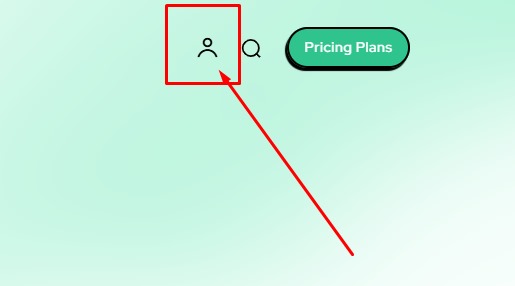
How can i enable this account and login icon?
MySite: https://i.postimg.cc/6pLb5pdT/MySite.jpg
TagDiv Demo Site: https://i.postimg.cc/N0dNmCCc/Tag-Div-Demo-Site.jpg
 DrEmil
Hi
Can not get images to work load , how can I solve this ?
The box where the “fashion” category is, how do I change the pictures
Sorry for the stupid question
 techquest411
Hello I’M USING URBAN OBSERVER PRO TEMPLATE https://demo.tagdiv.com/newspaper_urban_observer_pro/
I’m current editing a full content website with over 100s of post and 20 or more catagories.
How do I change the content of posts or categories in each of the flex block sections like in the Urban observer por template has the 3 first post section/4 post flex block section underneath/like the top 5 post section/Don’t miss block section and etc. It seems like in the demo the content keeps repeating the same lot of 3 post in each of the flex block sectionals when i have hundreds of diferent posts. I would like to use all of the demo block sectional designs and not change the design aspect but only change the content posts and stop the using the same post over and over in each section please help? Thanks
 forgepress.website
 Hi Anamaria,
These are the new links.
ErickyHi,
I’m using Cali Sight but I can’t see the page templates on cloud templates area so I cant import and use these pages: https://demo.tagdiv.com/newspaper_cali_sight_pro/tdtax_attractions/seasonal-activities/
How can I import these page designs?
Anamaria Hi,
Did you try to install it and received this error message, “ERROR: The package could not be installed. The theme is missing the style.css stylesheet.”? If yes, you are probably uploading the whole theme package. You have to upload only the theme zip file, not the whole package which contains other items
– https://help.market.envato.com/hc/en-us/articles/202821510-Theme-is-missing-the-style-css-stylesheet-error
Install via WordPress -> https://forum.tagdiv.com/install-via-wordpress/
Install via FTP -> https://forum.tagdiv.com/install-via-ftp/
Requirements for Newspaper => https://forum.tagdiv.com/requirements-for-newspaper/
After installing the theme and activating it you will find in the Prebuilt websites all the theme demos and you can import whatever demo you want => https://www.screencast.com/t/6rf5g0Dxc0K
If this isn’t what you mean, please provide more details and screenshots.
Thank you!
Anamaria Hi,
Did you try to install it and received this error message, “ERROR: The package could not be installed. The theme is missing the style.css stylesheet.”? If yes, you are probably uploading the whole theme package. You have to upload only the theme zip file, not the whole package which contains other items
– https://help.market.envato.com/hc/en-us/articles/202821510-Theme-is-missing-the-style-css-stylesheet-error
Install via WordPress -> https://forum.tagdiv.com/install-via-wordpress/
Install via FTP -> https://forum.tagdiv.com/install-via-ftp/
Requirements for Newspaper => https://forum.tagdiv.com/requirements-for-newspaper/
After installing the theme and activating it you will find in the Prebuilt websites all the theme demos and you can import whatever demo you want => https://www.screencast.com/t/6rf5g0Dxc0K
If this isn’t what you mean, please provide more details and screenshots.
Thank you!
 lpecchiproper
Hi
I am using the Doctor Pro demo as the basis for a client’s site, however, I have not, at least not explicitly, enabled the user registration features.
After only a few days of using the site, one user managed to register as WordPress user, with the role of subscriber.
Obviously I deleted that user, but how can I go about completely disabling, at least for now, the ability for users to register?
Thanks in advance, Luca
 brwnfshwebworks
Hello,
I have installed the Doctors Pro demo and was hoping to get advise on how to reconfigure the ACF aspects so that the Doctors listings could be changed into some other professional skill (like I.T. or Web Development).
I did try to manually change the Post Type values and when I changed the Post Type Key (I also did a column value replacement on MySQL database), I ended up breaking the connection to various areas like when I tried to filter the results based on location or skill category/specialty.
Hopefully there is a documentation here somewhere for that?
If not, will I be assisted in achieving this if I have an active support subscription?
What I am trying to achieve is be able to successfully change the skill descriptions and slugs into whatever other skill/specialty I’d like to create a directory for – without breaking any generated page.
Thanks in advance to whatever help you could provide. 🙂
 imcamg
Hi,
After I imported the demo content from the Publication Pro Prebuilt website, I’m seeing that the login and register page relative URLs look odd.
Login page url:
https://huntcode.com/login-register-publication_pro/
Register page url:
https://huntcode.com/login-register-publication_pro/?signup
For the login url it should be:
https://huntcode.com/login
For the register url it should be:
https://huntcode.com/register
How do I resolve this issue?
As a reference:
https://www.codecademy.com/register
https://www.codecademy.com/login
It should function like the website links above in that it goes to the relative URL paths /login and /register instead of:
/login-register-publication_pro/?signup
/login-register-publication_pro/
 qiurufeng
what I want:

what it looks like now:
[img]https://i.imgur.com/IN7AgUy.png[/img]
 leeallen
I would like to know if you area able to download the Demo Site Home Page with same functionality, without the other pages and content. I want to Build from just the Demo site home Page with the same functionality.
Thanks
Lee
 steffi83
Hi,
I am currently using Newspaper Travel Memories, in the Demo I see this graphic for the NL subscription but if I include it in a page (or homepage) I only see the main image without the white subscription field on the right.
I include a MailChimp Add on, but is not as nice as the one in the demo.
https://www.trolleygirl.it/iscrizione-newsletter/
COuld you please help me? Thank you
 mikisan
 I am having the same issue. Since the Mintyside PRO demo does not include a page template, I created a page in Gutenberg, then edited it with Composer and went to the Mintyside PRO Single Post template, copied the entire row and pasted it in that “new page design” (because I want the pages and posts to look very similar). I removed the post content element, added a column text and pasted the content of the Gutenberg page inside. The title in the sidebar is automatically taken from the page’s title but the featured image element (since it is of course called Single Post Featured Image) does not display the featured image.
How should I proceed in the case of the Mintyside PRO to get the featured images show for Pages too?
-
This reply was modified 1 year by
mikisan.