
- NewspapertagDiv Composer – Website Manager
- NewspaperHeader Builder
- NewspaperHeader styles
- NewspaperHow to Add a Logo in Newspaper
- NewspaperWhen tagDiv Composer is Not Working
- NewspaperFont Customization
- NewspaperFooter Builder
- NewspaperMain Menu
- NewspaperTop bar templates
 Simion C.
 Hi,
You could do something like this – http://prntscr.com/n0vtc4
Enter this one in the Advanced CSS in the desktop field, in the desktop field
.td-header-style-1 .td-header-sp-logo img {

max-width: none;

}
You could also check out the header builder, now you can design your header in the composer
– https://tagdiv.com/whats-new-in-newspaper-theme-9-5-update/
– https://tagdiv.com/newspaper-theme-customize-the-header-manager/
There are headers designed by us in the cloud templates section, these can be imported (and modified if needed) with the cloud library plugin
– http://prntscr.com/n0vylc
Thanks
 Vincenzo_20
In ‘Header manager’ window I disable sticky menu for ‘Main menu’ and ‘Mobile menu’ but I continue to see it.
 webcreativeng
 Hi there,
So I’m trying to create a custom header layout using code (API, child theme etc) but came across the Header Manager.
Please is there a way to design a header on a page (with the Header Manager) and make it appear globally on all pages?
I tried re-creating my header here -> https://prnt.sc/mzfkc1 (don’t know why the error though)
Also, how can I include the Trending News (News Ticker) in my Top Header – Child Theme (with PHP) – which is already looking good… ?
https://prnt.sc/mzfka5 (compare with Header designed above).
I’d like to call the trending_now like I did with the weather and customized it
echo td_weather::render_generic($atts, 'td_top_weather_uid', 'tdb_weather_template');
Thanks
 investireoggi
 Hi,
I’ve disabled the login but I can’t find the orange Header Manager button for header builder.
 Catalin
 Hi,
Unfortunately, we do not recommend to change the size of your logo for Header Style 5 because you can easily break the header functionality, sorry! I recommend you to use the Header Builder template which allows you to create your own header style, using the TD Composer plugin. For more information about this plugin, please check the following documentation from here -> https://tagdiv.com/newspaper-theme-customize-the-header-manager/
Thanks for your understanding!
 Media Gazelle
Whenever I assign a cloud-imported header to a page using for example the header manager, the header goes ON TOP of the page content, hiding parts of the content, instead of pushing it down. How can I make the header NOT be on top of the page content?
 ToniRM
Hi everyone!
I have a problem on tagdiv composer!
I don’t see the Header Manager button with Newspaper 9.6!
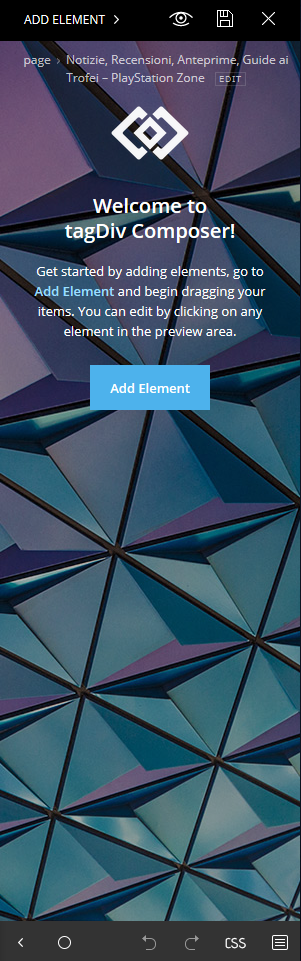
How can i solve it?
Thanks
Toni 🙂
Catalin Hi,
You need to load this template in the theme root and insert this template there -> https://www.screencast.com/t/iiVlkz9t7MBd http://cdn.tagdiv.com/wp-content/uploads/2019/02/page-empty.zip After you have made these steps, you need to load this template from your theme panel, and set up No Header from Header manager if you do not want to have any header and footer.
Thanks for your understnnding!
Catalin Hi,
If you want to use an Ad inside your header, you can use our premade header templates from here -> https://forum.tagdiv.com/header-styles/ Also, if you want a custom header style, you need to use the Header Builder which allows you to create your own header layout, using the TD Composer. -> https://tagdiv.com/newspaper-theme-customize-the-header-manager/
Thanks for your understanding!
Catalin Hi Borja,
I suppose that you want to change the Sticky header layout, right? If you want to make some changes over this section, notice that you can do it from Header Builder. Please check our documentation from here -> https://tagdiv.com/newspaper-theme-customize-the-header-manager/ -> https://www.screencast.com/t/m5Yuvoq6 Using the TD Composer, notice that you can create your own style for oyur header menu.
Please notice that if you want to have another menu on post pages, you should create another single with header template which customizes it as you wish (where you can show the Logo title in the top) and then, applies this template for your posts. -> https://www.screencast.com/t/stDbirHavj
If is not what you mean, please provide more details so I will be able to provide a more accurate response.
Hope this helps!
Thanks for your understanding!
 Lubo
LuboI know you have an Ad system but can you please add more ad location (leaderboard-above header, skyscraper-left and right side: possibilities make them also sticky) and can you please add similar or even better ad management.
Something similar to your competitors, please?
like:
Better Ads Manager from betterstudio.com
Can you also make a plugin like:
Custom Layout – Hooks
more info for inspiration:
Custom Layouts Overview
Thank you.
Kind regards,
Lubo
 HollyG
Hey everyone,
I just purchased the Newspaper 9.6 theme yesterday and am sadly about to give up on it. Not sure if the problem is on my side or is elsewhere.
When I try to use the TD Composer and download any sort of template or any other feature, I get this error:
Failed to contact the templates API server
I have been trying since yesterday and get the same error every single time. Currently I am unable to use header manager and am not even able to change header settings such as background image.
Any suggestions? I’m pretty frustrated at this point.
Thanks,
Holly
Catalin Hi,
If you want to redesign your header section, you need to use the Header Builder tool which allows you to create that section as you wish, using the TD Composer. For more information about this functionality, please check the following documentation from here -> https://tagdiv.com/newspaper-theme-customize-the-header-manager/
Thanks for your understanding!
Catalin Hi,
Please notice that you can customize your menu items on mobile if you are using the Header Manager. Please check the following documentation from here -> https://tagdiv.com/newspaper-theme-customize-the-header-manager/
Thanks for your understanding!
 nycinsider
trying to work with the new templates. the tagdiv composer is incredibly difficult to work with. I have the header with the nature background (I don’t know how to tell you which one it is). how do I change the image? I’ve clicked everywhere I can think of and ive wasted like 30 minutes on this.
Simion C. Hi,
With the introduction of the header builder you can build a header in any way possible within the composer. In order to have access to the header builder and manager the cloud library plugin has to be active – https://forum.tagdiv.com/tagdiv-cloud-library-plugin/
Then in the composer these elements will appear – http://prntscr.com/mul38z
In the cloud library section you can import headers designed by us (and modify them if needed) or start creating your own from a blank template – http://prntscr.com/mul3z2
So something like that is possible if you use a cloud header template. Let me know if you have more questions.
Thanks
Simion C. Hi,
With the header builder it is possible, you can now design the header and add the elements you want – http://prntscr.com/mujjm2
So you can add as many ad boxes you want in the header, in any location possible within the header.
In order to be able to use the header builder and manager, the cloud library plugin has to be active
– https://forum.tagdiv.com/tagdiv-cloud-library-plugin/
There are header templates built by us, you can also create your own with a blank template
– http://prntscr.com/mujlw3
Let us know if you have more questions.
Thanks
 don@grizzle.com
 Updated the tagDiv Cloud Library plugin and now Header Manager is available again. Have to rebuild the header however.
 danielpaulchristie
 Thanks, Simion!
I deleted all the elements as you suggested, switched it in Header Manager from Global Header to No Header, and then from No Header back to Global Header, and it restored the old one. So everything is good.
Thanks again!
Daniel
Simion C. Hi,
Then it could be that the header is built directly in the page, delete all the elements from there – http://prntscr.com/mtx9ou
In the header manager leave it on global. If that is not it, please send us an email at contact@tagdiv.com and provide admin login, we will take a look at that page. Include a link to this topic in the email. Let me know.
Thanks
danielpaulchristie Thanks for reply, Simion!
Yes, it is only homepage. What is really strange is that there are no only options under Header Manager beyond the Global Header or No Header. So the homepage and my other pages look as though they are on the same setting, but clearly the results say they are not. Here are some screenshots to show: https://prnt.sc/mtn80j and https://prnt.sc/mtn8ap.
So the problem remains. I was able to edit it to make it look similar, but I cannot get it to take off the sticky menu (even though in my Theme Panel it is off). So if you scroll down on the homepage, it shows the different menu that the template set by default.
Thanks,
Daniel
-
This reply was modified 7 years by
danielpaulchristie.
-
This reply was modified 7 years by
Simion C. Hi,
That notice isn’t be the result of actual issues in most cases. If you can successfully edit the page or could template then there is no problem, despite the message.
It could also mean that the page contains elements that are not part of the tagDiv composer, or the page has been built with with a different method, this can create problems.
The latest theme version and cloud library plugin contains the header builder and manager. The cloud library plugin has to be active – http://prntscr.com/mtii7p
Please check if that is the case.
Thanks
Simion C. Hi,
From what I can see it is only in the homepage. Edit the page with the composer and check what is selected in the header manager – http://prntscr.com/mthjcp
Select the global template there if a different one is selected. Let me know if that solves it.
Thanks
danielpaulchristieHi,
So I decided to try the Header Manager. I didn’t like it so I exited out without saving. To my shock, I now have a completely random logo/header/menu. It has stayed even though I didn’t save it and even though I deleted the cloud template it was based on. When I tried to revert my hompepage to an earlier revision, it has made no difference. My settings are the same so I don’t understand.
Website: http://danielpaulchristie.com
Thanks,
Daniel
Catalin Hi,
Yes, now it’s possible if you will use the Header Builder for this. Please check the following documentation from here -> https://tagdiv.com/newspaper-theme-customize-the-header-manager/ You can see here -> https://www.screencast.com/t/ieQA2PuuB3
Thanks for your understanding!
