
- NewsmagHeader styles
- NewsmagHeader ads
- NewsmagtagDiv Composer Tutorial
- NewsmagCategory templates
- NewsmagSmart list ads
- NewsmagWeather Widget
- NewsmagInstagram widget
- NewsmagPage Menu
- NewsmagMain menu
- NewsmagTop bar templates
- NewsmagLogin – how to enable the user registration
- NewsmagLogo & Favicon
- NewsmagFooter templates
- NewsmagCategory grid styles
- NewsmagCategory top post styles
- NewsmagHow category settings work
- NewsmagTheme colors introduction
 scohen
Hello,
I am having problems with the town talk mobile theme. It keeps reverting back to the town talk header, and changes I make to the mobile theme in the layout also keep reverting back. How can I fix this? When I look at the mobile theme in the back end, all the changes i made are there, but when I look at the website on my phone, none of the changes are there. Thanks
 Kaino
KainoSo, nice, I got the search bar in the same row but now the row size/background color issue. I would like it to be as the build in header menu like below

Instead I get this and tried everything in the options but nothing:

Kaino Ok, I imported the standard header and copy the search from the doctor template, how do I get it in the same row and the menu, for the past 30 min try to get it there but can’t figure it out
Kaino Hmmm I’m not getting it because I can’t adjust my header in the composer though, I know how to import the doctor header but how do I paste it in mine? I need it instead of the magnify glass in my green bar.
Cheers

 cloverjim
 Hi,
1. What I mean is that when I try to perform a search in this element, the header expands and the search results appear inside the header, instead of showing in a dropdown.
Why is this issue happening? I want the live search results form to drop down on the page, just like the WooCommerce search element, not inside the header.
2. I also found the reason for the empty space: when the circular “back to top” button is used, it doesn’t appear over the footer, and that’s why this empty space is created.
What should I do to make it appear over the footer, just like the square “back to top” button?
Thank you!
 Calin
Calin Hi,
The simplest and fastest way will be to import that cloud header and open in one tab the doctor header and in one tab your current header, then use the right click to copy the search from the doctor and paste it in your header, after that just adjust the search element.
Here are some screenshots with the element and settings from it https://i.imgur.com/0xUoGwb.png https://i.imgur.com/uCiHFl1.png
Thank you!
Calin Hello,
The zones refer to the header/content/footer zone.
Most of the time, the problem is from a shortcode that is not compatible with our theme; therefore, after you set it with tagDiv Composer and save the page, the next time you try to edit it, you’ll get that error. The simplest and fastest way to resolve it is to use a page/template revision – https://wordpress.com/support/page-post-revisions/
Also, please check our guide from here at point 5 -> https://forum.tagdiv.com/tagdiv-composer-not-working/ also after trying the steps from our guide you do not get any good results, you can send us an email at contact@tagdiv.com and provide wp-admin login, as well as cPanel and credentials. We will take a look. Include a link to this topic in the email.
Thank you!
Calin Hi,
Most of the time, the problem is from a shortcode that is not compatible with our theme or a plugin conflict; therefore, after you set it with tagDiv Composer and save the page/cloud template, the next time you try to edit it, you’ll get that error.
If is only for one page or a cloud template (it can be on the header or footer, you can change them for tests and see if the problem persists), this is from some settings/shortcodes set on it and it can be fixed using the page revision https://wordpress.com/support/page-post-revisions/
Thank you!
Calin Hi,
2. What you need to do is to change the mobile menu icon – https://i.imgur.com/SHimyDh.png https://i.imgur.com/yQtfClG.png
3. The live search on the element is a bit different; it can be used to display the results in a dropdown element – https://i.imgur.com/j8jVsGG.png or under the element input, to make it to have the element input and display results as you want, you ned to use this custom css:
.td-header-desktop-wrap .tdb_header_search {

    top: -30px;

    position: absolute;

    z-index: 999;

}
Personally, I will recommend the option from the theme.
Thank you!
 AjitSirohi
 I am not able to understand what you are saying. My Header image is from the Medea Library only. It is not an external image. But I want to attch my Amazon book URL to the Header image where I will have a BUY NOW tex. Anybody who clicks on the Header image anywhere is re-directed to the Amazon website to purchase my book.
KainoI’ve seen it in the doctor demo, I want it like that in my own header, so not the header layout of that theme but just the search bar like that and have my own sentence in it till a visitor click in the search bar.

 detlev
Hello dear support team,
I’m once again struggling with tagDiv Composer and hope you can give me a tip.
I have images in different formats as featured images. Is there a way for tagDiv to scale these images automatically in the output? The column in which the image is displayed is always the determining factor. This only applies to the header area in the content block. No matter what I set for the image size, the output is always different. I’m giving two examples here. I have the same problem in the mobile view.
Example:
From my Homepage:
1. Picture in landscape-mode
This image would need to be displayed wider in proportion to avoid the image being cut off
2. Portrait-Modus
Here the image is also cut off, even though it is portrait mode
The header images on mobile are all cut off
I would be happy if you have a solution for my problem. Thank you very much.
cloverjim Hi,
1. This is my website : edubit.ir
2. How can I align the hamburger menu icon to the right?
https://s34.picofile.com/file/8486617218/Screenshot_2025_08_25_143509.png
3. And how can I make the search results not show inside the header, but display over it instead?
https://s34.picofile.com/file/8486617226/Screenshot_2025_08_25_152822.png
Also, I don’t want the Cart and My Account pages to appear in the search results.
Thanks a lot! You really helped me a lot, I truly appreciate it.
Calin Hi,
Please use a revision for your cloud header template – https://i.imgur.com/Pcy1Ubi.png https://i.imgur.com/4vHAsnA.png
cloverjim Hi,
This is my website: https://edubit.ir/
How can I align the hamburger menu icon to the right?
https://s34.picofile.com/file/8486617218/Screenshot_2025_08_25_143509.png
And how can I make the search results not show inside the header, but display over it instead?
https://s34.picofile.com/file/8486617226/Screenshot_2025_08_25_152822.png
Also, I don’t want the Cart and My Account pages to appear in the search results.
Thanks a lot! You really helped me a lot, I truly appreciate it.
Calin Hello,
For the empty gap at the footer, I will need a link to your website where I can investigate the gap and determine its cause.
The shadow can be removed from Style tab, set Shadow 0 – https://i.imgur.com/wQkD3xM.png remove the border from the General tab – https://i.imgur.com/vIkk4Ey.png set border radius for input – https://i.imgur.com/Dk0sbA5.png and for the button – https://i.imgur.com/Rbfh7zA.png for button position use this custom css:
.tdb_header_search .tdb-head-search-form-btn  {

    position: absolute;

}
I see that icon is a standalone element, so you can drag and drop it in the left zone of the text.
The theme has a responsive version, just check the mobile viewport – https://i.imgur.com/GpDhAsx.png but if you want to have a separate conetnet for mobile or you want to edit some elements only for mobile you can create a mobile page/template https://tagdiv.com/newspaper-10-3-7-update-brings-customizable-and-fast-mobile-pages/ also is providing a dedicate plugin (tagDiv Mobile theme) but this is limted in options and edits making it very simple.
Thank you!
Calin Hi,
Usually, when this is happening, it is because one of the theme plugins that has been used is no longer enabled, or the template used was unassigned (when using cloud templates).
If you used a standard header, then please go to Newspaper > plugins and install from there the tagDiv Standard Pack plugin.
Thank you!
 dlogan2023
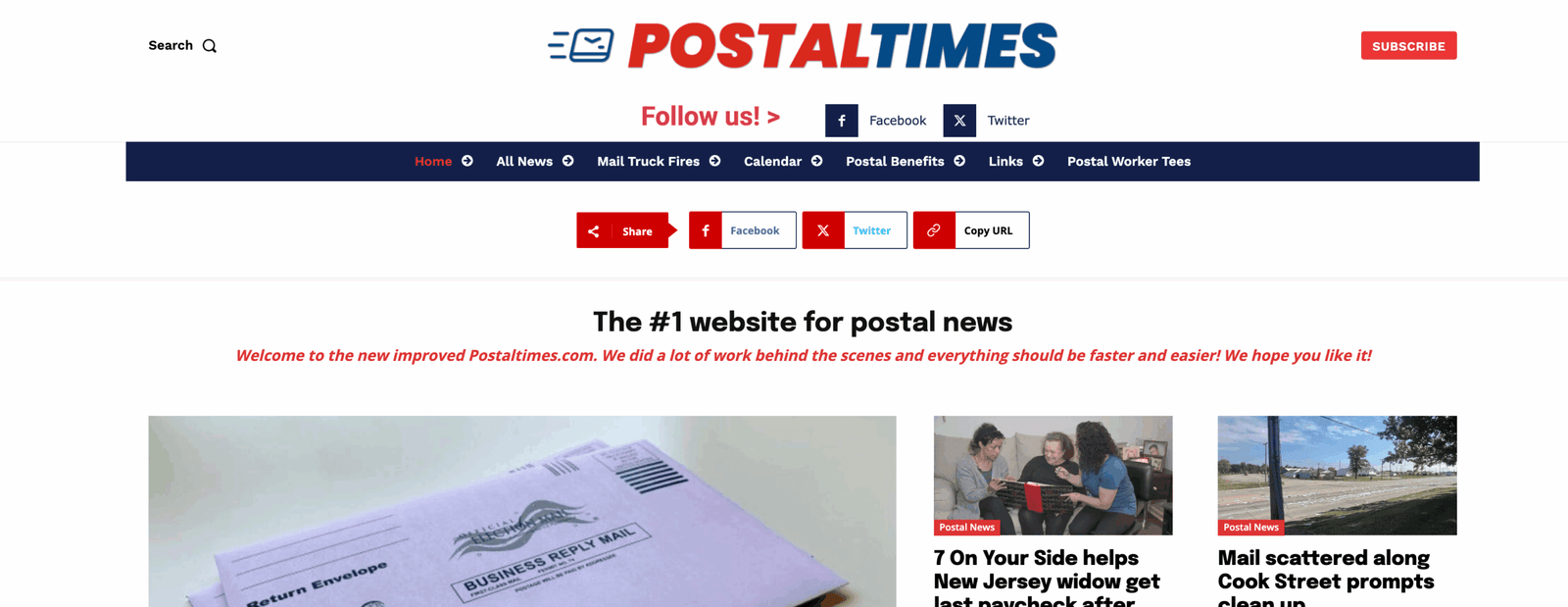
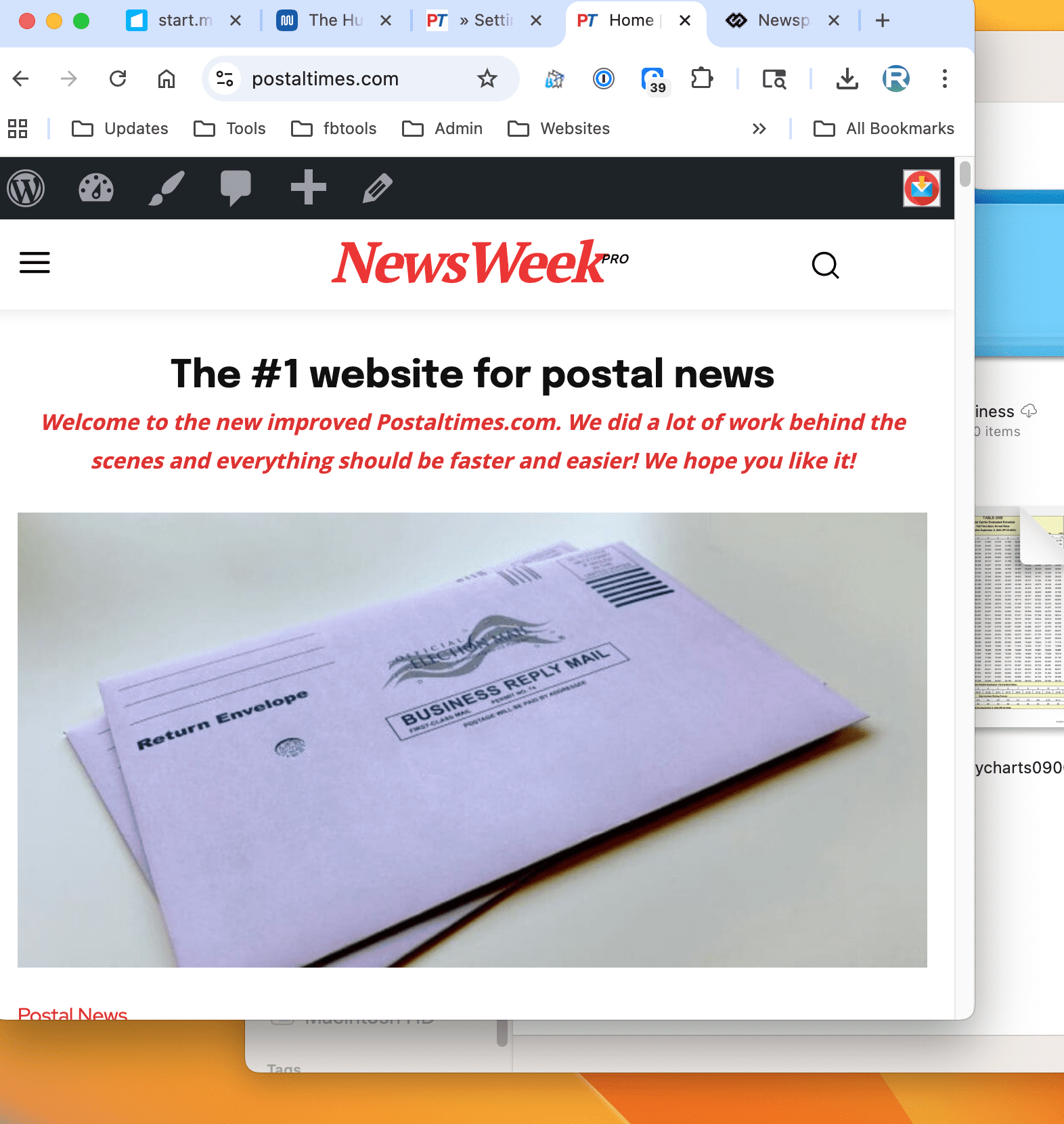
Hello, the default logo shows when you resize the page. https://postaltimes.com/
First screenshot – Full size
Next – Screen resized
AjitSirohiHi,
I am using Single Image block by which I have uploaded the Header Image on the Home Page. I want to add a Hyperlink URL so that any click anywhere on this image will take me to my book page on Amazon website. Please advise how to do it.
 alcova
all of a sudden my site is not showing the header anymore. I haven’t created content in a while and all the plugins seems to be up to date.
http://www.bdsmitalia.org
I’ve tried disabling plugins but the error was still there.
Any clues?
Calin HI,
Ok, the mega menu can be made only on the primary level – https://forum.tagdiv.com/mega-menu/ but without the theme you can create:
– page menu
– mega menu (with and without subcategories)
– normal menu
Also, you can use the popup element to create popup menus – https://forum.tagdiv.com/modal-popup/
The “ Errors at columns elements: 1(models) : 4(dom). The model does not match the content Current state has involved an issue. You could try an UNDO operation (CTRL+Z / CTRL+SHIFT+Z)” most of the time the problem is from a shortcode that is not compatible with our theme or a plugin conflict, therefore after you set it with tagDiv Composer and save the page/cloud template, the next time when you try to edit it, you’ll get that error.
If is only for one page or a cloud template (it can be on the header or footer, you can change them for tests and see if the problem persists), this is from some settings/shortcodes set on it and it can be fixed using the page revision https://wordpress.com/support/page-post-revisions/
Thank you!
 bogdan.martiniuc
Hi,
I want to create an mega menu using pages, but it does not work for submenus and the pagebuilder creates a bug.
So, i want to create an an header menu with 3 layers.
Layer 1 – needs to be an tabbed content layout.
Layer 2 – standard menus but it must be inline
Layer 3 – mega menus when i hover standard menus
– Element 1
– – Submenu 1
– – – Mega Menu when i hover Submenu 1
– – Submenu 1.2
– – – Mega Menu when i hover Submenu 1.2
– – Submenu 1.3
– – – Mega Menu when i hover Submenu 1.3
– Element 2
– – Submenu 2
– – – Mega Menu when i hover Submenu 2
– Element 3
– – Submenu 3
– – – Mega Menu when i hover Submenu 3
It is possible to achieve something like this?
Because, i’ve tried creating something like this, but the mega menu does not shows. It only triggers when i am using the Brower DevTools and i cannot understand why. So, i created an WP menu, just like i described earlier, but the Mega Menu only after i open and close the Chrome DevTools.
Also, i’ve tried creating an tabbed content with 3 pages and in each page i have standard WP menus with mega menus. This works just fine, but the page builder stops working when i try to use TagDiv Composer on pages and i get this error: Errors at columns elements: 1(models) : 4(dom). The model does not match the content Current state has involved an issue. You could try an UNDO operation (CTRL+Z / CTRL+SHIFT+Z)
PS: the error does not occur when i edit only the header template.
Can you please help me?
cloverjim Hi,
I imported the header from the Cloud Library, but it is displayed like this:
https://s34.picofile.com/file/8486553742/screencapture_edubit_ir_wp_admin_post_php_2025_08_21_10_03_04.png
Thank you!
Calin Hi,
Ok, so the first step is to have an RTL language selected on wordpress, for example, I will select Arabic – https://i.imgur.com/90vPjA9.png, then go to Cloud templates and click on + on Header templates – https://i.imgur.com/XguMYXz.png, then search for “makeup” https://i.imgur.com/GW3D4L2.png open the template in tagDiv Composer – https://i.imgur.com/Kuk7maO.png, then it should look like this https://i.imgur.com/gpGfdsC.png then just drag and elements in the palce you want (change logo) …. for example drag the left column with the menu in the right – https://i.imgur.com/TK0k9vI.png https://i.imgur.com/AM5hv6u.png the menu elements to be display from ltr to rtl use this custom css :
.rtl .tdb_header_menu .tdb-menu {

       flex-direction: row-reverse;

}
I hope this will help you!
Calin Hi,
There are a few recommendations:
I will recommend using a good cache plugin, if you have the possibility WP Rocket will be the best, if not, Litespeed is one of the free cache plugins that provide the best results in the free version. Also, we recommend using Cloudflare (CDN), which will help you prevent attackers from getting on your website and also has options to improve the speed. The free version can be used; there is no need for a premium account.
For accessibility, you should check the H elements to be in order on your website, for example, there are 3 H1 and no H2 – https://i.imgur.com/co6Twat.png H1, is usually coming from logo and if you have the logo on the header, footer and mobile header, for the start there are 3 H1, what can be done is tu use tagDiv Composer, select the footer logo and also the mobile logo and make sure taht the option to disable H1 is checked – https://i.imgur.com/8yxrxU9.png – https://i.imgur.com/c7c0DPU.png
Thank you!



