
- NewsmagHomepage – How to build and set it
- NewsmagtagDiv Composer Tutorial
- NewsmagNewsmag documentation
- NewsmagMain menu
- NewsmagLogo & Favicon
- NewsmagPage templates
 abirahemmed
Can I use a Newspaper License with the Newsmag theme?
The reason I ask is that I used a Newspaper License on the Newsmag theme today and was able to successfully register it. However, I encountered issues with editing the theme footer and the latest posts section on the homepage. Any advice on how to resolve this?
 Anamaria
 Hello,
When the mobile theme plugin is used, you need to set for pages the page content in the mobile editor using only the options from that editor – https://i.imgur.com/p8EqE1b.png. also, there is an option to disable the mobile theme from a page/post – https://i.imgur.com/d3kTBRf.png. This option appears in the Gutenberg editor. After you disable the mobile theme on the page, you can use the responsive version.
Using our theme, you can choose from 3 mobile versions
-> mobile responsive => https://www.screencast.com/t/oJ2ShOp47
-> mobile theme plugin => https://forum.tagdiv.com/the-mobile-theme/
-> mobile page => https://tagdiv.com/newspaper-10-3-7-update-brings-customizable-and-fast-mobile-pages/ The option that you need to use.
Suppose you created the mobile pages with tagDiv Composer. In that case, when you install the Mobile Theme plugin, your pages will be overwritten by the plugin (the mobile theme comes with its templates for page, post, category, etc, so your current templates from the desktop theme will get converted to the mobile theme layout, the page content is made without builders in mobile editor => https://www.screencast.com/t/xbgZG8kH also, the options that are provided to edit the mobile theme version are limited (this keeps the things simple)).
This is a video about Responsive Newspaper Theme, AMP & Mobile Theme, Mobile Pages & Templates -> https://www.youtube.com/watch?v=SpGkOnJeNZY.
So, the mobile responsive is what you see when that you select the viewport on phone => https://www.screencast.com/t/matV17hH, so some settings may apply for each viewport(where is the border blue), and others are not(where the border is black).
The mobile page has the mobile templates from Cloud Library => https://www.screencast.com/t/YCcZ8rL8
The Mobile responsive version of the theme and the mobile page editor can be edit with tagDiv Composer, the mobile theme plugin cannot.
For example, you can have the mobile theme plugin activated and use the mobile page/mobile responsive version for the homepage/pages, but for the categories pages/404 page, you can’t use the mobile page/mobile responsive version if you have the mobile theme plugin activated.
So, if you want to design the pages with tagDiv Composer, you can use the mobile page or mobile responsive version.
Thank you!
 propagare
I am building a new layout for the website. We have created a new homepage and a new header, but we are unable to assign this header to the newly created page while we are still in the development phase. In fact, we cannot assign any header to the page; it always reverts to the global header or remains without one. The same happens when we try to apply it to any other page.
Anamaria Hello,
You have the mobile theme plugin activated; please deactivate it and clear the cache.
Using our theme, you can choose from 3 mobile versions
-> mobile responsive => https://www.screencast.com/t/oJ2ShOp47
-> mobile theme plugin => https://forum.tagdiv.com/the-mobile-theme/
-> mobile page => https://tagdiv.com/newspaper-10-3-7-update-brings-customizable-and-fast-mobile-pages/ The option that you need to use.
Suppose you created the mobile pages with tagDiv Composer. In that case, when you install the Mobile Theme plugin, your pages will be overwritten by the plugin (the mobile theme comes with its templates for page, post, category, etc, so your current templates from the desktop theme will get converted to the mobile theme layout, the page content is made without builders in mobile editor => https://www.screencast.com/t/xbgZG8kH also, the options that are provided to edit the mobile theme version are limited (this keeps the things simple)).
This is a video about Responsive Newspaper Theme, AMP & Mobile Theme, Mobile Pages & Templates -> https://www.youtube.com/watch?v=SpGkOnJeNZY.
So, the mobile responsive is what you see when that you select the viewport on phone => https://www.screencast.com/t/matV17hH, so some settings may apply for each viewport(where is the border blue), and others are not(where the border is black).
The mobile page has the mobile templates from Cloud Library => https://www.screencast.com/t/YCcZ8rL8
The Mobile responsive version of the theme and the mobile page editor can be edit with tagDiv Composer, the mobile theme plugin cannot.
For example, you can have the mobile theme plugin activated and use the mobile page/mobile responsive version for the homepage/pages, but for the categories pages/404 page, you can’t use the mobile page/mobile responsive version if you have the mobile theme plugin activated.
So, if you want to design the pages with tagDiv Composer, you can use the mobile page or mobile responsive version.
Thank you!
 imadfuse
On my website, I installed LiteSpeed cache because most of the other plugins were not increasing the speed of my site.
However, I have a problem when logged in as an Admin: The page does not render properly or it seems to show a crooked/distorted mobile version of the site, and does not show the admin bar on the homepage. So I cant edit the site with the tagdiv composer/editor.
However when I am on other links like news, travel, everything works properly.
This is a link of how the homepage is shown: My distorted website.
As you can see below the image,There is also a notice: “There has been a critical error on this website…..”
*When I change the theme, Everything works perfectly. Also when I disable Litespeed cache everything works normal.
So what can I do to rectify this problem without removing/disabling litespeed cache?
 teraboy-2
Hi, I cant edit my homepage because tagdiv composer is not loading the page, it keeps loading forever.
Im using PHP 7.4 and I already tried disabling most plugins, no luck.
Please help!

 Phil Creighton
Hi!
I have an element that I can’t select on my homepage and I’d like to remove.
TagDiv composer will not let me access it to edit.
It is the section headed ‘Latest articles’ with text underneath reading ‘no articles to display’.
It looks as if it could be part of a global template, but I cannot see where to gain access to it.

 bdp
bdpHi after the update of the theme I have this issue:

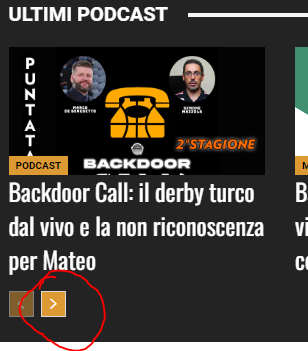
If I click on “Accedi (Login)” or the “Search button” or “next” in the “Ultimi Podcast” nothing happen, the url is only a “#”.
Could you pls explain how fix them?
you could check all from the homepage:
https://www.backdoorpodcast.com/
Thanks
 Satish Anand
 Hi,
We got this error in browser console please check
jquery-migrate.min.js?ver=3.4.0:2 JQMIGRATE: Migrate is installed, version 3.4.0
js_files_for_wp_admi…d172c7d9de6043b:236 Download the Vue Devtools extension for a better development experience:
https://github.com/vuejs/vue-devtools
js_files_for_wp_admi…d172c7d9de6043b:236 You are running Vue in development mode.
Make sure to turn on production mode when deploying for production.
See more tips at https://vuejs.org/guide/deployment.html
js_files_vue_modals.…7b181e37c1c9e0e:208 Download the Vue Devtools extension for a better development experience:
https://github.com/vuejs/vue-devtools
js_files_vue_modals.…7b181e37c1c9e0e:208 You are running Vue in development mode.
Make sure to turn on production mode when deploying for production.
See more tips at https://vuejs.org/guide/deployment.html
js_files_vue_cloud_t…27b181e37c1c9e0e:23 getCloudTemplates reply:
Object
a_404
:
(…)
attachment
:
(…)
author
:
(…)
category
:
(…)
date
:
(…)
footer
:
(…)
header
:
(…)
homepage
:
(…)
page
:
(…)
search
:
(…)
single
:
(…)
tag
:
(…)
__ob__
:
Ub {value: {…}, dep: da, vmCount: 0}
get a_404
:
ƒ ()
set a_404
:
ƒ (g)
get attachment
:
ƒ ()
set attachment
:
ƒ (g)
get author
:
ƒ ()
set author
:
ƒ (g)
get category
:
ƒ ()
set category
:
ƒ (g)
get date
:
ƒ ()
set date
:
ƒ (g)
get footer
:
ƒ ()
set footer
:
ƒ (g)
get header
:
ƒ ()
set header
:
ƒ (g)
get homepage
:
ƒ ()
set homepage
:
ƒ (g)
get page
:
ƒ ()
set page
:
ƒ (g)
get search
:
ƒ ()
set search
:
ƒ (g)
get single
:
ƒ ()
set single
:
ƒ (g)
get tag
:
ƒ ()
set tag
:
ƒ (g)
[[Prototype]]
:
Object
Thanks
 Jude
Jude Hi Anamaria
Thanks for replying. It’s not showing on all pages, not just the homepage.
I’ve emailed you the details you requested, please help as soon as you can.
Thank you
Take care
Jude
Anamaria Hello Jude,
I think that you deleted some custom code on the page; you can reimport the homepage, or you can contact us via email at contact@tagdiv.com and provide the wp-admin access. Also, include the link to this post.
Thank you!
 dacorti
Hi,
Do you know what might be causing the final part in the URL?
https://attractiveitaly.com/?v=0d149b90e739
It’s not just on the homepage but on every single page. I see it both with Safari and Chrome (both desktop and mobile).
Thanks!
Anamaria Hi,
Can you disable the cache? If you set another homepage, you will see that the changes are not applied.
Thank you!
 rock5
rock5 Ok thanks,
I still have to do what you suggested but in the meantime I noticed a very strange thing:
if I open the page as admin I see the homepage correctly: https://drive.google.com/file/d/102spUFtJGOu2K3G7Irbt2so7dqKvjf3E/view?usp=sharing
but if I open it anonymously I don’t:
https://drive.google.com/file/d/1gcq6vX9BUbUnISbdUmuiNFoZQlImG0kM/view?usp=sharing
could you check? thanks
Anamaria Hi,
I think that I know what the problem is; there is an option on how to hide the row on pagination – https://i.imgur.com/F19229h.jpeg This is used when you have a homepage with more rows, and when the pagination is used, those rows will be hidden, but you need to make sure that the row contain the post loop do not have the option enabled – https://i.imgur.com/F19229h.jpeg
I hope this will help you!
Thank you!
 tagdivfan2016
Good Afternoon,
I’m having an issue with pagination not working on my site. I’m using a Cloud Template that was built with the TD Composer.
After adding a “Posts Loop” element to my home page, the posts loop and pagination buttons display correctly on the home page, but when I click the pagination button for page 2 it takes me to a page with no content (only the header and footer show).
The URL of the pagination page is example.com/page/2/
Do I need update the permalink settings to make the pagination work correctly?
My Reading settings are:
“A static page” and the page in question is selected as the “Homepage” and a different page is selected as the “Posts page”.
Thanks in advance for your help!
 solarlatinclub10
Hello,
Please how can i add my homepage sidebar in the mobile theme ?
https://www.solarlatinclub.com/
By the way mobile section in greyed in settings i can’t click on it.
 awilbanks
 I see what is happening. The homepage is pulling (for example) data-img-url=”https://i0.wp.com/marvel-photos.s3.amazonaws.com/wp-content/uploads/2024/10/14015757/hasbro-marvel-legends-hercules.jpg?resize=696%2C696&ssl=1″
When you hit load more, the thumbnail code looks like this – style=”background-image: url(‘https://marvel-photos.s3.amazonaws.com/wp-content/uploads/2024/09/19024255/hasbro-marvel-legends-kang-the-conqueror-696×696.jpg’)”
So what is the difference in the “load more” code? Why is it stripping the i0.wp.com/ from the url of the image?
rock5Hello the main site is giornatamondiale.it I have activated the Spanish language but unfortunately the homepage appears like this: https://diainternacionalde.org/ can you help me? Thanks
 Bettina
 Hello!
Your homepage currently has 2 H1s because the logo is also in your footer. You can disable the H1s from the tagdiv Composer. Scroll until you reach the footer, click on the logo, and disable the H1.
Thank you!
 Maneek
Hi there.. As per my SEO settings for https://shippingandfreightresource.com there is a H1 code missing in the home page.. This is impacting my site’s SEO.. Where can I add the H1 tag for my home page and page/post template and does it need to have a “text” or can it be a space because I don’t want a Tagline below my logo.. I basically want 1 H1 code in every page/post of my site (the heading of my site)..
Bettina Hello!
Sure. You can have two headers: one global template (without the ad) and one template for the homepage(with the ad included). You can also add the ad under the header in the content zone, and the ad will display only on the homepage and not on the other pages.
Please note that this is possible only when using the recommended cloud templates.
We recommend using cloud/PRO templates to have the possibility to edit them with the TagDiv Composer, which contains a lot of functions and features; please check our tutorial here: https://forum.tagdiv.com/tagdiv-composer-tutorial/
More documentation about the cloud templates is here:
– https://forum.tagdiv.com/cloud-library-templates/
– https://forum.tagdiv.com/design-post-pages-using-cloud-library-templates/
– https://forum.tagdiv.com/cloud-library-category-templates/
Thank you!
 csam
csamDear Support,
I would like to know if it’s possible to display a header ad box image only on the homepage and disable it on certain other pages. If this is achievable, could you please guide me on how I can enable this feature or implement it?
Many thanks for your assistance.
 alicestudio
Hi,
on my homepage I have “woo product block” with an active filter category named “Home Page”. It means I want to show only products from that category. Unfortunately, changing the sort order (for example by date or by title), it shows (doesn’t show) some products. Beside, it could be useful to choose the direction, ascending/descending, of the sorting function.
can you help me with that?
thanks
 petar777
Hey there,
I wanted to try to move all my ads to the theme panel ads section. I have a wide ad on my homepage that I want to ad in column custom ad 1. If I add the code (copy/paste from my custom ad box) and display the ad – it becomes a square ad and it no longer takes up the whole space of the ad box that I have provided.
How can I avoid that? This is a Google Adsense Ad.



