
No search results were found in Documentation!
 mbraga
Hi, I would like to insert a block with the design of the MX13 module in my homepage. Is it possibile to access the MX13 from the TagDiv Composer?
If not, what should I do in order to use the MX13 module?
Michele
 g00dnews
 Hi Bogdan,
Regarding the shop frontpage. Are you saying that the actual Woocomerce frontpage can’t be changed and you need to use a page that isn’t set in the woocommerce settings?
If so, would you recommend just redirecting the actual woocommerce homepage to the newly created one?
The Woo breadcrumbs would point to the page set as the shop home in the settings so it sounds like this could cause some other issues.
 Simion C.
 Hi,
For the homepage issue, a suggestion would be to check all the elements you have placed on the page, with Visual composer. Especially the design tab, values entered there. There seem to be empty or misplaced rows and containers on the page
– https://www.screencast.com/t/6NOE6x9KH
These seem to have margins set
– https://www.screencast.com/t/73aWMIzZ
If you were to remove the margins the page would display better
– https://www.screencast.com/t/dHOvj3LC
Double check the page layout and remove any unnecessary elements, and check the design tabs as well.
Regarding the ads, maybe something has changed in the ad code implementation, maybe you need to update the ad codes in some way. If they displayed before, that might be the case.
Thanks
 Magistar
 Edit: I restored a backup to get a screenshot of the original layout:
https://imgur.com/7E6m5Ty
https://imgur.com/qyNbY4W
So basically buttons that broke were the icon based home button and menu and the main page setup that shows a leaderboard and 4 subcategories which have a color coding.
Homepage should be doable. Menu buttons: no clue!
-
This reply was modified 8 years by
Magistar.
MagistarI just noticed that one of my original newspaper websites was not updated for ages. In fact it was running verion 4.6.x So I knew I had to start over completely. So I renamed the themefolder to .newspaper and re-uploaded the latest version.
Unfortunately there are a lot of inconsistencies on the homepage and menu’s.
https://i.imgur.com/wxvOfN0.png
Is this salvageable?
[vc_row][vc_column width="1/1"][td_slide_big limit=”8″ sort=”popular”][/vc_column][/vc_row][vc_row][vc_column width="2/3"][td_block1 category_id=”6″ limit=”5″ header_color=”#81d742″][/vc_column][vc_column width="1/3"][vc_widget_sidebar sidebar_id="td-homepage"][/vc_column][/vc_row][vc_row][vc_column width="1/3"][td_block2 limit=”1″ category_id=”5″ header_color=”#e74c3c”][td_block4 limit=”2″ ajax_pagination=”load_more” hide_title=”hide_title” category_id=”5″ offset=”1″][/vc_column][vc_column width="1/3"][td_block2 limit=”1″ category_id=”7″ header_color=”#00aef5″][td_block4 limit=”3″ ajax_pagination=”load_more” hide_title=”hide_title” category_id=”7″ offset=”1″][/vc_column][vc_column width="1/3"][td_block2 limit=”1″ category_id=”8″ header_color=”#f39c12″][td_block4 limit=”3″ ajax_pagination=”load_more” hide_title=”hide_title” category_id=”8″ offset=”1″][/vc_column][/vc_row][vc_row][vc_column width="1/1"][td_block6 limit=”5″ header_color=”#444444″ custom_title=”Latest posts” ajax_pagination=”infinite” ajax_pagination_infinite_stop=”1″][/vc_column][/vc_row]
Or do I need to completely recreate the homepage and broken menu items?
 frangdelsolar
Hi!
I don’t know what I have done, but the cover image in my web is no longer full width as it was at the very begining, like in Homepage – Travel template. Is there any way to fix that? I’ve tried modifying this
https://drive.google.com/open?id=1U6nKt1VMLbZSmCj-nLJDwG5NRh4i_3CT
But it keeps looking like this
https://encrypted-tbn0.gstatic.com/images?q=tbn:ANd9GcRtjrTrCuZuuiq2A069-yCeirqLdTzQls26ZG2YHTBTvAJUZHnTBA
Could you help me with it?
BTW: my website is http://www.solucionespsicologia.com if you need to have a look
Francisco
 Edward
 Set template “Pagebuilder + latest articles + pagination” for your page.

Edward Официальный язык техподдержки – английский. Пишите на нём, плз.
Стандартная процедура:
1. Отключите все непротестированные плагины.
2. Проверьте, выполняются ли минимальные требования к Теме (System status parameters guide): https://forum.tagdiv.com/system-status-parameters-guide/
3. Схожая проблема тут, почитайте: https://forum.tagdiv.com/topic/errors-on-td-composer-now-cant-edit-homepage/
g00dnewsHi,
You have an example of the Woocomerce frontpage here: https://demo.tagdiv.com/newspaper_tech/shop/
It doesn’t seem possible to replicate this as the tagdiv composer blocks don’t change the content of the page output.
The composer edit screen shows an error warning at the top of the page:
Errors happened during tdcIframeData.init() -> bindViewsModelsWrappers()!
I get the same testing editing of the shop homepage on 2 different servers and a localhost so this seems to be something specific to the shop homepage.
To get around that, I edited a standard page and added an image block to the top to try and replicate the demo, then copied the code from the editor into the page for the shop home. Nothing showed up.
So how do we create a shop homepage like the one that shows on the demo site?
 fenomeno0chris
Hello,
how can I achieve this column layout for my mobile homepage?
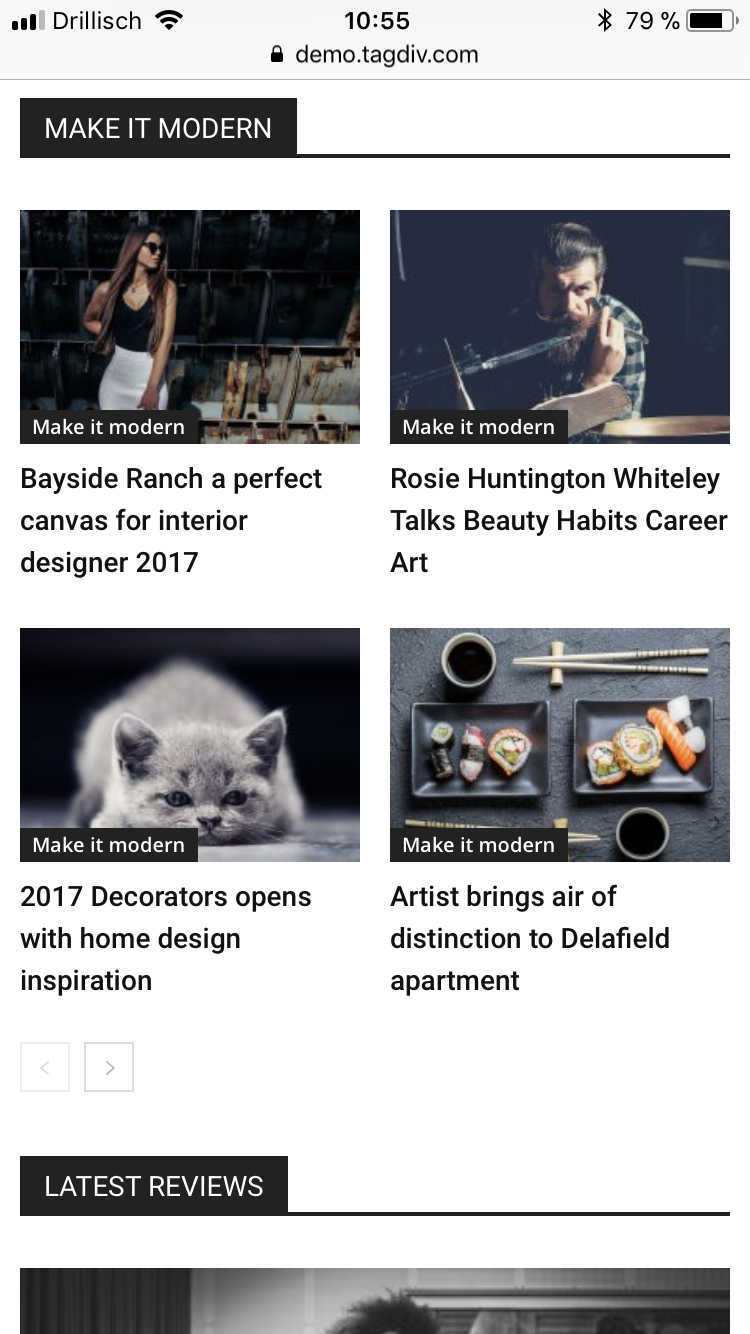
I already tried those Block settings, but none of them brought me the desired result:
Block 3, Block 5, Block 7, Block 11, Block 12, Block 15, Block 16
 Freelancer
Hi
I’m getting this error in a RED banner across my homepage – and I can’t edit it now at all/no options in TD composer?:
Errors happened during tdcIframeData.init() -> bindViewsModelsWrappers()!
Site is http://www.defencewesthub.coma.u
Thanks
 pildat
 Is there any way to remove the author name or id from all posts whether on homepage or individual post pages?
Thanks
 rachelrooi
Hi, when I use blocks, the featured image of my post doesn’t fill up the entire box. Please see my homepage: https://rachelrooi.com. Please advise.
Simion C. Hi,
This is where the post title heading tags are defined in the theme
– https://www.screencast.com/t/v1AF2H77
The modifications made there will affect all modules, not just the homepage.
Thanks
 Bolumstar
 I can’t see the picture I attached??? Only The description (Homepage) that is display.
Here is the link to it Homepage Picture Link
 Bolumstar
Please I need help on how to restrict the categories that show up in block header titles. I want to make sure that it is only the related categories in the block title appear. I’ve tried everything I could possibly try but no headway.
Am using the default Newspaper 8 theme demo on Local host but there is a problem when I hid the author, it keeps displaying. Is there a way to remove it?
Please help!!!
I attached a picture circling what i exactly mean it in case I didn’t express it correctly.
 ordinaryreviews
 To clarify, only images on the homepage are not loading. For e.g. i can see the posts but not the thumbnail. It’s okay inside each article.
ordinaryreviewsHi dev, i’ve posted two articles, but the images don’t appear in the homepage or in pop-up boxes on related articles.
 silviarehn
 It works, thanks a lot!
Its possible to have similar code to homepage / main woocommerce page like https://shopping.magazinefeminina.com/
 frasercarly89
 I had to back-up to my site before the Newspaper 8 update. The TagDiv composer doesn’t seem to work that well – all my images are messy and the font is way too big, or doesn’t show at all because the images overlay the titles. I wanted Big Grid 6 as the main homepage, and major issues. I tried all of the grids, too, and still looks very off.
 Alin [tagDiv]
 Hi,
Please set again you static page if you want to display tagdiv blocks to your homepage – https://forum.tagdiv.com/homepage-how-to-build-and-set-it/
You can edit your homepage and configure any block using tagdiv composer – https://forum.tagdiv.com/tagdiv-composer-tutorial/ Please check also block settings tutorial – https://forum.tagdiv.com/block-settings-tutorial/
Thanks!
 Catalin
 Hello SiteDev,
Notice that if you want to select the Stretch row in TD Composer you will have to do this -> https://www.screencast.com/t/PY8EZifJbAa Another alternative for you would be to install the Travel Demo and then, recreate the homepage to another page and edit it by your desire.
Thanks for your understanding!
Catalin Hello oppus,
Please send us an email at contact@tagdiv.com with your log-in information (wp-admin) so we can further inspect it closer your homepage structure and also, so I will be able to provide a more accurate response.
Thanks for your understanding!
Catalin Hello oppus,
First of all, you should provide your website URL so I can take a closer look at your homepage and also, so I can investigate your sidebar and how it was added on the homepage so I will be able to provide a more accurate response.
Thanks for the message!
 oppus
oppusHello team tagDiv,
I want to disable the sidebar on the homepage only and show it on single pages.
Your help will be very much appreciated.
Thank you.

