- NewspaperHow to Add a Logo in Newspaper
- NewsmagLogo & Favicon
- NewspaperShortcodes
- NewspaperHow to Set the Image Avatar
- NewspaperThe Mobile Theme
- NewsmagWhat’s included in Newsmag theme package
- NewsmagMain menu
- NewsmagHeader styles
- NewsmagFooter templates
- NewsmagTheme colors introduction
- NewspaperFavicon & iOS Bookmarklet
- NewspaperHeader styles
- NewspaperWhat’s Included in the Newspaper Theme Package
 Calculatorescu
 Hi,
Thanks! it worked to disable H1 on logo on mobile and composer. Now I only got only the H1 I set up in theme panel and no weird code.
Have a nice day!
 beledin
 hello i don’t want to say that.There is h1 in the source code on the logo. i want to remove this
 findlay
Hi, I have just imported the design of this website and it looks fantastic as well as being very fast loading. Can you please tell me:
1. How to remove the “ART BLOG PRO” LOGO header which displays on my Android but not on my desktop?
2. How to remove The Gallery and Secret of Portrait Paintings images in my posts’ sidebar on my desktop?
3. How to replace the Newspaper by TagDiv copyright notice with my own copyright notice?
4. How to replace the Art In Your Inbox: title that precedes the Subscribe box at the bottom of each page?
Thank you.
 stefanegirard
Hi,
from the home page, I used the “Tag Div Composer” to change the logo of the sticky menu but:
1) I put the logo in the trash and I don’t know how to put another one
2) After saving and from the home page only, when I scroll, the sticky menu appears but then the page does not go down.
However, the browser bar on the right shows that the page goes down and the footer appears.
Thank you for your help
 john432
 How do I get rid of this blue line in the middle of the logo? There’s also a dark shade underneath that blue line that needs to be removed as well.
Take a look: https://imgur.com/plI1wAS
 travelalchemist
 Yes, It is set to show on mobile device but still the logo doesn’t appear
 Anamaria
 Hello,
So for example if you want to remove the article and review meta this function should be deleted/commented – http://prntscr.com/ocxpcn -> http://prntscr.com/ocxnaw
-> http://prntscr.com/ocxphq
Then remove all of these – http://prntscr.com/ocxpyv – http://prntscr.com/ocxq8q
Then check in the page source to see if anything remains. Note that Yoast also loads schema, it could be removed like so – https://forum.tagdiv.com/topic/a-value-for-the-logo-field-is-required/
Thank you!
 thcp2020
Hi there,
We were wondering how to change the links that come up when you search ‘multippl’ on google.
At the moment it shows – Logo and redirects you to the login? Please see attached – https://paste.pics/E03NG
Ideally we would like to get rid of the Logo link and have something else.
All the best
Thomas
beledinAnamaria Hello,
Please check if the logo image is set to show on mobile version => https://i.imgur.com/0Y4qMmJ.png
Thank you!
 Calin
Calin Hi,
T just checked the problem and I think that those extra classes are added by the svg code that you use for the logo -> https://i.imgur.com/8Fz8Uf0.png also the H1 tag I see that it is set on desktop header and on mobile header, so what you can do is to edit the homepage using tagDiv Composer, click on the logo and check this option -> https://i.imgur.com/PFDQcOI.png also set on mobile view port to edit the mobile logo -> https://i.imgur.com/MFWW3Mc.png
I hope this will help you!
Let me know the results!
 Bettina
 Hello!
This is possible when you will use a cloud/PRO template. In order to have different elements(ads) inside for every category/post, you need to have different template for each category/post.
If you want the same style of your categories/posts, then you can duplicate a template/layout for every category/post to have different template, make the specific changes and assign it to that category/post.
Check this topic: https://forum.tagdiv.com/topic/different-logo-in-categorypage/ ; Here I explained step by step how you can duplicate a template.
Thank you!
 alessandrogini1
 Thank you for your reply.
I’d need this feature displayed on my posts.
So I followed the instructions you gave in the other post, but here are two questions:
1. it seems to be working only with links coming from Soundcloud while I’d need to insert links from Spotify. Am I wrong?
2. The featured image of the article disappears and a blurry preview of the Soundcloud logo appears. How can I avoid this?
Here you can see the result: https://snipboard.io/p0wokR.jpg
Thankyou
Bettina Hello!
Yes, true. This is happening when you edit a template which is assigned for all your categories.
In order to have different elements inside for every category, you need to have different template for each category.
If you want the same style of your categories, then you can duplicate a template/layout for every category to have different template, make the specific changes and assign it to that category.
Check this topic: https://forum.tagdiv.com/topic/different-logo-in-categorypage/ ; Here I explained step by step how you can duplicate a template.
Thank you!
Anamaria Hello,
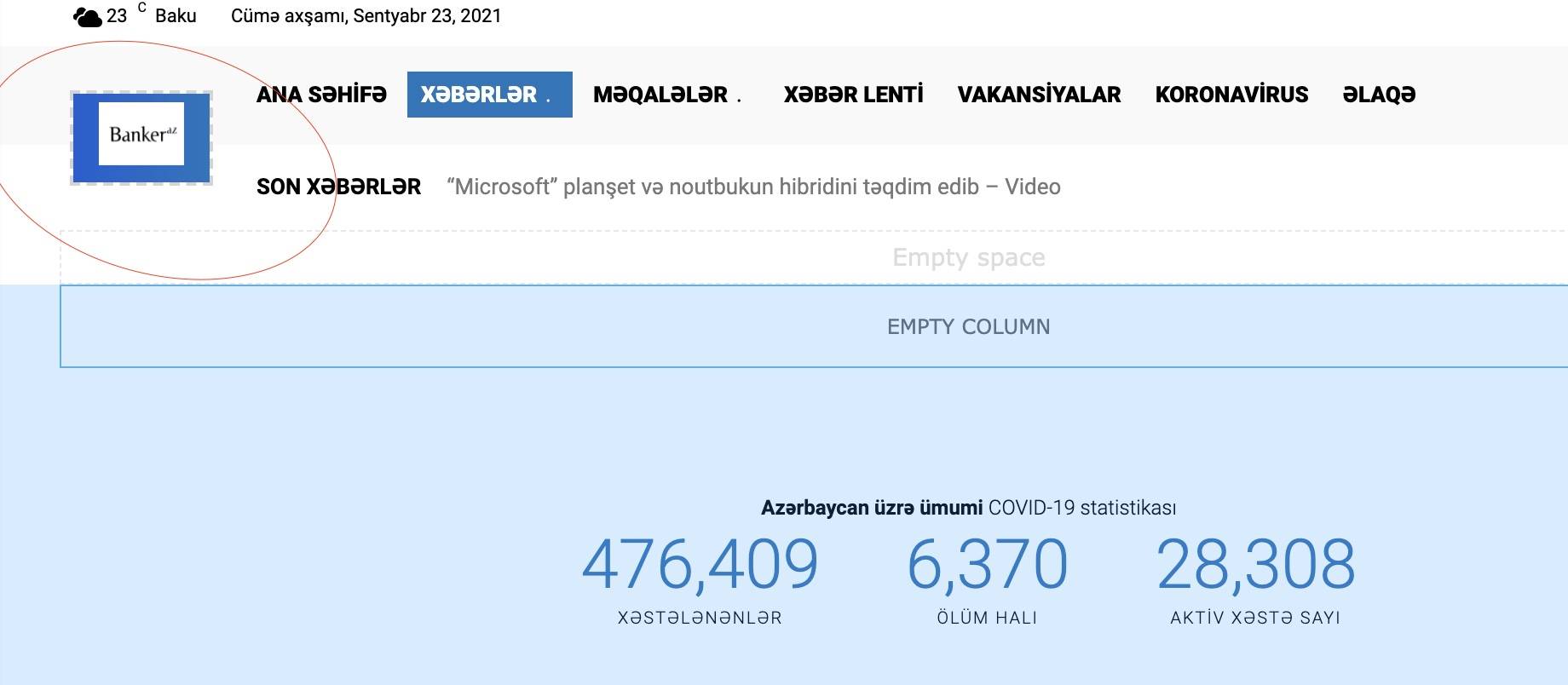
The blue space is the background set on the header logo, to remove it please edit with tagDiv Composer, select the logo and in the tab called “CSS” you can remove the background color and color overlay => https://i.imgur.com/iGEUbY4.png
Thank you!
Bettina Hello!
In order to have different sidebars in every category, you need to have different template for each category.
If you want the same style of your categories, then you can duplicate a template/layout for every category to have different template, make the specific changes and assign it to that category.
Check this topic: https://forum.tagdiv.com/topic/different-logo-in-categorypage/ ; Here I explained step by step how you can duplicate a template.
Thank you!
Anamaria Hello,
Please send some screenshots with your steps.
Also, if you have a standard Prebuilt Website you need to add the logo in Theme Panel -> Header -> Logo and Favicon (you need to have the tagDiv Standard Pack plugin activate ), but if you have a Pro Prebuilt Website then you need to add the logo with tagDiv Composer like in this video https://www.youtube.com/watch?v=HXQQygkCCJo -> https://forum.tagdiv.com/add-logo-newspaper/
Thank you!
 Anonymous
hi
i cann’t fix this logo issue. how to remove this blue space in background?
https://banker.az/wp-content/uploads/2021/09/Screen-Shot-2021-09-23-at-10.29.15.jpg
Anamaria Hello,
Unfortunately, if you have a template from Theme Panel, then you can’t set the URL on the logo, you can set the URL on the logo if you import a header template from Cloud Library.
Thank you!
john432 I’m having a problem removing this logo.
I’ve encircled it with a red box. https://imgur.com/1c5quE9
I’ve narrowed down the problem, it is between CSS Lines 19 – 25
But I don’t want to mess with the codes. Which CSS line of the code needs to be deleted for this image to disappear?
Calin Hi john432 , if you are using logo header style 7, 8 or 10, then those allow you to set the logo image in full size -> https://forum.tagdiv.com/newsmag-header-styles/ therefore if you use one of those header you can use whet logo dimension you want. For the rest of header styles the logo dimensions are 272 x 90px.
Thank you!
john432 What is the correct header logo size?
I need your help in removing this logo.
I’ve encircled it with a red box. https://imgur.com/1c5quE9
-
This reply was modified 5 years by
john432.
travelalchemistI am using Newspaper theme. My website doesn’t show up the logo on my mobile. All of the settings seem to be correct and the mobile logo is uploaded in the Theme Panel but it still doesn’t show up.
I would highly appreciate your help in it.
 vixsoft
https://aircargovision.net/
hi i have attempted to update my theme and on doing so i have lost my nav menu and my logo?
any ideas as to the problem
 sunil5823
 But we are unable to select the logo and header of the theme so how can we do this https://ibb.co/HnsVYhZ