- NewsmagLogo & Favicon
- NewsmagWhat’s included in Newsmag theme package
- NewsmagMain menu
- NewsmagHeader styles
- NewsmagFooter templates
- NewsmagTheme colors introduction
 bk kim
I tried many ways but I cannot..
Like this.. I tried change the bg img through header logo.. But it cannot changed.
How can I change the header bg img? pls help me. Thanks a lot.
 lunar2405
Hi Pls help me
1. I can’t make the mobile appear in the way I want, I followed your guide to go to Theme Panel/ Mobile Theme to adjust the Mobile appearance but it doesn’t appear like what I did!
The logo does not show on the top.
And when you click on a post to read, it’s very weird!
2. I tried to insert Ads code ( I use Adskeeper service not Google ads) and there is no ads at all!!
This theme is so hard to adjust
Please help me https://ilovecutepets.com/
Let me know if you need my login info
Pls help me ASAP.
 Anamaria
 Hello,
For logo please edit with tagDiv Composer, select the viewport on phone, select the header logo and change it => https://i.imgur.com/cR7F0v4.png https://www.youtube.com/watch?v=HXQQygkCCJo -> https://forum.tagdiv.com/add-logo-newspaper/
Seems you have the Mobile theme plugin activated, and it is disabled for the homepage. When you install and activate the Mobile Theme plugin, your pages will be overwritten by the plugin (the mobile theme comes with its own templates for page, post, category, etc so your current templates from the desktop theme will get converted to the mobile theme layout, the page content is made without builders in mobile editor => https://www.screencast.com/t/xbgZG8kH also, the options that are provided to edit the mobile theme version are limited (this keeps the things simple)).
Better deactivate the plugin and see the results
Also, if you create a mobile page, please make sure you assign it like this https://www.screencast.com/t/lektAhyjd
This is a video about Responsive Newspaper Theme, AMP & Mobile Theme, Mobile Pages & Templates -> https://www.youtube.com/watch?v=SpGkOnJeNZY
Please check this topic where I explained each mobile version -> https://forum.tagdiv.com/topic/mobile-version-not-working-properly-2/ and choose what mobile version you want.
Thank you!
 fengshuimaster
1. The home page shows a different menu and a different page layout than other pages on Mobile.
2. My page (e.g. about us) opens empty with no content on Mobile, but the page is normal when I visit it on PC.
3. Why does the logo image switch once to display the correct logo image when opened on mobile.
pls try to visit My website to test: https://www.fengshuibedroom.net/
Anamaria Hi,
You can duplicate the header template and assign it to the template and set the menu or redesign the header -> https://i.imgur.com/ZQlWeP9.png -> https://forum.tagdiv.com/topic/different-logo-in-categorypage/
Thank you!
Anamaria Hello,
You can use a different template for every article if you use a cloud template. You can duplicate a template, install a new one and assign it to the posts you like, or create one from scratch by importing a blank template and building it as you like.
Check this topic: https://forum.tagdiv.com/topic/different-logo-in-categorypage/; Here is explained how to duplicate a header correctly and do some changes for a single post template or other templates.
Thank you!
 B3rdan
 Hello Anamaria
All the plugins were active before the update, after the update finished I updated the plugins as well but all the theme settings were lost including the logos, text fonts, and everything else related to the theme, it looked like the theme was just installed for the first time and not as if an update is being made, even asking me to activate the theme with the code I received in pdf at the moment when I bought the theme, all these days I have manually recovered 95% of the functions in the control panel, the only problem what I have now is that when I scroll the website, the photos give a light shadow, and I wanted to ask you for some advice on how to make the website faster, especially on mobile devices, I don’t like the tagdiv mobile theme, because through tagdiv cloud, I have added ready functions like, contact us, and they are not supported in tagdiv mobile, so how can you make the website faster and is there any cache or something that you have to hide manually left from the version of old topic, please give me a suggestion for a better optimization?
 Bettina
 Hello @diocesipn !
Check in the Newspaper -> Theme panel -> Header -> Logo & Favicon -> Text Logo, text logo tagline.
Are you using the Mobile theme plugin? For Mobile Theme plugin, you can change the logo from Newspaper -> Theme panel -> Mobile theme -> Header and the copyright text in footer -> subfooter.
You can adjust the logo differently in the mobile viewport: https://www.screencast.com/t/XDQJedlggSB, so then it will fit there.
We have 3 options for mobile versions that you can use:
1. Responsive version: A responsive version of your website looks similar to the desktop version. Edit the page with TagDiv Composer. Click on the mobile viewport: https://www.screencast.com/t/XDQJedlggSB; there you can see your mobile version and edit or adjust the elements to look better.
2. Mobile pages: https://tagdiv.com/newspaper-10-3-7-update-brings-customizable-and-fast-mobile-pages
3. Mobile theme plugin: The Mobile Theme is a performance-optimized theme included in the main Newspaper theme that only loads on mobile devices. It comes with its own templates and design for pages, posts, categories, etc., so your current templates from the desktop theme will get converted to the mobile theme layout. Please see https://forum.tagdiv.com/the-mobile-theme/ and https://forum.tagdiv.com/mobile-theme-introduction/ for more information.
A full explanation is here: https://www.youtube.com/watch?v=SpGkOnJeNZY
Thank you!
 Calin
Calin Hi diocesipn,
The cloud header need to be set for both desktop and mobile, right now this is adjusted only for the desktop version, here https://paste.pics/f5f03b6a5e214239a0d2e578b27ea7f7 select the logo and change it, also the menu. You can find more details in this guide -> https://forum.tagdiv.com/add-logo-newspaper/
Thank you!
Anamaria Hello,
Please deactivate if you have another page builder and use only tagdiv Composer.
If you have a header template from Cloud Library, you can edit the logo and header with tagDiv Composer => https://www.screencast.com/t/zuhG8uGZe, select the header and you can remove the logo image/text and add a new logo =>https://www.screencast.com/t/WSquHPNqT https://www.youtube.com/watch?v=HXQQygkCCJo
If you have a standard template then you need to go in Theme Panel -> Header -> Logo and Favicon => https://www.screencast.com/t/jk2I1xs4FH2
Thank you!
 diocesipn
Hello,
In my site I had configured the header with the template “header template 11”, which worked correctly in all media (including smartphones). This old template was no longer updatable and, as you suggest, I imported the a template from the cloud library (the same). After this operation the header no longer displays correctly on smartphones: instead of “FAMIGLIA E VITA” (the LOGO TEXT) I see “NEWSPAPER”.
These are the screeshots that illustrate the situation.
https://paste.pics/fbe078a133bb7c5e15b149f4a872acd2 (ok)
https://paste.pics/f5f03b6a5e214239a0d2e578b27ea7f7 (wrong)
Thank you
B3rdan I logged in to Bluehost where I hosted the website, it asked me for an update and I updated my newspaper theme to version v 12, I lost every adjustment I had with the logos and everything else, but after a long work I was able to recover somehow, but there are many problems, the text remains black for 2 seconds and then returns to normal, the same thing happens with the photos when you scroll the page, smart sidebar, even though I disable it, it stays there, I don’t know what to do, I didn’t update it WordPress, since I didn’t know that when I clicked on the update button in Bluehost it would update the theme, is there any solution to all this trouble?
B3rdan I logged in to Bluehost where I hosted the website, it asked me for an update and I updated my newspaper theme to version v 12, I lost every adjustment I had with the logos and everything else, but after a long work I was able to recover somehow, but there are many problems, the text remains black for 2 seconds and then returns to normal, the same thing happens with the photos when you scroll the page, smart sidebar, even though I disable it, it stays there, I don’t know what to do, I didn’t update it WordPress, since I didn’t know that when I clicked on the update button in Bluehost it would update the theme, is there any solution to all this trouble?
B3rdanI updated the newspaper theme in version v 12, but my logos and every adjustment I had made in the theme are no longer there and I have to adjust it again from the beginning, many hours of work and I haven’t finished it yet, how is it possible that the update will remove everything that I had, the theme does not react properly, sometimes the images leave a shadow when I scroll, I do not want the smart sidebar on the website, even though I have deactivated it, it remains activated, I set the stable sidebar but they do not appear on the page, as can this mess be fixed, can someone help me?
 Thaller1
Ive added both the logo image and retina logo to the theme panel, but neither of them show up in the header. Take a look at the page: http://www.nutritionfromgodsgarden.com/about/
It just shows the default text: Newspaper Discover the art of publishing.
Why wont the logo show?
 mehmetavsar
 it is close lol not working no adversiment no logo your logo is being show my special edit was gone I lost 2k DOLAR since yesterday I have bought this newspaper theme one more times with new licanse but that giving the same problem I’m very regretful to buy this theme this is nonsense I sent mail 30 hour ego but still no respond you guys are very very amateur
-
This reply was modified 3 years by
mehmetavsar.
-
This reply was modified 3 years by
 sangminoh
We are creating a homepage using the news paper theme. There is no problem with the screen shown in the PC version, but when I access the homepage on mobile, the news paper logo comes out and changes to the logo I registered. Even if I log on again, the news paper logo comes out and changes to the one I registered. Why is it like this?

 commandeleven
 Hi Calin,
I seem to have been able to remove the logo from the mobile version, but now I can’t seem to get it to come back. It appeared in the proper location for a couple of articles and then was gone again. Here’s what I did. I removed the logo from the theme panel windows and the logo became visible on the mobile version. After a couple of pages, it disappeared again.
Second thing, I tried to active a caching plugin, but was given the error below:
-Error: Configuration file /home3/wahhvg0aeqdc/public html/wp-content/wp-cache-config.php missina. Please reload the page
Warnina! You mav not be allowed to use this plugin on vour site
The file /home3/wahhvg0aeqdc/public html/wp-content/advanced-cache.php was created by another plugin or by your system administrator. If it was created by another caching plugin, please uninstall that plugin first before activating WP Super Cache. If the file is not removed by the action, you should delete the file manually.
Can you delete the file so that I can active WP Super Cache?
Calin Hi,
When you are logged in the problem with the mobile logo appears? If the problem do not appear, then it is from some cache option or optimize made for the images.
Also, you have some errors in console that should be resolved -> https://i.imgur.com/s930hjP.png the mixed content usually it can be fixed using a ssl plugin, you can try this one -> https://wordpress.org/plugins/really-simple-ssl/
the 1.jpg image it can be a background image set in the theme panel -> https://i.imgur.com/WETGEWq.png and the newsletter.jpg is from here -> https://i.imgur.com/LbmNTPW.png (newsletter element)
Thank you!
 pmontesrincon
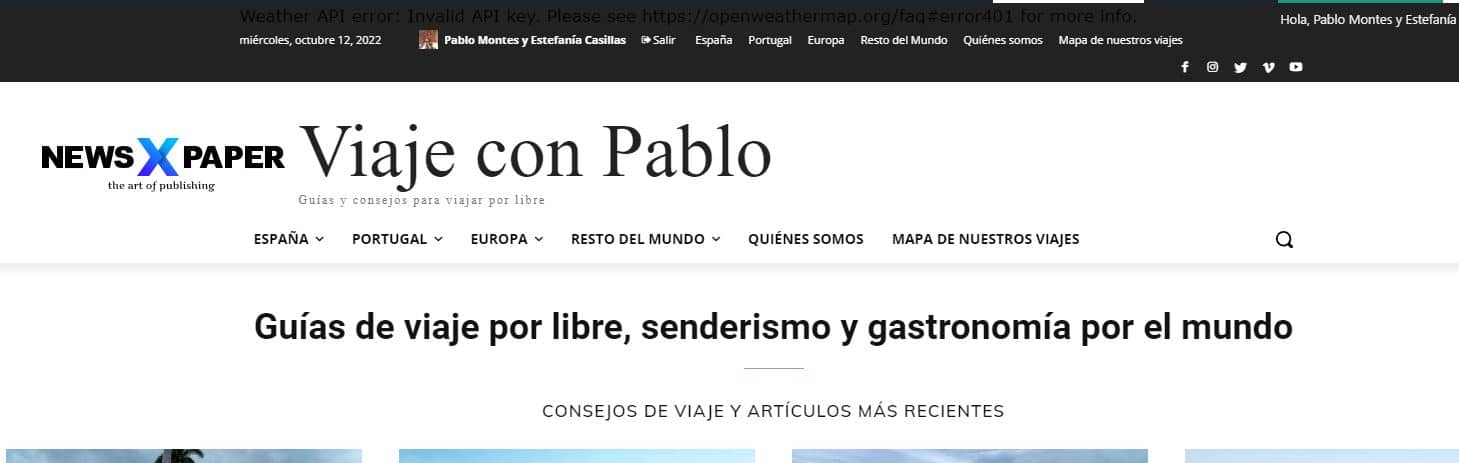
 Hi, I have already selected the Header Template Default PRO and what I get is this: the duplicated menu at the top and bottom, your logo and the name of my blog.
https://viajeconpablo.com/wp-content/uploads/2022/10/menu-error.jpg
I really don’t understand why I’m having so many problems updating to version 12. Version 12 has broken the AMP, it has broken the header and it has also changed the font of my H1, H2 titles… I don’t understand that a version change causes so many problems. I need some help.
 mvincke
 Thanks for the quick reply!
I was already using the mobile + AMP setting
I can now modify itle and tagline but only if I add a logo mobile in the settings of your screenshot.
But, I cannot replace it with some text. Where is this option ?
Thanks
Matt
Anamaria Hello,
Please go and change the logo in Theme Panel -> Header -> Logo and favicon -> https://i.imgur.com/QL8f8ck.png -> https://i.imgur.com/HJJG2Ct.jpg please make sure the settings are saved.
Thank you!
Anamaria Hello,
We recommend AMP + Mobile because AMP is faster and works better only with Mobile Theme plugin.
For AMP you can’t add an SVG logo, only an image or text -> https://i.imgur.com/TYU3Gyl.png
Thank you!
Thank you!
 dinhhiep
If you edit Header Template, you have option to change “Logo text” and “Logo text tagline”. But the tagline never shows up.
Also, if you edit your HEADER in Theme Panel, you have options to change “TEXT LOGO” and “TEXT LOGO TAGLINE”. The default option for “TEXT LOGO TAGLINE” is “DISCOVER THE ART OF PUBLISHING”. But no matter how you change, it won’t affect the tagline either in web view or mobile view.
In Mobile view, it’s always “DISCOVER THE ART OF PUBLISHING”
There’s no such settings options for MOBILE THEME settings.
I realize that all websites using Tagdiv’s Newspaper Theme experience the same problems.
For example:
https://goctram.com/
My site: https://www.banyantimes.com/
Please help me remove the phrase “DISCOVER THE ART OF PUBLISHING”. Thank you.
pmontesrincon Hi, I solved the problem by removing the AMP version. Now the only error is that the header does not show the logo, only the name of the blog. This is the link.
https://viajeconpablo.com/
But it does not appear on mobile or desktop.
What could be the problem? Thanks