
- NewsmagTheme colors introduction
- NewsmagSmart list ads
- NewsmagIntroduction
- NewsmagMain menu
- NewsmagLogo & Favicon
- NewsmagHeader ads
- NewsmagSmart sidebar
- NewsmagSharing buttons
- NewsmagCategory tag on modules/blocks
- NewsmagBackground introduction
 davixstudio2022
 That was unchecked.
Now I checked only Mobile in Theme Panel ( https://prnt.sc/0l-eaNmAVsoR ) and deselect everything in AMP settings and now every page is opening in AMP on the mobile devices, even the homepage ( https://prnt.sc/EUoTUO7e36_Q )… Can you check what is going on with my website?
https://prnt.sc/-4gE9keY152j – Page section
Thanks.
 Anamaria
 Hello,
Please let me know if you have the mobile theme plugin activated, if yes, then please disable it, clear all cache and check the results.
Also, please check this topic where I explained each mobile version -> https://forum.tagdiv.com/topic/mobile-version-not-working-properly-2/ and choose what mobile version you want.
Thank you!
 Gen Fujiwara
hello.
I am Japanese.
I have a question about tag composer and mobile theme.
I ran the following process.
Install one theme from the cloud template.
↓
Then modify the content and save.
↓
Change template name
↓
Add a mobile template to that template.
↓
Select a mobile template from the pull-down.
Modify and save mobile content.
* However, it is not reflected even if you check it on your smartphone.
But the original cloud template.
If you make corrections from here, the changes will be reflected normally (smartphone screen).
--
Is it the cause of changing the template name?
Anamaria Hello,
Yes, you can disable the mobile theme plugin on the pages from the Gutenberg editor using the following option => https://www.screencast.com/t/axXRJsWby
I’m glad you found the option.
Have a great day!
 popseo
 Ok, Got it, I can disable the mobile theme individually.
Anamaria Hello,
Seems you have the Mobile theme plugin activate, when you install and activate the Mobile Theme plugin, your pages will be overwritten by the plugin (the mobile theme comes with its own templates for page, post, category, etc so your current templates from the desktop theme will get converted to the mobile theme layout, the page content is made without builders in mobile editor => https://www.screencast.com/t/xbgZG8kH also, the options that are provided to edit the mobile theme version are limited (this keeps the things simple)).
Better deactivate the plugin and see the results
Also, if you create a mobile page, please make sure you assign it like this https://www.screencast.com/t/lektAhyjd
This is a video about Responsive Newspaper Theme, AMP & Mobile Theme, Mobile Pages & Templates -> https://www.youtube.com/watch?v=SpGkOnJeNZY
Thank you!
 sil2
sil2 what I found, actually….. the mobile theme works for the main language, not for translations. I’m using WPML.
sil2I created mobile versions for header footer, home page, and all other pages for all language variants in tagdiv composer.
But my mobile phone still showing me desktop versions!
my site http://www.tart-aria.info

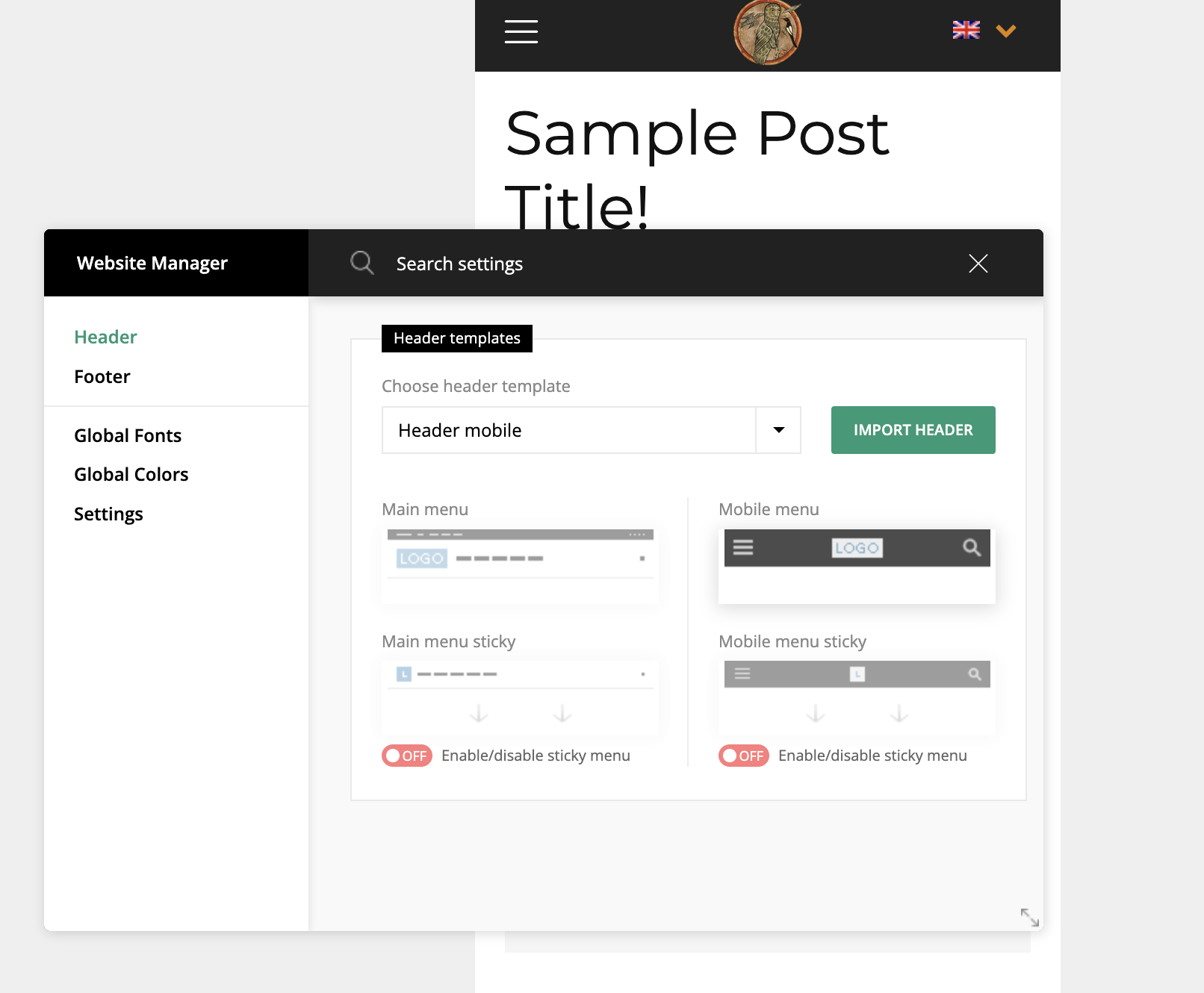
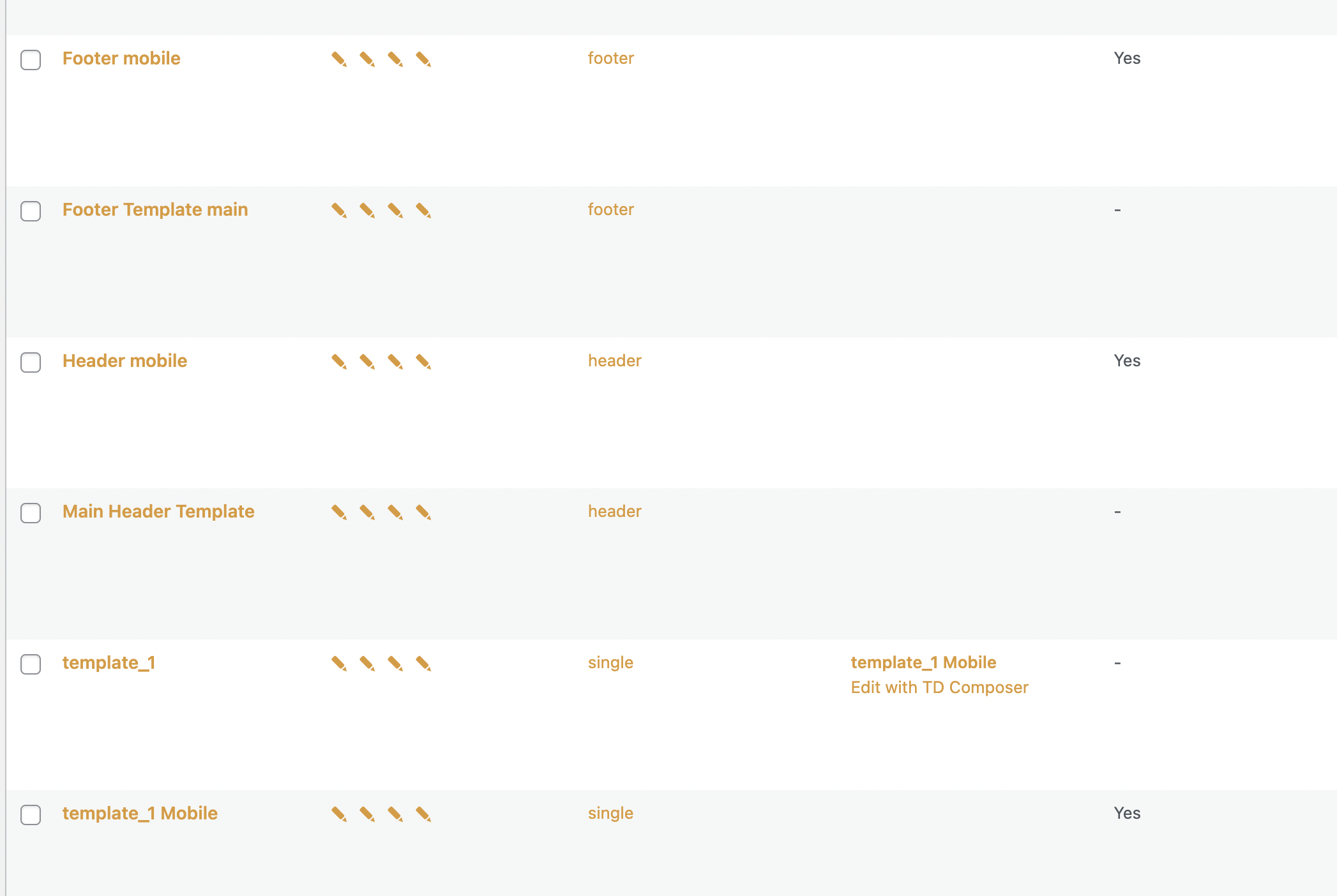
 Calin
Calin Hi,
Indeed, if you are using the mobile theme plugin and you want to optimize the mobile-theme.eot fonts, then you need to add the swap manually in the theme plugin, the file that needs to be edited is this one -> wp-content\plugins\td-composer\mobile\style.css -> https://i.imgur.com/dkOzlUg.png you need to add the font-display: swap; like this -> https://i.imgur.com/flkHuFP.png
This should help you!
Calin Hi ialv,
Normally the Google Analytics 4 for AMP need to be configurate in your Google Analytics account. In our theme all you need to do is to set the provided code from Google Analytics in the amp section to be used (our theme do not have options for setting the Google Analytics 4 for AMP, only provide a field that will add the code in the website sources).
For amp you can set in in one of those two places.
1. In the amp plugin -> https://i.imgur.com/auCeiWH.png
or
2. In the theme panel if the mobile theme plugin is used for the amp -> https://i.imgur.com/PnG35oq.png
Similar articles that can help:
-> https://www.seroundtable.com/google-analytics-4-google-amp-33467.html
-> https://tech.behindmatters.com/google-analytics-4-support-for-amp-pages/
-> https://www.thyngster.com/how-to-track-amp-pages-with-google-analytics-4
Thank you!
Anamaria Hello,
Please let us know more about the compatibility issue. Also, only Yoast SEO is tested, the WPForma lite plugin is not tested.
You can use AMP, but we offer support for the mobile version only with mobile theme + AMP plugin and set for AMP -> https://imgur.com/1kMs1ds
These are the options for the AMP: https://forum.tagdiv.com/tagdiv-amp-plugin-tutorial/
If you use our theme and AMP that is come with our theme, then you need to have Amp URL “/?amp” and if you have set the redirect mobile to AMP then will be /?amp=1.
Also, now seems there is no problem -> https://i.imgur.com/0Z8VgcP.png
Thank you!
Anamaria Hello,
Please let me know if you don’t want to have the search button for the mobile theme.
You can disable the Live Search from Theme Panel -> Mobile theme -> Header -> https://i.imgur.com/eayVfJJ.png
Thank you!
Anamaria Hi,
Please make sure you uninstalled the Mobile Theme plugin, clear your cache plugin and see the results.
Also, please check this topic where I explained each mobile version -> https://forum.tagdiv.com/topic/mobile-version-not-working-properly-2/ and choose what mobile version you want.
Thank you!
 editor@thegoodnewshub.com
Hi, on our site The Good News Hub, we are seeing an error on google page speed test that “Leverage the font-display CSS feature to ensure text is user-visible while webfonts are loading.” I understand that to fix this font swap usually needs to be turned on. On looking at further details it is reporting it for the following plugins
plugins/td-composer/mobile/images/icons/mobile-theme.eot?13
plugins/td-composer/mobile/images/icons/mobile-theme.woff?13
Can you offer any advice?
 Norua
Norua Hi,
As I said the mobile theme layout I’m using is the same as the desktop version just adapted as mobile-friendly.
It has always been like this and that’s what the client wants so I deactivated the mobile theme plugin.
The problem still remains, every page except for the home page is not loading properly or completely because it’s like it’s trying to read your mobile theme even if it’s deactivated.
You can simply check the website on mobile version and see what I’m talking about, you can click everywhere, every child page or post and it’s not loading at all.
 nguyentuanxuyen
I can’t disable search bar on mobiletheme menu please help me disable it
 Mudassir Moin
Hello,
I am facing a lot of problems with mobile pagespeed optimization. The theme is really slowing down my website for mobile devices.
There are a few of the render-blocking resources that show up for mobile devices.
https://snipboard.io/3lzOcC.jpg
https://snipboard.io/bO8SxX.jpg
https://snipboard.io/A0c63T.jpg
My domain is wirefray.com
I would request you to look through all the render-blocking resources, unused CSS and unused JavaScript in PageSpeed Insights, and tell me what I should do to fix them all.
Please note, the result will carry from time to time since I am using a cache and CDN to optimize my website, but these problems do exist.
Regards.
 Bettina
 Hello!
I’ve checked your website and I cannot see the mobile theme layout. Which version of mobile do you need to implement for your site?
Please let me know what you tried, how and why exactly it is not working?
A solution for sending a screenshot/video is this:
Download, capture, send: https://www.techsmith.com/jing-tool.html
After making the screenshot, you will have a link, paste it here.
Thank you!
Norua That’s not the problem I have and I don’t need a template answer. I’m sorry but I watched also other topics and this is your theme which we used for a long time.
I don’t have a problem with deciding what type of mobile version to use, I’m telling you I have a problem that even DISABLING your plugin there are still breadcrumbs on it the mobile theme version.
All the pages are loading for an infinite time and it’s not possible to read or navigate between them except the home page which it’s the only one with a mobile dedicated page (still a breadcrumb of your theme).
I CAN’T create every single page for hundreds of articles/posts and the other pages don’t give me a way to create a dedicated mobile page like the home page.
You should provide support since we actually paid for the theme and it’s not working even if I disable EVERYTHING except the tagDIV.
Only when the Mobile theme is active everything is working, this means that the problem is in your mobile theme especially when it’s deactivated and it won’t allow the normal version of the website to load properly on mobile.
Bettina Hello!
We have 3 options for mobile versions that you can use:
1. Responsive version: A responsive version of your website looks similar to the desktop version. Edit the page with TagDiv Composer. Click on the mobile viewport: https://www.screencast.com/t/XDQJedlggSB; there you can see your mobile version and edit or adjust the elements to look better.
2. Mobile pages: https://tagdiv.com/newspaper-10-3-7-update-brings-customizable-and-speedy-mobile-pages/
3. Mobile theme plugin: The Mobile Theme is a performance-optimized theme included in the main Newspaper theme that only loads on mobile devices. It comes with its own templates and design for pages, posts, categories, etc., so your current templates from the desktop theme will get converted to the mobile theme layout. Please see https://forum.tagdiv.com/the-mobile-theme/ and https://forum.tagdiv.com/mobile-theme-introduction/ for more information.
A full explanation you can find here: https://www.youtube.com/watch?v=SpGkOnJeNZY
You can choose to use whichever one is more affordable and useful for you.
If anyone doesn’t fit as you created, then make a test and deactivate ALL plugins except tagDiv ones. Also, if you are using a cache plugin, deactivate it, clear all cache and try again.
Note: If you want to use version 1 or 2, then you need to deactivate the mobile theme plugin and see the results.
Thank you!
 adminJR
Hi! I have a problem with my website. I have two pages for my home, one for desktop and one for mobile, when I save the mobile version the desktop unset and vice versa.
I had the lastest theme but downgraded to fix the problem but it doesn’t work. Can you help me, please?
https://junior-report.media
https://ibb.co/hMH2PmY
https://ibb.co/VpCHntf
https://ibb.co/rb525t2
https://ibb.co/vQBr62B
Thanks,
 thelastpoet
Hello,
I had requested some info on bypassing mobile plugin here
I can do that, but when I do it, the theme breaks that post’s responsive or mobile theme.
Check the mobile version here: https://nasonga.com/e-learning-advantages/
When I completely disable the mobile plugin, it shows fine as expected. I have cleared the cache and disabled all plugins until I identified the problem only happens when I bypass the mobile theme.
Bettina Hello!
This won’t work like that. You’re using 2 different templates. When you install and activate the Mobile Theme plugin, then the cloud template won’t display.
We have 3 options for mobile versions that you can use:
1. Responsive version: A responsive version of your website looks similar to the desktop version. Edit the page with TagDiv Composer. Click on the mobile viewport: https://www.screencast.com/t/XDQJedlggSB; there you can see your mobile version and edit or adjust the elements to look better.
2. Mobile pages: https://tagdiv.com/newspaper-10-3-7-update-brings-customizable-and-speedy-mobile-pages/
3. Mobile theme plugin: The Mobile Theme is a performance-optimized theme included in the main Newspaper theme that only loads on mobile devices. It comes with its own templates and design for pages, posts, categories, etc., so your current templates from the desktop theme will get converted to the mobile theme layout. Please see https://forum.tagdiv.com/the-mobile-theme/ and https://forum.tagdiv.com/mobile-theme-introduction/ for more information.
Note: If you want to use version 1 or 2, then you need to deactivate the mobile theme plugin and see the results.
Thank you!
 sklbc72
 Hi Bettina,
Thank you for the clarification. When I toggle on the mobile theme toggle for the homepage, it populates as the homepage for both desktop and mobile AND my posts show up as the mobile theme when in desktop mode too.
So it seems that something isn’t right, where the mobile theme is either not working on the homepage, or overrides everything including when viewing the site on desktop.
I intend to set up a staging site to further test and see if a plugin is causing this problem or something else.
I also wanted to know if there is a way to fully delete the mobile plugin, rather than just deactivate it. My intention is to reinstall the mobile plugin, not just reactivate it—just in case a setting is causing the issue or something is corrupt.
I will reach out via the email you sent for further assistance if I am still unable to solve this.
Thank you
davixstudio2022 Hi there,
I have a problem with my mobile theme template, it’s not responding with the AMP and it gives me a blank page. How can I set up it so my modified template will show up on the mobile devices?
Here is the Mobile Theme Page https://prnt.sc/lkJ5AOHkUbps
Here is the page, everything is done correctly – https://prnt.sc/7GBNHX_N2HZe – https://prnt.sc/wcRj7AuivLuX
And now this is the page that is loaded on mobile devices https://prnt.sc/fnLqIZcmbJRe instead of this https://prnt.sc/raRUBmuVVoni (my template)
Can you help me with how I can set up my mobile theme to load on mobile devices with the AMP plugin, just don’t send me those forum links with docs, I go thru them and nothing helps me.
I can even give you my login info on email so you can log in and fix this for me, cuz it’s’ easy for you.
Thank you.



