
- NewsmagSmart list ads
- NewsmagIntroduction
- NewsmagMain menu
- NewsmagLogo & Favicon
- NewsmagHeader ads
- NewsmagSmart sidebar
- NewsmagSharing buttons
- NewsmagCategory tag on modules/blocks
- NewsmagBackground introduction
- NewsmagTheme colors introduction
 SilvioTrisorio
Hi, the menu is no longer mobile, how can I fix it?
Thank you
 Ruteris
Hi, how can I customize my menu for mobile, I am after this style:https://prnt.sc/02n-V6-v_PCZ. but I have:https://prnt.sc/gUk3dweMwWtf. Thank you.
 Anamaria
 Hello,
You have a single post template, so you need to edit the tagdiv Composer and add elements and edit -> https://forum.tagdiv.com/design-post-pages-using-cloud-library-templates/ -> https://forum.tagdiv.com/single-post-shortcodes/
Unfortunately, the like button is deprecated due to privacy policy.
You can try to add the code provided from this guide in the Theme Panel -> Analictycs/ Js Codes -> head https://www.hostinger.com/tutorials/wordpress/how-to-add-facebook-like-button-to-wordpress
https://support.mozilla.org/en-US/kb/third-party-cookies-firefox-tracking-protection
https://www.the-parallax.com/apple-safari-intelligent-tracking-prevention-facebook-share-like
You need to change the logo for the sticky menu and mobile menu -> https://forum.tagdiv.com/add-logo-newspaper/
Also, the post content needs to be done with Gutenberg or a classic editor. You can create the post template for posts, categories, pages and so on.
Please check this video about how can create a prebuilt website from scratch https://www.youtube.com/watch?v=SoGQ0d5kIBg
Thank you!
 smga
smga Hello
We disabled all plugins except tagDiv, deleted the cache, but this did not fix the situation.
Note: if I go to the code inspector, highlight the form in the desktop version, and then turn on the emulation of the mobile version in the browser, the form becomes visible.
 Gail Langdon
 I’ve tried your suggestions and nothing is different. The footer does not show up on mobile or tablet devices. I have deactivated all plugins that are not tagDiv plugins including Yoast SEO and analytics. I have cleared cache. Perhaps because I keep having to clear cache but it takes an unacceptable amount of time for my site to load, so the performance is very poor. Before contacting you, I went to my host (bluehost) for help and their suggestion was to install all kind of plugins because according to them this tagDiv theme does not work properly, so I did as they suggested and that is why I installed some of these plugins to begin with. I am incredibly frustrated and trying really hard not to get angry. What should I do now?
 ediwebroma
HI on the home page of my site olimpopress.it mobile view I always have three old articles active.
I have disabled all the amp plugins but they always remain active.
How can I disable this view from mobile
thanks
Gail Langdonhttp://www.foundmyjam.com
When I view my website using the computer desktop, everything displays fine. But with using either a tablet or a mobile phone device, the footer does not display. I’ve gone into edit the homepage (using tagDiv composer) and when I click on the mobile version and scroll all the way to the bottom, I see the footer section just fine. I’ve checked the Newspaper Theme Panel and it looks okay to me. I can’t find out why this is happening. Thanks in advance for your help.
 Bettina
 Hello!
Please test it by writing the word test in the code fields, save and view it in your mobile.
Let me know the results!
Thank you!
 hcn
hcn Hi,
I have version 12.6.7 and no analytics code is displayed in the mobile theme. I have already tested it in the head, body and footer area.
Anamaria Hello,
Please edit with tagdiv Composer, select the viewport for phone, select the mobile live search and disable the live search https://i.imgur.com/XkvlxBC.png
Thank you!
 deshvani
Hello!
I am just unable to change the header background color from black to white in mobile view because my registered logo is in Black color so the background needs to be black.
SilvioTrisorioHi, I saw that the “Header live search” module doesn’t work on my phone, how can I deactivate it only from mobile?
Thank you
smgaHello
The pop-up login form works only in the desktop version, in the mobile version only its background is loaded, and the login form itself is missing
Tell me what could be the reason
Thank you
https://semestra.art/
 Calin
Calin Hi,
1. “Delete all information < – where and how?"
This depends on the information that you want to delete.
2. “Save Permerink <- I don’t know how to remove cache"
To save the permalinks – https://i.imgur.com/pngaNiE.png
To clear your browser cache:
On your computer, open Chrome.
At the top right, click More. Delete browsing data.
Choose a time range, like Last hour or All time.
Select the types of information you want to remove.
Click Delete data. If you delete cookies while signed in to Chrome, you won’t be signed out of your Google Account.
To delete the cache from the website you need to use the options provided by your cache plugin.
The AMP plugin that is listed in theme plugins is not the theme plugin, is the one that is compatible with our theme and it can be used with tagDiv Mobile theme.
To redirect the AMP version of a page (e.g., http://www.domain/my-text/amp) back to the original page (e.g., http://www.domain/my-text), you can use a server-side approach, such as using an .htaccess file for Apache servers. Here’s how you can achieve this for both:
RewriteEngine On

RewriteCond %{REQUEST_URI} ^(.*)/amp$ [NC]

RewriteRule ^(.*)/amp$ /$1 [L,R=301]
Thank you!
Anamaria Hi,
You have the mobile theme plugin activated, please deactivate it for that page.
When the mobile theme plugin is used, you need to set for pages the page content in the mobile editor using only the options from that editor – https://i.imgur.com/p8EqE1b.png. also, there is an option to disable the mobile theme from a page/post – https://i.imgur.com/d3kTBRf.png. This option appears in the Gutenberg editor. After you disable the mobile theme on the page, you can assign the mobile page.
Please check this topic where I explained each mobile version -> https://forum.tagdiv.com/topic/mobile-version-not-working-properly-2/
Thank you!
 simchris
 Works for me. Main thing is disable caching, upload NEW version of tagdiv composer; upload new theme folder only via FTP vs zip file. Disable anything not being used like mobile plugin – not needed in most cases until site working.
Login, and “enable” tag div composer plugin.
You may then need to massage some things like reset sidebar widget, or reselect footer widgets and reselect menus.
(any way – that is how I do it )
 paolamanciagli
Sorry, I’m trying to install NewsMag5, but something is not working.
1)If I open a page and try to use TagDiv Composer, a “critical error” screen appears and it’s not possible to work, even though the plugin is correctly installed and activated.
2)If I try to use Prebuilt Websites (ex. Magazine or Clear Voice or Classic Blog) it does not display the homepage correctly: no sections appear, just a sheet of text. And there are no entries in the backend that allow me to modify it.
3)When I tried to install the Mobile Theme PlugIn, the entire site crashed and I had to restore to the last save, losing a lot of work done.
My site URL is http://www.laformicamitomane.com.
The site is up to date (WordPress 6.6.2).
I have now uploaded the old theme again, so that users can continue browsing. If you explain to me how to do it, I’ll send you some screenshots showing the problems.
Why does NewMag5 not work?
SilvioTrisorio the two menus no longer disappear from mobile what happened?
SilvioTrisorioi due menu non spariscono più da mobile cosa è successo?

 highratech
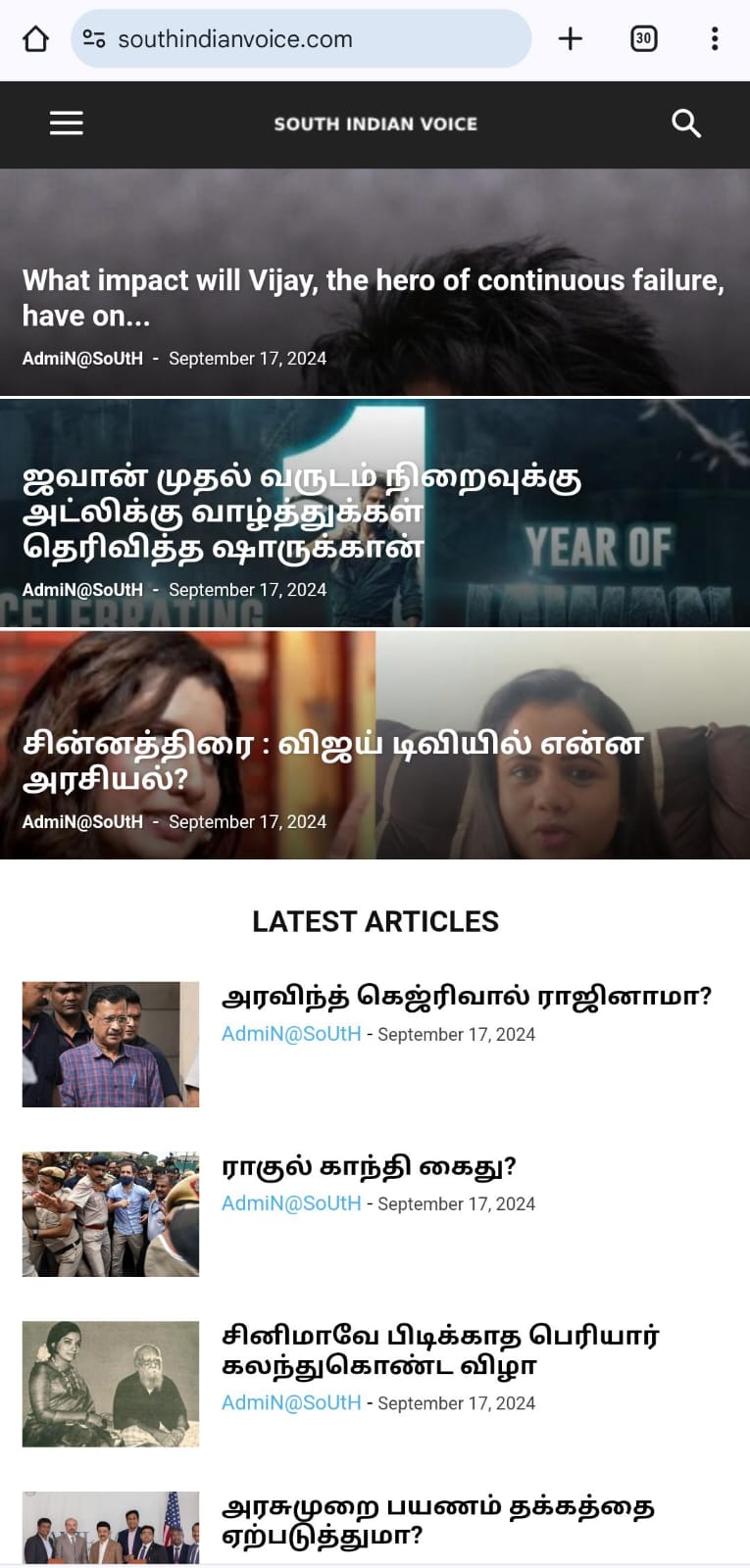
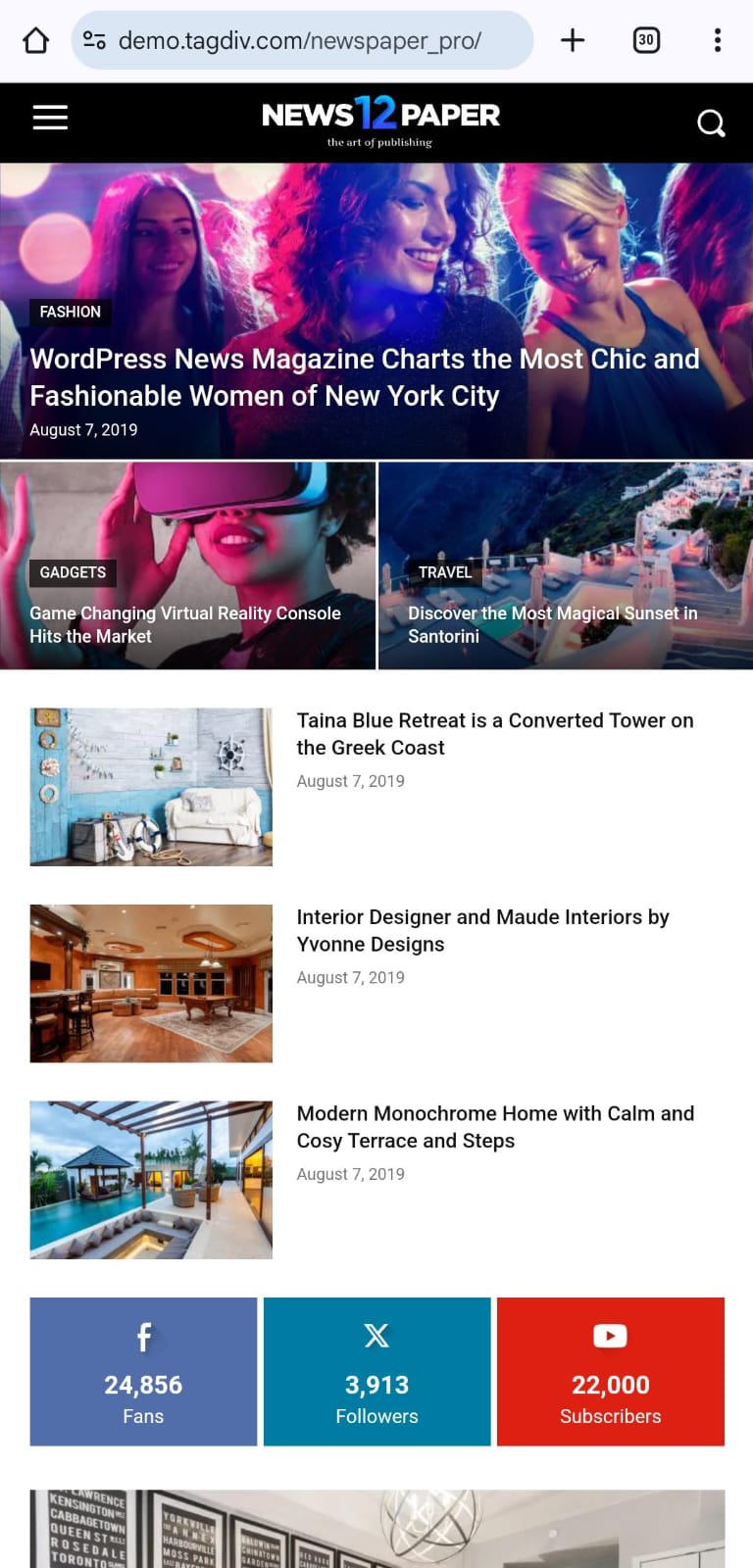
This is my website https://southindianvoice.com/ Webview worked properly. The mobile version displays something different from the web version. Assist me in looking into it and solving it.
 wimothy
On this site https://www.sportevents.eu/multisports/
if you click on menu the mega menu pops. but If you don’t select one item you cannot close it. is there a way that this men can close on click ?
paolamanciagli Sorry, but something is not working.
1)If I open a page and try to use TagDiv Composer, a “critical error” screen appears and it’s not possible to work, even though the plugin is correctly installed and activated.
2)If I try to use Prebuilt Websites (ex. Magazine) it does not display the homepage correctly, no sections appear, just a sheet of text. And there are no entries in the backend that allow you to modify it.
3)When I tried to install the Mobile Theme PlugIn, the entire site crashed and I had to restore to the last save, losing a lot of work done.
The site is up to date (WordPress 6.6.2). Why does NewMag5 not work?
-
This reply was modified 2 years by
paolamanciagli.
 muktipolice
 I set it up. Then when I click the link on my page on my mobile, it goes to the wrong place. What’s the problem with this?
 c386
c386Hi,
I want to overlap two images in the post editor to create this effect (link in case embed doesn’t work):

The large image (red) would be 100% column width, while the small image (blue) would overlap the top-right corner.
I’ve tried all sorts, including the media and text block, or the cover block, and can’t quite get it right. Using columns and custom margins can almost get me there, but then it isn’t responsive on mobile.
Any help achieving this would be greatly appreciated.
 robertot
 Hi Anamaria,
Thank you for your answer. Not sure why you weren’t able to see the ad that is just below the header, it sometimes shows as a blank spot for me too. Anyway, the ad is not in the header per se – it’s just the first block of the homepage’s Content area.
You can see it in the screenshots below, along with the settings we use:
Our theme panel ad settings: https://imgur.com/a/h90vxYu
The ad in question, on screens < 458px wide: https://imgur.com/3yYFp78
The ad on screens 458px – 767px wide: https://imgur.com/jC8kRRC
Your solution of inserting the code again in the Mobile header *might* work, but as this ad placement is already showing in the correct spot for all devices, it would make more sense to use the AdSense code just once (like it is now) and work with the Theme Panel options to adjust the sizing to different devices. Duplicating the ad code in the mobile menu would prolong page load time for all devices and it would show this ad on the entire website instead of just on the homepage, which I don’t want.
The built-in Theme Panel options for different devices should be exactly what I need and they should work. They already seem to work fine for screens 458px-767px wide. The quirky behavior that happens below 458px width is what breaks this feature for our site.
So I would just like to fix the erratic behavior at <458px, because that’s the real problem and I’d really like to understand it and fix it while keeping a clean code&structure.
Thanks a lot, Tagdiv team! Here’s hoping we can find out what’s happening here :).



