
No search results were found in Documentation!
 Lucio.G95
I have this problem after update:
Fatal error: Uncaught Error: Call to a member function format() on boolean in /home/sosguide/public_html/wp-content/plugins/td-cloud-library/state/single/tdb_state_single.php:777 Stack trace: #0 /home/sosguide/public_html/wp-content/plugins/td-cloud-library/shortcodes/single/tdb_single_date.php(130): tdb_state_single->{closure}() #1 /home/sosguide/public_html/wp-content/plugins/td-cloud-library/shortcodes/single/tdb_single_date.php(130): Closure->__invoke() #2 /home/sosguide/public_html/wp-content/plugins/td-composer/legacy/common/wp_booster/td_global_blocks.php(27): tdb_single_date->render(Array, '') #3 /home/sosguide/public_html/wp-includes/shortcodes.php(325): td_global_blocks::proxy_function(Array, '', 'tdb_single_date') #4 [internal function]: do_shortcode_tag(Array) #5 /home/sosguide/public_html/wp-includes/shortcodes.php(199): preg_replace_callback('/\\[(\\[?)(tdb_si...', 'do_shortcode_ta...', '[tdb_single_aut...') #6 /home/sosguide/public_html/wp-content/plugins/td-composer/includes/tdc_composer_block.php(198): do in /home/sosguide/public_html/wp-content/plugins/td-cloud-library/state/single/tdb_state_single.php on line 777
 daniel@kungfu.com.mx
 Thank you here is a full description:
It seems like when somebody from our reporters (ours is a news website) is writing a new post the Ajax service starts hanging , then when they upload the image and send a post everything looks OK for a few seconds, after that the website starts hanging up to 30 seconds before responding talking about this matter with the support team of our hosts (inmotion.com) they can see an increase in PHP-FPM service until it starts creating to many “max_children” at the point that they start using all vps memory.
We have a VPS 6GB memory with 6TB Bandwith and we use WP Fast Cache as recommended
After these the support team (inmotion) suggested to increase the Apache workers and for a day it worked fine but then it started again when we added new posts.
Funny thing is that when we restart the apache and PHP server with the posts already there it can hold up a lot of visitors and a lot of hits at the same time with no problem for days, The problem comes back as soon as we enter a new post.
This has made us believe the problem is somehow related to the editor after installing the News theme the editor changed and it’s now showing the right bar on the right side of the editor window we tried changing the editor for the classic editor but is the same thing, the moment reporters start finishing their post and uploading the image or selecting the preview image its when it starts slowing down, after finishing and sending the post we already are about 30secs delay to respond.
What we have been doing so far is writting the post sending it and right after that restarting Apache service and FPM. that’s how we have been surviving so far.
Suspects are: Ajax , PHP-FPM , Editor , and ofcourse the Theme
Thank You !
Daniel
 lenguajevisual
Hi, I’m using v9.8 of your theme and it doesn’t show me the date. I have this problem as if it seems to me a failure in the template. I am using the default post template. https://prnt.sc/qvabdp
I have it set up as the image shows https://www.screencast.com/t/FHJ6PxOYLytl
in the comments they told me that they could review it.
I am using a VPS in Aws.
My site is https://lpderecho.pe/
 delphinet
 Hello, maybe I explained myself wrong, we would need a simple menu (categories > subcategories) even without previews. The important thing is that it works even without javascript and that it can be inserted in the header cloud template (I think as shortcode)
 Calin
Calin Hi itechguides,
The review need to be set in post like in our documentation from here -> https://forum.tagdiv.com/reviews-2/
Hope this will help you!
Thank you!
 Aleksandra
 Sorry but there is no seo plugin which will let you setup meta description or title to url’s with question mark. If you know one let me know please 🙂
Those url’s should have noindex tag in code, shpuldn’t be indexed by Google: http://domain.com/category1/?filter_by=popular7
http://domain.com/category1/?filter_by=review_high
http://domain.com/category1/?filter_by=popular
http://domain.com/category1/?filter_by=featured
http://domain.com/category1/?filter_by=random_posts
 jereruiz
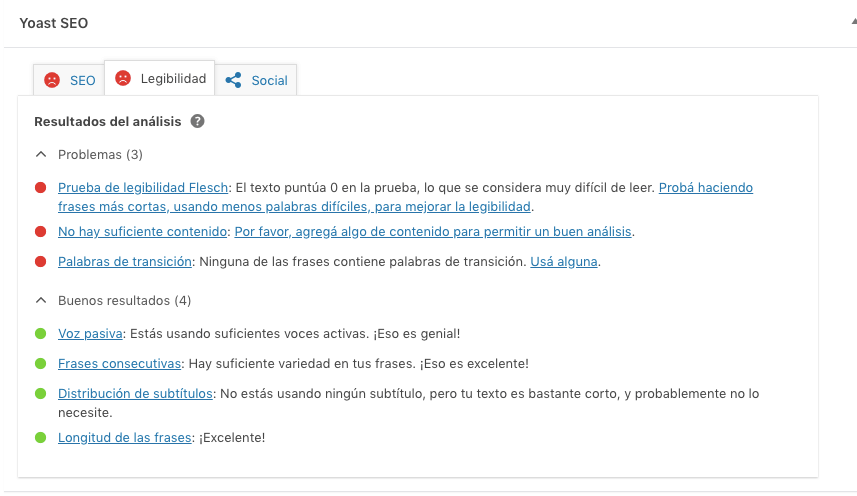
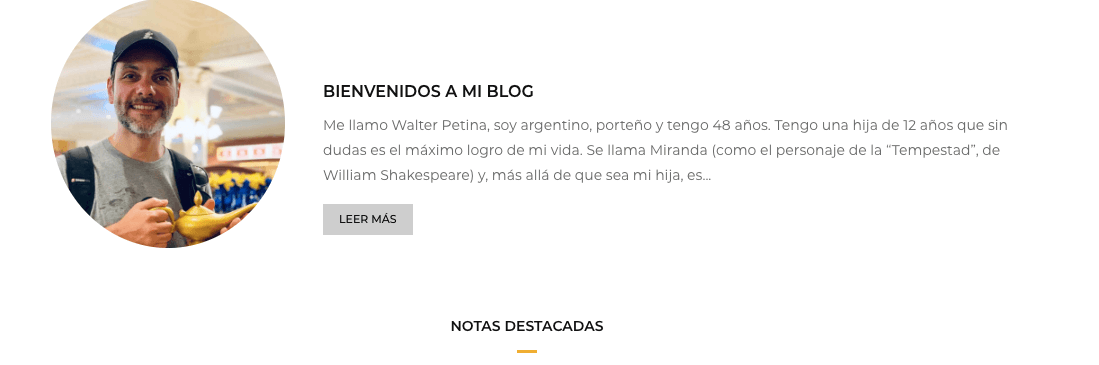
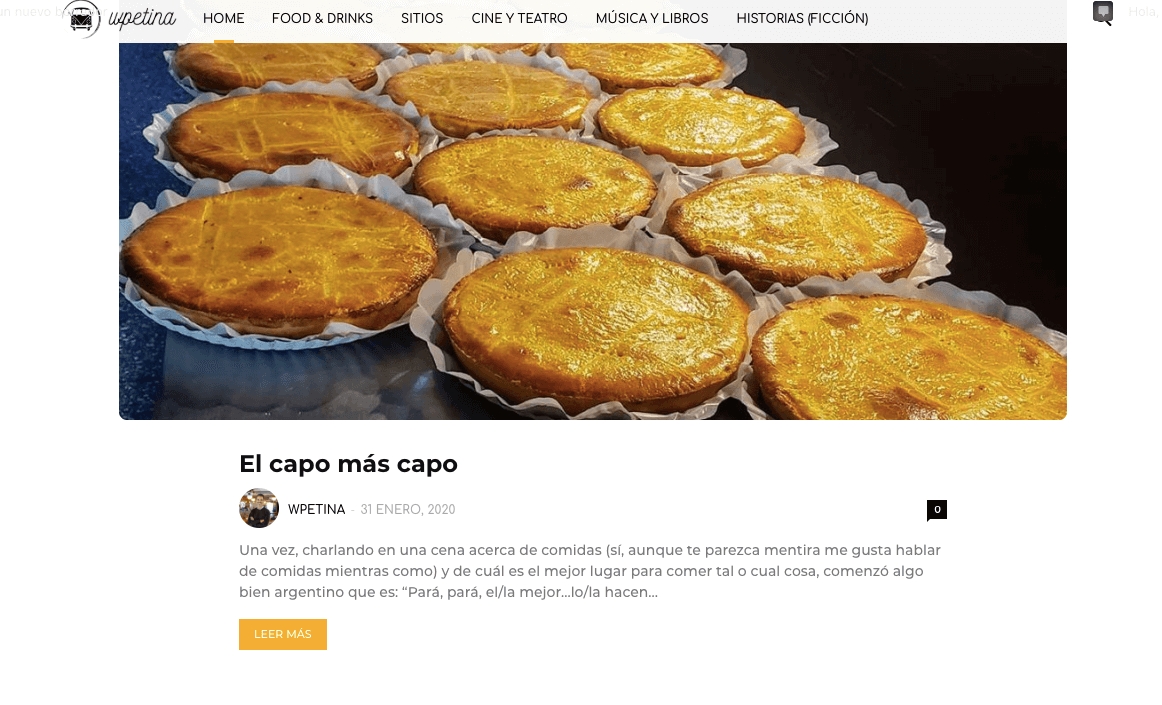
 Hi, gets a little better, but it still not recognosing the text on the description and the previews of the blog posts that are shown on the home.
Its there something else that i can do to improve that? Thanks!
 laurentlg
 Hi Vlad,
Thanks for investigating this.
I reviewed the screen capture you provided but they do not match the queries we see.
Below is the call stack when adding a Multipurpose Shortcode “Inline Text”, which triggers the MySQL request I shared above.
I can reproduce this with a fresh install on Newspaper with a new WordPress.
Can you see it too?
WP_Query->get_posts()

wp-includes/class-wp-query.php:2994

WP_Query->query()

wp-includes/class-wp-query.php:3413

WP_Query->__construct()

wp-includes/class-wp-query.php:3522

td_data_source::get_wp_query()

wp-content/plugins/td-composer/legacy/common/wp_booster/td_data_source.php:410

td_block->render()

wp-content/plugins/td-composer/legacy/common/wp_booster/td_block.php:131

tdm_block_inline_text->render()

wp-content/plugins/td-composer/td-multi-purpose/shortcodes/tdm_block_inline_text.php:68

td_global_blocks::proxy_function()

wp-content/plugins/td-composer/legacy/common/wp_booster/td_global_blocks.php:27

do_shortcode_tag()

wp-includes/shortcodes.php:325

preg_replace_callback()

wp-includes/shortcodes.php:325

do_shortcode()

wp-includes/shortcodes.php:199

tdc_composer_block->do_shortcode()

wp-content/plugins/td-composer/includes/tdc_composer_block.php:198

vc_column->render()

wp-content/plugins/td-composer/includes/shortcodes/vc_column.php:119

td_global_blocks::proxy_function()

wp-content/plugins/td-composer/legacy/common/wp_booster/td_global_blocks.php:27

do_shortcode_tag()

wp-includes/shortcodes.php:325

preg_replace_callback()

wp-includes/shortcodes.php:325

do_shortcode()

wp-includes/shortcodes.php:199

tdc_composer_block->do_shortcode()

wp-content/plugins/td-composer/includes/tdc_composer_block.php:198

vc_row->render()

wp-content/plugins/td-composer/includes/shortcodes/vc_row.php:766

td_global_blocks::proxy_function()

wp-content/plugins/td-composer/legacy/common/wp_booster/td_global_blocks.php:27

do_shortcode_tag()

wp-includes/shortcodes.php:325

preg_replace_callback()

wp-includes/shortcodes.php:325

do_shortcode()

wp-includes/shortcodes.php:199

tdc_composer_block->do_shortcode()

wp-content/plugins/td-composer/includes/tdc_composer_block.php:198

tdc_zone->render()

wp-content/plugins/td-composer/includes/shortcodes/tdc_zone.php:576

td_global_blocks::proxy_function()

wp-content/plugins/td-composer/legacy/common/wp_booster/td_global_blocks.php:27

do_shortcode_tag()

wp-includes/shortcodes.php:325

preg_replace_callback()

wp-includes/shortcodes.php:325

do_shortcode()

wp-includes/shortcodes.php:199

apply_filters('the_content')

wp-includes/plugin.php:206

the_content()

wp-includes/post-template.php:253
 itechguides
 I tried this but when I select the Reviews cloud template in a post, do I need to use a specific Heading type (H1, H2, H3, H4) to specify a “Product Review Category”?
Say I am reviewing a phone and want to add a review category called “Battery” how do I add it to my post for the Review template to recognize it?
Secondly, how does the Review summary work? What type of formatting do I need to have for the template to recognize it as a “Review Summary”
Calin Hi,
Indeed there were some problem in preview version of theme, in Newspaper 10.2 the Yoast SEO is working, please make sure that you have this version and check again (you can check it on localhost, is no need to make the update until you check the properties).
Thank you!
 Mantascx
HI, I am installed blogfitness demo content and single cloud template is not loading when I open the post.
You can check it here how it looks
how can i fix it?
p.s. when I change post’s template it loads but without photos, share buttons etc. only text from the post. You can see it here
 clbrown
my website doesnt look anything like the mobile preview. instead of maintaining the integrity of the format with specific section categories, it essentially looks like one big latest article post with the exception being the top three stories have pictures similar to what my lead block on the desktop has. i’ve only pulled up my website on a mobile device one time and it been in the format it was supposed to be. i need help because i dont know if it’s some button i didnt toggle or if it’s a problem with coding.
Calin Hi,
Unfortunately there is a problem with the new option add in theme panel for disable the schema article, this interfere with preview draft, in order to fix this problem you’ll need to make some changes in theme file or deactivate the schema articles from here: https://www.screencast.com/t/0E3IucACC You will have to check that in order to deactivate the schema, this issue will be fixed in the next update.
The file are wp-content/plugins/td-composer/legacy/common/wp_booster/td_module_single_base.php -> https://i.imgur.com/EMWC74l.png add “|| is_preview()” -> https://i.imgur.com/78beFgC.png
wp-content/plugins/td-cloud-library/state/single/tdb_state_single.php
-> https://i.imgur.com/WIIKHSU.png -> https://www.screencast.com/t/VbigQIINRB
or you can send us an email at contact@tagdiv.com and provide admin login, as well as cPanel or FTP if possible. We will take a look and make the proper changes for you. Include a link to this topic in the email.
Thank you for your understanding!
Calin Hi,
The problem with preview should be fix now.
Than you!
 Vlad S
 Hi,
Unfortunately there is a problem with the new option add in theme panel for disable the schema article, this interfere with preview draft, in order to fix this problem you’ll need to make some changes in theme file or deactivate the schema articles from here: https://www.screencast.com/t/0E3IucACC You will have to check that in order to deactivate the schema, this issue will be fixed in the next update.
The file are wp-content/plugins/td-composer/legacy/common/wp_booster/td_module_single_base.php -> https://i.imgur.com/EMWC74l.png add “|| is_preview()” -> https://i.imgur.com/78beFgC.png
wp-content/plugins/td-cloud-library/state/single/tdb_state_single.php
-> https://i.imgur.com/WIIKHSU.png -> https://www.screencast.com/t/VbigQIINRB
or you can send us an email at contact@tagdiv.com and provide admin login, as well as cPanel or FTP if possible. We will take a look and make the proper changes for you. Include a link to this topic in the email.
Thank you for your understanding!
Vlad S Hi,
Unfortunately there is a problem with the new option add in theme panel for disable the schema article, this interfere with preview draft, in order to fix this problem you’ll need to make some changes in theme file or deactivate the schema articles from here: https://www.screencast.com/t/0E3IucACC You will have to check that in order to deactivate the schema, this issue will be fixed in the next update.
The file are wp-content/plugins/td-composer/legacy/common/wp_booster/td_module_single_base.php -> https://i.imgur.com/EMWC74l.png add “|| is_preview()” -> https://i.imgur.com/78beFgC.png
wp-content/plugins/td-cloud-library/state/single/tdb_state_single.php
-> https://i.imgur.com/WIIKHSU.png -> https://www.screencast.com/t/VbigQIINRB
or you can send us an email at contact@tagdiv.com and provide admin login, as well as cPanel or FTP if possible. We will take a look and make the proper changes for you. Include a link to this topic in the email.
Thank you for your understanding!
 GusV
GusV Hi,
Not sure if you had done anything but the previews are more responsive now and seem to be working ok.
Thanks.
Gus
-
This reply was modified 6 years by
GusV.
 lisamariet
pictures: https://imgur.com/a/KkPNaOh
Why does this happen? And how to fix it?
The page can be viewed here: https://madinnorway.org/testingfor2/
 gracefussell
Hi there,
I recently updated to version 10.2 of the Newspaper theme. There seems to be a problem with previewing posts, which appear very differently to the published posts.
In short, the preview content appears ‘boxed’ with a margin, the formatting of text appears differently, and images don’t appear on the preview.
I am currently working around this by publishing privately to check everything’s OK in published format (so far appears to be fine when published), but not ideal.
Can you please advise?
Thanks, Grace
 curistorian
 Hi Calin –
The change I’m trying to make is on the Single Post blog page. The problem is that the elements that I don’t want only show up in preview, not in editing mode, which means I can’t edit/remove them. Any solution there?
 PeCould
Hello,
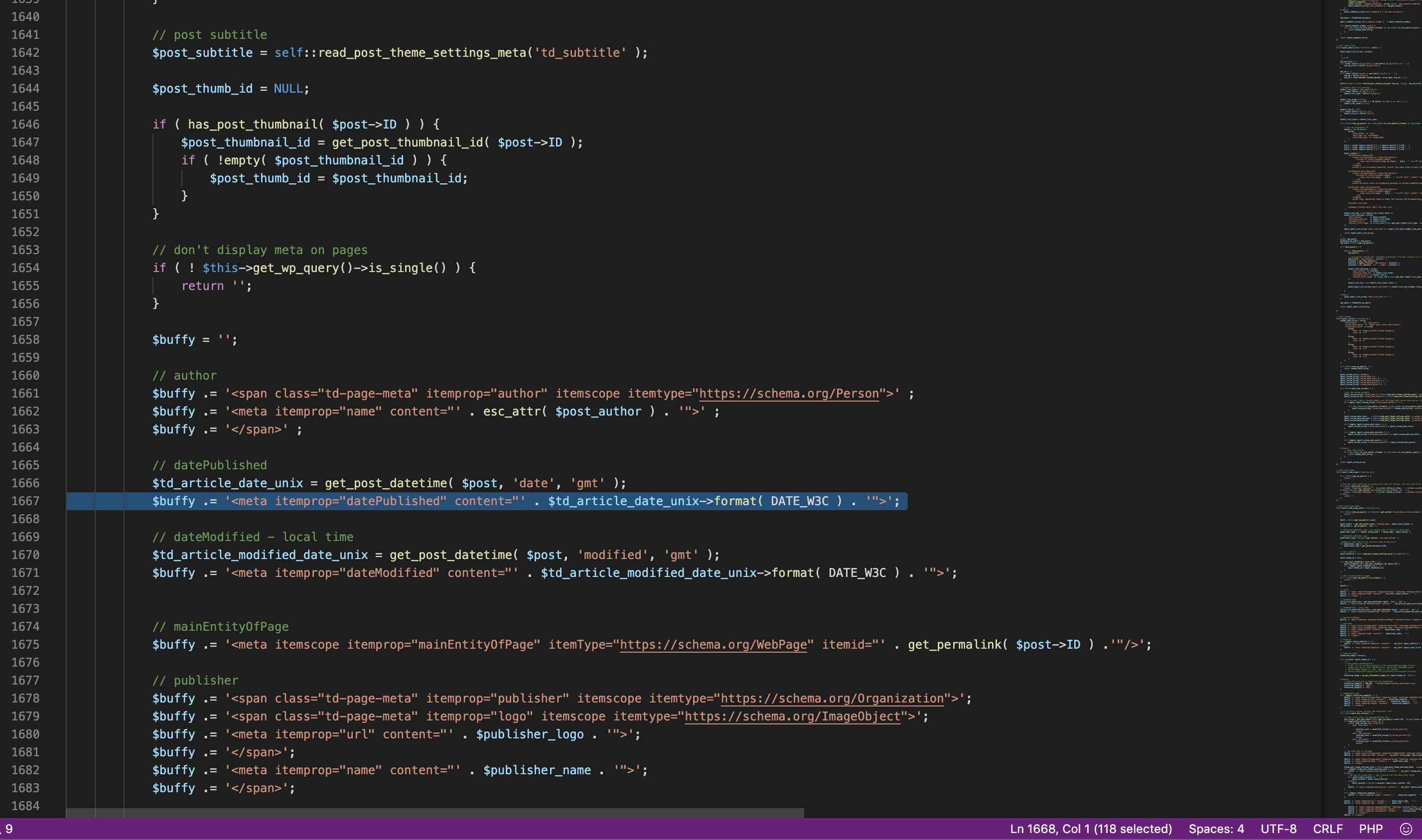
i have already upgraded to newspaper 10.2. Unfortunetely, when i want to see my Preview of draft posts. It show me these fatal erros:

in line 1667 is this:
Can anyone help me?
Thank you a lot,
Petr
 Korneli
thank you so much for the template https://www.fxan.de/, the only thing I can’t figure out is how I’m gonna clean it up TD Composer from empty column?
https://www.fxan.de/1767-2/?preview_id=1767&preview_nonce=2f62daa630&preview=true
Calin Hi,
Only this review is from our theme -> https://i.imgur.com/SluELWz.png -> https://i.imgur.com/VqomLzQ.png this one https://i.imgur.com/uyMMIIM.png is not from our theme -> https://i.imgur.com/uNw5k8P.png
Theme reviews -> https://forum.tagdiv.com/newsmag-reviews/
Indeed the warnings are from reviews, but this will not affect the website -> https://i.imgur.com/RI26AgX.png
If this is affecting your website, just let us know, provide details about the problem and a developer will investigate and if is a theme problem it will be fix.
Thank you for your understanding!
 datatohost
Hi i have a doubt why when i put an image carousel:
https://www.dropbox.com/s/9wa6vvvzr0absuh/Image-Carousel.jpg?dl=0
The small images on the home page disappear? the previews.
https://www.dropbox.com/s/y9fgao4anysg8uu/Diss.jpg?dl=0
regards
XS
 Rmax
Rmax Thanks for your investigations
The review has always been present, I did not install a plugin. It’s not a NEWSMAG function ?
Before the last Newsmag update, I had the same mention in GG results like other websites and no warnings on GG Search Console.
Thanks



