
- NewspaperSocial Sharing
- NewsmagSharing buttons
- NewspaperSharing
- NewspaperDesign your post pages using the Default Templates
- NewspaperFacebook Share
 dralim
 vincentbelaws
On the blog page there are 4 social sharing buttons, Facebook, Twitter, Google Plus, and Pinterest. I would like to remove Google Plus and Pinterest from there. Can someone please advise on how to remove those two social sharing buttons. Thank you!
 Simion C.
 Hi,
So you want to move the tags and source/via bellow the top sharing in the post page. You will have to edit the post template used and make this modification. Example for default post template
– https://www.screencast.com/t/BatToVcKQ
– https://www.screencast.com/t/HJxjzCsr
– https://www.screencast.com/t/o3jvwvTNh
Thanks
 RailAdvent
Hi
I have noticed a few validation errors in the search console.
These appear to relate to the social sharing links, where the description contains quote marks.
You will see what I mean if you run this page in the AMP Test…
Thanks
Michael
 ctoweett
 (I don’t work here) Demos do not remove the icons, but a new theme update will coz they can only be added to the parent theme. So the best option is to back up the file(s) that you edit and re-upload them when you update the theme (but also keep checking theme changes to see if the file has been modified). See this for question 1 https://forum.tagdiv.com/topic/add-linkedin-sharing-button/
 Catalin
 Hello dralim,
I have checked your link but I did not have any access to it, as you can see here -> https://www.screencast.com/t/ffkiWVJ4PUF It seems to be a problem with your hosting provider, sorry! For more information about sharing, please check the following topic from here -> https://forum.tagdiv.com/facebook-share/
Thanks for the message!
Simion C. Hi,
Indeed that code may not work anymore, there have been changes made to the sharing. Try this one now (remove the old one, no need for it)
.td-post-sharing-classic iframe {

width:200px!important;

}
Thanks
 stax
staxAfter update theme, how i can import TagDiv Social Counter in WPBakery Page Builder(Visual Composer), because there are no more Social Counter block?
And one more question, after update theme, my icon for sharing in posts looks like: https://imgur.com/a/GyLA2
How i can fix it?
And in footer, in section Popular Category, id of catergory is shown. image: https://imgur.com/a/68Znf
How to disable that?
Thanks
 pig911
I am a Chinese user. As you know, most media and social networks are not available in China. So I have to add new social networks in following positions:
1. Theme panel > POST SETTING > Sharing > SOCIAL NETWORKS
2. Theme panel > SOCIAL NETWORKS > Social networks
This may be a good complex project, but only in this way I can fully control the social networks with icons and functions.
So please tell me how to achieve that, and if not could you recommend me any plugin that can do the same thing as the theme?
Thank you.
 syafzul
Hi guys, I plan to use MyCred to give point for those who click theme’s built-in social sharing button. Is that possible if so please guide me.
MyCred provides hook which is ‘Credits for clicking on links’ but I think its usage to create a new link instead of using the built-in sharing buttons’ link. Is there any way to put the shortcode on the sharing buttons?
My alternative is, by using Easy Social Share plugins as it provides MyCred integration. However, if its not too complicated for me to modify theme code I rather not using plugins If I could tweak myself. Thanks.
dralim i have enabled it but not loading title and text when sharing.
dralimFrom 2days whenever I share any posts to facebook its not showing any attachment. Please Help me out.
 Edward
 Hi Simion!
This code I put as a test (example):
<?php echo 'Hello World!'; ?>

In the second screenshot, I just pointed out where the text (“Hello World!”) should be displayed.
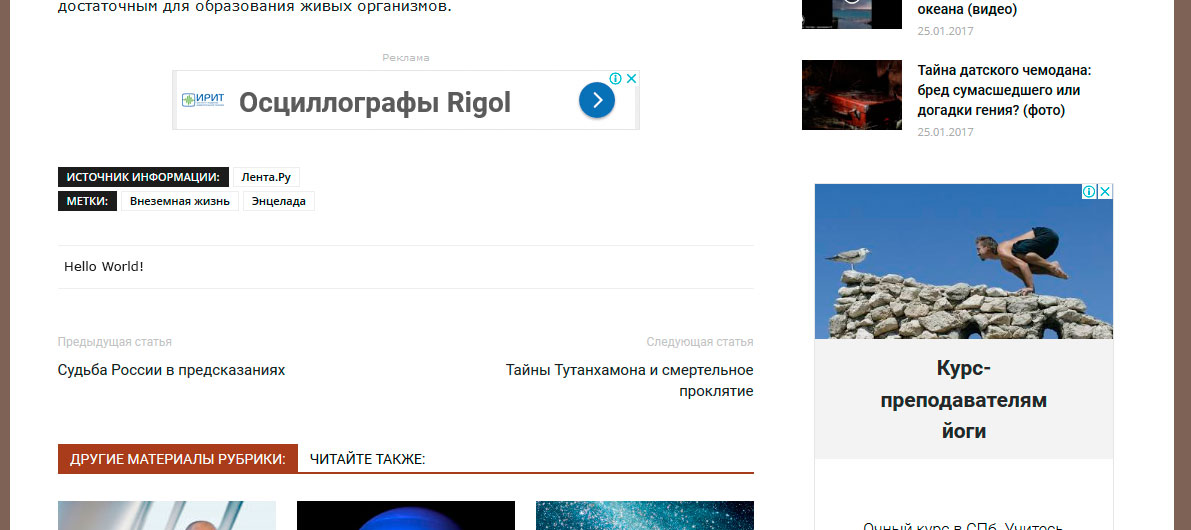
But it doesn’t work, please CHECK it.
The text contained in the code is NOT displayed.
Instead of “Hello world!” I plan to insert my own output code of social media sharing buttons.
Simion C. I will try to help you, but I don’t quite understand what you are trying to do. I see you have removed the bottom sharing code and inserted a PHP code in the bottom sharing section on posts. The text contained in the code is now displayed accordingly from what I can see.
Any code you insert there will be displayed instead of the bottom sharing socials. Please correct me if I misunderstand.
 Juan
JuanHi,
Since yesterday, the sharing buttons on post don’t appear automatically. The users must click on the plus symbol button and then, the social buttons appear.
I didn’t make any change on this buttons and I can’t find the plus button utility on the theme options. I prefer that the sharing buttons on post appearing automatically.
Someone has the same issue? How can I fix it?
Thanks.
 John
John Facebook and Youtube have that sharing option. It helps users spread their network/links easily & widely (It’s very good for SEO & traffic)
Hope newspaper can have that on version 8.8
Thanks
ctoweett @samochodyelektryczne I will just share it here. Find the post template you are using. In my case, I use post template 2. So its corresponding file is loop-single-2.php (you should find the one which corresponds to your post template). Inside the loop single file, search for <?php echo $td_mod_single->get_social_sharing_bottom();?> and below it, paste the following code
<div class="navi-previous-next clear clearfix">
	            <div class="navi-previous navi-item"> <?php
		    	$prevPost = get_previous_post();
			$prevthumbnail = get_the_post_thumbnail($prevPost->ID,  'td_100x70'); ?>
		       	<p class="navi-icon"><?php previous_post_link('%link', '<span class="navi-prev-title">← Previous Article</span>');?></p>
		       	<div class="navi-post-content">
		  		<?php previous_post_link('%link', $prevthumbnail); ?>
		  		<?php previous_post_link('%link', '%title'); ?>
		  	</div>
	            </div>

	            <div class="navi-next navi-item"> <?php
	                $nextPost = get_next_post();
	                $nextthumbnail = get_the_post_thumbnail($nextPost->ID, 'td_100x70'); ?>
	                <p class="navi-next-icon"><?php next_post_link('%link', '<span class="navi-next-title">Next Article →</span>'); ?></p>
	                <div class="navi-post-content">
	                	<?php next_post_link('%link', $nextthumbnail); ?>
	                	<?php next_post_link('%link', '%title'); ?>
	                </div>
	            </div>
	        </div>
Then save.
Paste the following CSS in the Theme Panel Custom CSS section.
.navi-prev-title {
    font-size: 12px;
    color: #c1c1c1;
    text-transform: none;
    font-weight: normal;
}
.navi-next-title {
    font-size: 12px;
    color: #c1c1c1;
    text-transform: none;
    font-weight: normal;
}


/* SINGLE POST NAVIGATION - PREVIOUS / NEXT */

.navi-previous-next {
    margin-bottom: 35px;
    margin-top: 35px;
}

 .navi-previous {
    width: 49.5%;
    float: left;
    position: relative;
    border-top: 1px solid #e0e0e0;
    border-bottom: 1px solid #e0e0e0;
    padding-bottom: 20px;
    padding-top: 20px;
}
.navi-next {
    width: 49.5%;
    float: right;
    position: relative;
    border-top: 1px solid #e0e0e0;
    border-bottom: 1px solid #e0e0e0;
    padding-bottom: 20px;
    padding-top: 20px;
}

.navi-previous img{
    float: left;
    margin-right: 10px;
    position: relative;
    z-index: 1;
}

.navi-next img{
    float: left;
    margin-right: 10px;
    margin-left: 10px;
    position: relative;
    z-index: 1;
}

.navi-previous a{
   display: block;
   font-size: 14px;
   text-transform: uppercase;
   font-weight: 700;
   color: #222;
   font-family: Open Sans;
   text-align: left;
}
.navi-next a{
   display:block;
   font-size: 14px;
   text-transform: uppercase;
   font-weight: 700;
   color: #222;
   font-family: Open Sans;
    position: relative;
    margin-left: 10px;
   text-align: left;
}

@media (max-width: 480px) and (min-width: 0) {
     .navi-previous {
      overflow: hidden;
      float: none;
      margin-bottom: 10px;
     margin-top: 30px;
     width: auto;
   }
  .navi-next {
    margin-top: 10px;
    width: auto;
    float: none;
    overflow: hidden
   }
}
Then disable the inbuilt theme post navigation from the theme panel. Guess it should work.(You can edit the css to your liking).
I would recommend using a child theme when doing this.
-
This reply was modified 8 years by
ctoweett.
Simion C. Hi,
There have been modifications made to the post sharing sections in the previous update. The socials are now defined in this file
– https://www.screencast.com/t/e88zJRrA
Each social implemented in the theme is defined there. You could make modification there if needed.
The whole bottom sharing section is defined here
– https://www.screencast.com/t/31SxfYKFgKw4
Thanks
 svharishtech
Hi,
I have updated to the latest version of the theme. But now the sharing buttons images are not proper in the posts.
It works fine in chrome. but not in firefox. i have not tested it in other browsers yet.
Catalin Hello themeforest58,
Unfortunately, please notice that’s the default functionality for AMP, without the menu, sorry! The AMP plugin works only for default pages which are not created with any page builder. Regarding on social sharing, these have the default size for mobile devices.
Thanks for your understanding!
Edward Hi!
In “td_module_single.php” has changed the format of sharing buttons.
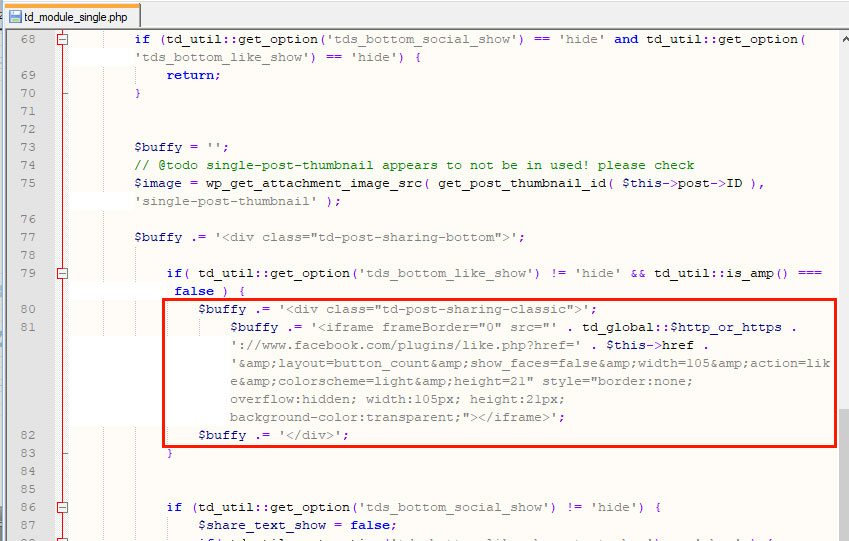
Dear developers I want to replace your code at the bottom of the article to my own. How to do it?
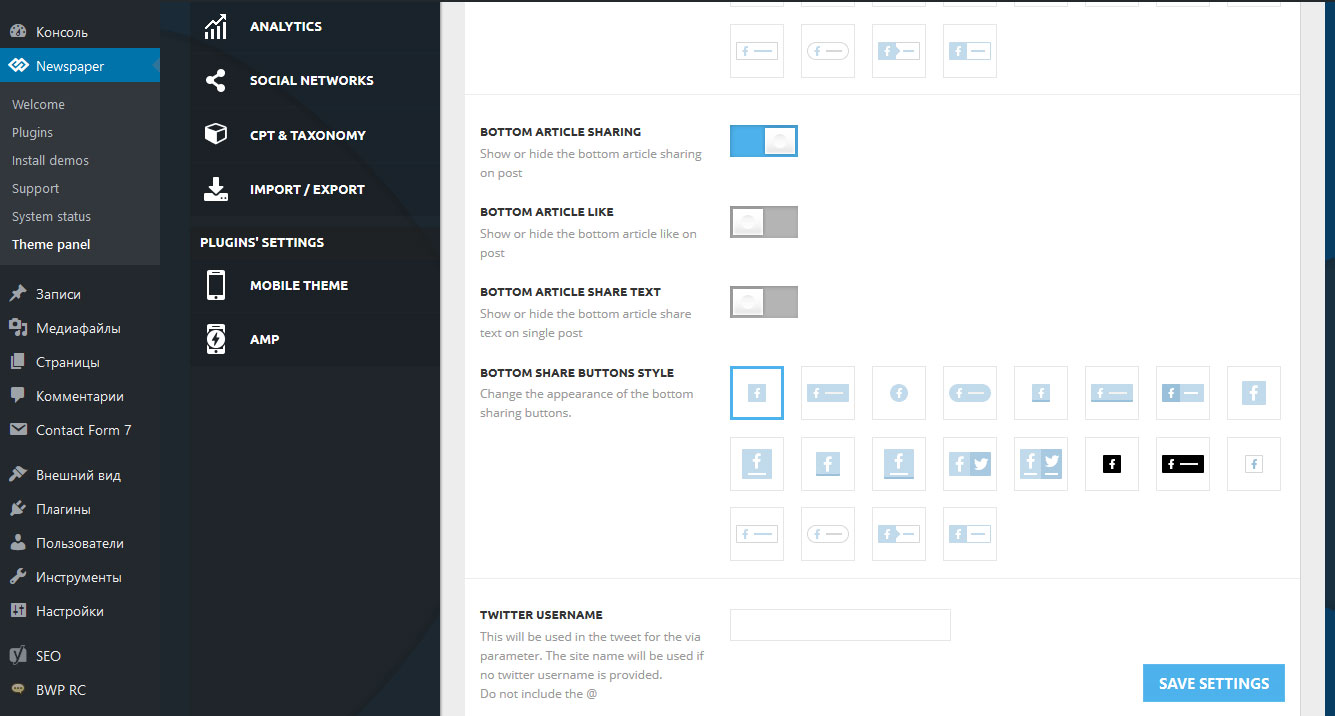
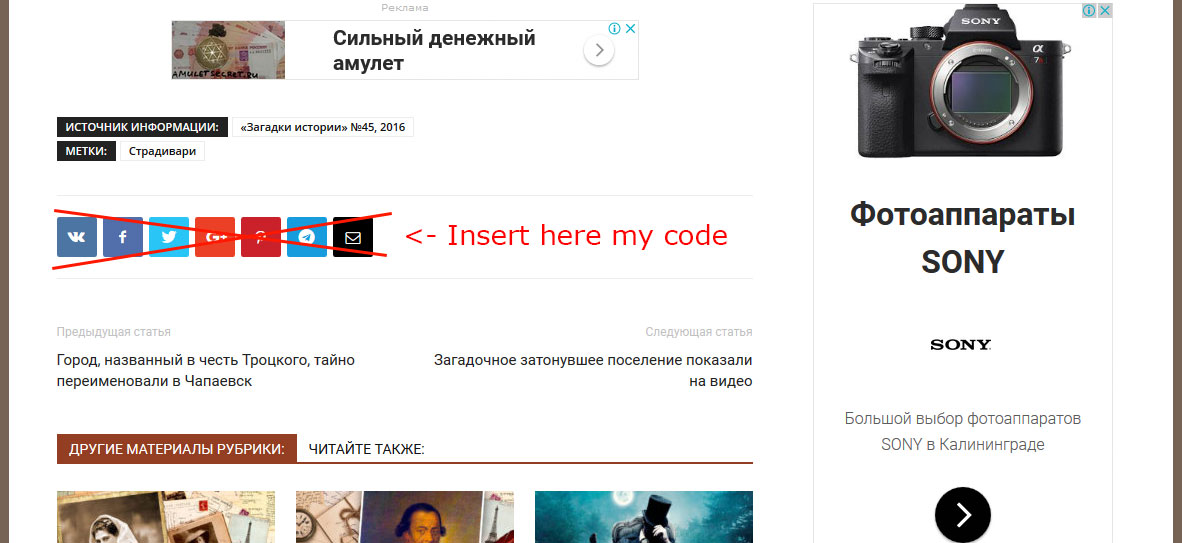
Thanks!
 drvarun5179
Just for the feedback, AMP Plugin is great and seems fastest, but there are some major bugs such as:
1. Menu from amp pages is missing.
2. Social sharing icons are too small.
3. No idea how amp ads work. Do we have to fill in our custom adsense made ads in the theme panel>amp>custom ad? Or the google adsense fills out these spots themselves?
4. How can we remove featured image from amp pages?
5. The search button is broke, it redirects to mobile page with some “-” search result.
6. Dropcaps are not working perfect, the letters are inside a colored box.
Apart from that, the post-editor is missing the text-editor, i mean where is the place where i used to add dropcaps and quoteboxes??
And to the ones who have been complaining about amp not on home page, well amp is meant for posts that appear on google, the rich articles we write. There is definitely no need of amp on homepage, unless you want a really stripped off version of your homepage to be shown to your visitors.(speed is always not best at some places)
 themeforest58
AMP More should be developed. Menu does not appear on AMP.
And home page dont have a AMP page. website.com/amp > 404.!!
Amp only works on posts and pages. Dont works for home page.
Social sharing buttons are too small.
Simion C. Hi,
The post sharing will work only on posts, it cannot be enabled on pages. If you would like to be able to share pages you could try a plugin, there are many sharing plugins you can choose from that may have such capabilities.
Thanks
 Bolumstar
 Thanks Simon for your assistance. After a lot of trials, I was able to solve”The Current Content Page hasn’t been created by tag div composer” problem. In my case, it seems to be coming from the SSL certificate that Inmotion support team installed. The problem started after I secured the wp-admin login.
Tag Div Composer started working when I set the website to https from the WordPress general settings.
However, I had already updated the Newspaper theme from version 8.1 to 8.6 and the issue was solved without changing to https.
I was pissed off by several things in the new theme version. Starting from the minor – the weather app now requires API key. That wasn’t even the main issue. The empty roll and column settings were not responding – which means I won’t design or redesign a page the way I want. This is the main issue. The slider grid was not working too. I tested all these on a new page too.
I attached the images below.
https://drive.google.com/file/d/10zNVk-SP3fNZNAyTsqPYo9rmID2_R_m2/view?usp=sharing
https://drive.google.com/file/d/1M4y7KkEQsj8tSW35yh0gCVLauhxU_-Mw/view?usp=sharing
-
This reply was modified 8 years by
Bolumstar. Reason: update
