- NewsmagtagDiv Composer Tutorial
- NewsmagHow to use the Visual Composer plugin
- NewsmagHow to update a plugin
- NewsmagRequirements for Newsmag
- NewsmagInstall via WordPress
- NewsmagInstall via FTP
- NewsmagBlock settings tutorial
- NewsmagPage Menu
- NewsmagCustom ad spots
- NewsmagSmart sidebar
- NewsmagVideo playlist
- NewsmagPage templates
 Catalin
 Hello pedropapito,
First of all, make sure that you have installed the latest theme version via FTP way because this is the surest method in this case. Also, ensure that you do not use both page builder simultaneously as TD Composer and Visual Composer. You should use only one of them. Check here -> https://forum.tagdiv.com/visual-composer-tagdiv-composer-transition/ for more information. You have to provide some useful screenshots with your problem and also, your website URL so I can take a closer look at it.
Thanks for your understanding!
 pedropapito
 I am having trouble with background colors in rows. Every time I add background color in a row, it ends up opaque. The changes do not happen and if I click on “save”, the button is rotated infinitely and you need to refresh the page. After updating, it appears error, like the one below:
array(7) { [“el_class”]=> string(0) “” [“el_id”]=> string(0) “” [“class”]=> string(28) “td_uid_19_5a124e0487d0e_rand” [“css”]=> string(0) “” [“tdc_css”]=> string(52) “eyJhbGwiOnsiYmFja2dyb3VuZC1jb2xvciI6IiNlYWVhZWEifX0=” [“tdc_css_class”]=> string(28) “td_uid_19_5a124e0487d0e_rand” [“full_width”]=> string(0) “” }
wp booster error:
TD Composer Internal error: The system tried to use an att that does not exists! class_name: vc_column Att name: “tdc_css_class_style” The list with available atts is in tdc_composer_block::render
/var/www/clickcamboriu/wp-content/plugins/td-composer/includes/tdc_composer_block.php > get_att
 wbarif
 hello,
my tagdiv composer not working.
Errors happened during tdcIframeData.init() -> bindViewsModelsWrappers()!
this is the error. please help me out.
-
This reply was modified 8 years by
wbarif.
 print024
Errors happened during tdcIframeData.init() -> bindViewsModelsWrappers()!
This happened after updating the theme. pls help.thanks.
 ShibumiOz
Visual Composer is now WPBakery Page. Your previous advise was outdated and useless. I have rechecked all permissions within WPBakery Page and still cannot get formatting and styles to be applied to my text blocks. I need an urgent practical effective response
 MrDweeb
 I have used the guuide. In the folder plugin there is no TD-Mobiel.zip. The file is not included in the folder.
Ive installed Composer and it worked fine – becouse the plugin file was included.
 Edward
 Официальный язык техподдержки – английский. Пишите на нём, плз.
Стандартная процедура:
1. Отключите все непротестированные плагины.
2. Проверьте, выполняются ли минимальные требования к Теме (System status parameters guide): https://forum.tagdiv.com/system-status-parameters-guide/
3. Схожая проблема тут, почитайте: https://forum.tagdiv.com/topic/errors-on-td-composer-now-cant-edit-homepage/
 Bogdan B.
 Hello,
Please use this code instead:
@media(min-width:1018px){

.td_video_playlist_column_3 .td_wrapper_player{

margin-left: 341px;

}

.td_video_playlist_column_3 .td_container_video_playlist{

left: 0;

}

}
Unfortunately it will not work in tabs. Visual composer has issues using complex elements in tabs.
Thanks.
 Denis McAllister
 PS
I can rename td-composer using FTP and log-in. Then I set it back to the old name and reactivate it whilst logged in. I can then happily move around the site dashboard with no problems. But if I log out then I can’t log back in again.
 g00dnews
Hi,
You have an example of the Woocomerce frontpage here: https://demo.tagdiv.com/newspaper_tech/shop/
It doesn’t seem possible to replicate this as the tagdiv composer blocks don’t change the content of the page output.
The composer edit screen shows an error warning at the top of the page:
Errors happened during tdcIframeData.init() -> bindViewsModelsWrappers()!
I get the same testing editing of the shop homepage on 2 different servers and a localhost so this seems to be something specific to the shop homepage.
To get around that, I edited a standard page and added an image block to the top to try and replicate the demo, then copied the code from the editor into the page for the shop home. Nothing showed up.
So how do we create a shop homepage like the one that shows on the demo site?
 stephanwhelan
Hi guys – got a QQ – how do I remove the Edit with TD Composer option from the Admin Bar: http://take.ms/5BjG2
Cheers!
 Simion C.
 Hi,
@BruceInLouisville
1. If the page contains no page builder elements (blocks, grids etc) regardless of composer used, the page title will be displayed. The page title will appear if the page contains content added through the default MCE editor.
A solution would be to enter this code in Theme panel->Custom CSS when using default page template
.page-template-default .td-page-title{

display:none;

}
2. You could target specific pages with the actual CSS code. So for example you would like to remove the page title on one specific page, with the code mentioned above
– https://www.screencast.com/t/OCrsCnUuJ13s
– https://www.screencast.com/t/187t2cwS5
@pildat
The author can be removed for pages in block settings
– https://www.screencast.com/t/H70ufYfxy
And for posts in post settings
– https://www.screencast.com/t/3D0eMOXyxqZ
Thanks
 pstgibson
 Nothing since to have change after the implementation. Google is still telling me to render the color picker.
What should I do?
/**
* here we move the css
*/
function css_mover() {
//if ($this->td_theme_name == ‘Newspaper’) { }
// wp 011 – Newspaper 6
$this->move_style_to_footer_queue(‘bbp-default-bbpress’); //bbpress old
$this->move_style_to_footer_queue(‘bbp-default’); // bbpress
$this->move_style_to_footer_queue(‘contact-form-7’);
$this->move_style_to_footer_queue(‘wp-color-picker‘);
if ($this->is_ie === false) {
// move style.css theme style
$this->move_style_to_footer_queue(‘js_composer_front’);
$this->move_style_to_footer_queue(‘td-theme’); //this is the main style of the theme. It’s only moved on Newspaper 6!
$this->move_style_to_footer_queue(‘td-theme-woo’); //this is the main style of the theme. It’s only moved on Newspaper 6!
}
-
This reply was modified 8 years by
pstgibson.
 tekniksmart
 I also get that error, and it’s very irritating because I can only edit parts of the page with TD Composer.
In my investigation it looks like memcached and how it’s used with WordPress could be the problem. But I’m not sure until I have looked more into that.
 Freelancer
Hi
I’m getting this error in a RED banner across my homepage – and I can’t edit it now at all/no options in TD composer?:
Errors happened during tdcIframeData.init() -> bindViewsModelsWrappers()!
Site is http://www.defencewesthub.coma.u
Thanks
pstgibsonI am working on my site speed.
I need your assistance on an issue below:
Kindly help me highlight the “File ID” from the the css and js file below (My confusion is coming from one plugin appearing multiple times.)
registered scripts
jquery |
admin-bar | /wp-includes/js/admin-bar.min.js
jquery-np-cookie | https://warrimarket.com/wp-content/plugins/arscode-ninja-popups/js/jquery.ck.min.js
js-ninjapopups | https://warrimarket.com/wp-content/plugins/arscode-ninja-popups/js/ninjapopups.min.js
fancybox2 | https://warrimarket.com/wp-content/plugins/arscode-ninja-popups/fancybox2/jquery.fancybox.min.js
apsl-frontend-js | https://warrimarket.com/wp-content/plugins/accesspress-social-login-lite/js/frontend.js
contact-form-7 | https://warrimarket.com/wp-content/plugins/contact-form-7/includes/js/scripts.js
tp-tools | https://warrimarket.com/wp-content/plugins/revslider/public/assets/js/jquery.themepunch.tools.min.js
revmin | https://warrimarket.com/wp-content/plugins/revslider/public/assets/js/jquery.themepunch.revolution.min.js
woocommerce | //warrimarket.com/wp-content/plugins/woocommerce/assets/js/frontend/woocommerce.min.js
wc-cart-fragments | //warrimarket.com/wp-content/plugins/woocommerce/assets/js/frontend/cart-fragments.min.js
jquery-ui-core | /wp-includes/js/jquery/ui/core.min.js
jquery-effects-core | /wp-includes/js/jquery/ui/effect.min.js
jquery-effects-shake | /wp-includes/js/jquery/ui/effect-shake.min.js
wppas_dummy_advertising | https://warrimarket.com/wp-content/plugins/wppas/templates/js/advertising.js
wppas_asyncjs | https://warrimarket.com/wp-admin/admin-ajax.php?action=wppas_asyncjs
WPPAS_VBC | https://warrimarket.com/wp-content/plugins/wppas/public/assets/js/vbc/jquery.wppas.vbc.js
WPPAS_VBC_EF | https://warrimarket.com/wp-content/plugins/wppas/public/assets/js/vbc/jquery-ui-effects.min.js
vc_woocommerce-add-to-cart-js | https://warrimarket.com/wp-content/plugins/js_composer/assets/js/vendors/woocommerce-add-to-cart.js
td-site-min | https://warrimarket.com/wp-content/themes/Newspaper/js/tagdiv_theme.min.js
comment-reply | /wp-includes/js/comment-reply.min.js
jquery-ui-dialog | /wp-includes/js/jquery/ui/dialog.min.js
jquery-ui-draggable | /wp-includes/js/jquery/ui/draggable.min.js
w2dc_js_functions | https://warrimarket.com/wp-content/plugins/codecanyon-6463373-web-20-directory-plugin-for-wordpress/resources/js/js_functions.js
w2dc_rater | https://warrimarket.com/wp-content/plugins/codecanyon-6463373-web-20-directory-plugin-for-wordpress/addons/w2dc_ratings/resources/js/jquery.rater.js
the_champ_ss_general_scripts | https://warrimarket.com/wp-content/plugins/super-socializer/js/front/social_login/general.js
the_champ_fb_sdk | https://warrimarket.com/wp-content/plugins/super-socializer/js/front/facebook/sdk.js
the_champ_fb_commenting | https://warrimarket.com/wp-content/plugins/super-socializer/js/front/facebook/commenting.js
the_champ_share_counts | https://warrimarket.com/wp-content/plugins/super-socializer/js/front/sharing/sharing.js
jquery-ui-slider | /wp-includes/js/jquery/ui/slider.min.js
jquery-touch-punch | /wp-includes/js/jquery/jquery.ui.touch-punch.js
registered styles
wp-color-picker | /wp-admin/css/color-picker.min.css
admin-bar | /wp-includes/css/admin-bar.min.css
snp_styles_reset | https://warrimarket.com/wp-content/plugins/arscode-ninja-popups/themes/reset.min.css
fancybox2 | https://warrimarket.com/wp-content/plugins/arscode-ninja-popups/fancybox2/jquery.fancybox.min.css
snp_styles_theme2 | https://warrimarket.com/wp-content/plugins/arscode-ninja-popups/themes/theme2/css/style.css
fontawsome-css | https://warrimarket.com/wp-content/plugins/accesspress-social-login-lite/css/font-awesome/font-awesome.min.css
apsl-frontend-css | https://warrimarket.com/wp-content/plugins/accesspress-social-login-lite/css/frontend.css
contact-form-7 | https://warrimarket.com/wp-content/plugins/contact-form-7/includes/css/styles.css
rs-plugin-settings | https://warrimarket.com/wp-content/plugins/revslider/public/assets/css/settings.css
woocommerce-layout | //warrimarket.com/wp-content/plugins/woocommerce/assets/css/woocommerce-layout.css
woocommerce-smallscreen | //warrimarket.com/wp-content/plugins/woocommerce/assets/css/woocommerce-smallscreen.css
woocommerce-general | //warrimarket.com/wp-content/plugins/woocommerce/assets/css/woocommerce.css
WPPAS_VBC_BNR_STYLE | https://warrimarket.com/wp-content/plugins/wppas/public/assets/css/vbc/wppas_vbc_bnr.css
yoast-seo-adminbar | https://warrimarket.com/wp-content/plugins/wordpress-seo/css/adminbar-490.min.css
google-fonts-style | https://fonts.googleapis.com/css?family=Open+Sans:300italic,400,400italic,600,600italic,700|Roboto:300,400,400italic,500,500italic,700,900
w2dc_bootstrap | https://warrimarket.com/wp-content/plugins/codecanyon-6463373-web-20-directory-plugin-for-wordpress/resources/css/bootstrap.css
w2dc_frontend | https://warrimarket.com/wp-content/plugins/codecanyon-6463373-web-20-directory-plugin-for-wordpress/resources/css/frontend.css
w2dc_font_awesome | https://warrimarket.com/wp-content/plugins/codecanyon-6463373-web-20-directory-plugin-for-wordpress/resources/css/font-awesome.css
w2dc-dynamic-css | https://warrimarket.com/wp-content/uploads/w2dc-plugin.css
w2dc-jquery-ui-style | //ajax.googleapis.com/ajax/libs/jqueryui/1.10.4/themes/redmond/jquery-ui.css
w2dc_listings_slider | https://warrimarket.com/wp-content/plugins/codecanyon-6463373-web-20-directory-plugin-for-wordpress/resources/css/bxslider/jquery.bxslider.css
w2dc_fsubmit | https://warrimarket.com/wp-content/plugins/codecanyon-6463373-web-20-directory-plugin-for-wordpress/addons/w2dc_fsubmit/resources/css/submitlisting.css
w2dc_rater | https://warrimarket.com/wp-content/plugins/codecanyon-6463373-web-20-directory-plugin-for-wordpress/addons/w2dc_ratings/resources/css/rater.css
the_champ_frontend_css | https://warrimarket.com/wp-content/plugins/super-socializer/css/front.css
js_composer_front | https://warrimarket.com/wp-content/plugins/js_composer/assets/css/js_composer.min.css
td-theme | https://warrimarket.com/wp-content/themes/Newspaper/style.css
td-theme-woo | https://warrimarket.com/wp-content/themes/Newspaper/style-woocommerce.css
td-theme-demo-style | https://warrimarket.com/wp-content/themes/Newspaper/includes/demos/local_news/demo_style.css
soccer-info-front | https://warrimarket.com/wp-content/plugins/soccer-info/css/soccer-info-front.css
 utzgurx
I deactivate VisualComposer of my blog and installed the latest version of NewsPaper.
I tried to create a new page using TDComposer and when I add any new element that’s all I see (I added image to this post). It’s not loading anything, just keep waiting indefinitely.
Any idea?

 brewingfuture
Hi,
I’m trying to set up the theme for the first time. Its installed on fresh wordpress instance without any other 3rd party plugins. However, I’m facing issue with TagDiv Composer. Its not loading it Chrome and in Safari it is giving me an error – “Errors happened during tdcIframeData.init() -> bindViewsModelsWrappers()!”
Please help.
Thanks
 bmorgan
Hello,
I am looking to render some HTML code inside module blocks when a certain tag is assigned to a post.
I’ve gotten this snippet working inside loop-single-2.php by adding:
<?php if ( has_tag( 'promoted-content' ) ) : ?>
			<h3 class="promoted-txt">Promoted Content</h3>
		<?php endif; ?>
However, when I add this same snippet to td_module_2.php right under the <?php echo $this->get_title();?>, I get nothing outputted to the screen, even though the ‘promoted-content’ tag is assigned to that post.
How do I get the has_tag() condition to work on these td_module_X.php files? What is the correct syntax to trigger it to work?
See attached screenshots. The first shows the modules blocks I need to render the conditional HTML, and the second screenshot shows a very simple example of how I want it to look just so you know understand my goal.
Note: I am not asking you to help me with the HTML or CSS. I simply need the correct syntax for the has_tag( ‘promoted-content’ ) snippet that will trigger the HTML to output on the frontend.
Thank you for your help.


MrDweebHi!
I wanted to install the mobile plugin and followed the guide. But when I looked in the plugin folder there is only two files – td-composer and td-social-counter. The td-mobile-plugin.zip file is missing.
 garya
garyaGreat theme, and after 2 weeks I think I have answered most of my newbie questions!
A couple of things escape me though. On our newspaper theme site, below the ‘Must watch’ section on the righ hand side, there is a duplicate ‘follow us’ box and below it a ‘latest news’ box/ block which kind of duplicates the latest articles one to its left.
Try as I might I have not been able to remove or amend these boxes/ blocks. Even in TD Composer you cannot click on them, and whilst the Twitter account is linked for the ‘Follow us’ box at the top of the page, the one at the bottom below the ‘must see’ box remains in demo mode.
Ideally we would like to remove the second follow us box and amend the latest news to make it into a specific category.
Any one any ideas how we do this (apologies if it is relatively easy – as I said I’m a newbie!)
Thanks
 lemads
 Non of that is working. I still get the message:
Errors happened during tdcIframeData.init() -> bindViewsModelsWrappers()!
My page: http://byroetistruer.dk/struernyhed/
My plugins are only: Contact Form 7, Facebook Widget, Simple Facebook Plugin and tagDiv composer.
Please correct it. I can’t get any further before this error is corrected
-
This reply was modified 8 years by
lemads.
 news.zapoved.ru
Hi,
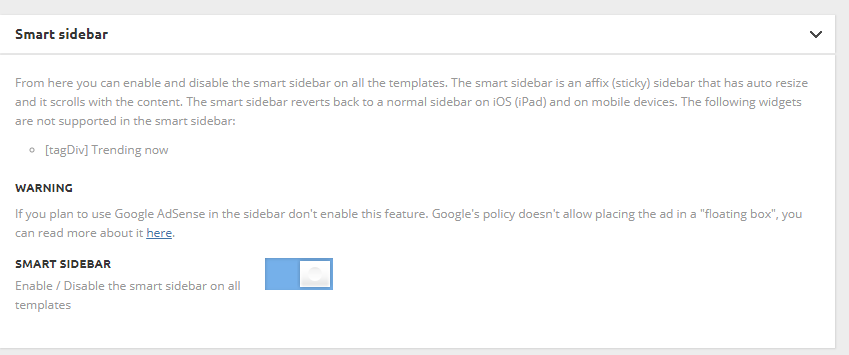
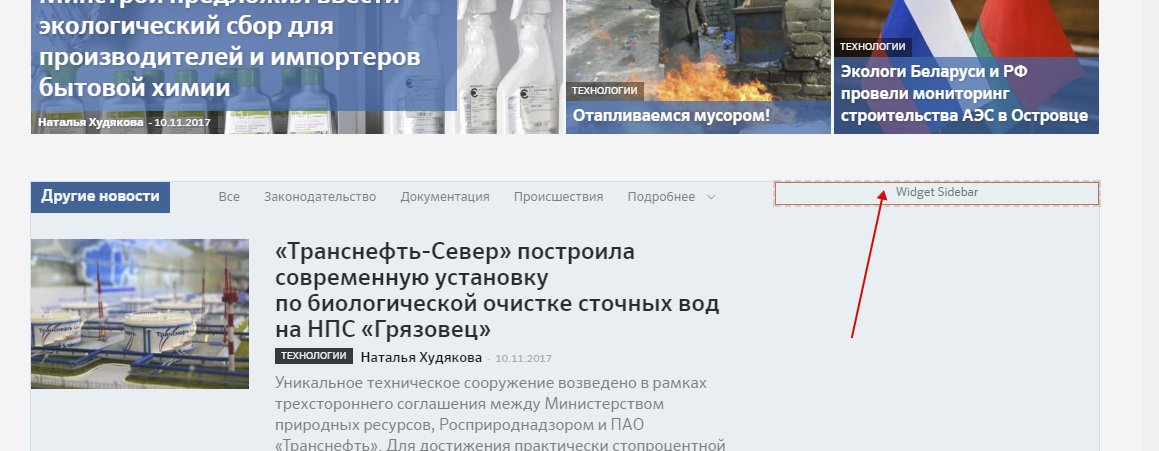
I turned on ‘Smart Sidebar’ option in template setting (screenshot: http://c2n.me/3Po2uhK.png), made sidebar and inserted it on the home page by the means of TD Composer (screenshot: http://c2n.me/3Po2BaR.png). But sidebar is not scrolling with content as intended. What I did wrong?
The page address is http://ecomag.zzkk.ru/
 Cosmic
Greetings team,
I have a small issue regarding the Left Border of the theme.
It is always different then the rest of the grid line as you can see in the screenshot. Last time I know you guys gave me a CSS code to hide it, but with the latest major .4 version it does not work anymore.
I tried also to modify it from the TD Composer (Border Style – none and Border Color – transparent) – no success.
I don’t know what’s the cause for this (it’s been like this for a long time) but I was wondering if you can help me.
This is the screenshot: https://ufile.io/eg8ch
You can also visit the site: https://revistacosmos.com
Thanks so much!
Andrei
 laillah
Hello,
I used image box from TD composer and I have this black/grey overlay (on left): https://imgur.com/a/z2sRC . I would like to use my own color (blue) but combined with that black overlay it is too dark..
Please tell me how to remove that layer or edit from black to blue overlay.
Thank you!