
- NewsmagHow to update a plugin
- NewspaperHow to update a plugin
- NewsmagHow to update the theme
- NewsmagHow to update the WPBakery plugin
- NewspaperHow to update the WPBakery Page Builder plugin
- NewspaperHow to Update the Newspaper Theme
- Apitd_api_top_bar_template::update_key
- Apitd_api_top_bar_template::update
- Apitd_api_single_template::update_key
- Apitd_api_single_template::update
- Apitd_api_footer_template::update_key
- Apitd_api_footer_template::update
- Apitd_api_smart_list::update_key
- Apitd_api_smart_list::update
- Apitd_api_thumb::update_key
- Apitd_api_thumb::update
- Apitd_api_category_top_posts_style::update_key
- Apitd_api_category_top_posts_style::update
- Apitd_api_category_template::update_key
- Apitd_api_category_template::update
 c386
c386 Hi Bettina,
That is correct, but prior to this update, typography settings worked without having to delete that value.
The change in 12.6.9 isn’t ideal. If we want the body text larger, we would now have to manually adjust each paragraph.
Is this likely to be reverted in the next update?
 Bettina
 Hello!
Try to optimize your website as I mentioned above. If you revert the update, will the issue disappear?
Thank you!
 mcneillmedia
Hi, we’re having trouble with the latest Newspaper 12.6.9 update.
Here’s access to our sandbox site:
https://dev.lodgingmagazine.com/
username: sandbox
password: sandbox1234
The home page seems to be okay, but some of the cloud templates aren’t working after the update, example:
https://dev.lodgingmagazine.com/category/food-and-beverage/
Please advise?
Thanks!
 Oktay
Oktay Since the update to 12.6.9 my website has slowed down, and sometimes I get a 503 error. This never used to happens, the traffic is still around the same as before. This is the system status. I’m using Litespeed Cache for the optimisation and the settings have not changes also. What could be the issue?
c386 Hi Bettina,
Sorry, I don’t think I’m explaining the issue clearly.
I have a Cloud Template where the post content font size is set to 17: https://imgur.com/a/xcxZokN
When creating articles, I should then be able to change font size in parts of the post using the typography settings: https://imgur.com/a/UcDhaP5
This has worked perfectly in the past. However, after upgrading to 12.6.9, the typography settings have no effect when using the same cloud template.
Existing posts that have small font defined are not rendered correctly. The HTML shows <p class=”has-small-font-size”> but the text is not rendered small.
Given the posts all displayed correctly prior to the update, I can only assume something has changed with the theme.
Thank you for your help, I hope the above explanation is clearer.
c386 Hi Bettina,
I think I may have found the culprit. In the relevant cloud template, post content font size is defined manually.
Prior to the latest theme update, defining font sizes in the post article would override the default setting from the cloud template, but this no longer appears to be the case.
The only way I can get font sizes to apply from the editor is to completely remove the font size setting in the cloud template, as highlighted here: https://imgur.com/a/xcxZokN
This is unwanted behaviour. Ideally, any manually defined font sizes in an article should override what is defined in the cloud template.
Bettina Hello!
If you used the WPBakery plugin, you should know that it is a deprecated plugin and you should redesign your website using the tagdiv Composer plugin in the newest version.
For every update, we always recommend the following:
-> First of all, please make sure you have a backup.
-> Please deactivate all the non-tested plugins with our theme before updating.
-> Update WordPress, PHP, the theme, and plugins to the latest version: https://forum.tagdiv.com/how-to-update-the-theme-2/.
-> Check all these requirements for the theme: https://forum.tagdiv.com/requirements-for-newspaper/
Thank you!
Bettina Hello!
Here is the setting for Mobile theme: https://app.screencast.com/yYhHkpNzYa75u
We have 3 options available for mobile versions that you can use:
1. Responsive version: A responsive version of your website looks similar to the desktop version. TagDiv Composer is used to edit the page. Click on the mobile viewport: https://www.screencast.com/t/XDQJedlggSB. You can see your mobile version there and edit or adjust the elements to look better.
2. Mobile pages: https://tagdiv.com/newspaper-10-3-7-update-brings-customizable-and-fast-mobile-pages
3. Mobile theme plugin: The Mobile Theme is a performance-optimized theme included in the main Newspaper theme that only loads on mobile devices. It comes with its own templates and designs for pages, posts, categories, etc., so your current templates from the desktop theme will get converted to the mobile theme layout. Please see https://forum.tagdiv.com/the-mobile-theme/ and https://forum.tagdiv.com/mobile-theme-introduction/ for more information.
A full explanation is here: https://www.youtube.com/watch?v=SpGkOnJeNZY
If you need to use mobile version 1 or 2, then you need to uninstall the Mobile Theme plugin and AMP.
Thank you!
Bettina Hello!
Yes, it’s a known bug. We will fix it in the next update.
We’re sorry for this inconvenience!
Thank you for understanding!
 info@shemm.am
If one of my websites has an old version of Newspaper theme, and now I want to buy the new version Newspaper 12, and import it, will it crush the styling of existing theme, pages and templates or no?
 MzMaffei
I am managing two separate development environments that need to be unified:
Environment 1 (mac1):
Contains the most recent update of the TagDiv theme
Has updated display configurations, templates, layouts, and customizations
>>> Does NOT have the updated set of posts and images
Environment 2 (mac3):
Contains the latest version of posts and images
Does not have the updated theme/template/layout configuration
Objective
I want to transfer ONLY the display configurations, templates, and layouts from mac1 to mac3, while maintaining all existing content (posts and images) on mac3.
Specific Questions
What is TagDiv’s recommended method for transferring ONLY the theme configuration (layouts, header, footer, custom templates) without affecting the existing content?
Will using the “Export Theme Settings” function in Theme Panel > Import/Export correctly transfer all customizations, including:
– Custom page layouts
– Custom headers and footers
– Article/category templates
– Global display settings
– Custom CSS
Are there specific components not included in the export that I should transfer separately?
What precautions should I take to avoid conflicts or issues during this type of migration?
 Hans
Hans Hi,
The problem still exists after both Firefox and the Newspaper theme are updated.
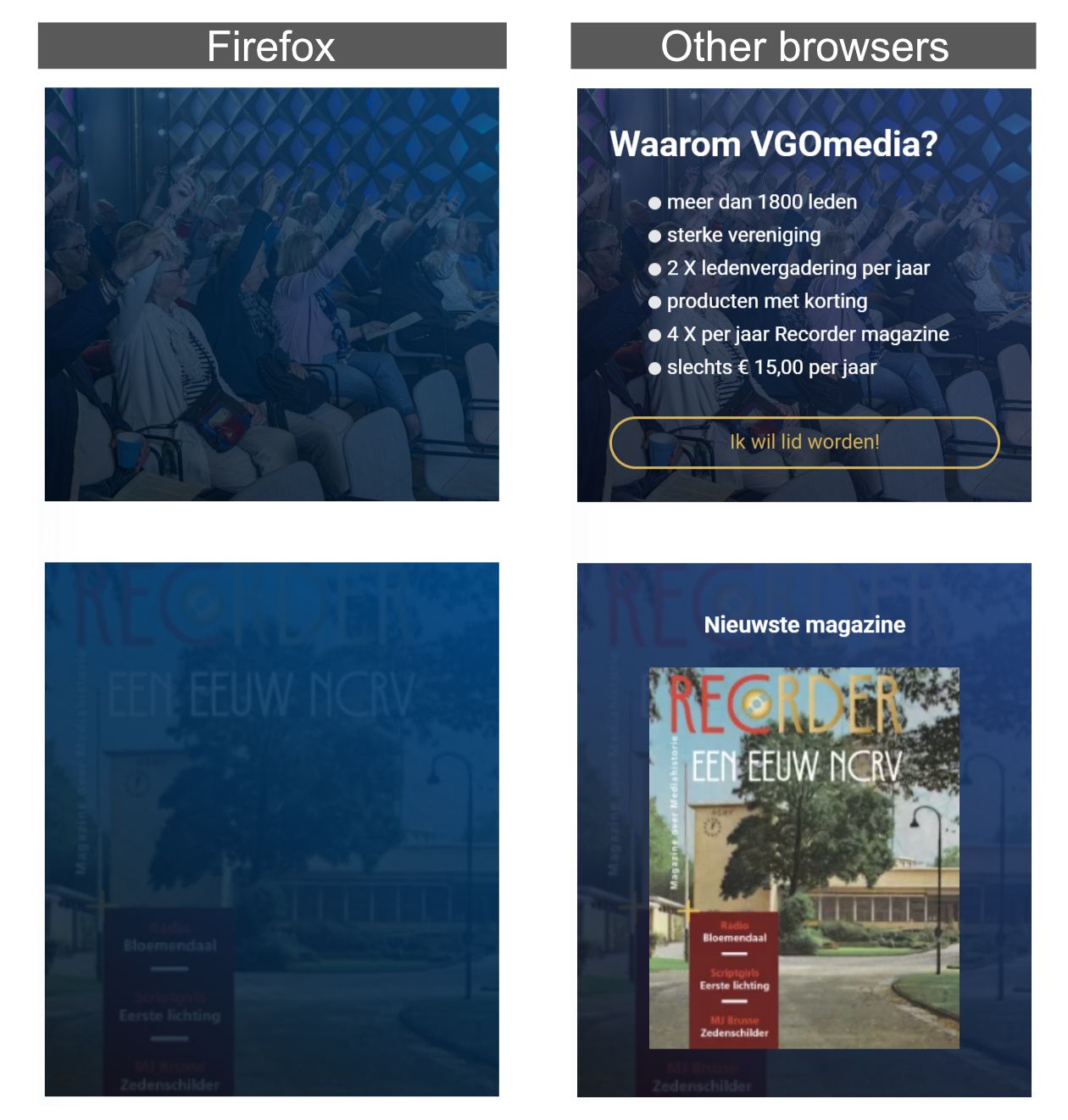
I have to solve this problem because 40% of our users use Firefox.
If the problem isn’t solved I can not use your template for our new site.
Bettina Hello!
We have 3 options available for mobile versions that you can use:
1. Responsive version: A responsive version of your website looks similar to the desktop version. TagDiv Composer is used to edit the page. Click on the mobile viewport: https://www.screencast.com/t/XDQJedlggSB. You can see your mobile version there and edit or adjust the elements to look better.
2. Mobile pages: https://tagdiv.com/newspaper-10-3-7-update-brings-customizable-and-fast-mobile-pages
3. Mobile theme plugin: The Mobile Theme is a performance-optimized theme included in the main Newspaper theme that only loads on mobile devices. It comes with its own templates and designs for pages, posts, categories, etc., so your current templates from the desktop theme will get converted to the mobile theme layout. Please see https://forum.tagdiv.com/the-mobile-theme/ and https://forum.tagdiv.com/mobile-theme-introduction/ for more information.
A full explanation is here: https://www.youtube.com/watch?v=SpGkOnJeNZY
If you need to use mobile version 1 or 2, then you need to uninstall the Mobile Theme plugin and AMP.
Thank you!
Bettina Hello!
We did not change anything regarding this in the new update of the theme.
This issue has been discussed already here, please check: https://forum.tagdiv.com/topic/twitter-share-problem/
Thank you!
Bettina Hello!
Please revert the update so that you can have the same functionality there.
Thank you!
 PIF21
PIF21 Our Twitter has been configured in the Toast SEO wizard and the image is still not showing in posts. Our Yoast SEO configurations have been set for a long time. It wasn’t until the most recent Newspaper update that we were not able to post article links with images on Twitter.
PIF21 Up until the last Newspaper Theme update, we were able to simply copy and paste links into Twitter posts and the featured image from our articles would appear. Was there a change in the most recent Newspaper Theme update that changed image inclusion in social media posts?
 Avi1368
 Everything is updated and I tried making the changes, but the code isn’t the same as in the other ticket.
Hello!
Please update the theme and plugins and ensure the standard pack plugin is installed and active. Check this topic as well: https://forum.tagdiv.com/topic/social-share-links-in-theme-panel/
Thank you!
Bettina Hello!
Yes. Unfortunately, it is a bug in the latest update.
We will solve the issue as soon as possible!
You can revert to the previous update until we fix the issue.
We’re sorry for the inconvenience!
Bettina Hello!
Make sure you assigned the mobile page correctly: https://tagdiv.com/newspaper-10-3-7-update-brings-customizable-and-fast-mobile-pages/ . Also, please ensure no caching issue interferes with how your website is displayed on mobile.
If the problem is still there, then please get in touch with us via email at contact@tagdiv.com and provide the following:
– admin URL and credentials
– cPanel URL and credentials
– a link to this topic to identify you
We’ll check and try to help you as soon as possible!
Thank you!
 authortravisvanhoose
I have made several updates on posts in the TagDiv. They changes appear when I’m in that area of the site, but when I got back to check the site the changes are not appearing (even after clearing the cache and my own cookies etc.) The same is happening when I change the category on a post. It does not appear on the actual website, but will appear when I view it in the TagDiv.
Any suggestions?
 tizian-ffm
Smart List – Lightbox behavior (view image and return to post on click) does not work on click
Hello,
We have just noticed that the Smart List behavior is not working after the update. Until now, you could click on an image in the smart list to open a larger view, and also scroll through the images and return to the post. Now only the URL of the image is called up, without a fallback.
We have disabled the URL call function via CSS ( .tdb-slide-smart-list-figure .td-sml-link-to-image img{ ). However, the original behavior would be desirable. Is there a bug here? Thanks.
pointer-events: none;}
Bettina Hello!
Yes. Unfortunately, it is a bug in the latest update.
We will solve the issue as soon as possible!
You can revert to the previous update until we fix the issue.
We’re sorry for the inconvenience!
 JavierAlquimia
Hi, after update my website to 12.6.9 release, I found that live search stopped working. Now, I have previous update after make a downgrade and it works again. Please, let me know what can I do. Thanks.
