
- NewsmagHow to update a plugin
- NewsmagHow to update the theme
- NewsmagHow to update the WPBakery plugin
- NewsmagCategory templates
- NewsmagWhat’s included in Newsmag theme package
- NewsmagAjax view count
- NewsmagSmart Lists
- NewsmagFeatured images
- NewsmagFeatured image or video
- NewsmagModal window
- NewsmagtagDiv slider gallery
- NewsmagVideo playlist
 valkoprod
Hello team
since two weeks i have update newspaper at version 9.8 and since this days i meet a lot issues with my website.
First: share buttons on social networks are no longer displayed in articles even though in the theme panel everything is enabled.
secondly: Related article activated in the theme panel but does not display also on the website
in ads, I put the code to display an advertisement below the article but the ad is no longer displayed since the update
sorry help me because my client is not happy to get bogged down
 Calin
Calin Hi,
I’ve just checked the block 25 and on my install this is displaying correctly -> http://prntscr.com/pr4v0u
Please make sure that you made the update according to our documentation from here -> https://tagdiv.com/update-newspaper-theme/
Please make sure that you do not have a plugin conflict with untested plugins, please deactivate all non theme/tested plugins, also if you are using child theme, clear all cache and try again.
Thank you!
Calin Hi MDNM2017,
I’ve noted your suggestion and I think that this can be integrate in the future updates!
Thank you for your understanding!
Calin Hello,
Yes, there is no element/shortcode in our theme that will be automatically update the youtobe videos, only manually, or you can try the above solution.
Thank you!
Calin Hi,
Please notice that there was a major changes in our theme since Newspaper v9.7.3, you can check more about this in our documentation from here -> https://tagdiv.com/updating-the-core-of-tagdiv-themes/
Also make sure that the update was made like this -> https://tagdiv.com/update-newspaper-theme/
Let me know the results!
Thank you!
 pavel@earnware.com
Here is a screenshot of Block 25 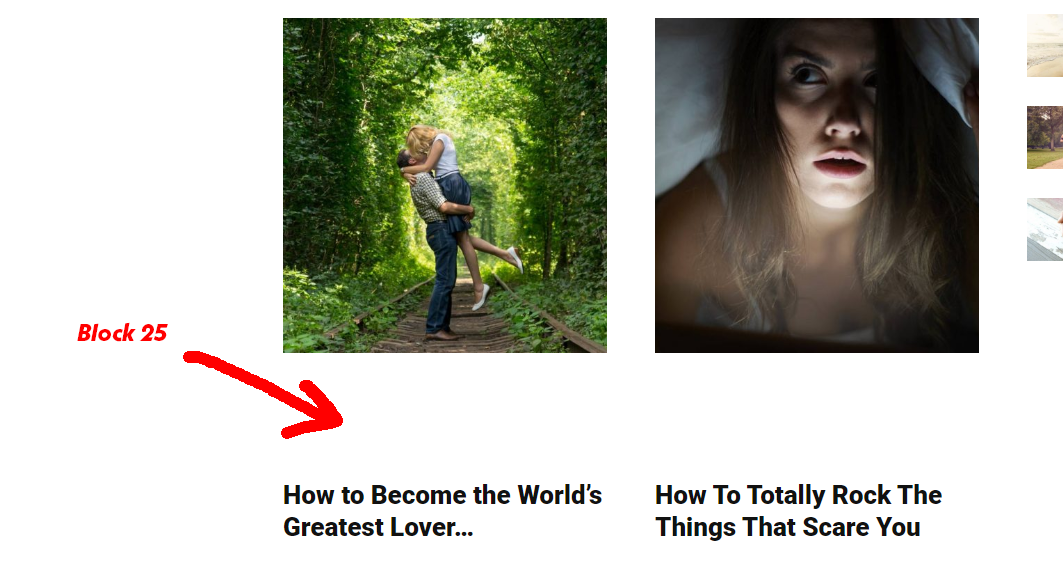
I would suggest these changes to make it work, using object-fit style:
.td_module_mx17 .td-module-thumb,
.td_module_mx17 .td-module-thumb a{float:left; height:100%;}
.td_module_mx17 .entry-thumb {object-fit: cover; height: 100%; width: auto;}
Instead of existing styles, as object-fit works with all the browsers these days.
 cucumberandco
 So what you’re saying is that it’s not an element for using an existing playlist from youtube or vimeo, it’s an element for making a playlist on the site that would need to be manually updated with links from youtube or vimeo.
That’s not really what we’re wanting, but I think we’ve figured out a way to work around it and get the look that we want anyway.
Thanks
 ritam777
hello,
I just changed my hosting. after installing all the files I am getting An error occurred and we could not finish the process.
Please reload the page and try again, or manually update the plugins. this messege.
then i tried from manual setting still Downloading installation package from http://talkwithyouth.com/wp-content/themes/Newsmag/plugins/td-composer.zip…
Download failed. cURL error 6: Could not resolve host: talkwithyouth.com
 Roman
RomanHi
I use WP 5.2.4, Newspaper 9.6.1 and WPBakery Visual Composer 4.12.1
For updating Newspaper to 9.8, I use plugin Envato Market 2.0.3
After updating NP, I use page newspaper/plugins.
Push install button tagdiv composer
Download failed. cURL error 7: Failed connect to giftpic.ru:80; Connection refused
Than I try Manual Update from the WP-Admin
Did not work same
Then I use ftp for manual extract file zip to directory of plugins
THEN I use page newspaper/welcome and push button
https://monosnap.com/file/hf42Y8eIXQdesZ32auW5lZqIWVVqRt
I have ajax error
https://monosnap.com/file/LLlH18YoHmyA83pIVkHamU6HOeQMEu
AND site don’t work at all. I cant to connect to it.
I used backups.
What can I do for install tag div visual composer?
Thank you!
 Simion C.
 Hi,
Thank you very much for your kind words. At the moment if the last modified date setting is activated for all modules in general – https://prnt.sc/pqiasi the mobile theme modules will display it as well for it’s modules.
But in the post page the modified date of the post isn’t displayed. There may be an option added for this in a future update.
So at the moment displaying the modified date in the post page on mobile, with the mobile theme active, could only be done by maybe modifying the post template that the mobile theme uses.
Sorry for the inconvenience, let us know if you have more questions.
Thanks
 kbmyers
Hello – I’ve noticed that sometime after an update the formatting on all of my pull quotes have changed. Here is what a pull quote center look like now:

Here is what they originally looked like:

What do I need to do to get the original formatting back?
Thanks,
Kent
 Mattsteve20
First, I must say you’ve built an awesome (if not the best) general-purpose theme, plus you have the best documentation in the world. Through your documentation, I’ve been able to set up my website using the Tagdiv composer for the very first time.
I have a tiny problem, though, and I have not been able to wrap my head around a possible solution. I need to get the mobile theme to fetch the last updated date only for post meta, instead of the published date which seems to be the default. Is there a code or way to get this done?
 Vlad S
 Hello !
The next update is in test phase at the moment so it will be released very soon.
Out beta testers are working on it as we speak.
Thank you for your understanding !
Calin Hi,
I’m not very sure but is possible that next mount to be a theme update that well be more optimize, unfortunately I do not know the features from this update, sorry!
Thank you for sharing with us your experience!
Calin Hi,
Please make sure that you made the update as our documentation from here -> https://tagdiv.com/update-newspaper-theme/
Let me know the results!
Thank you!
 2wwagency
 Hi Vlad, Thanks, but your answer is confused
I have update header background image with 1935 by 275 pixels, but if you see it, the background looks blur
http://test.seedon.media/
Also I see there is 2 header background, were should replace both?
 Sibi Paul
 Before That…
Spend some time with GTMetrix, web.dev , Pingdome Tools etc Speed tester sites…
Then Check File Size…
Most Important in Optimization
1 – Reduce file size as much as possible…
2 – see step 1
3 – everything else, can be done through Cache Plugins Like WP Rocket
4 – Suggest Best Hosting to People
NB: Page Optimization is the Number shows Near to Page Speed, But That is WRONG.
Page Speed & Optimization is Entirely Different 🙂
Some times Over Optimization Kills Page speed.
I have obtained 100 out of 100 in page speed.
but, when I tested Site loading time, it was 1-second delay than other site scored 96 in page speed.
we have to focus on Real Page Speed ( The Real Loading Time ) – Absolutely NOT The Page Speed Score ( Optimization ).
Keep in Mind External Files Can’t Optimized ( Adsense, analytics, FB Pixel etc… )
But, I have done this too 🙂
by hosting external files locally, and created cron job to auto update external files…
Later I understood… That just Increase page speed score, not the REAL PAGE SPEED
🙂
Trust me, I can share you more info, That will make Newspaper theme Better in Page speed 🙂
Thank Me Later as Contributor 🙂
 marcos.jimenez@n-people.es
 Hello again,
Yes, we talk about where the red arrow is.
But for example on my “ACTUALIDAD (or english CURRENT)” page the name of the favicon tab reads “ACTUALIDAD Archivos(or english UPDATE Files|)”. https://www.sophiadigital.es/actualidad/
It’s different from the name of the title and I can’t find where to change it 🙁
What could be the problem?
Thanks again 🙂
marcos.jimenez@n-people.es Hi Vlad,
This is the web link: https://www.sophiadigital.es/
The main page is fine: https://www.sophiadigital.es this text appears “Sophia: Digital news (in spanish Sophia Actualidad digital)”
When I give it to the present: https://www.sophiadigital.es/actualidad/ appears in the tab “CURRENT UPDATES (in spanish ACTUALIDAD Archivos)”
When I give the digital company menu: https://www.sophiadigital.es/empresa-digital/ appears “Digital company (in spanish Empresa digital)” etc in the 4 pages of principal menu…
How can I change the name of the upper tabs (what appears next to the favicon)?
Thanks for the support 🙂
 Carlichy
 But I see the problem of this section, Have you tried with this situation in the theme? I mean it´s possible to set more than 250 icons in this window to give to the editor the opportunity to chose them? With the sidebar that will happen the same, I will have to create 250 sidebars per each business post.
I have read this is a regular problem, so I see different options to solve it:
1.-Make the TagDiv Composer could work in post pages.
2.-Available the option of copy pages in the page section to use them as posts in this situation.
Do you consider some of these options to update in a new version to fix this issue?
Calin Hi,
We are well aware of this issue which is caused by the latest Google Chrome updates ( it works fine on other browsers, for example you can try the Firefox ). Our developers are doing their best at fixing this issue as soon as possible.
Thank you!
Calin Hi,
From what I know there was some changes in Instagram roles so you’ll need a token access from Instagram to can show that Instagram feeds; there will be a new implementation in our Instagram widget in the coming update that we hope will solve this problem, meanwhile you’ll need to find a plugin that can display Instagram feeds.
Sorry for the inconvenience!
Thank you!
Calin Hi,
What I can do is to add the GP Optimisation Should on our features list, in this way maybe it will be add in our theme in the future updates.
Thank you for your understanding!
Vlad S Hello !
Unfortunately the Visual Mode is broken at the moment due to the latest Google Chrome updates. This option will work for all the other browsers.
We are sorry for the inconvenience !
Thank you !
 chungchi001
Hello support team,
I’ve just downloaded your theme. Its amazing in both design and function.
At first I was unable to update post in Gutenberg editor, I have to force the editor to Classic mode. Its fine now.
However, I got stuck when trying to change the frontend layout. It raised error when I tried to edit my page in the TagDiv Composer.
The Console shows that your JS raised error as described in these screenshots:
https://prnt.sc/pp5z9k
https://prnt.sc/pp5zgt
Looking forward to hear your response!
Best regards,
Katrina
