- Apitd_api_top_bar_template::update_key
- Apitd_api_top_bar_template::update
- Apitd_api_single_template::update_key
- Apitd_api_single_template::update
- Apitd_api_footer_template::update_key
- Apitd_api_footer_template::update
- Apitd_api_smart_list::update_key
- Apitd_api_smart_list::update
- Apitd_api_thumb::update_key
- Apitd_api_thumb::update
- Apitd_api_category_top_posts_style::update_key
- Apitd_api_category_top_posts_style::update
- Apitd_api_category_template::update_key
- Apitd_api_category_template::update
- Apitd_api_module::update_key
- Apitd_api_module::update
- Apitd_api_block::update_key
- Apitd_api_block::update
- Apitd_api_header_style::update_key
- Apitd_api_header_style::update
 esemmel
 To update:
The site I wrote about above was moved to a new host (a wordpress based host) from an install on a cheaper brand of hosting. On this wordpress based host, I have another site – that was originally installed on this wordpress host – that I was also looking to switch to Newspaper theme and tried to do so. On this website the theme works fine. The TagDiv Social Counter plugin doesn’t cause any issues, all images display fine. The cloud templates work great. They load and let me edit them in the editor.
So I started doing a lot of tests with the other website that was having problems with the hosting company helping me. I made everything the same – theme, plugins, etc. and one website worked fine, and one kept giving me issues.
I can only deduce that something was corrupted during the move from one host to another, or something on the old host was causing errors and that problem transferred to the new host when the site was moved.
I have made a brand new install of wordpress and added newspaper and am in the process of importing the posts and pages I need from the site, and then will make this site live, replacing the corrupted version.
It works fine now.
My apologies to the Newspaper team as my frustration boiled over and the problem seems to have been with a cheap host/corrupted wordpress files, NOT the theme.
 rakeshbarwar
 Is this is not possible without the use of the classic editor?
Pleas to add tag div gallery in next update ASAP.
 Catalin
 Hi,
You need to update the theme to the latest version of it because this packet will comes bundled with the latest version of Visual Composer. After you have installed the latest version of the theme and plugin, check here -> http://prntscr.com/me9u2r
Thanks for the message!
Catalin Hi,
You need to update the theme to the latest version of it because this packet will comes bundled with the latest version of Visual Composer. After you have installed the latest version of the theme and plugin, check here -> http://prntscr.com/me9u2r
Thanks for the message!
 divcolors
If you write the path /wp-content/themes/Newspaper/index.php or /wp-content/themes/Newspaper/ in the address bar, then the browser will return the http response 500. Will the update include protection so that the file called in the browser returns http 200? How soon will the new version be?
For example:
defined (‘ABSPATH’) or die ();
 Simion C.
 Hi,
Don’t edit the demo posts, create your own posts. If in the future you decide to uninstall the demo or install a different one, the demo posts and pages will be removed
– https://forum.tagdiv.com/installing-demos/
Create new pages or edit the homepage provided with the demo (note what is said above), and add what you want want from the available elements in the tagDiv composer, grids, blocks etc. These will display your posts, configure them as you want. Editing a page is possible from many places
– http://prntscr.com/me555s – http://prntscr.com/me55fs – http://prntscr.com/me55ue
Be sure to set featured images or videos for the posts so the theme can create thumbnails from them (these are the images that represent the post in blocks/grids)
– https://forum.tagdiv.com/featured-image-or-video/
– https://forum.tagdiv.com/theme-thumbs/
– https://forum.tagdiv.com/thumbnails-vs-featured-image-size/
That message you are receiving will not cause any problems. It can appear when changes have been made to the page in the backend.
Note that in themeforest only the latest version of the theme is available at all times. You can check the theme version here – http://prntscr.com/me58ao
Changelog for all theme updates here at the bottom
– https://themeforest.net/item/newspaper/5489609 – http://prntscr.com/me58l6
We can’t sell older version of the theme, if you downloaded the theme before an update you can download it again now, latest version is 9.2.2.
Thanks
 Inma
Inma Hi Simion, I don’t see this option before to disable Gutenberg. I hope not have problems after update WordPress.
Thanks for support me, best regards.
Simion C. Hi,
That is possible with the tagDiv composer as well. Starting with the introduction of the cloud library plugin a few updates ago (version 8.8) now post templates, category templates, author templates etc can be designed with the tagDiv composer
– https://forum.tagdiv.com/tagdiv-cloud-library-plugin/
Here you can preview and even edit the cloud post templates designed by us
– https://affiliate.tagdiv.com/#/load/Single
You can import these and use them as they are or modify them. or you can design your own starting from a blank template.
Thanks
Simion C. Hi,
We will try to help you with these issues. The first and most important step would be the theme requirements guide, there will be various issues if these are not met
– https://forum.tagdiv.com/requirements-for-newspaper/
It is true that there is currently an issue with the mobile theme (this will be fixed in the next theme update), but if it’s not active it can’t be blamed.
Indeed seems that the images do not load in the posts , also other elements such as the header search, the related articles section at the bottom of the post, these are not working correctly.
Usually this is caused by a plugin conflict, conflict between the theme and various codes entered in the theme panel, theme files or child theme.
These would be the next things to check, deactivate all non-theme plugins as a quick test, remove theme modifications and deactivate the child theme temporarily, also codes in the theme panel if you entered any.
When configured properly it shouldn’t cause any issues
– https://forum.tagdiv.com/tagdiv-social-counter-tutorial-2/
Make sure the data you enter in it is according to the documentation. If it still causes problems we could take a look at it. Send us admin access at contact@tagdiv.com so we can check it. Include a link to this topic in the email. Let us know.
Thanks
 Calin
Calin Hi,
In order to get the button for Join -> https://www.screencast.com/t/qQBuPauTUs you need to go in Settings>General and check the membership -> https://www.screencast.com/t/Ewscmf9gvS6R
I’ll add the social log as a suggestion on our list and it will be considered for implementation in a future update.
Thank you for your suggestion!
Calin Hi,
Ad codes for AMP will have to be entered in the dedicated AMP section, be sure to use the proper codes, for example for Adsense
– https://support.google.com/adsense/answer/7183212?hl=en
– https://www.screencast.com/t/vc3VzKSIEHTi
If you want to use another brand of Ads other than AdSense, notice that you need to access the header section of AMP and add the code of your Ad provider.
The amp header is found here: https://www.screencast.com/t/eSsRZ3cItk7u
AMP will work properly for pages created with the default WordPress editor if you want to use it for pages, not with page builder content. The main purpose of AMP is speed, not loading heavy pages with blocks and grids.
Of course, our plugin is optional, you can use other AMP plugins if needed. We will try however to improve it and add more options for it in future updates. Let me know if you have more questions.
Hope this helps!
Thanks.
 syawedis
I’ve updated the “Social Networks” section in the theme panel, but I am still seeing undefined social networks on the homepage here specifically:
https://www.dropbox.com/s/lgawa9qzorgvflf/social.jpg?dl=0
These 4 social icons are not connected to anything and just show ahref=#
But the social networks I did change and save in the theme settings work fine in the header and footer.
How do I update those social networks links, and remove the youtube one?
Thanks,
Nathan
 shaileshprog
sir, currently i am using newspaper theme 9.2 when i have updated wordpress 5.0.3 then my Add new post and page interface show fully blank. what can i do…
 Piyasa Anketi
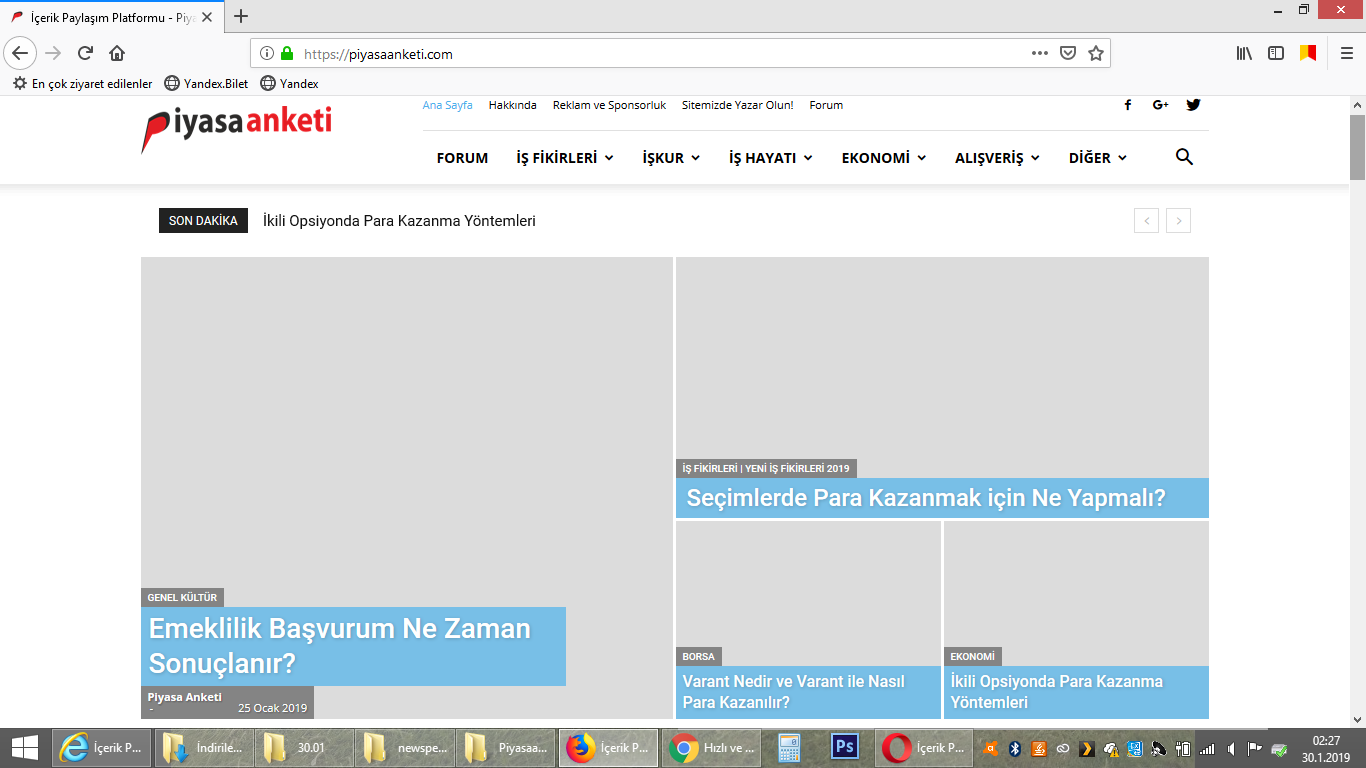
I made a theme update this day. but I encountered a problem. After the update pictures became invisible. (mozilla, explorer brovser). https://i.hizliresim.com/LlbMDj.png I would be glad if you could help
Calin I’ll add this as a suggestion on our list and it will be considered for implementation in a future update.
Thank you for your suggestion!
 sgupta_newspaper
 Thanks, working. Kindly add bullets and numbering option with the theme accent color for more rich reading experience in next update.
Bullets screenshot: https://prnt.sc/mdpzhb
Numbering screenshot: https://prnt.sc/mdq01t
Calin Hi,
Please make sure that you clear all cache after you update the file.
Thanks.
sgupta_newspaper Thanks. It’s working now.
Add this feature in the next update for all top menu and footer as well.
How can I reduce the gap between these two big grid style elements? Screenshot: https://prnt.sc/mdos2m
 miglimpo
Hi,
Since few days and after an update, i have this problem:
Warning: A non-numeric value encountered in /homepages/24/d315860610/htdocs/wordpress/wp-content/themes/Newspaper/includes/wp_booster/td_block.php on line 997
appear just before the related articles block on Newspaper.
It disappears when I disable the “More articles box” MORE ARTICLES
Enable / Disable.
How to fix this problem?
Best regards,
Miguel
Simion C. Hi,
Maybe a last updated option will be available for cloud templates, can’t say at the moment. Currently the date element has only a time ago format (within 7 days)
– http://prntscr.com/mdmt2q
I will check on the to do list, if this request isn’t there I will add it.
Thanks
Calin Hi believer,
You need to use the td mobile plugin that come with the theme version you are using, for example if you have Newspaper v9.1 the only mobile theme plugin that will work for you will be the one from that package.
So if you want you can update the them to the last version 9.2.2 and use the mobile theme from the package that you have download or you check what version of newspaper you have and you send us an email at contact@tagdiv.com and ask for mobile theme for your version of theme.
-> https://www.screencast.com/t/a3mbiSr8B7m
Thanks.
Simion C. Hi,
The theme itself doesn’t have a Facebook widget, but it can be done with the official Facebook widget
– https://www.wpbeginner.com/wp-tutorials/how-to-add-facebook-page-plugin-in-wordpress/
– https://developers.facebook.com/docs/plugins/page-plugin
Configure the widget how you want, then get the code – http://prntscr.com/mdmcd4
First code goes in the theme header file (best you do this in a child theme so that the code will not be lost after a theme update – https://forum.tagdiv.com/the-child-theme-support-tutorial/)
– http://prntscr.com/mdmd4s
The other code goes where you want the widget to appear, in a page you can enter the code in a column text element – http://prntscr.com/mdmdl9
Once the page is saved and viewed the Facebook widget will appear
– http://prntscr.com/mdmdtc
If you need help let me know.
Thanks
Calin Hi,
For the moment you can not change background color using gradient for main menu, if you want to do this you need to use custom css.
We hope that in coming updates this to be possible.
-> https://www.screencast.com/t/wCDbXoQV9d27
Just set this custom css in Newspaper>Theme panel>Custom code>Custom css
.td-header-gradient {

 background-color: red; /* For browsers that do not support gradients */

background-image: linear-gradient(to right, red , yellow, blue ); /* Standard syntax (must be last) */

}
Also feel free to change the colors.
Thank you!
Simion C. Hi,
If you are referring to the header logo or background image set for the header, I believe this will be possible with the header builder that will be released in coming updates.
Currently that is not possible without code modifications in the header templates and setting conditions per page, this would mean a lot of work. So the header will be the same across the whole website, regardless of the page.
If this is not what you are referring to, please correct me.
Thanks
 Krassimir Radjov
Hello,
At the end we are redesigned on our website
We updated the theme to the last version, and WP to WordPress 5.
Big Grid started charging very slowly. It loads the last one after loading everything else.
I notice that the pictures are great.
http://wp.raz.clubs1.bg/
Please advise how to fix things.
Thanks!
Krassimir